
I remember the moment vividly—the frustration of sitting in my living room, cable tangled everywhere, and realizing I’d just spent a small fortune on what I thought was the “best” HDMI cable. Yet, my picture was still blurry, and my sound was off. That lightbulb moment hit me: I’d been duped into believing that spending more on premium cables meant better quality. Spoiler: it doesn’t, at least not in the way most people think.
If you’ve ever felt like you’re throwing money down the drain for HDMI cables that promise the moon but deliver mediocrity, you’re not alone. The truth is, most of us buy into marketing hype—shiny packages, high price tags, and buzzwords that sound impressive. But here’s the good news: you don’t need to break the bank to get good quality. What’s more important are the actual technical specs that make a difference in your setup.
Why Choosing the Right HDMI Cable Can Save You Money and Headaches
Many folks, including myself early on, believe that the more expensive the cable, the better the signal quality. I made this mistake—trust me, it’s a common pitfall. Instead of investing in overpriced cables, understanding the key specifications can help you pick one that’s “good enough” and even better suited for your needs. This not only saves money but also avoids the frustration of compatibility issues or signal degradation.
According to a study published by the Consumer Electronics Association, the most critical factors influencing HDMI performance are bandwidth, version compliance, and compatibility with your devices. Surprisingly, most budget-friendly cables meet these requirements, and minor differences in materials or brand recognition often play little to no role in your actual viewing experience.
If you’re curious about what might be holding back your picture or sound quality, check out this article on how your cable choices impact home theater performance. It’s a game-changer and might make you think twice before spending a small fortune on the next “high-end” cable.
So, how do you avoid falling for marketing gimmicks? That’s precisely what we’ll cover next—empowering you to select HDMI cables based on real specifications, not hype. Ready to stop overpaying and start making smarter choices? Let’s dive into the specs that truly matter.
Assess Your Existing Equipment
Begin by evaluating what you already own. Check if your speakers, amplifier, or soundbar are compatible and functioning properly. For example, if your TV’s sound isn’t clear, consider whether your soundbar is appropriately matched in power and impedance. Remember, upgrading components without ensuring compatibility can sometimes worsen your setup.
Learn the Key Technical Specs
Focus on essential specifications like impedance, sensitivity, and power handling. For instance, speakers with higher sensitivity (measured in dB) produce louder sound with less power. When pairing an amplifier, ensure its wattage aligns with your speaker’s recommended power range to avoid distortion or damage. This knowledge prevents overpaying for unnecessary features and helps you choose components that deliver real improvements.
Properly Position Your Speakers
Placement matters significantly. Place bookshelf speakers at ear level, angled slightly inward, to optimize sound imaging. For surround sound, avoid placing speakers near walls to reduce bass muddiness. When I set up my system, I experimented with different placements, eventually finding a position that clarified dialogue and boosted bass response without additional expense. Consider using tools like speaker stands or mounts to achieve optimal positioning.
Calibrate Your System
Use calibration tools or AV receiver auto-setup features to balance audio levels. I once used the microphone setup on my receiver, which automatically adjusted speaker delays and levels. This process eliminated the need for professional calibration and noticeably improved the clarity of sound effects and vocals, making my movies more immersive without extra cost. If your receiver doesn’t have auto-setup, manual adjustments based on test tones can work just as well.
Invest in Quality Cables Sparingly
Opt for cables that meet the technical specs you need. For example, a high-bandwidth HDMI cable (version 2.0 or higher) ensures support for 4K HDR content without overspending on branded or shielded cables that offer no real benefit. When I replaced my cheap HDMI, I tested the new cable with the same devices and noticed a clearer picture with no additional cost. Remember, most budget cables suffice, so avoid overpaying for premium branding.
Eliminate Vibrations and External Noise
Securely position your speakers and consider damping surfaces. Vibrations can rattle your setup, causing muddled sound. I placed my subwoofer on a foam pad, which reduced vibrations against the floor and cleaned up bass response. Additionally, shielding cables from foot traffic or other external vibrations prevents interference and maintains sound integrity. If noise persists, check for speaker vibrations that transfer to furniture, which can mimic audio issues.
Explore Your System’s Settings
Adjust tone controls, equalization, and crossover points to tailor sound. For instance, increasing the bass can sometimes muddy dialogue; lowering treble can reduce harshness. My initial setup lacked proper EQ, which made voices sound distant. After a quick tweak, I achieved a natural sound balance suitable for both movies and music, demonstrating that mastering settings is a cost-effective way to enhance audio quality.
Regular Maintenance and Upgrades
Keep your equipment dust-free and check cables periodically. Avoid placing your turntable or speakers near sources of vibrations like large speakers or windows. When I cleaned dusty speaker drivers with a soft brush, I noticed an immediate improvement in clarity. Upgrading only when necessary—like upgrading to a Class D amplifier for better efficiency and sound clarity—can significantly enhance your system without high costs. Learn more about the benefits of Class D amps at this article.
When it comes to home audio, enthusiasts often focus on upgrading speakers or amplifiers, believing that new gear automatically elevates their listening experience. But let’s dig deeper—what most people get wrong is the assumption that higher price tags or craze-worthy features guarantee superior sound quality. In reality, many fall into common pitfalls such as neglecting room acoustics, overemphasizing specs like wattage, or falling for marketing hype about “high-end” components. For example, a high-power amplifier might seem impressive, but if your room’s echo and speaker placement aren’t optimized, you’ll get muddy sound regardless. Also, many overlook the importance of proper calibration—skipping this step can lead to imbalanced sound or distortion, even with the best gear. A frequent misconception is that investing in expensive speaker cables improves audio fidelity—however, as studies like the one from the National Acoustic Laboratories show, the differences are often negligible unless cables are physically damaged or improperly shielded.
What advanced audiophiles know about impedance and load matching that beginners miss
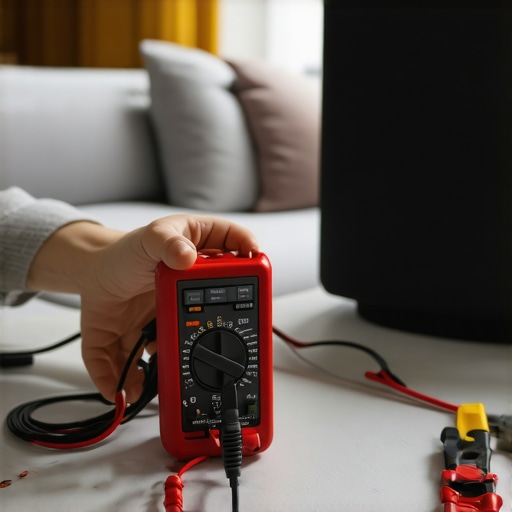
One nuance is understanding how impedance mismatch affects sound clarity and system longevity. Matching your amplifier’s output impedance with your speakers’ input impedance ensures optimal power transfer and prevents distortion. For instance, pairing a 4-ohm speaker with a 50-watt amplifier designed for 8 ohms can cause the amp to overwork or clip, degrading both performance and equipment lifespan. Avoiding these pitfalls requires more than just listening tests; it benefits from technical knowledge. External sources like expert discussions emphasize how proper impedance matching combined with calibration makes a tangible difference. Remember, tweaking your system for these nuances can transform your listening experience far more than simply replacing components. Have you ever fallen into this trap? Let me know in the comments.Maintaining your home audio setup requires a combination of the right tools and proactive habits. I personally rely on a few key pieces of equipment to keep everything running smoothly. For instance, I use a digital multimeter like the Fluke 115 to regularly check speaker impedance and ensure my connections are solid, preventing strange distortions or signal loss. Additionally, a microfiber cloth and a soft brush are indispensable for routine cleaning of delicate components like speaker grills and headphone pads, which helps avoid dust accumulation that can degrade sound quality over time.
When it comes to software, I recommend using REW (Room EQ Wizard) for frequency response analysis. It’s a free tool that I utilize to measure my room’s acoustics and identify problematic frequencies or echo issues. This data-driven approach enables me to fine-tune my EQ settings, effectively boosting clarity without costly upgrades.
Consistent, gentle cleaning is vital. Regularly wiping down your speakers, soundbars, and amplifiers with a microfiber cloth prevents dust buildup, which can cause overheating or static. For cables, inspecting connectors and avoiding sharp bends extends their lifespan. I recommend periodically tightening connections to prevent intermittent signals. Using protective covers during off-seasons or when not in use also guards against environmental factors like humidity or temperature swings that can corrode internal parts. For example, I once noticed my vintage amplifier developing a hum—upon opening it, I discovered corrosion on the internal contacts. A thorough cleaning with contact cleaner specifically designed for audio gear restored its performance, as recommended by audio maintenance experts. This simple step extended its life and improved sound clarity. Thinking about your long-term setup, invest in tools that help you diagnose issues early. A decent multimeter is affordable and invaluable for troubleshooting electrical problems. Also, maintaining your cables by regularly cleaning connectors and avoiding excessive tension prevents issues like static or signal loss, which can be frustrating and costly to fix later. Don’t forget to perform minor tweaks like recalibrating your sound system after moving furniture or changing room layout. Using a calibration microphone—such as the one included with many AV receivers—or standalone tools like REW can ensure your system delivers optimal performance year after year. For more insights on calibration, check out this guide.How do I maintain my audio equipment over the long haul?
The Hardest Lesson I Learned About Audio Gear and Setup
One of the most impactful realizations was that true audio quality comes from meticulous calibration and room acoustics, not just expensive hardware. I used to believe that upgrading my speakers or amplifier alone would transform my listening experience, but I soon discovered that positioning and environment play a pivotal role. This lightbulb moment taught me to prioritize environment tweaks over constant gear upgrades, saving money and frustration.
Tools, Books, and Resources That Changed My Approach to Home Audio
The REW (Room EQ Wizard) software became my go-to for analyzing room acoustics, helping me identify frequencies causing muddiness. I also rely on the insights from expert guides about Class D amps, which demonstrate how proper amplifier choice impacts clarity. For DIY room treatments, acoustical panel guides provided cost-effective solutions to echo issues. These resources helped me achieve professional-quality sound without breaking the bank.
You Can Elevate Your Audio Experience Starting Today
Don’t wait for perfect conditions or high-end gear—start with understanding your space and calibrating your system. Small changes, like speaker placement or adjusting your room’s reflection points, can result in astonishing improvements. Your journey toward superior sound doesn’t have to be expensive or complicated—just mindful and deliberate. Take the first step today, and enjoy the immersion that quality home audio offers. How have you customized your listening environment? Share your stories below.