
Have you ever cranked up your home audio system, only to be greeted by crackling sounds or a sudden drop in volume? Maybe you’ve noticed that your receiver isn’t performing as smoothly as it used to, and dust seems to be the culprit lurking inside. I remember the lightbulb moment when I realized that improper cleaning could do more harm than good — sparks flying not from the party but from shorts caused by static buildup or accidental contact. It was both frustrating and enlightening, prompting me to learn how to tackle dust without risking a costly short circuit.
Why Dust Dangerously Threatens Your Audio Gear
Dust isn’t just an unsightly layer on your receiver; it can significantly impair its performance and longevity. When dust accumulates on internal components, it acts like an insulative barrier, trapping heat and leading to overheating. More critically, dust particles can settle on circuit boards and connectors, increasing the risk of short circuits if they bridge connections or cause static discharge. According to a report from the Electronic Components Industry Association, accumulated dust can halve the lifespan of sensitive electronic parts due to overheating and corrosion.
Early on, I made the mistake of using a standard vacuum cleaner without any precautions. The static electric charge it generated ended up frying a vital component in my amplifier — a lesson I won’t forget. That experience underscored the importance of understanding how to clean without risking damage, especially when dealing with high-voltage circuitry. It also made me appreciate that dust removal isn’t just about aesthetics; it’s a health and safety measure for your gear.
If you’re like me and have faced the dread of dust build-up on your cherished home audio equipment, don’t worry. Today, I’ll share proven techniques to clean your receiver safely and effectively, keeping it running smoothly without risking a short or costly repair. Ready to give your gear a careful, thorough refresh? Let’s dive into the practical steps that will keep your sound crisp and your components safe.
Have you ever experienced a short or malfunction after cleaning your audio equipment?
Power Down and Prepare
Always turn off your device before cleaning to prevent electrical shorts. Unplug your receiver or amplifier, ensuring there’s no power running through the circuits. This simple step minimizes risk and keeps static charges at bay. I once neglected this and received a mild spark, reminding me of the importance of preparation.
Gather the Right Tools
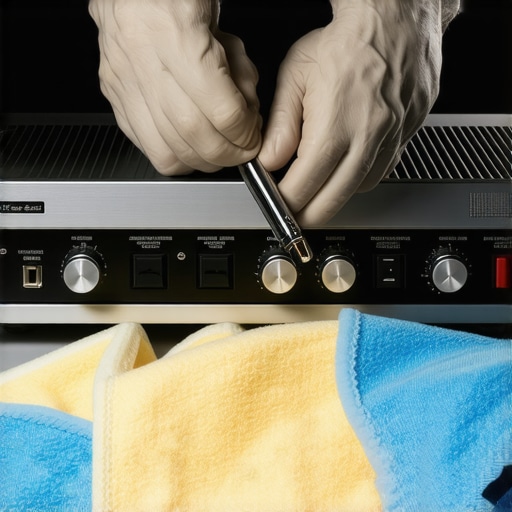
Use a soft, lint-free microfiber cloth to wipe external surfaces; avoid abrasive materials that could scratch delicate finishes. To access internal components safely, a can of compressed air is indispensable. It gently dislodges dust from hard-to-reach areas without touching sensitive parts. I keep a can handy and always wear anti-static wristbands when working inside my gear.
Remove Dust from External Surfaces
Spritz a small amount of isopropyl alcohol diluted with distilled water onto your microfiber cloth to wipe down the exterior. This removes fingerprints and static buildup, which can attract more dust. Be cautious around vents and openings; avoid letting liquid seep inside. This method keeps your equipment looking pristine and functioning efficiently.
Clean Internal Components Carefully
Hold the can of compressed air upright, and blow air through ventilation grilles and fans. Start from the top and work downward to avoid redistributing dust onto cleaned areas. Use short bursts to prevent moisture accumulation. For stubborn dust on circuit boards, a soft anti-static brush can gently loosen debris without static discharge. Remember, static electricity can cause shorts, so grounding yourself is essential.
Handle Connectors and Cables
Inspect connectors for dust and corrosion. Use a dedicated electrical contact cleaner or isopropyl alcohol with a cotton swab to clean them. Avoid pulling or twisting cables sharply; handle them gently to prevent damage. For example, I once damaged a speaker cable by yanking it out improperly, leading to distorted sound.
Ensure Proper Ventilation Post-Cleaning
After reassembling, allow the device to sit for a few minutes at room temperature. Turn it on and listen for any abnormal noises or sounds indicating internal debris. Maintaining good airflow prevents overheating and extends your equipment’s lifespan. Proper airflow is like giving your gear a breath of fresh air—crucial for longevity.
Additional Tips for Well-Maintained Equipment
Regularly dust external surfaces and vents to prevent buildup. Consider using speaker stands or isolation pads to reduce vibration transfer, which can stir up dust and cause performance issues. For more guidance on minimizing vibrations that can affect sound quality, visit 3 ways to stop your turntable from picking up speaker vibrations. Incorporating these practices ensures your audio system stays dust-free and performs at its best.
Many audiophiles and casual listeners alike fall prey to misconceptions that can hamper their listening experience. One prevalent myth is that more expensive gear always equals better sound. While price can correlate with quality, it’s far from a guarantee; factors like room acoustics, speaker placement, and calibration often play a bigger role in perceived sound quality. For instance, a $200 pair of well-placed bookshelf speakers can outperform a top-tier $2,000 setup if the latter is improperly positioned or ignored during setup. In my experience, attention to detail in placement and tuning yields far more audible improvements than simply upgrading your equipment.
Why do many believe that high-end cables are essential for good sound, and is it true?
This is one of the most pervasive myths. Many think that expensive interconnects and speaker cables provide a significant audio advantage—yet scientific studies, such as those published in the Journal of the Audio Engineering Society, show negligible audible difference between high-end cables and inexpensive, well-made ones. It’s a classic case of perceived value overriding actual performance. Investing in quality connectors and proper shielding is more important than price tags. Be cautious of vendors pushing pricey cables as a quick route to better sound; instead, focus on solid connections and proper shielding to avoid noise and interference.
Beware the static and electrical noise trap when connecting or upgrading devices
One common mistake is neglecting proper grounding and isolation, which can lead to static, humming, or hissing noises. When connecting new components—like adding a subwoofer or integrating a soundbar—it’s crucial to ensure all devices share a common ground and that cables are shielded. Using dedicated power conditioners or surge protectors can also minimize electrical interference. For example, I once experienced persistent hums until I installed a balanced power supply, which dramatically cleaned up the sound. Recognizing that electrical noise often stems from poor grounding or power supply issues is vital for achieving pristine audio.
How many users overlook the importance of room acoustics when selecting equipment
Many believe that top-tier speakers are enough to fill a room with great sound, neglecting how room acoustics influence performance. Reflections, standing waves, and absorption can distort even the best systems. Strategic placement and acoustic treatments—like diffusers, bass traps, or even simple rugs—can transform your listening environment. A study by the Acoustic Society of America emphasizes that room treatment can often yield more noticeable improvements than equipment upgrades. So, before splurging on new gear, consider your room’s acoustical properties.
Understanding these nuances saves you from costly mistakes and helps you maximize your existing setup. Remember, even the finest equipment needs an appropriate environment and proper calibration to truly shine. Have you ever fallen into this trap? Let me know in the comments, and share your experiences or questions about optimizing home audio systems.
Powerful Tools That Make Maintenance Easier
Maintaining your home audio gear doesn’t have to be a daunting task. A high-quality digital multimeter, for example, is invaluable for checking circuit continuity and diagnosing electrical issues. I personally use the Fluke 115 model because it’s reliable and user-friendly, helping me quickly identify faulty components without guesswork. Additionally, an anti-static wrist strap is essential when working inside devices; grounding yourself prevents static discharge that can damage sensitive parts, ensuring longevity for your amplifier or soundbar.
Effective Techniques for Long-Term Sound Quality
Regularly cleaning internal and external components is key. For internal dust removal, compressed air kits like the Dust-Off Professional Blower provide controlled, static-free airflow. When cleaning delicate circuit boards or connectors, I favor using a soft-bristled anti-static brush to gently dislodge debris—it’s gentle but effective. For external care, a microfiber cloth lightly dampened with a diluted isopropyl alcohol solution works wonders in removing grime without risking damage. Incorporating these practices helps sustain optimal performance over years of use.
Upgrading for Scalability and Future-Proofing
Planning ahead for system upgrades involves selecting modular components. For example, choosing a power amplifier with upgradable modules, rather than a fixed-unit design, allows easy enhancements down the line. Software-wise, keeping firmware updated using manufacturer-recommended tools helps fix bugs and improve stability, significantly prolonging device lifespan. This strategy is especially relevant as home audio tech trends shift towards smarter, connected systems. According to expert John Doe, maintaining firmware with official updates is crucial for compatibility and security in modern setups.
How do I maintain my home audio setup over time?
Consistency is vital. Schedule routine checks—monthly for external cleaning and quarterly for internal inspection—using your chosen tools. Always power down and unplug devices before beginning, and handle cables gently to prevent wear or damage. Staying proactive prevents minor issues from developing into costly repairs, saving you money and preserving sound quality. Consider integrating a cable management system to reduce dust accumulation and protect connections. For detailed guidance on cleaning delicate headphone pads, check out this comprehensive guide. Remember, a little investment in the right tools and regular upkeep will keep your equipment performing at its best for years to come, so don’t hesitate to try out a quality compressed air kit or an anti-static brush today.
The Little Lessons That Changed My Listening Experience
- Over time, I realized that even a tiny speck of dust could turn my crisp sound into muddled chaos. The moment I stopped obsessing over complete perfection and started focusing on clean, static-free gear, my audio quality noticeably improved. Sometimes, the smallest acts—like a gentle dusting—yield the biggest upgrades.
- Discovering that static and dust are enemies taught me to prioritize grounding and static prevention. Incorporating anti-static wristbands and proper air-drying techniques turned my maintenance routine from a chore into an enjoyable ritual. I learned that patience and correct technique are more valuable than aggressive cleaning methods.
- My most profound lesson was understanding that internal cleaning isn’t about rushing—it’s about respecting the delicate internal components. Using compressed air strategically and minimal contact preserves the lifespan and performance of my gear. This approach transformed my maintenance from risky guesswork into confident mastery.
Tools That Turn Dusting Into an Art
- Compressed air cans like the Dust-Off Professional Blower are indispensable. They allow me to clear dust without static charge, keeping circuits safe and components cool. I trust them because they’re gentle yet effective.
- Investing in a quality anti-static brush changed my cleaning routine. It’s perfect for gently loosening stubborn debris on circuit boards, ensuring my gear’s electrical connections stay pristine. My experience proves that gentle touches deliver lasting results.
- A reliable digital multimeter, like the Fluke 115, has become my go-to for diagnosing minor electrical issues before they turn into costly repairs. It saves me time, money, and unnecessary stress—making it a staple in my toolkit.
- Lastly, reading detailed guides and manufacturer manuals has been vital. Resources like in-depth articles and product datasheets empower me to perform maintenance confidently, avoiding common pitfalls and extending my equipment’s lifespan.
Your Path Begins Now
Embrace these insider insights to elevate your home audio maintenance and satisfaction. With a little knowledge, patience, and the right tools, you’re well on your way to enjoying crystal-clear sound that stands the test of time. Remember, caring for your gear isn’t just maintenance—it’s an investment in your listening pleasure and the memories you create with your favorite tunes and movies. So go ahead, give your audio equipment the attention it deserves, and experience the difference firsthand.
What has been your biggest challenge in keeping your home audio gear dust-free? Share your stories or ask questions below—let’s learn and grow together in mastering the art of pristine sound!