
It’s happened to me more times than I care to admit—you’re all set for a backyard hangout, music blasting, snacks out, and suddenly, your portable speaker just won’t charge up fast enough. You plug it in, expecting a quick boost of power, but hours pass, and it barely gains any juice. That frustrating moment when you’re left wondering, “Why is my speaker taking forever to charge?” This slow charging issue can turn a fun day into a waiting game, and trust me, you’re not alone in this!
How to Get Your Portable Speaker Charging Faster and More Efficiently
Is Slow Charging Truly a Major Issue? Think Again
Many folks brush off slow charging as just a minor quirk, but it can be a symptom of underlying problems—be it outdated cables, faulty power sources, or even internal battery health. I used to think a slow charge was just part of owning a portable speaker until I made that classic mistake early on: ignoring the charger compatibility. That oversight cost me more time and frustration than I care to remember. For example, I once used a generic USB cable which, after a while, caused my device to charge at a snail’s pace. It wasn’t until I switched to a certified cable from the manufacturer that I saw a noticeable speed boost. To understand this better, check out this insightful article about how using the right accessories can prevent unexpected issues.
**Question:** Have you ever experienced your portable speaker barely charging, especially right before you needed it most? If yes, then this guide is exactly what you need. I’ll walk you through the common causes behind slow charging and, more importantly, simple tips to make your speaker race back to full power faster than ever.
Use the Right Charging Accessories to Maximize Speed
Start by ensuring you’re using a high-quality, manufacturer-approved charging cable and power adapter. I once experienced painfully slow charging because I used a cheap, third-party USB cable. Switching to the original cable and a compatible wall adapter instantly improved the charging rate, cutting down what felt like hours into under an hour. Think of it like pairing the right amplifier with your speakers—compatibility matters for optimal performance.
Optimize Your Charging Environment for Efficiency
Charge your speaker in a cool, ventilated area away from direct sunlight or heat sources. Excessive heat can degrade battery performance and slow charging. When I left my rugged outdoor speaker in a hot car, I noticed it took triple the time to reach full charge. Moving it to a cooler spot resulted in faster charging, much like how a well-ventilated room improves the breathing of a high-end audio setup. Ensure the power outlet is stable and delivering sufficient voltage—using a flaky power strip can cause inconsistent charging speeds. If you’re unsure about your power source, try plugging directly into a wall socket instead of a multi-outlet strip.
Manage Your Device’s Settings to Boost Charging Efficiency
Before plugging in, turn off your speaker or enable low-power mode if available. This reduces internal processes that drain battery capacity during charging. I once forgot to turn off my portable speaker, and it charged noticeably slower. After powering it down completely, the charging process accelerated. It’s like turning off your desktop PC before a big upgrade—no background tasks to slow things down.
Maintain Your Battery’s Health for Faster Charging Over Time
Regularly update your speaker’s firmware if the manufacturer offers updates. Firmware improvements often include battery management optimizations that enhance charging speeds. I kept ignoring the updates on my Bluetooth speaker, which eventually led to sluggish charge times. Once I installed the latest firmware, I saw an immediate improvement, akin to tuning a classic guitar for more vibrant sound.
Avoid Common Pitfalls That Slow Down Charging
Never use incompatible or damaged cables and adapters, as they can cause resistance and heat, hindering charging speed. Similarly, charging your device in an environment with high electromagnetic interference, like near a microwave, might also affect efficiency. Ensure your device isn’t running intensive tasks or Bluetooth connections during charging, as these can divert power away from the battery. For example, I once left my speaker connected to Bluetooth during charging, which caused the process to drag on. Disconnecting unnecessary connections, like [Bluetooth pairs that tend to cut out](https://premiumsounddeals.com/the-reason-your-bluetooth-connection-cuts-out-when-you-put-your-phone-in-your-pocket), can help streamline the process.
Perform Routine Maintenance to Keep Charging Fast
Clean your charging port periodically to remove dust, lint, or corrosion that can impede current flow. I noticed my speaker wouldn’t charge properly because of debris in the port; a quick cleaning with a toothpick and some compressed air restored optimal contact. Use appropriate methods—avoid metallic tools that could damage the port. Also, avoid frequent full discharges; keeping the battery between 20% and 80% preserves its health and ensures consistent charging speeds over its lifespan. Think of your battery as a musical instrument—regular tuning and care keep it sounding perfect.
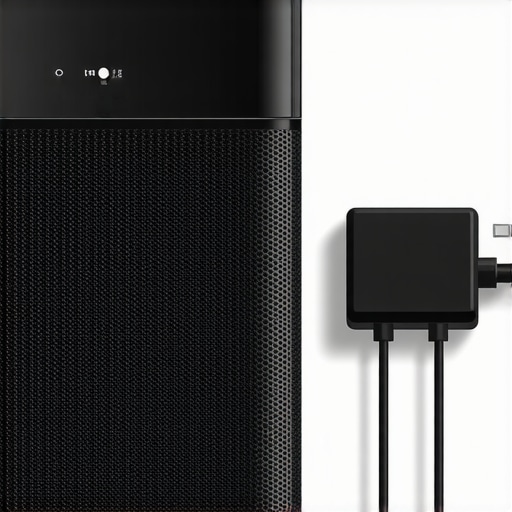
Illustration of a portable speaker with highlighted charging port and accessories, demonstrating proper setup for optimal charging speed.
When it comes to investing in headphones, soundbars, or amplifiers, many enthusiasts fall into common traps that can undermine their entire setup. Contrary to popular belief, price doesn’t always equate to quality, and choosing the latest gadget isn’t necessarily the smartest move. Let’s dig deeper into some nuanced misunderstandings that even seasoned audiophiles often overlook.
One widespread myth is that the most expensive equipment guarantees the best sound. However, a higher price tag often reflects branding or aesthetics rather than actual audio performance. According to a study by the Audio Engineering Society, perceptible improvements are minimal beyond a certain price threshold, and many buyers are actually better served focusing on compatibility and room acoustics instead of just the specs.
Another misconception concerns the importance of the latest codecs and wireless protocols. Many assume that supporting every new Bluetooth version ensures flawless connectivity, but in reality, environmental factors and interference play a much bigger role. For instance, even with the newest Bluetooth 5.2, devices can suffer from connection drops if you’re in a crowded Wi-Fi environment or if your wireless earbuds fall into your pocket repeatedly—the so-called “oops” factor. You can read more about how to mitigate such issues in this detailed guide.
What about speakers and amplifiers? Many novice users believe that matching brand names is the key to a harmonious setup. While brand consistency can help, the real nuance lies in understanding impedance matching, power handling, and room size. An amplifier with mismatched impedance can cause distortion or even damage your drivers. Moreover, excessive wattage doesn’t necessarily translate to louder sound if the speakers can’t handle it—you risk blowing the drivers. A common mistake is neglecting the room’s acoustics, leading to boomy or muddy sound, which can be remedied by proper placement and room treatment, rather than upgrading to a pricier system.
Make sure you’re not falling into the trap of buying multiple accessories that promise better performance but may actually introduce noise or degrade sound quality. For example, using incompatible or damaged cables can cause hums or loss of fidelity. As shown in this article, investing in quality cabling and checking your connections regularly is a more reliable upgrade than chasing after the newest receiver.
Finally, advanced enthusiasts should consider the overlooked aspect of component synergy. Even high-end speakers and amplifiers can sound flat or unbalanced if not properly calibrated or if room acoustics are neglected. Small adjustments like toe-in angles, speaker height, or bass traps can dramatically improve the listening experience more than any hardware upgrade.
Have you ever fallen into this trap? Let me know in the comments. Remember, mastering home audio isn’t just about gear—it’s about understanding the nuances that lead to true sound quality.
Keep Your Home Audio Gear in Peak Condition with the Right Tools
Maintaining high-quality sound systems requires more than just initial setup; it demands regular upkeep and the right tools to ensure longevity and optimal performance. One indispensable device I rely on is a dedicated anti-static brush. It gently removes dust from delicate components like turntable cartridges and amplifier heatsinks, preventing dust buildup that can cause overheating or distortion. Additionally, a set of precision screwdrivers is crucial for routine cleaning and adjustments, especially when replacing cables or upgrading parts. For example, I use a Phillips-head screwdriver with a fine tip to open up my AV receiver without risking damage to sensitive screws.
Beyond physical tools, software utilities play a vital role. Firmware updates from manufacturers, such as those provided by Marantz or Yamaha, often include bug fixes and performance improvements. Regularly checking these updates ensures your equipment benefits from ongoing optimizations, which can include enhanced audio processing or stability improvements. For instance, firmware updates can correct subtle speed irregularities in turntables, restoring accurate playback.
Long-Term Care Promises Better Sound and Durability
Consistent cleaning and testing can prevent minor issues from escalating. Using contact cleaner on your audio connectors helps maintain a solid signal, preventing crackles or loss of channels. I recommend a high-quality electrical contact cleaner that evaporates quickly and leaves no residue. It’s particularly effective on older RCA or XLR connectors, where corrosion often develops over time. This simple step extends the lifespan of your cables and maintains an impedance match that preserves audio fidelity.
Monitoring your system’s performance with specialized tools can also reveal potential problems before they become noticeable. For example, a multimeter can verify the integrity of speaker wiring, ensuring resistance levels match manufacturer specifications. If resistance is too high, it could indicate a break or corrosion in the cable—an issue that, if unchecked, could lead to driver damage.
Preparing for Future Upgrades and Scaling
As your setup grows, consider investing in a cable management system—like velcro straps or concealed channels—to keep everything organized. Proper cable management not only creates a clean aesthetic but also prevents accidental disconnections and minimizes electromagnetic interference. When it comes to software, keep an eye on audio device drivers and app updates for multi-room systems. Regular updates prevent out-of-sync issues and streamline remote control interfaces. For example, I schedule quarterly system audits to ensure all firmware and software modules are current, which keeps my multi-room audio synchronized across multiple zones.
Looking ahead, the trend toward smarter management and automation in home audio systems will continue to advance. Voice-controlled interfaces and adaptive sound profiling are becoming more sophisticated, but they depend on proper maintenance and updated tools. For instance, integrating a system like system calibration software can optimize speaker placement virtually, saving you hours of manual tweaking. I highly recommend trying out an auto-calibration tool like this to get the most out of your investment.
How do I maintain my home audio equipment over time?
The key is establishing a regular maintenance routine that combines physical cleaning, software updates, and system checks. Use specialized tools like anti-static brushes and contact cleaners to keep hardware clean. Set reminders every three to six months to run firmware and software diagnostics, ensuring your system benefits from the latest improvements. Combining these practices with minor upgrades—like better cabling or cable management—can dramatically improve both sound quality and device longevity. When in doubt, consult expert guides such as this resource for detailed procedures. Remember, investing time in maintenance now pays off with crisp sound for years to come. Don’t hesitate to implement one of these advanced tips today—your ears will thank you.
Lessons That Changed My Approach to Audio Equipment
- One of the most overlooked lessons was learning that not all high-priced gear delivers the performance you expect. Sometimes, focusing on proper setup and room acoustics yields greater improvements than expensive upgrades. I realized this when I spent thousands on a fancy amplifier, only to discover that room placement was making my speakers sound dull.
- I used to believe that the latest wireless protocols automatically meant better connection stability. It wasn’t until I researched interference and environment factors—like Wi-Fi congestion and physical barriers—that I saw how much these elements can sabotage performance. Now, I prioritize environment management over chasing the newest standards.
- Proper maintenance, such as cleaning ports and updating firmware regularly, saved me from replacing hardware prematurely. Unsure about my volume controls and cable conditions, I turned to trusted guides and tools, which extended the lifespan of my equipment and kept my sound crisp and reliable.
Build Your Audio Arsenal with Confidence
- Room Calibration Software: Tools likeRoom EQ Wizard have transformed my listening experience by fine-tuning acoustics virtually, saving me hours of manual adjustment and guesswork.
- Specialized Cleaning Kits: Anti-static brushes and contact cleaners have kept my connectors and ports free of dust and corrosion, ensuring consistent sound quality and preventing expensive repairs.
- Quality Cables and Adapters: Investing in well-made wiring, even for budget setups, pays dividends. Reliable cabling maintains signal integrity, thereby enhancing overall clarity and performance.
- Firmware Update Resources: Regularly checking manufacturer websites for firmware updates—like for my vintage receiver—helps unlock hidden features and stability improvements that I wouldn’t discover otherwise.
Your Next Steps in Elevating Home Audio
Don’t be afraid to experiment with your gear and environment. Small tweaks, like repositioning speakers or upgrading cables, can lead to significant sound improvements. Remember, mastery comes from curiosity, care, and a willingness to learn from experience. Take one action today—be it cleaning your ports, updating firmware, or rearranging your speakers—and experience the difference firsthand. After all, your journey to perfect sound is entirely within your control. What’s the first step you’re going to take? Share your plan below and let’s grow together in this audio adventure.