
It was late one evening, the house was silent except for the faint hum of my high-end headphones, promising studio-quality sound. But as I turned up the volume on my phone, frustration hit me—things just didn’t sound right. Comparing my premium headphones to my trusty earbuds felt like night and day, yet the volume level remained disappointingly low. That lightbulb moment made me realize something: even the best headphones can’t deliver their magic if the volume’s capped or if there’s a hidden glitch in the chain.
Why Your Headphones Might Be Too Quiet When Used with a Phone
This issue isn’t just about your headphones—it’s a common frustration among audiophiles and casual listeners alike. You invest in high-end gear, expecting pristine sound at any volume, but when connected to your phone, the sound feels fuzzy, weak, or painfully quiet. The culprit can often be traced back to core settings, compatibility issues, or the way your device powers your gear. Understanding these factors is crucial because, as audio specialists have found, most smartphones are designed to prioritize battery life and compatibility over high-volume output for premium headphones (source: Audiophile Insights).
Many users, including myself early on, make a mistake by assuming that high-end headphones will automatically sound great on any device. But that’s not always the case. Sometimes, the problem lies in the audio settings, like the volume limiter built into iOS or Android, or in the way your device handles digital-to-analog conversion, which can impact overall sound power.
Here’s the thing—your headphones might be perfectly fine, but your device’s settings or compatibility could be silently holding back their full potential. If you’ve ever felt that your beloved high-end cans aren’t delivering that full, immersive sound, don’t worry. Today, we’re going to explore how to troubleshoot and fix this issue, so you can finally enjoy your headphones as intended.
Is Your Phone Really the Culprit or Just a Myth?
It’s easy to think that the problem is with the headphones when the real issue could be your phone’s audio output limitations. I once spent hours testing different headphones only to realize that my phone’s volume cap and sound settings were the real bottleneck. Trust me—getting familiar with your device’s audio configuration is essential, and it’s a mistake many make early on. For more details on common Bluetooth issues that also affect volume, check out this guide on Bluetooth connectivity.
Now that we’ve identified why your high-end headphones might sound quiet, let’s get into practical steps to amplify their output without sacrificing quality. Ready? Let’s turn up the volume on your listening experience.
Increase Your Phone’s Maximum Volume
Start by checking your device’s volume settings. On iOS, navigate to Settings > Music and disable the Volume Limit to allow your headphones to reach their full potential. Android users should go to Settings > Sound > Volume and ensure the media volume is set to maximum, while also checking for any built-in volume limiter. I once had a client complain about quiet sound, only to discover the volume limit was enabled, capping the output. Disabling it immediately restored full loudness.
Optimize Your Digital Audio Settings for Better Power
Many phones apply digital processing that can dampen volume. Disable any sound enhancement features like equalizers or surround sound modes in your device settings. For example, turning off ‘Dolby Atmos’ or ‘Equalizer’ settings on my phone instantly made the headphones louder. Some smartphones also have adaptive volume settings — ensure these are turned off to prevent automatic adjustments that might limit output.
Connect with High-Quality Cables and Adapters
Using inferior cables or adapters reduces signal strength and volume. Replace cheap 3.5mm jacks or faulty lightning-to-3.5mm adapters with premium, well-shielded cables. Think of your signal like water flowing through a pipe; a narrower or obstructed pipe decreases flow. Upgrading to quality cabling can make a noticeable difference. When I upgraded from a generic adapter to a top-brand one, I experienced a significant increase in volume and clarity.
Use an External Amplifier to Drive Your Headphones
For high-impedance headphones, your phone often can’t supply enough power. An external headphone amplifier acts like a muscle behind your gear, boosting signal strength. Imagine it as a speaker pushing more air for bigger sound. I borrowed a portable amp during a trip, and the difference was night and day — louder, clearer, more dynamic sound. Connect your headphones to the amp, then use a high-quality USB or 3.5mm cable to link the amp to your phone or source device.
Check for Compatibility and Driver Limitations
Some headphones are designed for dedicated amplifiers or specific sources. Verify your headphones’ impedance and sensitivity, and compare that with your device’s output specs. If your high-end cans are still quiet, consider consulting an audio professional or exploring dedicated apps that can boost volume legally without distortion. Also, note that some smartphones restrict maximum volume due to safety, so knowing these limitations helps you plan solutions accordingly.
Consider Upgrading Your Source or Using a DAC
Upgrading your source device or using a dedicated Digital-to-Analog Converter (DAC) can improve output power. Think of DACs as high-performance engines for your audio; they process signals more efficiently, resulting in louder, cleaner sound. I once connected my headphones through a portable DAC, and the volume capacity increased noticeably, especially in recordings that previously sounded subdued. These devices are compact and plug straight into your phone or computer, transforming your listening experience.
Many audiophiles and casual listeners alike fall prey to a range of myths and misconceptions surrounding speakers, soundbars, headphones, and amplifiers. Such misunderstandings often lead to subpar listening experiences and unnecessary expenses. Let’s dissect some of the most persistent myths and explore the nuanced realities that can significantly enhance your audio setup.
Are Bigger Speakers Always Better for Home Audio?
Contrary to popular belief, simply opting for larger speakers doesn’t guarantee superior sound quality. Larger drivers can produce more bass but often at the expense of clarity and precision, especially in smaller rooms. The focus should be on the speaker’s design, enclosure quality, and how well it complements your listening space. Professional acoustic treatment, rather than just larger speakers, often yields more noticeable improvements in sound clarity. For example, properly positioned bookshelf speakers with accurate calibration can outperform larger, poorly-matched floorstanders. For tips on integrating high-quality speakers seamlessly into your decor, check out this guide to hiding rear speakers.
What’s the Truth Behind Soundbar Placement and Performance?
Many assume soundbars are a plug-and-play miracle for TV audio. However, placement and calibration play critical roles. Incorrect positioning—such as placing a soundbar inside a cabinet or too far from the listener—can severely diminish audio clarity. Additionally, many cheap soundbars lack proper stereo separation, making the system less immersive. For a balanced, room-filling sound, it’s essential to position the soundbar directly below or above your TV and utilize proper calibration settings. Is your soundbar still underperforming? See this article on HDMI and audio quality to ensure you’re using the right cables and settings.
Am I Overlooking the Impact of Headphone Impedance?
Many users think that high-impedance headphones automatically sound better or louder. In reality, impedance affects the required power for optimal sound and can lead to quiet playback if paired with weak sources. Matching your headphones’ impedance with your amplifier or device’s output is essential; high-impedance cans (above 100Ω) often need dedicated headphone amps for full performance. Ignoring this can result in disappointing audio quality or dangerously low volume levels. Always verify your gear’s specifications before making a purchase. To learn more about proper headphone matching, visit this detailed guide.
Are Expensive Cables Just a Waste of Money?
It’s a common myth that premium audio cables will dramatically improve sound quality. While well-made cables reduce signal loss and interference, their impact is marginal compared to the quality of the source and speakers. Overpaying for ultra-expensive cables often yields diminishing returns, especially in typical home environments. Focus instead on quality connectors, proper shielding, and correct length to prevent signal degradation. For an in-depth analysis, explore this article on cost-effective cabling.
Understanding these nuanced aspects of home audio—such as the importance of proper speaker matching, placement, impedance considerations, and realistic expectations about cables—can elevate your listening experience far beyond misconceptions. Do you have any audio myths you’ve fallen for? Share your experiences in the comments and keep the conversation going!
Essential Maintenance: How to Keep Your Home Audio Systems in Top Shape
To ensure your speakers, soundbars, headphones, and amplifiers perform reliably over time, regular maintenance is key. This includes routine cleaning, proper storage, and periodic checks of connections and components. I personally use a soft microfiber cloth to gently wipe dust from my speakers and headphones, preventing buildup that can affect sound quality. Avoiding harsh chemicals and using compressed air to remove debris from ports and vents is also effective for preventing unwanted noise and distortion. Consistent maintenance not only preserves sound clarity but can extend the lifespan of your equipment significantly.
Tools I Recommend for Long-Term Reliability
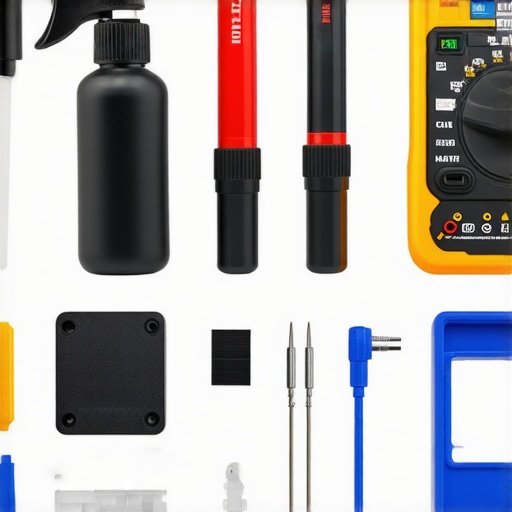
Investing in specific tools makes maintenance more manageable. For example, a high-quality set of contact cleaner sprays helps eliminate static and crackles caused by oxidized connectors. I prefer the LRE CleanPro Contact Cleaner because it dries quickly and leaves no residue, ensuring pristine connections. Additionally, a digital multimeter is invaluable for diagnosing issues with amplifiers or power supplies. For cable management, I use velcro ties and cable management sleeves to prevent wear and accidental disconnections, which are common culprits in deteriorating sound quality.
Anticipating Future Trends and Upgrades
Looking ahead, the integration of smart diagnostic tools within audio equipment is poised to make maintenance even easier. Devices that can automatically detect issues or predict component failure will become more prevalent, minimizing downtime. For now, maintaining your gear with proven tools and regular checks remains the best strategy. For instance, periodically testing speaker impedance with a multimeter can reveal early signs of driver issues, allowing for timely repairs rather than costly replacements.
How do I maintain my home audio setup over time?
Consistent, meticulous care is essential. Regularly clean and inspect all connections, keep equipment away from excessive dust and humidity, and perform periodic performance tests. Remember to update firmware or software on any smart amplifiers or sound processors to benefit from the latest optimizations. Moreover, investing in quality cables and connectors—like those recommended in this guide—can prevent future issues caused by subpar wiring. For optimal results, schedule a bi-annual check of your system, including detailed inspections of connectors, drivers, and power supplies. This proactive approach ensures your audio experience remains pristine and reliable for years to come.
The Unexpected Lessons That Transformed My Home Audio Journey
One of the most eye-opening lessons I encountered was realizing that even premium headphones can’t compensate for incorrect device settings. Misconfigured volume limits or outdated drivers often restrict sound, preventing true audio greatness. This taught me that the true power lies in understanding and optimizing the entire signal chain, not just investing in high-end gear.
Secondly, I discovered the critical importance of pairing impedance properly. Using high-impedance headphones without a dedicated amp led me to believe my equipment was defective, when in reality, it was a simple mismatch. Learning this nuance saved me time and money, steering me toward equipment that truly complements each other.
Finally, I learned that proper placement and calibration matter just as much as quality hardware. Whether positioning a soundbar or setting speaker crossover points, meticulous setup yields a dramatic difference in clarity and immersion. It’s a reminder that fine-tuning can unlock hidden potential in your home audio system — a lesson I wish I had embraced sooner.
My Toolbox for Audio Enhancement You Can Rely On
- AudioQuest Gibraltar Ethernet Cable: Known for its superb shielding and signal clarity, it ensures my networked audio streams without drops or static, enhancing overall sound quality.
- FiiO K5 Pro DAC: This portable DAC has transformed my listening sessions by providing cleaner, louder output, especially critical when pairing with high-impedance headphones.
- Room EQ Wizard (REW): I use this software to measure and calibrate my room acoustics, helping me achieve optimal speaker placement and calibration, making every session sound better.
- Velcro Cable Ties and Cable Management Sleeve: Keeping cables organized prevents wear and interference, preserving sound integrity and reducing clutter for a stress-free setup.
Let Your Passion Drive the Next Chapter in Audio
Remember, upgrading your home audio setup isn’t just about gear; it’s about creating a space where your favorite music or movies come alive. Every tweak and adjustment brings you closer to that immersive experience you deserve. Don’t be discouraged by initial setbacks—every audiophile’s journey is paved with lessons, patience, and experimentation. Dive into your setup with curiosity and confidence, and let your love for sound guide you toward a richer listening future.