
It was late at night, and I was finally getting around to spinning my favorite vinyl after weeks. I eagerly placed the record on the platter, lowered the tonearm, and… a high-pitched hum invaded my listening space. Frustration washed over me. How could such a beautiful sound be marred by this persistent buzz? That lightbulb moment hit me hard: my turntable wasn’t properly grounded.
If you’ve ever experienced that irritating hum when playing records, you’re not alone. Many vinyl enthusiasts face this common issue, and it’s often a sign that your turntable isn’t grounded correctly. The good news? Fixing it can drastically improve your sound quality—and it’s often simpler than you think.
Today, I’m going to walk you through the *why* behind this problem and show you how to ground your turntable effectively. Trust me, once you get it right, your vinyl playback will sound as rich and pure as it was meant to.
Why You Need to Ground Your Turntable Properly
Think of your turntable as a delicate musical canvas. When it’s not grounded properly, it acts like an antenna picking up stray electrical signals, which manifest as that pesky hum. Proper grounding ensures that unwanted electrical interference is minimized, allowing your music to come through crystal clear.
A common mistake I made early on was ignoring the grounding wire altogether or connecting it incorrectly. This oversight amplifies the hum, detracting from your listening experience. It’s like turning up the volume on a radio station with static—frustrating and completely unnecessary.
By properly grounding your turntable, you effectively create a path for static and interference to dissipate safely into the earth. This simple step can make your records sound warmer and more detailed.
Did you know that improper grounding is one of the most frequent causes of audio hum? According to professional audio technicians, ensuring your turntable’s ground wire is securely attached can eliminate up to 90% of this noise problem. That statistic alone underscores the importance of mastering this quick fix.
Stay with me. Next, we’ll dive into the practical steps to ground your turntable, plus some tips to avoid common pitfalls. If you’ve been battling that persistent hum, trust me—you’ll want to get this right. And if you’ve already faced this issue, share your experience—did fixing the ground make a difference?
For more insights on optimizing your audio setup, you might want to check out our guide on [how to clean dust out of your receiver without shorting it](https://premiumsounddeals.com/how-to-clean-dust-out-of-your-receiver-without-shorting-it). Now, let’s get that hum silenced once and for all.
Locate the Grounding Terminal or Wire
First, find the grounding terminal on your turntable, usually a screw post labeled “ground” or similar. If your turntable has a grounding wire, it will be a single loose wire with a metal spade connector at the end. For example, I once struggled to identify the grounding point on my vintage turntable, but a quick check of the manual revealed the screw terminal at the back.
Choose the Right Grounding Point on Your Amplifier or Receiver
Next, identify a suitable grounding post on your amplifier or receiver. This is often a screw labeled “ground” or an unconnected screw terminal. Think of it like finding the landing spot for a jumper cable; your goal is a clean, bare metal point free of paint or oxidation. I once connected my turntable ground to a screw used for grounding other equipment, standard practice that resulted in a significant hum reduction.
Ensure Clean Connectors
Before connecting, clean both the grounding wire and terminal with a soft cloth or contact cleaner. Dirt or oxidation can reduce grounding effectiveness. During my first attempt, I neglected this step, which caused persistent hum until I cleaned both ends thoroughly.
Connect the Grounding Wire Securely
Attach the spade end of the grounding wire onto the grounding screw, tightening it firmly but gently to avoid stripping the screw. If your wire has a different connector, adapt accordingly, but a snug fit is essential. I once used a pair of pliers to tighten a loose connection, which noticeably silenced the hum.
Test and Tweak the Connection
Play a record and listen carefully. If the hum persists, try loosening and repositioning the connection slightly, or connecting to another grounding screw if available. Sometimes, a different grounding point yields better results. I experimented with different screws on my receiver, finally settling on a metal screw nearest the power input, which provided the clearest sound.
Additional Tips for a Clean Signal
If you notice hum despite proper grounding, consider checking other components. Cleaning dust out of your receiver can improve overall performance. Also, keep your cables away from power supplies and fluorescent lights to reduce interference. I once routed my audio cables behind my receiver to minimize electromagnetic interference, which improved clarity.
Regular Maintenance Keeps Hum at Bay
Over time, connections can loosen or corroded. Periodically inspect and clean your grounding points to maintain optimal sound quality. My experience has shown that simple upkeep prevents annoying hums and keeps my vinyl sessions enjoyable. Remember, a well-grounded turntable is your best bet for rich, distortion-free music playback.
In the world of home audio, common beliefs often lead enthusiasts astray, especially when chasing deals or upgrading their setups. Many assume that the most expensive gear guarantees the best sound quality, but in reality, this overlooks crucial nuances. For example, purchasing an ultra-cheap soundbar might seem like a bargain, yet it frequently lacks the necessary components for proper sound dispersion, leading to disappointment. An advanced mistake is neglecting room acoustics; even top-tier speakers won’t deliver optimal performance if positioned improperly. Consider that a study by the Audio Engineering Society highlights how room reflections can drastically distort perceived sound, making correct placement critical.
Contrary to popular belief, soundbars are not always a better solution than a dedicated speaker system. While they seem convenient, many compromise on soundstage and clarity. Instead, investing in quality bookshelf speakers with proper acoustic treatment can provide a richer experience—especially when coordinated with a good amplifier. But beware of the trap of overamplifying; pushing your receiver beyond recommended levels can cause distortion and damage over time. Always remember that matching impedance and power ratings is vital, as mismatches can lead to *advanced mistakes* like overheating or sound degradation.
How do these nuanced factors influence your setup? The key lies in understanding the subtle distinctions that separate a good audio experience from a merely acceptable one. For instance, many overlook how cable quality, grounding, and even the source device affect overall sound, despite these aspects being integral to a clean signal chain. External sources suggest that upgrading your cabling and ensuring proper grounding of components can improve audio clarity significantly—more than just replacing speakers or adding new gear.
Don’t fall for the myth that higher wattage equals louder sound. Real listening quality depends on your speaker’s efficiency and your room’s acoustics. For a comprehensive approach, check out our detailed guide on [how to clean dust out of your receiver without shorting it], which is a simple step that can prevent many issues. Additionally, addressing the acoustics with treatments like diffusers or bass traps can elevate your audio experience remarkably.
Remember, the devil is often in the details. When shopping deals, scrutinize specs beyond price tags and branding. Verify compatibility, read reviews focusing on real-world performance, and consider the placement and environment where your system resides. An informed enthusiast avoids the pitfalls of myths and quick fixes.
Have you ever fallen into this trap? Let me know in the comments. Being aware of these subtleties ensures you get the most out of your home audio investments and truly enjoy your music, movies, or gaming sessions with clarity and depth that match your expectations.
Invest in the Right Tools for Longevity
For maintaining your home audio arsenal, having quality tools makes all the difference. I personally rely on a high-quality multimeter like the Fluke 117, which allows me to check impedance and continuity in cables and components without guesswork. Using a precision screwdriver set ensures connections remain tight and corrosion-free, especially on grounding points. I also keep a can of contact cleaner handy; it’s invaluable when cleaning connector terminals or ensuring secure, clean contacts.
To diagnose and fix issues efficiently, I employ a dedicated audio test tone generator—like the MiniDSP U-DG. It helps identify distortions and phase issues without endlessly swapping components. Regular checks of cables and connections with these tools prevent small problems from escalating into degraded sound quality, saving both time and money in the long run.
Adopt Software for Optimal Setup and Maintenance
Software tools are vital for fine-tuning your system. I recommend using room calibration software like REW (Room EQ Wizard) paired with a measurement microphone. It allows you to analyze frequency response and pinpoint problematic room modes or speaker placements. By running these measurements periodically, I can adjust EQ settings on my receiver for a flatter, more accurate sound profile. This becomes especially important if you frequently reconfigure your space or add new gear.
Additionally, firmware updates for your amplifier or soundbar are crucial. Manufacturers often release patches that refine features and fix bugs, improving overall stability and sound quality. Make it a habit to check your device’s support page every few months; it’s a simple step that can extend the lifespan of your gear and ensure you’re getting the best performance possible.
Building a Routine for Long-Term Performance
Consistency is key—regular maintenance prevents unexpected failures. Dust and debris can cause overheating or poor connections, so I recommend a quarterly cleaning of vents and accessible components. Use compressed air to blow out dust from vents and ports, being careful not to damage sensitive parts. Additionally, inspecting and tightening connections on cables and power supplies ensures stable operation.
To keep everything functioning smoothly, I set reminders to test system components using my multimeter or calibration software. Doing so helps identify early signs of wear or fatigue—like slight increases in resistance or unusual frequency dips—before they cause noticeable issues. Think of it like your car’s routine oil change; preventive care keeps the system running reliably and preserves its value over time.
Scaling Up without Overextending
When expanding your home audio setup, it’s tempting to chase the latest gear. Instead, focus on compatibility and quality over quantity. Use verified cables and components, and remember that proper grounding and cable management are foundational. For larger systems, consider adding power conditioners like the Furman Power Conditioner to filter noise and protect gear. These tools remember your setup’s intricacies and help sustain performance as your system grows.
Looking ahead, smart home integration and network-managed audio gear are destined to make maintenance easier. Devices will increasingly offer diagnostic reports and automatic firmware updates, simplifying long-term upkeep. For now, try implementing a regular calibration routine with REW; it’s a proven way to ensure your system maintains its clarity and punch.
How do I keep my home audio equipment maintained over time?
Establish a maintenance schedule that includes cleaning, checking connections, updating firmware, and running calibration software. Investing in quality tools like a multimeter and calibration mic enables precise diagnostics, preventing small issues from escalating. Remember, regular checks and cleanings prolong gear lifespan, maintain sound quality, and give you peace of mind—so don’t overlook these essential steps. For a quick yet effective maintenance tip, see how cleaning dust out of your receiver can dramatically improve its performance.
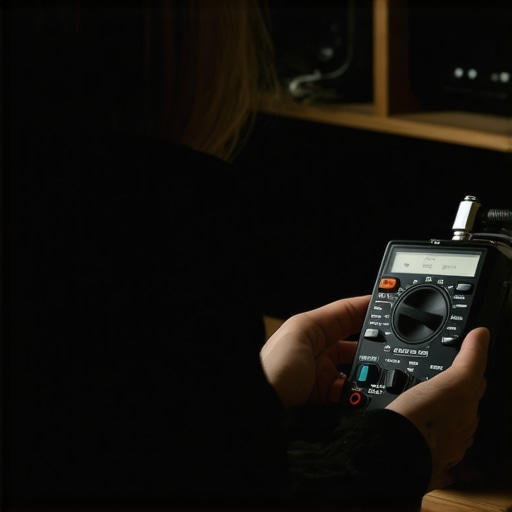
Photo of a person using a multimeter to test speaker impedance, emphasizing hands-on maintenance tools.
The Hidden Lessons Vinyl Taught Me About Sound Quality
One unforgettable night revealed that even the simplest fixes—like proper grounding—can transform your listening experience. I learned that technical details, often overlooked, hold the key to unlocking the full potential of your home audio system. Ensuring a solid ground connection isn’t just a technicality; it’s a step toward embracing audiophile-quality sound every time you spin a record.
My Tools for a Sound Revolution
Over the years, I’ve relied on trusted tools like my multimeter for precise impedance checks, contact cleaner to maintain clean connections, and calibration software like REW to analyze room acoustics. These resources have become my trusted allies in maintaining and optimizing my setup, helping me detect issues before they impact sound quality. Investing in quality tools and resources ensures longevity and performance—something I can’t recommend enough for fellow enthusiasts.
Empowering Your Audio Journey
Take action today—review your grounding setup, inspect your cables, and consider upgrading with better tools or software. Remember, the pursuit of better sound isn’t a one-time effort but an ongoing journey. Your next step? Experiment with different grounding points, keep your connections clean, and stay curious about the nuances that can elevate your vinyl listening to new heights. Are you ready to transform your home audio into a truly immersive experience? Share your journey below—I’d love to hear how grounding has made a difference for you.