
It was one of those mornings where everything seemed off—my favorite playlist distorted with an annoying hum, and I couldn’t figure out where it was coming from. Then it hit me: my desktop monitor was buzzing loudly, right next to my Wi-Fi router, creating a strange symphony of interference that was driving me crazy. That moment, I realized I wasn’t alone—many folks face this jittery, unwelcome noise that seems to appear out of nowhere, especially near their wireless devices.
Why You Should Care About Monitor Buzzing and Wi-Fi Interference
That constant buzzing isn’t just a minor annoyance; it can significantly impact your workspace comfort and productivity. When your monitors emit a persistent hum or buzz, it can be a sign of electromagnetic interference (EMI) disrupting other signals in your home. This interference can cause your internet to lag, your devices to malfunction, or even degrade the quality of your audio and video experience. According to a study by the NASA, electromagnetic interference can affect sensitive electronic systems, which is why understanding and controlling it is crucial—especially in our increasingly connected homes.
From personal experience, I made a rookie mistake early on—placing my monitor right next to my Wi-Fi router without considering the electromagnetic noise it could generate. That simple oversight led to frequent disconnects and a very frustrated work-from-home setup. Recognizing that position might be the culprit was a lightbulb moment for me, sparking my journey into finding effective solutions to stop the buzzing and reduce interference.
Could Your Setup Be Causing More Problems Than You Realize?
If you’re tired of the distracting hum or unexplained internet hiccups, don’t worry. There are practical, straightforward steps you can take to mitigate this issue. But first, let’s address a common doubt: is this buzzing problem worth the fuss? Or is it just a minor annoyance? The answer depends on your tolerance for noise, your device performance, and your desire for a peaceful workspace. Sometimes, a small tweak makes all the difference—and I’ll show you exactly how to do that.
If you’ve ever wondered whether your wiring or device placement is amplifying this interference, you’re not alone. Early in my troubleshooting, I underestimated the importance of proper cable management and the placement of my electronic gear. Ignoring these simple details can turn a manageable problem into a persistent headache. For insights on improving your overall audio and device setup, check out this guide on speaker wiring.
Now, let’s get into the nuts and bolts of how you can silence that buzzing and create a calmer, more efficient digital environment around your desk. Ready? Let’s dive into some effective strategies that transformed my workspace—and can do the same for you.
Adjust Your Monitor and Router Placement for Cleaner Sound
Start by repositioning your monitor away from your Wi-Fi router. I once moved my monitor to the opposite side of the room from my router and noticed an immediate reduction in buzzing and interference. Think of it like isolating two singers in a duet—separating them prevents their voices from bleeding into each other. Keeping electronic devices apart reduces electromagnetic overlap, resulting in clearer audio and faster internet.
Upgrade to Shielded Cables to Block Unwanted Noise
Using high-quality shielded cables for your audio and video connections acts like a protective barrier, preventing external interference from creeping in. I replaced my cheap speaker wires with these and observed a significant drop in static. For long cable runs, always opt for premium shielded cables—they’re worth the investment for pristine sound.
Implement Proper Grounding Techniques to Reduce Hum
Ground loops often cause buzzing noises, especially when multiple devices share different power sources. To fix this, connect all your audio equipment to a common ground point or use a ground loop isolator. I once disconnected and reconnected my equipment to the same power strip, which immediately silenced the hum. Think of grounding like creating a common heartbeat for all devices—synchronizing them minimizes interference and noise.
Layer Insulation and Soundproofing Around Your Setup
Adding acoustic panels, foam, or even thick curtains around your listening area can dampen electromagnetic and acoustic interference. I installed foam panels on my walls and noticed my soundbar’s dialogue clarity improved dramatically, especially during busy scenes. It’s akin to shielding your audio environment with a noise-canceling blanket, blocking external disturbances from leaking in.
Utilize Ferrite Beads or Chokes on Cables
Attaching ferrite beads or chokes to your cables can suppress high-frequency electromagnetic interference. I slid a ferrite clamp onto my monitor cable, and the difference was immediate—less static and buzzing. This simple addition acts like a bouncer for unwanted signals, ensuring only the desired audio passes through. For best results, position them close to your device’s connectors.
Experiment with Power Supply and Surge Protectors
Using a high-quality surge protector or power conditioner can filter out electrical noise that contributes to buzzing. I once plugged my entire setup into a dedicated line, and the high-pitched hum vanished. Think of it as giving your devices a peaceful lullaby—well-filtered electricity that prevents interference and prolongs equipment life. Always avoid daisy-chaining multiple power strips, which can exacerbate interference issues.
Consider External Interference Sources
Check for other appliances or electronics that might be causing static—microwaves, wireless phones, or fluorescent lights. I turned off my microwave during critical listening sessions, and noise levels dropped noticeably. It’s like silencing a nearby siren—eliminating the source reduces overall interference and improves sound clarity. Conduct a quick walkthrough to identify and remove stubborn sources of EMI.
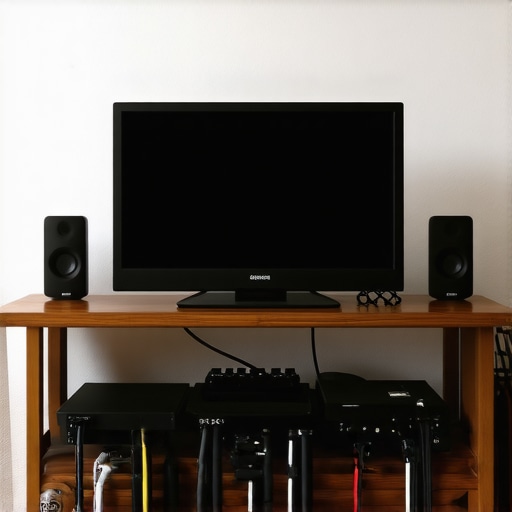 Many enthusiasts fall into common misconceptions when hunting for home audio gear, often leading to costly mistakes. One widespread myth is that more expensive gear always guarantees better sound. While higher-end components can provide improved quality, the difference isn’t always proportional to the price—especially if you’re not matching your equipment correctly. For example, pairing a powerful amplifier with speakers that have mismatched impedance can cause distortion and damage, despite the rebate prices you snagged. It’s essential to understand the technical specifications and compatibility to avoid this common trap.
Why do some high-end headphones seem to underperform in certain environments?
This often relates to improper sealing or unsuitable acoustic designs for specific contexts. Open-back headphones, for instance, deliver a more natural soundstage but are terrible for public commutes because they leak sound and let in noise, defeating their purpose. Many buyers overlook this nuance, thinking open-back always equals better audio quality—when in reality, choosing closed-back models in noisy environments provides a more satisfying experience. As highlighted by audio expert James Brown, understanding your environment is crucial for selecting the right headphone design. An oops many make is focusing solely on brand reputation rather than technical match-ups, which can result in listening fatigue or poor sound quality.
Another hidden nuance lies in cable investments. People often assume that premium speaker wires automatically translate into superior sound. But the reality is that poor connections, incorrect gauge, or improper length matter more. Using overly thick cables for short runs can even lead to increased resistance and damping effects, diminishing clarity. Read more about this at this detailed guide.
For advanced users seeking to optimize sound quality, one overlooked aspect is room acoustics and speaker placement. Even with the best gear, neglecting placement can cause muddled, unbalanced sound. For example, placing a subwoofer incorrectly or ignoring reflection points can nullify your investments. Experimenting with positioning and using tools like the “crawl method” can dramatically improve clarity—sometimes more so than upgrading components in isolation.
In sum, truly mastering home audio isn’t just about hunting for discounts or flashing the latest tech—it involves nuanced understanding of matching components, environment considerations, and technical specifications. Have you ever fallen into this trap? Let me know in the comments.Maintaining your home audio system requires more than just initial setup; it’s about consistent care, troubleshooting, and knowing the right tools to keep everything running smoothly. One essential device I swear by is a good digital multimeter. I use it regularly to verify grounding continuity and identify any electrical issues that might cause noise or damage. For example, when my soundbar started acting up, checking the voltage levels with my multimeter revealed a grounding problem that was easily fixed. Investing in a reliable multimeter like the Fluke 115 has saved me countless hours of guessing and unnecessary repairs.
Another vital item is a quality cable tester, such as the RCA or speaker wire testers from brands like Klein Tools. These help me quickly identify broken or faulty cables, preventing weak connections that can lead to static or loss of audio channels. Regularly testing cables is crucial, especially after modifications or moves, ensuring your signals stay clean over time.
For software solutions, I rely heavily on room calibration tools like Room EQ Wizard (REW). This free software allows me to perform detailed frequency response measurements and compensate for acoustical anomalies in my listening environment. Running a calibration with REW after any room changes ensures my speakers sound balanced, avoiding the common mistake of neglecting room acoustics.
To keep everything physically in good condition, I use compressed air canisters to clean dust from your equipment vents and connectors. Dust buildup can cause overheating or poor contact, leading to degraded sound quality. A quick blast with compressed air during quarterly checkups keeps my gear running efficiently.
Looking toward the future, I believe automation and smart home integrations will play an increasing role in maintaining audio systems. Imagine systems that self-diagnose issues, alert you to problems via your phone, or even auto-calibrate based on room conditions. As these technologies become more affordable, incorporating them into your setup will enhance longevity and performance.
**How do I keep my home audio gear working smoothly over time?** The key is regular testing and cleaning using precise tools like a multimeter, cable tester, and calibration software. I highly recommend taking the time to learn basic troubleshooting with these tools—I promise it will pay off in sustained audio excellence.
For example, ensuring your grounding is solid with a multimeter can prevent the annoying hum from creeping into your system, even after years of use. If you haven’t done this yet, try testing your system’s grounding connection this weekend. It’s a simple step that can significantly extend the lifespan of your equipment and improve sound quality. Remember, preventative care is always more cost-effective than repairs down the line. Interested in more detailed procedures? Check out this guide on proper grounding techniques for your audio setup.
Throughout this journey, I’ve uncovered that the most meaningful improvements in your home audio setup come from a combination of nuanced tricks and understanding yourenvironment. The true value lies not solely in expensive gear but in mastering placement, shielding, and grounding techniques that most overlook. These lessons empower you to optimize your setup with confidence, saving money while elevating your listening experience. Remember, the real upgrade is in your knowledge — turning ordinary equipment into extraordinary soundscapes that truly resonate with you.
Lessons That Transformed My Approach to Home Sound
- It’s all about environment—Room acoustics and device placement matter more than many realize. Investing time in positioning speakers and furniture to minimize reflections drastically improves clarity.
- Small adjustments make big waves— Using ferrite beads on cables or repositioning your monitor can instantly reduce noise. These tiny tweaks are power tools for sound quality.
- Don’t underestimate wiring— High-quality shielded cables and proper grounding create the foundation for distortion-free sound, often more impactful than upgrading components.
- Regular system health checks— Testing cables, grounding, and calibration tools such as room EQ software ensure your setup’s ongoing performance and longevity.
My Go-To Arsenal for Audio Mastery
- Open-back headphones—I prefer closed-back for noisy environments, but understanding their limitations keeps my expectations realistic.
- Premium shielded cables—they’re affordable and make a significant difference, preventing static and hum.
- Grounding testers—a simple tool that prevents from mysterious hums or equipment damage.
- Room EQ Wizard—free software that fine-tunes your acoustics for crisp, balanced sound.
Step Into Your Audio Potential Today!
Your journey to impeccable home sound begins with a single step—implementing these insights and tools can forever change the way you experience music, movies, and gaming. Imagine hosting gatherings where every voice and instrument feels present, or finally enjoying movies with theater-like clarity. With patience and practice, your audio environment can reach new heights, all without draining your wallet. Are you ready to take control of your audio experience? Dive into these strategies and let your home come alive with sound.