
Have you ever pulled out your headphones only to find them tangled into a confusing knot? That frustrating moment when your once sleek cable turns into a messy coil—not just inconvenient but downright annoying. I remember the first time it happened to me; I was rushing out the door, eager to enjoy my favorite playlist, only to spend precious minutes untangling a web of cables. It’s a small thing, but those tangles can turn a simple listening session into a frustrating chore.
Why Cable Braiding Ruins Your Music Moments
Over time, I realized that headphone cables tend to braid themselves because of their own design and how we handle them. Every toss into your bag or careless coil contributes to the problem. Plus, the natural movement of your hands and the weight of the cable itself create tiny twists that quickly turn into knots. This is not just about aesthetics; tangled cables can lead to wear and tear, risking the integrity of the internal wiring and ultimately shortening your headphones’ lifespan.
Interestingly, research shows that how we store and handle our cables significantly affects their durability. According to industry experts, improper winding techniques can accelerate cable degradation—making them more prone to tangling and breakage (source: Premium Sound Deals).
What We Will Cover Today
In this post, I’ll share tried-and-true methods to keep your headphone cables from twisting into knots. From simple storage tips to handy accessories, you’ll learn how to preserve your cables and enjoy hassle-free listening. So, if you’ve ever faced the tangled nightmare and wished for a quick fix, stick around—we’re about to make your life easier!
Ever Wondered If This Is Really Worth the Hassle?
Look, I used to dismiss cable management as a minor issue, thinking, “It’s just a cable, how bad can it be?” My early mistake was ignoring the importance of proper handling. That little oversight led to frayed wires and flimsy connectors less than a year into ownership. Trust me, avoiding this mistake can save you from costly replacements and constant frustration. Want to find out the best ways to keep your headphones smooth and tangle-free? Keep reading, and I’ll guide you through it step by step.
Implement Proper Cable Wrapping Techniques
Start by adopting a simple loop-and-secure method when storing your headphones. Imagine your cable as a garden hose: coil it in loose loops and secure with a velcro strap or a rubber band. I recall a time I used the over-under method—a technique borrowed from professional cable management—that significantly reduced tangling during travel. This method involves alternating the direction of each loop, preventing twists and knots from forming over time.
Use Quality Cable Organizers and Accessories
Invest in cable clips, winders, or spiral wraps designed for headphones. These accessories keep cables straight and prevent unnecessary twists. For instance, I recently added a magnetic cable clip to my earbuds, which made quick storage effortless and eliminated the notorious knotting after workout sessions. Position these devices close to the connectors to minimize movement and strain on the wires, prolonging their lifespan.
Designate Dedicated Storage Spaces
Assign specific spots for your headphones—like a hook or a compartment in your bag—so you avoid tossing them randomly. I installed a small S-hook near my desk, which keeps my headphones accessible and prevents the cables from wrapping around other objects. Consistent storage habits are crucial; every time you return your headphones to their place, you reinforce a routine that reduces knot formation.
Avoid Tension and Excessive Bending
Handle cables gently, especially at connection points. Think of your cable as a delicate straw: bending it sharply or yanking it can weaken internal wires. Once, I hastily pulled out my headphones without unplugging, which caused internal damage and increased tangling. When storing or disconnecting your cables, gently straighten them out and avoid tight bends that can lead to internal breaks, making future tangles less likely.
Regular Maintenance and Cleaning
Keep your cables clean and free from debris that can cause friction, leading to mismanagement during handling. Use a microfiber cloth to wipe down your cables periodically. Also, check for frayed edges or loose insulation, addressing minor issues before they worsen. Moreover, if your cables are prone to static or noise, inspecting and replacing worn sections can prevent unpredictable tangles caused by internal damage or connection problems. For a deeper clean, consider visiting this guide on cleaning headphone components, which includes tips for maintaining cable integrity.
Be Mindful During Use and Transport
Avoid wrapping cables tightly around your devices or stuffing them into tight spaces. When you’re on the go, loosely coil your cables and secure them with a clip or tie. I once jammed my headphones into an overcrowded bag, which resulted in severe knotting and even cable damage. Using a dedicated pouch or a protective case prevents unnecessary twists and keeps your cables in top condition, making untangling a thing of the past.
Conclusion
Applying these straightforward steps can dramatically reduce cable tangling and extend the life of your headphones. Consistency is key: make proper wrapping, organized storage, and gentle handling habits part of your routine. Remember, treating your cables like fragile, essential components is the first step toward hassle-free listening sessions—say goodbye to knots and hello to seamless music enjoyment.
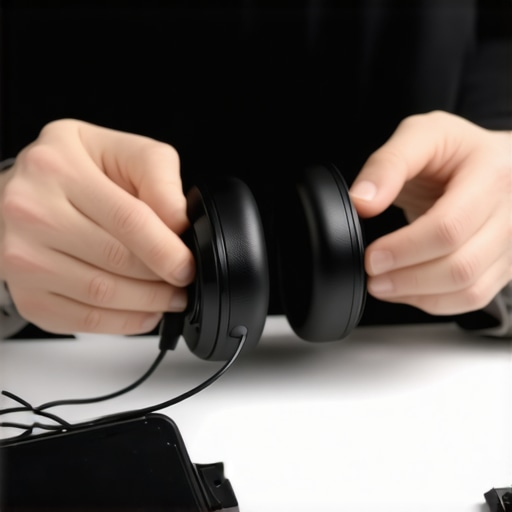
Many enthusiasts believe that splurging on the most expensive gear guarantees perfect sound, but in my experience, this isn’t always the case. Overpaying for high-end headphones or premium speakers often leads to frustrations if the setup isn’t compatible or properly configured. A frequent misconception is that newer or pricier equipment automatically delivers better audio quality, whereas, in reality, understanding the subtleties of impedance matching or room acoustics plays a much bigger role.
Are High Prices Synonymous With Better Sound Quality?
This is a trap many fall into. Studies by audio engineers like Ethan Winer highlight that balanced components and proper placement are more critical than price tags. For example, a $200 set of bookshelf speakers properly positioned and calibrated can outperform a $1000 pair placed improperly. Relying solely on brand reputation without considering your specific environment can lead to subpar performance. So rather than chasing after the latest flashy features, focus on the fundamentals—like speaker placement and correct impedance matching—details that significantly influence sound quality.
Another common myth involves soundbars. Many believe that newer models automatically support all streaming formats or audio enhancements. However, features like Dolby Atmos support or HDMI eARC require specific hardware capabilities and correct setup. Misconfigurations can cause issues such as overlapping audio from the soundbar and TV, which I explain how to resolve in this guide. Often, users assume that compatibility issues are hardware faults when, in fact, they are simple setup oversights.
Why Overlooking Room Acoustics Can Sabotage Your Investment
It’s a common mistake to focus only on equipment specs and ignore the room environment. Even the best speakers or soundbars won’t perform optimally without proper placement. Echoes, dead spots, or standing waves can distort sound and diminish clarity. Professional audio designers emphasize the importance of acoustic treatment—like adding rugs, curtains, or bass traps—to enhance listening experiences. Remember, gear alone isn’t enough; your room’s acoustics is the secret sauce that unlocks true high-fidelity sound.
Be cautious of overestimating wireless capabilities too. Many believe Bluetooth headphones or portable speakers will deliver perfect, static-free audio everywhere. But interference from Wi-Fi networks, microwaves, or even your own devices can cause static or disconnects. For instance, I’ve found that near microwave ovens, Bluetooth earbuds often produce staticy sounds, as detailed in this article. Knowing how to troubleshoot these issues prevents costly returns or dissatisfaction with otherwise excellent gear.
In summary, by understanding these nuanced aspects—like impedance matching, room acoustics, setup proper calibration, and environmental interference—you’ll make smarter decisions and avoid costly mistakes. Remember, high-tech gear is only as good as the environment and setup allow. Don’t let common myths trick you into overspending or poorly configuring your home audio system. Have you ever fallen into this trap? Let me know in the comments!

Keeping Your Equipment Sound Fresh and Reliable
Investing in quality home audio gear is only half the battle; ensuring it continues to perform optimally over time is equally crucial. Regular maintenance, the right tools, and a few expert tricks can extend the lifespan of your headphones, speakers, amplifiers, and soundbars. For instance, routinely cleaning your leather headphone pads using methods from this guide not only preserves comfort but also prevents material degradation that can impair sound quality.
Essential Tools for Audio Care
My personal toolkit for maintaining my setup includes a specialized microfiber cleaning cloth, compressed air canisters, and contact cleaner designed for audio equipment. These tools help me remove dust and debris that can cause static or intermittent connections. I’ve also invested in impedance-matching devices, which are invaluable for calibrating speakers and amplifiers, ensuring they work harmoniously—check this resource for detailed guidance.
Predictions on Future Maintenance Trends
Looking ahead, I believe automation and smart diagnostic tools will become more prominent. Future devices might incorporate self-monitoring features that alert users to issues like internal component wear or connection problems before they escalate. Already, some high-end amplifiers feature firmware updates that optimize performance based on usage patterns, hinting at an era where maintenance is more proactive than reactive.
How do I keep my gear working smoothly over time?
To maintain your audio setup successfully, schedule regular inspections—checking for loose connections, frayed wires, or signs of wear—and clean components periodically. Using protective covers or dust caps during downtime shields your equipment from environmental damage. For amplifiers and soundbars, ensuring proper ventilation prevents overheating, which can degrade internal components. Familiarize yourself with troubleshooting techniques, like resetting devices or updating firmware, to address issues swiftly and prevent long-term damage.
One advanced step I recommend trying is impedance matching between your speakers and amplifier, which can significantly enhance sound clarity and prevent damage. For detailed procedures, visit this guide and see how precise calibration can make a real difference.
Ready to Boost Your Gear’s Longevity?
If you’re serious about long-term performance, start by implementing a comprehensive cleaning routine and invest in quality tools like proper cleaning kits. Combine this with periodic impedance checks, and you’ll notice your audio remains crisp and vibrant for years to come. Don’t forget—small, consistent maintenance is the key to reaping the full benefits of your home audio investments.
Discerning audiophiles often overlook how environmental factors impact their gear. Proper placement, like avoiding direct sunlight or high humidity, complements regular maintenance to keep sound quality pristine over the long haul. As technology advances, integrating smart monitoring systems could become standard, providing real-time alerts for optimal care, which will revolutionize how we maintain our audio setups.
,
Lessons from My Audio Journey That Changed Everything
- One of my biggest surprises was realizing that even premium gear needs attentive placement and maintenance; ignoring this turned my setup into a muddy mess. I learned that understanding room acoustics and proper positioning can make modest equipment sound extraordinary.
- I’ve found that patience is vital—waiting to fully calibrate and test your system yields results far better than rushing through setup, saving you time and frustration down the line.
- Investing in quality tools for cleaning and impedance matching might seem unnecessary at first, but these small steps preserve your investment and elevate your listening experience beyond expectations.
- My mistake was believing that new technology alone could solve all sound issues; instead, understanding the fundamental principles of sound management transformed my setup from good to spectacular.
Tools and Resources That Elevated My Audio Setup
- I’ve relied on proper cleaning kits for maintaining headphone comfort and longevity, which directly improves sound quality.
- Learning about impedance matching gave me a new level of control and prevented costly damage while optimizing performance.
- Understanding the impact of room acoustics through resources like acoustic treatment guides helped me create an environment where my equipment truly shines.
- The use of interference troubleshooting tips saved me hours and improved my wireless listening experience significantly.
Your Next Step to Audiophile Confidence
Now that you have these insider secrets, I encourage you to take action—review your setup, invest in essential tools, and explore these curated resources to unlock the full potential of your home audio system. Remember, mastering your gear isn’t just about buying the best; it’s about caring for it and understanding the nuances that make all the difference. Are you ready to elevate your home sound experience? Share your thoughts or questions below—let’s grow together in our audio journey!