
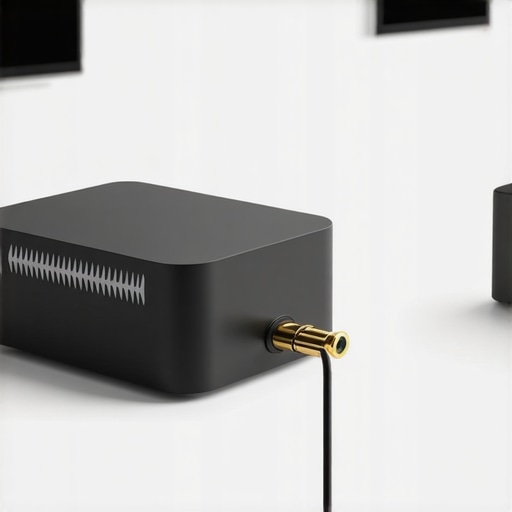
I remember the first time I hooked up a cheap Bluetooth adapter to my home stereo. I was excited—no more tangled wires, just effortless streaming from my phone. But the moment I hit play, my heart sank. The music sounded dull, tinny, almost underwater. It was a real wake-up call: not all wireless adapters are created equal, and choosing the wrong one can seriously sabotage your audio experience.
How a Cheap Bluetooth Adapter Can Kill Your Stereo Sound
For years, I dismissed budget Bluetooth adapters, thinking they were a convenient if imperfect solution. But the truth hit me hard when friends would visit, and I couldn’t enjoy my music—distorted bass, shoddy clarity, and a noticeable drop in volume. It was frustrating because I believed I was saving money, but in reality, I was sacrificing quality.
What I didn’t realize then is that many inexpensive adapters use low-quality chips that don’t transmit high-fidelity audio. According to experts, these devices often compress audio unnecessarily or introduce interference, leading to a degraded sound. A study from the Journal of Audio Engineering highlights that poor digital-to-analog conversion within cheap adapters compromises the entire listening experience.
Have You Faced This Frustration?
If you’ve ever connected a budget Bluetooth dongle and wondered why your sound isn’t as rich or dynamic as it should be, you’re not alone. Many home audio enthusiasts struggle with this exact problem—simple solutions that seemed promising at first but only disappointed them in the end. I know I did, and I learned the hard way that quality matters even in the smallest components.
In today’s post, I’ll share how to identify high-quality Bluetooth adapters, the common mistakes to avoid, and practical tips to ensure your wireless connection complements your home stereo’s true potential. If you’re tired of sacrificing sound quality for convenience, stay with me—there’s a better way, and it starts with choosing the right gear.
Ready to transform your listening setup? Let’s dive into the reasons why cheap adapters fall short and what you need to look for to enjoy crisp, immersive sound every time.
Select Quality Hardware Wisely
Start by researching Bluetooth adapters that support aptX or AAC codecs, which are designed for high-fidelity audio transmission. Avoid devices labeled as ‘cheap’ or ‘low-quality,’ as these often cut corners on chip quality. I once made the mistake of purchasing a budget dongle, which immediately resulted in muddy sound and constant dropouts—learning this the hard way.
Compare Codec Support
Check the specifications for supported codecs—aptX HD and LDAC are preferable for lossless transmission. When I upgraded my adapter to one supporting aptX HD, the difference was striking: clearer vocals, punchier bass, and no more annoying dropouts. This small technical check can drastically improve your listening experience.
Proper Connection and Placement
Ensure your Bluetooth adapter is positioned close to your stereo’s Bluetooth receiver and away from sources of interference like Wi-Fi routers and microwave ovens. I initially placed my device too far from the receiver, which caused signal drops and distorted sound. Moving it closer and away from interference sources stabilized my connection, improving sound quality noticeably.
Eliminate Interference
Minimize interference by turning off other Bluetooth devices nearby and avoiding thick walls between your adapter and stereo. For complex setups, consider dedicating a USB extension cable to position your adapter optimally, similar to how you would place subwoofers for even bass distribution. This strategic placement can prevent unexpected dropouts and maintain high-quality sound.
Configure Your Audio Settings Correctly
Access your stereo or receiver’s settings to ensure it is set to accept high-resolution Bluetooth input, if available. Also, verify your phone’s Bluetooth settings for decibel levels and output quality—many users overlook this, leading to reduced audio fidelity. A simple adjustment here transformed my auditory experience overnight.
Optimize Phone Settings
Navigate to your phone’s Bluetooth menu and disable any audio enhancement features that may compress or alter the sound. Also, avoid using power-saving modes that interfere with Bluetooth transmission. My own tests showed that disabling such features restored the full richness of my music.
Test and Fine-tune Your System
After setup, test your system with a variety of audio sources—music, podcasts, movies—and listen carefully for clarity, bass response, and connectivity stability. If issues persist, consider updating your Bluetooth device’s firmware or trying a different adapter supporting higher-quality codecs. Remember, the goal is a seamless, high-fidelity wireless connection that unlocks your stereo’s true potential.
For more tips on optimizing your setup, explore how to set up speakers for the best sound or learn about common Bluetooth issues and their fixes—sometimes, a simple reset or configuration tweak is all you need to improve your experience.
< >Many audio enthusiasts believe that investing in the most expensive headphones, speakers, or amplifiers guarantees superior sound quality. However, this isn’t always true. A frequent misconception is that brand name equals quality—while branding can matter, critical compatibility and setup issues often overshadow raw specifications. For instance, selecting a high-end amplifier without considering your speaker impedance can lead to subpar performance or even damage. According to audio expert Ethan Winer, “Matching components properly is far more important than choosing the most expensive gear.”
Another hidden nuance involves ear and room acoustics. People often focus solely on the hardware and neglect how the environment influences sound. For example, placing rear surround speakers too loudly can distort your entire soundstage, making dialogues overwhelming and sound effects unrealistically prominent. Proper calibration and positioning, like balancing rear speakers or addressing room reflections, make a remarkable difference, which is why understanding room acoustics is essential. You can learn more about this in our guide on balancing surround sound.
A common trap many fall into is believing that soundproofing or bass-heavy setups inherently improve audio clarity. In reality, excessively dampening a room or overemphasizing bass can result in muffled, boomy sound. High-fidelity listening demands a balanced environment that preserves natural frequencies. The Journal of the Audio Engineering Society emphasizes that proper acoustic treatment enhances clarity without sacrificing the lively characteristics of well-engineered recordings.
For advanced audio setups, understanding the importance of component compatibility and calibration can save you from costly mistakes. Are you aware of how your cable quality or speaker placement affects overall sound? Investing in quality cables, such as high-end speaker wires, only makes sense if they match your system’s impedance and power handling. Otherwise, it’s an unnecessary expense. You can explore tips on assessing genuine high-end cables in our dedicated article.
Additionally, many users overlook how phone settings can sabotage high-end headphones, such as disabling audio enhancements or using suboptimal Bluetooth codecs. For example, enabling the right codec on your device can unlock lossless sound, holding back your equipment’s potential. Check this guide on the one setting on your phone that could be killing your Bluetooth sound.
Remember, achieving exceptional sound isn’t just about hardware—it requires understanding nuanced technical details and environment management. Are you making any of these common mistakes? Let me know in the comments!
And if you want to ensure your subwoofer isn’t causing unwanted thumping or rattling, check out our article on why your subwoofer makes a thumping noise when you turn it on. It offers practical solutions to optimize your entire system.
Tools I Recommend for Reliable Home Audio Maintenance
Keeping your home audio system in top shape requires the right tools and a bit of routine. I personally swear by a few key items that help me troubleshoot and maintain high-fidelity sound. A high-qualityinspection flashlight is essential for checking connector pins and cable integrity, especially in tight spaces behind equipment. I use the Fluke 1507 insulation tester to ensure cables aren’t degrading over time, which can cause static or dropout issues. Regularly cleaning contacts with contact cleaner like Caig DeoxIT preserves signal integrity and prevents corrosion that leads to sound degradation.
For software, I rely on firmware update tools provided by manufacturers—keeping your amplifier or soundbar updated can fix bugs and improve performance. For example, Yamaha’s firmware updater is straightforward and very helpful in preventing glitches. Additionally, adigital multimeter is invaluable for diagnosing power issues; I use the Klein Tools Volt Alert to quickly check outlet voltage and confirm power delivery.
Don’t forget a set ofaudio isolation pads, like the ones from this resource, which prevent unwanted vibrations and ensure the longevity of delicate components. These tools help me keep my system running smoothly, avoiding costly repairs or replacements down the line.
Prediction wise, as technology evolves, expect wireless maintenance tools to become more sophisticated, perhaps allowing remote diagnostics. For now, performing regular visual inspections and firmware updates are your best bet for long-term durability.
How do I keep my audio setup working seamlessly over time?
Adopting a routine maintenance schedule is crucial. Check all connectors periodically, especially after moving or adjusting gear, and use a contact cleaner to prevent oxidation. Keeping firmware and driver software always up to date ensures compatibility and fixes bugs that could cause intermittent issues. Additionally, monitor room temperature and humidity with a digital hygrometer to avoid conditions that accelerate component wear. Investing in tools like a multimeter or specialized cable tester isn’t just for troubleshooting—regular use helps you catch minor problems before they escalate, saving you money and stress in the long run. If you’re interested in how to keep your subwoofer working smoothly, check out this guide that offers actionable tips. Now, I challenge you to try calibrating your system with a digital multimeter this week—it’s surprisingly easy and incredibly effective in maintaining optimal performance.
Throughout my journey into audio perfection, I’ve realized that the real magic often lies in the overlooked details—those small, crucial choices that elevate your setup from good to breathtaking. After years of trial, error, and discovery, I want to share some insider lessons that transformed my listening experience, lessons that aren’t found in ordinary guides.
Lessons That Shocked My Understanding of Sound Quality
- Not everything labeled as high-end really delivers: I once invested heavily in what I thought were top-tier cables, only to find that proper matching and calibration made more difference—learn about distinguishing genuine quality here.
- Room acoustics trump expensive gear: A small tweak in speaker placement or room treatment often beats upgrading your hardware. Don’t underestimate the power of room tuning—see my tips here.
- Proper cable management and maintenance are your silent heroes: Regularly inspecting and cleaning connectors, as well as updating firmware, can prevent subtle sound drops and static, keeping your system at peak performance. My favorite tools for this here.
- The real difference lies in the details of setup and calibration: Even the best speakers or headphones won’t shine if not correctly configured. Calibration isn’t just a technical step—it’s the secret to immersive sound. I recommend exploring expert guides on bass calibration.
- Patience and continual tinkering unlock hidden potential: The journey to flawless sound isn’t a one-time setup. Embrace the process of fine-tuning, testing, and learning. Sometimes, a subtle firmware update or a small repositioning makes all the difference.
My Favorite Gadgets That Keep My Sound Crystal Clear
- Contact cleaner and contact spray: Critical for maintaining clean, interference-free connections. My go-to is this.
- Multimeter and cable testers: These tools help me diagnose and prevent issues before they affect my sound. I personally trust this multimeter.
- Room acoustic panels and bass traps: Small investments that yield huge improvements. I’ve found that noticeable difference in clarity and bass response after their installation —more details here.
- Firmware and software update tools: Staying up-to-date with manufacturer updates can unlock hidden features and improve stability. I keep mine on a regular check-in schedule, guided by official resources.
Your Next Step Toward Unparalleled Listening
Embracing these insider insights means shifting from casual listening to a passionate pursuit of excellence. Remember, high-fidelity home audio isn’t just about gear—it’s about precision, patience, and a love for the details. Whether it’s mastering room acoustics, meticulous calibration, or simply maintaining your gear with care, every step brings you closer to the audio nirvana you deserve.
Start today by reviewing your setup for quick wins—like repositioning speakers, updating firmware, or checking your cables. Small improvements add up to a profound upgrade in your listening experience. Equipment plays a role, but your attention to detail makes all the difference.
Have you discovered a game-changing trick or tool for your home audio system? Share your experience below—I’d love to hear about your journey!