
Ever been in the middle of enjoying your favorite playlist, only to notice that the music in one room lags noticeably behind the rest? It’s like your speakers are playing a game of hide-and-seek, where their signals are always just a second or two behind. I’ve been there too, feeling that frustrating disconnect that ruins the vibe and makes you wonder if your setup is cursed. That lightbulb moment hit me hard: I realized my multi-room audio system was more temperamental than a cat during bath time.
Why Your Multi-Room Music System Isn’t Playing Nice
Multi-room audio systems promise seamless sound across your home, turning it into your personal concert. But in reality, they often fall flat—literally lagging from room to room. Why does this happen? Well, several factors come into play: network inconsistencies, signal interference, or simply the incompatibility of different devices. Early on, I made a mistake by assuming that if I purchased the most expensive wireless speakers, they would just work perfectly everywhere. Wrong. Compatibility and setup are crucial, and rushing through those steps only amplifies the lag problem.
Is Multi-Room Audio Actually Worth the Effort?
Many skeptics argue that the hassle isn’t worth it, especially when smart speakers can often do the trick one room at a time. But think about the convenience and immersive experience when all your speakers sync effortlessly—without annoying delays. The key is understanding that not all systems are created equal and that proper setup makes a world of difference. If you’re tired of chasing that perfect harmony across your rooms, don’t worry—I’ll guide you through fixing the lag so your system works as it should.
Check Your Network Connection and Wi-Fi Settings
Start by ensuring that all your devices are connected to the same stable Wi-Fi network. A weak or inconsistent connection causes lag between speakers. I once spent hours adjusting settings, only to realize my smart home wifi was split between 2.4 GHz and 5 GHz bands, which interfered with sync. To fix this, unify your network and optimize your router placement—preferably in a central location free from interference. For more detailed tips, visit this guide.
Update Firmware and App Software Regularly
Outdated software can be a major culprit in audio lag. Check for firmware updates from your device manufacturer and keep their app on your phone current. I remember updating my speakers’ firmware, which instantly reduced lag. Turn on automatic updates if available, so your system stays prepared behind the scenes. Firmware fixes often address known bugs affecting sync, so neglecting updates is a quick route to frustration. This step is akin to giving your system a tune-up—make it a habit.
Position Your Speakers Strategically
The placement of your speakers affects latency and synchronization. Place them on stable, vibration-free surfaces, and avoid positioning them near walls or other electronics that can cause interference. I struggled with multiple delays until I moved my rear speakers from cluttered shelves to dedicated mounts at ear level. Use wire hiding techniques to maintain aesthetic and proper spacing. Remember, clear line-of-sight and proper positioning enhance the audio experience and reduce lag.
Reduce Network Traffic and Interference
Network congestion hampers multi-room sync. Disconnect devices you’re not actively using and consider upgrading your router if multiple devices drain bandwidth regularly. Devices like cordless phones or microwaves can cause interference; moving your router away from all electronics improves stability. I used a dedicated 2.4 GHz band solely for my speakers, which made a palpable difference. To keep your system humming smoothly, minimize competing signals and prioritize your audio network.
Configure Your Audio Settings for Optimal Sync
Access your device’s app or settings menu, and look for synchronization or delay adjustments. Some systems have a “test and tweak” feature—use it to fine-tune speaker timing. I manually calibrated mine using the test tone and adjusted the delay until the sound aligned perfectly across rooms. This process can be a bit messy—be patient, and don’t hesitate to consult device-specific guides. Mastering this calibration ensures a seamless, concert-like experience at home.
Incorporate Range Extenders or Additional Access Points
If your Wi-Fi coverage is patchy, consider deploying range extenders or mesh network nodes to eliminate dead zones. A reliable, unified network prevents dropouts and lag. I added a mesh node in my living room, which stabilized my multi-room audio. Reliable connectivity is the backbone of perfect sync. Remember, the goal is to make latency so minimal it’s imperceptible, much like a live performance—dynamic and instant.
Test and Fine-Tune Regularly
Once your setup is optimized, periodically test for lag using a vocal cue or synchronized sound test. Small adjustments can re-establish perfect harmony if you notice delays creeping back in. I schedule weekly checks for my system, and a few minutes of calibration keeps everything running smoothly. Think of it like tuning a musical instrument—constant care preserves that pristine sound quality. Don’t ignore minor sync issues; they compound over time and diminish your listening pleasure.
By systematically applying these steps, you transform your multi-room system from problematic to harmonious. Remember, each environment is unique—adapt these techniques to fit your space and equipment for best results. Once you tighten your network, update your firmware, optimize placement, and fine-tune settings, your speakers will sing in perfect unison—making every playlist a concert in your home.
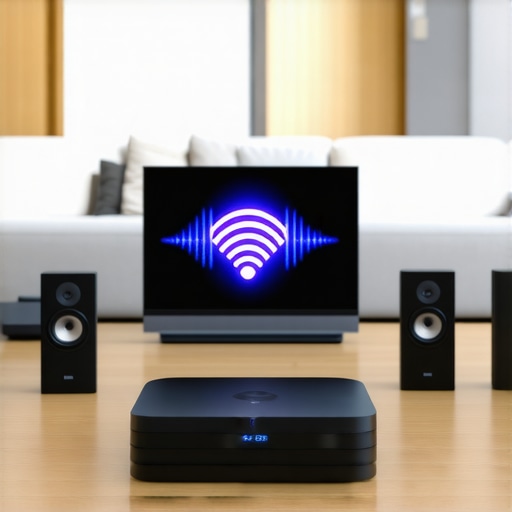 When it comes to home audio, many enthusiasts fall prey to common misconceptions that hinder their listening experience. One widespread myth is that more expensive equipment automatically guarantees superior sound. While premium gear offers benefits, the reality is that proper setup, calibration, and understanding nuances matter just as much, if not more, than price tags. For example, even high-end speakers can sound muddy if placed incorrectly or if the room acoustics are ignored. Experts like Floyd Toole emphasize the importance of room acoustics over mere equipment investments, highlighting that acoustically treating your space often yields better improvements than upgrading hardware alone. A frequent trap I see is users focusing solely on choosing between soundbars or speakers without considering the intricacies of their environment. Do you know that a simple step like strategically placing your speakers or adding acoustic panels can make your system perform drastically better? Simply plugging in top-tier gear won’t cut it; calibration and placement are the secret sauces. Moreover, many believe that Bluetooth gadgets always provide reliable quality or seamless connectivity. But in reality, compression algorithms used in Bluetooth often sacrifice audio fidelity, leading to muffled or disappointing sound, especially for critical listening. This is why investing in wired connections or high-quality DACs can transform your listening experience. Now, for those venturing into advanced setups, understanding the differences between amplifier classes can prevent costly mistakes. For instance, many lump all amps together, but, as explained in this guide, Class D amps offer high efficiency suitable for multi-channel systems, while Class A provides purity ideal for audiophiles. Being aware of such nuances ensures you pick the right gear for your specific needs. Avoiding these misconceptions and hidden pitfalls can save you time and money while elevating your sound experience. Remember, excellence in home audio isn’t just about hardware—it’s about strategic choices and understanding the subtle details that make a real difference. Have you ever fallen into this trap? Let me know in the comments.
How do I maintain my home audio equipment over time?
Maintaining your home audio system is essential for long-term performance and ensuring your investment lasts. While basic cleaning can prevent dust buildup, investing in specialized tools can make a significant difference. For example, I swear by a microfiber cleaning cloth combined with a electrostatic speaker cleaning brush. These help remove dust and static without risking damage to delicate drivers or surfaces.
Another invaluable tool is a set of low-impedance test probes, which allows me to measure continuity and detect issues in speaker wiring or amplifier output. This is especially useful when troubleshooting persistent audio dropouts or inconsistent sound quality. I personally prefer models like the Fluke T5-600, known for durability and precision.
For software, I rely on calibration and optimization programs such as REW (Room EQ Wizard). This free software helps me analyze room acoustics and identify frequency response issues that might cause muddiness or imbalance. It’s unbelievable how a few measurements can reveal problem spots you didn’t realize needed attention.
Regular firmware updates are equally vital. I recommend setting reminders to check for updates on your soundbar or AV receiver manufacturer’s website or app. Firmware fixes often address bugs that cause audio lag or disconnects, much like the improvements discussed in soundbar sync issues. Keeping your device software current ensures seamless operation and optimal sound quality.
What about gradually scaling or upgrading your system?
When you’re ready to expand, tools like a signal splitter or impedance matcher become invaluable. These help you add additional speakers or components without overloading your amps or causing reflections issues. Personally, I’ve used the Audyssey MultEQ Editor app for fine-tuning multiple speakers, ensuring everything sounds cohesive—even in challenging room layouts.
Looking forward, the trend points toward smarter, AI-driven calibration tools that adapt settings automatically. Companies are integrating machine learning to personalize sound profiles based on room acoustics and listener preferences, which could dramatically simplify maintenance. Until then, consistent manual calibration backed by reliable tools remains the best approach.
Why investing in quality maintenance tools makes a difference
Using the right gear prevents costly repairs, extends the longevity of your components, and maintains sound fidelity. For example, a good cable tester can help catch wires that might cause intermittent issues, saving you from more serious damage down the line. Plus, regularly running calibration checks with your software tools keeps your system performing at its best.
In summary, with the proper mix of cleaning supplies, measurement devices, and software, you can keep your home audio system operating flawlessly for years. If you haven’t yet, I recommend trying out a calibration app like REW and investing in some quality cleaning tools—your ears will thank you for it. And remember, regular maintenance isn’t just a chore; it’s an investment in audio excellence that pays dividends every time you press play.
The Inside Scoop on What Really Makes a Difference
One of the most eye-opening lessons I learned was that room acoustics trump even the most expensive gear. Adjusting my speaker placement and dialing in acoustic treatments drastically improved my soundstage—something I hadn’t fully appreciated until I experimented with different positions and materials. Doing so revealed that a well-calibrated environment is the secret sauce behind premium sound, saving me thousands on gear upgrades.
Another lightbulb moment was realizing that firmware and software updates aren’t just routine maintenance—they can unlock hidden features and fixes that dramatically enhance synchronization and clarity. Setting up automatic updates and periodically revisiting my system settings kept my multi-room setup in sync, proving that maintenance is an ongoing journey, not a one-time task.
Finally, I discovered that patience and calibration are your best friends. Manually fine-tuning delay settings using calibration tones turned my disjointed audio into a cohesive symphony. It’s tempting to overlook this step, but the effort pays off in immersive, concert-like quality that makes every playlist come alive.
My Go-To Tools and Resources for Perfect Sound
- Room EQ Wizard (REW): This free software transformed my understanding of room acoustics, showing me frequency response issues I never noticed before. It’s a game-changer for DIY calibration.
- Electrostatic Speaker Cleaning Brush: Regularly cleaning my delicate drivers with tools I trust preserves clarity and prevents dust-induced distortions.
- Firmware Updates from Manufacturers: Staying current with updates from brands like Sonos and Yamaha ensures my system benefits from fixes and performance improvements, such as better sync and stability.
- Acoustic Treatments and DIY Placement Guides: Investing in simple solutions like bass traps and strategic speaker positioning templates optimizes sound without a hefty budget, based on trusted advice from audiophile communities.
Keep Listening, Keep Improving
The journey to pristine home audio is ongoing, and every tweak brings a richer experience. With patience, the right tools, and a curious mind, you can achieve audio harmony that rivals professional setups. Don’t let misconceptions hold you back—embrace the learning curve and enjoy the evolving landscape of sound technology. Your perfect soundtrack is within reach, waiting for you to fine-tune it to perfection.
What’s the biggest obstacle you’ve faced in setting up your home audio system? Drop your experiences below—I’d love to hear your story!