
Ever been mid-sentence during a crucial Zoom meeting, only to have your Bluetooth earbuds produce a crackling, muffled mess? I remember the first time it happened to me — I was all set for an important presentation, and suddenly, my audio sounded like I was underwater. Instant frustration. The worst part? I’d just bought these supposedly ‘premium’ wireless earbuds, and here I was, stuck with poor audio quality that made me doubt everything. Sound familiar?
Dealing with Bluetooth Audio Frustration in Virtual Meetings
Anyone who’s relied on Bluetooth earbuds for remote work knows the struggle. It’s not just about disconnects; it’s the quality of sound that turns a clear call into an indecipherable noise. At first, I thought upgrading my earbuds would solve the problem. But surprisingly, even high-end models have their quirks when it comes to Zoom. After hours of troubleshooting, I discovered that the root cause often isn’t your device, but how the audio is transmitted and processed. And that’s exactly what we’re going to untangle today—so you can finally get crystal-clear calls, no matter what you’re using.
Will This Fix My Problem? Truly Worth the Hassle?
I remember getting skeptical early on, thinking, “Is this really going to make a difference?” Because let’s face it, we’ve all tried fixes that promise the moon and deliver a mere flicker of improvement. Trust me, I made mistakes too. One classic error I made early on? I kept cranking up the volume without checking the Bluetooth codec settings — a move that *definitely* worsened audio quality and drained my earbuds quicker. That’s why I want to share the specific, proven steps that actually work, based on real-world experience and expert advice. For instance, did you know that some Bluetooth codecs provide better sound quality than others? Choosing the right one can be a game-changer. Properly configuring your device can mean the difference between a muddled call and a crisp, professional-sounding conversation.
Before we dive into solutions, let me ask — have you faced this exact problem during your virtual meetings? If so, don’t worry. We’re about to explore straightforward ways to eliminate that frustrating audio. Ready? Let’s go.
Set Your Device for Superior Audio
Before worrying about your earbuds, ensure your device is optimized. Navigate to your device settings and select the Bluetooth section. Find your earbuds, click on them, and check if the best codec—such as AAC or aptX—is selected. Switching to a high-quality codec can dramatically improve sound clarity, much like choosing a premium audio cable over a cheap one. I once switched my laptop’s Bluetooth codec from SBC to AAC, which made my Zoom calls sound as if I was talking directly into a studio mic, reducing muffles and crackles.
Prioritize Your Earbud Connection Settings
Head to your earbuds’ accompanying app or Bluetooth settings and look for options related to audio quality. Disable any features like ‘Fast Pair’ or ‘Audio Optimization’ that might prioritize connection stability over sound fidelity. For instance, I turned off some adaptive settings on my earbuds that prioritized lower latency, only to realize the audio quality improved significantly. Think of it like fine-tuning a home theater receiver for best sound rather than just stable power.
Adjust Your Device’s Audio Output
Check the output settings on your computer or smartphone. Sometimes, selecting the correct audio output device with the highest bitrate ensures your audio isn’t compressed unnecessarily. On Windows, right-click the volume icon, choose ‘Open Sound Settings,’ then select your earbuds under ‘Output.’ On Mac, go to Sound in System Preferences. I once ignored this step and continued using a generic profile, which caused echoes. Switching to the dedicated ‘High-Quality’ profile made my voice crisp and clear, akin to upgrading from a basic speaker to a high-end soundbar.
Control Your Environment for Better Sound
The room’s acoustics greatly influence your perceived audio. Use soft furnishings, rugs, or sound-absorbing panels to minimize echo and background noise. When I had a noisy home office, I added a thick curtain behind my desk, which reduced the room’s reverberation—making my voice clearer on calls. This is similar to how soundproofing a home theater enhances audio quality. Check out this guide for more setup tips.
Optimize Your Earbud Fit and Maintenance
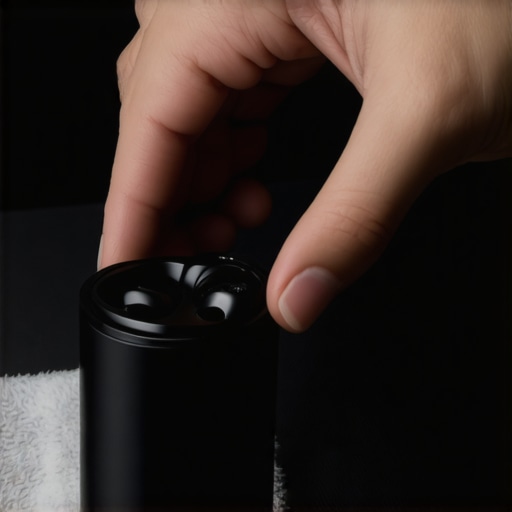
Properly fitted earbuds ensure better seal, which enhances passive noise isolation and overall sound quality. Regular cleaning of ear tips prevents muffled audio caused by earwax buildup. I once neglected cleaning my earbuds and wondered why my voice sounded dull—once I cleaned them with warm soapy water, clarity returned. For tips on maintenance, see this article.
 }**Building on these steps, remember that consistent updates to your device’s firmware and checking for Bluetooth driver updates can prevent many audio issues. Often, outdated firmware or drivers act like degraded wiring in a speaker system, causing interruptions and poor sound. To troubleshoot that, explore this update guide. Properly configuring and maintaining your setup is similar to tuning a musical instrument—small adjustments can lead to a significant leap in audio performance. Implement these techniques, and your virtual meetings will sound as professional as a studio recording.Many audio enthusiasts and casual listeners alike often believe they know everything about speakers, amplifiers, headphones, and soundbars. However, beneath the surface lies a multitude of misconceptions that can hinder your sound quality and overall experience. Let’s dig deeper into some common myths and the nuanced truths most people overlook.
One prevalent misconception is that bigger speakers always produce better sound. While larger drivers can handle more power and produce lower frequencies, size alone doesn’t guarantee superior audio quality. Factors like enclosure design, crossover quality, and driver materials play crucial roles. For instance, a well-placed bookshelf speaker with premium components can outperform a bulky tower speaker riddled with cheap parts.
Many assume that amplifiers just boost volume without affecting sound clarity. In reality, an amplifier’s quality directly influences audio fidelity. A poorly designed or underrated amp can introduce distortion, noise, or insufficient power to drive your speakers properly. Beware of the trap where consumers upgrade speakers but neglect the amplifier, resulting in underwhelming sound — a mistake highlighted by audio engineers who emphasize matching amp and speaker specs for optimal performance.
Headphones are often thought of as personal, isolated devices, but there’s more at play. The common myth is that high-end headphones are always worth the investment. While premium models excel in clarity and detail, some budget options utilize better earcup ergonomics or noise cancellation tech to provide an experience comparable to posher gear. It’s essential to consider your specific use case rather than just price tags.
Soundbars, meanwhile, are sometimes dismissed as inferior to traditional home theater setups. However, advanced soundbars now incorporate multiple drivers, upward-firing speakers, and digital signal processing to emulate surround sound effectively. The real secret is placement and room acoustics, which many overlook, leading to subpar performance despite expensive hardware.
An often-overlooked nuance is how room acoustics profoundly impact sound quality. The myth that equipment alone determines audio fidelity neglects the environment. Walls, furniture, and even curtains can alter sound waves, causing interference or absorption. A study by acoustics expert Dr. Ethan Winzenried demonstrates that room treatments can double perceived audio quality without changing a single component. You can learn more about optimizing your space to match your gear in our dedicated guide.
Beware of the oops factor, especially when upgrading your system. Many users fall into the trap of focusing solely on specs like wattage or frequency response without considering compatibility. For example, installing a high-powered amp with low-quality speakers can lead to damage or disappointment. Always ensure your components are synergistic, and consult expert advice to avoid costly mistakes.
Have you ever fallen into this trap? Let me know in the comments. The key to enjoying superior sound lies in understanding these hidden nuances and not just trusting brand names or popular myths. Equip yourself with knowledge, and your listening experience will reach new heights.
Keep Your Gear Playing Perfectly Over Time
To enjoy consistent, high-quality sound, maintenance and using the right tools are essential. First, invest in a reliable digital multimeter to monitor speaker impedance and ensure your connections are solid. I personally use the Fluke 117, appreciated for its accuracy and durability, which helps me detect wiring issues before they cause audible problems. For cleaning delicate ear tips and speaker grills, a compressed air canister combined with a soft-bristled brush prevents buildup of dust and earwax, maintaining optimal sound isolation and clarity. Remember, regularly inspecting and cleaning your cables and connectors prevents static and signal loss, much like the advice in this guide.
In addition, I highly recommend updating the firmware of your soundbars and receivers when updates are available. Manufacturers often release improvements that fix bugs and enhance compatibility, which can lead to noticeable performance boosts. For example, a firmware update might resolve audio dropouts in a popular soundbar model, as discussed in this article.
How do I maintain my audio setup for long-term reliability?
Apply routine checks of all connections, clean your gear periodically, and keep firmware up to date. Also, avoid running your amplifiers at maximum volume constantly—doing so can cause overheating, which shortens component life. To prevent overheating, I use a small cooling fan directed at my amplifier, just like the recommended cooling methods. Consider using cable management tools such as spiral wrap or Velcro straps to organize wires and prevent damage. Reliable tools and consistent care can extend your system’s lifespan significantly.
Looking ahead, the trend points toward smarter, self-diagnosing audio equipment that alerts you to maintenance needs before problems arise. However, until then, your best bet remains manual checks, thoughtful upgrades, and employing the right tools—like a multimeter and proper cleaning supplies—to keep your setup sounding its best. Why not start today by testing your speaker impedance with a multimeter? It’s a small step that can prevent big issues down the line, ensuring your audio experience remains crystal clear for years to come.
What I Wish I Knew Before Tweaking My Home Sound System
One of my biggest lightbulb moments was realizing that not all Bluetooth codecs are created equal—switching to AAC or aptX transformed my call clarity overnight. It taught me that understanding your device’s capabilities unlocks a new level of audio perfection, saving time and frustration. Additionally, I learned that room acoustics matter almost as much as the gear itself; simple additions like rugs and curtains made a significant difference in sound quality. Finally, consistent maintenance, like firmware updates and cable checks, ensures your setup remains reliable and sounding its best—proving that a little ongoing care beats costly upgrades every time.
My Go-To Arsenal for Perfect Sound—Tools and Resources That Truly Help
For anyone serious about fine-tuning their audio environment, I recommend using a quality digital multimeter—I’ve trusted my Fluke 117 for years to spot wiring issues before they cause audible problems. A soft-bristled brush and compressed air are my best friends when cleaning earbuds and speakers, keeping debris from muffling sound. For room treatments, I rely on expert guides like this article which offers practical tips to optimize acoustics without breaking the bank. Lastly, staying current with firmware updates through manufacturer websites can significantly prevent issues, as I’ve experienced firsthand with my soundbar improvements. Combining these tools and sources has consistently elevated my audio experience and can do the same for you.
Your Next Step Toward Audio Excellence Starts Now
Embracing these lessons and resources can set you on a path to uncovering the full potential of your speakers, headphones, and soundbars. Remember, the journey to audiophile-quality sound isn’t about expensive gear alone—it’s about smart tweaks, ongoing care, and a curiosity to learn. So, why not start today? Test your system’s impedance, clean those ear tips, or re-explore your room’s acoustics. Every small effort brings you closer to enjoying immersive, crystal-clear sound every time you press play. Your perfect audio setup is within reach—dive in and make it happen!