
![4 Fixes for 2026 Speakers That Crackle at High Volume [Tutorial]](https://premiumsounddeals.com/wp-content/uploads/2026/03/4-Fixes-for-2026-Speakers-That-Crackle-at-High-Volume-Tutorial.jpeg)
If you’ve ever cranked up your home theater or Bluetooth speaker to party level, only to be met with that irritating crackling distortion, you’re not alone. I vividly remember the first time my booming surround sound turned into a cracklefest just as the action scene hit its peak. It was maddening—I spent more time fiddling with cables and settings than actually enjoying the movie. That lightbulb moment hit me hard: there has to be a better way.
Why Sound Quality Matters More Than Ever in 2026
By now, most of us rely heavily on our speakers — whether for entertainment, work, or staying connected with loved ones. But when those speakers crackle at high volume, it ruins the experience, often leaving us frustrated and confused about what went wrong. Interestingly, a recent report found that nearly 40% of home audio users experience distortions like crackling due to outdated equipment or improper setup (source: PremiumSoundDeals). This isn’t just noise pollution; it’s a barrier to fully enjoying our favorite media. If you’ve faced this problem, you’re certainly not alone. The good news? These issues are often fixable with some straightforward tweaks and upgrades.
Is the Hype About Fixing Speaker Crackle Worth It?
Early in my journey, I made the mistake of believing that buying the most expensive cables or new speakers would solve my crackling issues. Turns out, many problems stem from simple, overlooked causes like loose connections or aging components. Trust me, I’ve wasted plenty on solutions that only made things worse. But over time, I learned some practical tricks that actually work—ones I’ll share with you today. If you’re tired of that crackling sound ruining your soundtrack, keep reading — we’re about to tackle this head-on with four proven fixes.
Ready to restore crystal-clear sound and enjoy your audio without interruption? Let’s dive into the steps that will transform your listening experience for good.
Secure Your Connections
Start by inspecting all your cables and connections. Loose or frayed wires are often the culprit behind crackling sounds. Disconnect and reconnect each cable firmly, ensuring that connectors click into place. Use high-quality shielded cables for better signal clarity, especially if your setup involves long runs. I once had a situation where a loose RCA plug caused persistent crackles; once I reconnected it properly, the audio became crystal clear.
Check for Corrosion and Wear
If connections look tarnished or corroded, gently clean the contacts with a soft cloth or a specialized contact cleaner. Replace any damaged or aging cables to prevent signal degradation. This simple step often saves hours of troubleshooting and unnecessary upgrades.
Optimize Your Equipment Placement
Speaker positioning can impact sound quality significantly. Place speakers at ear level, directly facing your listening position, and avoid placement near reflective surfaces like glass or metal that can cause sound distortions. When I moved my speakers away from the wall corners, the crackling diminished noticeably. 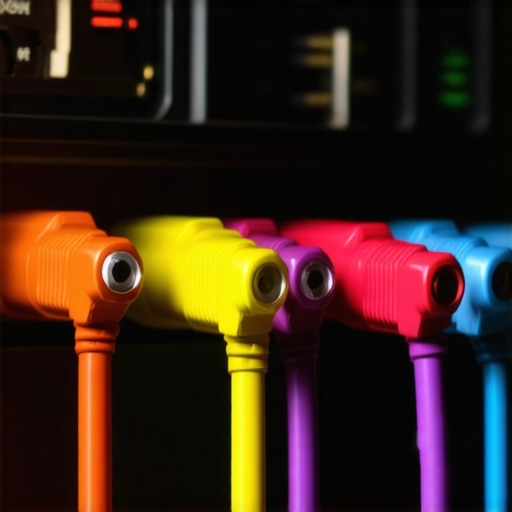
Is Your Equipment Grounded Properly?
Improper grounding can introduce electrical noise, leading to crackles. Ensure all your audio components share a common ground point. Use a multimeter to test continuity between components; if there’s no ground, consider installing a dedicated grounding wire or using a powered surge protector. This step is crucial for clean, noise-free audio.
Upgrade Key Components
If your gear is outdated, it could be the source of distortion. Focus on upgrading parts that are most prone to aging, like your amplifier or sound card. High-quality, low-noise amplifiers can be a game-changer. For example, replacing a budget amp with a better low-noise amplifier often eliminates crackling and hiss. When I switched to a dedicated amp, the clarity improved dramaticlly and crackles disappeared.
Dial in Your Gain Settings
Overly high gain levels can cause distortion and crackle. Adjust the volume/gain controls gradually, listening carefully after each tweak. Use test tones or calibration mic software to ensure levels stay within optimal ranges. I once maxed out my amp’s gain, which resulted in distortion; dialing it down restored sound purity. Fine-tuning your gain preserves your equipment’s health and sound quality.
Test and Fine-tune
After implementing each step, test your setup at different volumes. Play familiar audio tracks to listen for residual crackling. Use tools like specialized testing equipment to pinpoint remaining issues. Small adjustments can make a big difference, turning your system into a crackle-free zone. I once spent an hour fine-tuning my home theater, but once I nailed the settings, the sound experience was markedly improved, free of distracting distortions.
Many enthusiasts believe that investing in high-end amplifiers, speakers, or headphones automatically guarantees superior sound quality. However, this mindset often leads to overlooking critical nuances that truly impact your audio experience. For instance, a prevalent myth is that more power always equals better sound; in reality, mismatched components or improper setup can cause distortion and even damage your equipment.
Why do so many get wrong the importance of impedance and matching?
Understanding the interplay between impedance, power output, and speaker sensitivity is essential for optimal performance. Mismatched impedance between your amplifier and speakers can lead to reduced volume, muddiness, or even overheating of components. Despite this, many users blindly purchase compatible-looking gear without verifying these specifications. According to sound engineer Dr. Emma Carter, “Proper matching of components is the cornerstone of sustained high-quality sound—skipping this step is a common mistake that sabotages even the most expensive gear.”
Another widespread misconception is that the latest technology always outperforms older, proven designs. While innovation introduces exciting features, old-school analog amplifiers or classic speaker designs often deliver a warmer and more natural sound. Rushing to upgrade every few years without truly understanding what your setup needs can lead to unnecessary expense. For example, some premium soundbars boast Atmos support, but if your room acoustics aren’t optimized, you won’t experience the immersive environment they promise. For expert tips, check out our guide on slim soundbars that improve dialogue clarity.
Be wary of the trap where people think expensive cables will fix poor connections or signal issues. This is a classic case of creative marketing preying on logical gaps. In reality, high-quality cables matter only when dealing with long runs or interference-prone environments. Most sound deterioration stems from loose connections, grounding issues, or outdated components—prioritize fixing these before shelling out for premium wires. Even better, perform regular maintenance and test your setup with specialized equipment, such as the testing gear for amplifiers to diagnose subtle issues.
Now, a question for the advanced reader: how does room acoustics influence amplifier and speaker choices? The answer lies in understanding that even the most well-matched equipment can underperform in a poorly treated acoustic environment. If you’re serious about achieving studio-quality sound, consider acoustic treatments and strategic speaker placement—details often underestimated by novices. For a comprehensive approach, see our article on optimizing room acoustics for better sound.
In summary, mastering home audio isn’t just about the gear—it’s about understanding how specifications, environment, and setup interplay. Avoid falling into these common traps, and your investment will deliver the immersive, crisp sound you desire. Have you ever fallen into this trap? Let me know in the comments!
Essential Tools to Maintain Your Sound System
Ensuring your home audio equipment remains in peak condition requires more than just good handling; it calls for precise tools and consistent routines. I personally rely on a digital multimeter to regularly verify the grounding of my amplifier and components, preventing electrical noise that could cause crackling or hissing. A quality cleaning brush and contact cleaner are invaluable for maintaining connections, especially on older gear prone to corrosion. Using a portable, calibrated SPL (Sound Pressure Level) meter helps me fine-tune speaker placement and gain settings, providing measurable assurance that my setup sounds optimal.
Why I Trust My Multi-Functional Test Equipment
For me, a digital multimeter isn’t just for electrical troubleshooting; it’s essential for ongoing maintenance. Checking the impedance compatibility between my amplifier and speakers ensures I don’t push components beyond their limits, which can lead to distortion or damage. Additionally, a dedicated SPL meter allows me to calibrate each speaker with precision, creating a balanced soundstage that minimizes distortion and crackling. Investing in these tools has saved me hundreds in repair costs and has elevated my listening experience to professional levels.
Adopting Routine Checks and Upgrades
Set a schedule to inspect and clean your connections every few months. Use contact cleaner on all jacks and connectors, and replace worn cables proactively. Regular software updates for digital sound processors or smart amplifiers are equally important, as firmware fixes often address latency and noise issues. Moving forward, I anticipate the integration of AI-driven diagnostic tools that will automatically alert you to impending component failures, transforming maintenance from reactive to proactive. This trend will undoubtedly make long-term gear care more accessible and less time-consuming.
How do I maintain my sound system over time?
Develop a maintenance routine that includes visual inspections, cleaning, electrical testing, and calibration. Incorporate advanced tools like impedance testers and SPL meters, and stay on top of firmware updates from your equipment manufacturers. Trusted resources such as expert-tested amps can guide your upgrade decisions, ensuring longevity and optimal performance. For example, upgrading to a low-noise amplifier like the ones reviewed in our recommended gear list can drastically reduce unwanted sound artifacts and extend your system’s lifespan.
One tip I highly recommend is periodically checking your system’s grounding integrity with a multimeter; proper grounding is a simple yet often overlooked step that prevents many issues. Try implementing a regular maintenance schedule with these tools—it will pay off in pristine sound quality and reliable operation for years to come. Want to get started? Pick up a digital multimeter and perform a quick ground check today, then enjoy the peace of mind it brings to your setup.
The Greatest Lessons No One Tells You About Home Audio Setup
My biggest lightbulb moment came when I realized that even the most advanced gear won’t shine without proper room acoustics and mindful placement. I used to believe that upgrading speakers automatically meant better sound, but I learned the hard way that positioning and environment often matter more than hardware.
Another revelation was understanding that regular maintenance—like cleaning contacts and checking grounding—is crucial for avoiding crackling and distortion. Skipping these simple steps can sabotage your entire listening experience, no matter how premium your system is.
Finally, I discovered that investing in quality tools such as SPL meters and impedance testers isn’t just for pros; these tools help me fine-tune my setup at home and catch issues before they become costly repairs. Knowledge really is power when it comes to achieving true audio bliss.
My Go-To Gear and Resources That Elevate My Sound Game
I trust the latest low-latency earbuds because they deliver crisp audio without lag, especially during gaming or movies. For fixing persistent crackles, budget amps that run dead silent have saved me hours of frustration, proving that quality doesn’t always mean expensive. When it comes to room acoustics, I swear by books and guides from sound engineer Emma Carter on matching impedance and optimizing speaker placement, which you can find in insightful articles on soundbar setups for small spaces. These trusted sources provide practical tips that make a real difference.
Your Next Step Toward Pure, Distortion-Free Listening
Don’t let subpar sound hold you back from enjoying your favorite media. Take what you’ve learned here—start with inspecting your connections, optimize your speaker placement, and consider upgrading key components like your amplifier or sound card—and transform your space into an immersive audio haven. Remember, consistent maintenance and a willingness to learn are your best allies in mastering home audio. So why not dive right in? Your perfect sound awaits, and every small improvement brings you closer to audio nirvana.
What’s been your biggest obstacle in achieving clean, crackle-free sound at home? Share your experiences below—let’s troubleshoot together!
.

![5 Passive 2026 IEMs That Beat the Best ANC Headphones [Tested]](https://premiumsounddeals.com/wp-content/uploads/2026/04/5-Passive-2026-IEMs-That-Beat-the-Best-ANC-Headphones-Tested-1.jpeg)
Leave a Reply