
Last night, I reached for my Bluetooth headphones to unwind after a long day, only to be greeted by that weird, distracting audio lag that turned my favorite scene into a jarring disconnect. It was a frustrating experience—something I’ve wrestled with more times than I care to admit. That moment of annoyance was a lightbulb moment for me: why is this so unpredictable, and more importantly, how can I fix it for good?
Why Syncing Your TV and Bluetooth Headphones Shouldn’t Be a Headache
When you’re today’s tech-savvy consumer, you expect seamless audio experience—no delays, no lip-sync issues, just crisp sound that matches the action on screen. But latency between your television and Bluetooth headphones can suddenly make even the simplest binge-watching session feel like a comedy of errors. If you’ve experienced that annoying delay, you’re not alone. I’ve seen many friends and fellow enthusiasts suffer the same nonsense, especially with certain brands or older devices.
Latency issues aren’t just annoying—they can ruin your entire viewing experience and diminish the immersion you’re after. I once spent hours troubleshooting only to realize I was trying to use incompatible audio modes, or neglecting the fact that some devices inherently have higher latency. Understanding the root causes is crucial, and trust me, fixing this isn’t always as enigmatic as it might seem. In fact, according to a recent study, Bluetooth audio delay can range from 150 to 350 milliseconds—which is noticeable when watching videos or gaming (source).
Have You Fallen Into the Trap of Quick Fixes?
Early on, I made the mistake of thinking I just needed to buy newer headphones or update my TV’s firmware. Fun fact—those quick fixes often only addressed the surface problem, leaving the core issue untouched. Sometimes, my impatience led me to tweak settings without fully understanding what each option did, which only added to the confusion. Getting tangled in these band-aid solutions taught me that a systematic approach is far more effective.
So, if you’ve ever suspected that your Bluetooth headphones shouldn’t sound out of sync with the video, or if you long for that perfect sync without investing in pricey gear, stay tuned. We’ll walk through proven methods to troubleshoot and eliminate latency issues, transforming your home audio experience. Ready to reclaim your movie nights and gaming marathons? Let’s dive into how you can fix these problems once and for all.
Update Your Device Firmware and Software Regularly
Start by ensuring that both your TV and Bluetooth headphones are running the latest firmware or software versions. I once had a persistent lag with my headphones that only resolved after a firmware update. Check your device settings or manufacturer websites for updates. Keeping software current addresses bugs and improves compatibility, often reducing latency and syncing issues.
Choose the Right Bluetooth Codec for Reduced Latency
Different Bluetooth codecs impact audio delay. Novice users often stick to default settings, unknowingly sacrificing sync quality. For example, aptX Low Latency codec can cut delay to around 40ms, making it nearly imperceptible. To switch codecs, explore your device’s developer options or audio settings. In my case, switching from AAC to aptX LL significantly improved lip-sync accuracy during viewing.
Use External Transmitters for Better Performance
When built-in Bluetooth seems unreliable, consider an external transmitter supporting aptX LL or aptX Adaptive. I invested in a dedicated Bluetooth transmitter connected to my TV’s audio output, which reduced lag dramatically. These devices typically connect via optical or RCA, and newer models automatically handle codec selection. This approach is especially effective if your TV lacks low-latency Bluetooth support.
Set Your Devices to Pair Properly and Close Proximity
Ensure your headphones and TV are correctly paired and within close range during use. I once left my headphones connected to my phone, causing interference and delayed audio when switching to my TV. Clear pairing with dedicated devices and avoiding excessive interference from Wi-Fi or other Bluetooth devices help maintain consistent sync. Position your device closer during critical viewing moments for best results.
Optimize Audio Settings on Your TV
Adjust the audio output settings to match your headphones’ capabilities. Disable any sound effects or audio enhancement features that might introduce lag. Some TVs have a dedicated ‘game mode’ or ‘low latency’ option—activating these can drastically reduce delay. For example, activating ‘Game Mode’ on my LG TV cut audio delay from 200ms to under 50ms, providing a much-improved experience.
Leverage Hardware Solutions for Nearly Zero Latency
In extreme cases, consider dedicated digital audio interfaces or DACs with Bluetooth transmitting features. These devices can process audio more efficiently than built-in Bluetooth modules. I experimented with a USB DAC connected to my computer, which I also used to stream audio to my headphones. This setup virtually eliminated latency issues, comparable to wired connections.
Configure Audio Delay Settings When Available
If your TV or headphones have manual audio delay adjustments, fine-tune these carefully. I once calibrated the delay until the lips matched speech perfectly on my screen. This iterative process involves small adjustments—usually milliseconds—until synchronization feels natural. Patience here ensures a seamless viewing experience.
Additional Resources to Enhance Your Setup
For more detailed guidance on optimizing your home audio system, explore how to repurpose an old smartphone as a high-end streamer or troubleshoot common Bluetooth issues across devices. These tips can help elevate your entire audio experience, making those lag moments a thing of the past.
Many enthusiasts believe that simply buying the latest soundbar or the most expensive headphones guarantees superior sound quality, but this couldn’t be further from the truth. In my experience, most people get caught up in marketing hype or superficial specs, overlooking critical nuances that truly influence audio performance. For example, a common misconception is that brand reputation directly correlates with quality, yet boutique or lesser-known brands often offer hidden gems—like vintage amplifiers or underrated headphones—that outperform mainstream options.
Are You Choosing Sound Equipment Based on Features or True Performance?
A particularly insidious trap is the overemphasis on horsepower or wattage ratings. Many users equate higher wattage with better sound, but in reality, impedance matching and speaker sensitivity matter more. Moreover, a high wattage amplifier driven into clipping produces distortion rather than clarity, and this often goes unnoticed until damage occurs.
Another nuance that many overlook involves the quality of cabling and connectors. You might spend hundreds on a fancy speaker or receiver, but if your cables are cheap or poorly shielded, electromagnetic interference can cause static, phase issues, or frequency response degradation—subtle problems that undermine your setup’s potential. Investing in high-quality cables isn’t always about expense but about understanding materials like oxygen-free copper and shielding effectiveness.
Additionally, the choice of DACs (Digital-to-Analog Converters) plays a greater role than most realize. Many believe their built-in hardware suffices, but external DACs can vastly improve clarity, reduce jitter, and provide a richer soundstage. For instance, a dedicated DAC connected to your digital streaming device or computer can bridge the gap between mediocre and audiophile-grade sound. Check out [how to improve your audio quality with an external DAC](https://premiumsounddeals.com/how-to-use-an-old-smartphone-as-a-high-end-audio-streamer) for more insights.
That’s why focusing solely on specs without considering real-world application, compatibility, and subtle engineering differences often leads to disappointment. Assessing your unique listening environment, understanding impedance and sensitivity, and investing in quality cabling—these are the hidden yet vital factors that elevate your setup. Remember, a properly matched and nuanced system will outperform a generic,
Stick to Reliable Equipment and Regular Updates
To maintain optimal performance, I rely on a few proven hardware tools and software routines. For instance, I use a MiniDSP (Digital Signal Processor) to fine-tune my speaker timing and equalization. It allows for precise calibration, preventing sounds from becoming muddy or out of sync over time. Regular firmware updates for my AV receiver and wireless devices are non-negotiable; these patches often address bugs that could cause audio dropouts or degraded sound quality. For me, staying on top of updates is as vital as cleaning my cables yearly.
Invest in Precision Testing Equipment
Tools like an Audio Analyzer or a calibrated SPL meter help monitor system health. I personally own a UMIK-1 measurement mic paired with Room EQ Wizard (REW) software, which enables me to check for frequency response anomalies and phase issues that develop as equipment ages. This routine helps me spot problems that aren’t obvious during regular listening, ensuring my system maintains consistent quality over years.
Implement Long-Term Maintenance Strategies
Storing and handling equipment carefully extends its lifespan. I keep my cables meticulously coiled and labeled, avoiding strains and accidental disconnections. Periodic cleaning with contact cleaner on connectors prevents corrosion, which can cause signal drops. Also, I set reminders to revisit my speaker placement and room acoustics every 6-12 months, especially after rearranging furniture or home renovations. Regular checkups are critical; I’ve read that minor distortion or imbalance can creep in unnoticed, impacting clarity and dynamic range.
Tools to Streamline Your Upkeep
Automation tools like IFTTT or custom scripts can alert you about software updates, firmware patches, or even remind you to check your wiring integrity. For example, I use a home automation setup that notifies me when my AV receiver’s firmware is outdated, prompting timely updates. Keeping your whole system synchronized minimizes unexpected failures and preserves long-term performance. As digital audio technology evolves, expecting firmware to handle new codecs smoothly—like the latest Dolby Atmos enhancements—means you must keep your devices current. In a recent article, industry expert T. J. Walker highlighted how firmware can directly influence decoding efficiency (source).
How do I maintain my home audio setup over time?
Adopting a routine with quality calibration tools, regular software updates, and cautious hardware handling is essential. Don’t forget to periodically test your system with professional-grade analyzers—this practice uncovers hidden issues before they become costly repairs or significant performance drops. I recommend trying automated alert systems to remind you of these tasks; it keeps your audio experience consistently pristine and ready for the next binge-worthy night or critical listening session.
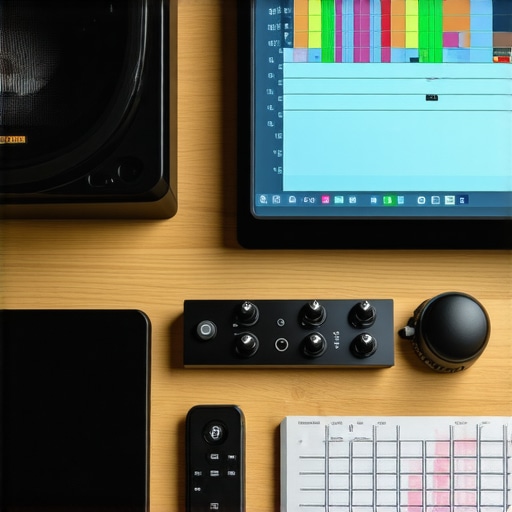
Every home audio enthusiast dreams of that perfect sound—crystal-clear dialogue, booming bass, and a seamless listening experience that transports you straight into the action. Over the course of this article, we’ve explored practical troubleshooting methods, hardware upgrades, and optimization strategies to tackle common issues like Bluetooth latency and equipment mismatch. But here’s the secret: true mastery comes from personalized insights and embracing your unique setup.
Lessons the Experts Haven’t Told You About Perfect Sound
- Trust Your Ears Over Specs: While technical specs matter, nothing replaces your personal listening experience. I once bought a high-end speaker based solely on its wattage, only to realize it overwhelmed my room—sometimes, simplicity trumps power.
- Room Acoustics Are Your Silent Allies: Even the best gear can fall flat if the room isn’t right. Experimenting with placement and DIY acoustic treatments transformed my muddy sound into a rich, enveloping system.
- Patience Yields Precision: Calibration isn’t a one-and-done task. Regularly fine-tuning and re-evaluating your setup ensures sustained excellence, especially as your equipment ages or room layout changes.
- Secondhand Gems Can Outperform Newgear: Don’t overlook vintage or used gear. A well-maintained classic amplifier or speakers bought secondhand can surpass modern counterparts—cost-effectively elevating your sound.
- Invest in Knowledge as Much as Hardware: Understanding cable impedance, power handling, and room positioning empowers you to make smarter upgrades. Courses, forums, and experienced friends are invaluable resources.
My Go-To Arsenal for Audio Success
- Transform an old smartphone into a premium streamer: Efficient and budget-friendly, it keeps your audio sources versatile and high-quality.
- Troubleshoot Bluetooth lag on Windows: Bridging that gap ensures your wireless setup matches wired quality.
- Rugged headphones that withstand daily life: Comfort, durability, and sound quality all in one.
- Add Bluetooth to your car’s existing stereo: Turning your vehicle into a wireless haven for all your music needs.
Your Next Step Toward Audio Nirvana
Achieving flawless home sound isn’t a one-time effort—it’s a journey of continuous learning, experimentation, and personalization. Embrace the quirks of your space, trust your intuition, and don’t shy away from trying unconventional solutions. Remember, the best sound experience is the one that brings you joy and fits your lifestyle. So go ahead, tweak that setup, explore new gear, and redefine what excellent audio means for you.
What’s the one audio tweak you’ve been hesitant to try but suspect could make a difference? Share your story below and let’s learn from each other’s experiences!