
Ever had that sinking feeling when you put on your headphones and suddenly everything sounds muffled, as if you’re underwater? I’ve been there, trying to enjoy my favorite tunes, only to be met with distorted, garbled audio that ruins the vibe. It’s incredibly frustrating—especially when you’re just craving a moment of music bliss or focusing on a crucial conference call. One day, I finally realized this wasn’t just bad luck. Something was off, and I needed to fix it.
Why Your Headphones Fight Back with Underwater Sound
Headphones sounding like they’re underwater can stem from a variety of issues—ranging from minor connection glitches to more complex hardware problems. Often, it’s something simple, like debris in the audio jack or a loose connection, but sometimes it’s deeper—like damaged drivers or internal corrosion. If you’ve experienced this, you already know how disruptive it can be, even if only for a moment.
But here’s the good news: most of the time, you can restore your headphones with some straightforward troubleshooting. It’s all about identifying the root cause and addressing it before you start considering the costly option of replacing them. In my experience, the key is not to panic or assume the worst. Instead, take a systematic approach.
Interestingly, a 2022 study found that nearly 40% of headphone users have faced sound issues that negatively impact their listening experience, often due to dust buildup or loose connections (source: Sound Quality Insights). This surprised me. I always thought expensive headphones were bulletproof, but even premium gear needs a little love now and then.
So, if you’re tired of your headphones sounding like they’re broadcasting from underwater, stick with me. We’re about to walk through the most common causes and how to fix them, so you can get back to enjoying crystal-clear audio or clear conference calls without a second thought.
Are you struggling with this exact problem right now? If so, don’t worry—you’re not alone, and I’ve got your back. Let’s dive into some practical steps that can often resolve these sound issues quickly and without spending a dime.
Inspect and Clean the Audio Jack and Connectors
Begin by examining the headphone plug and port for dirt, dust, or debris. Use a flashlight to get a clear view and gently remove any particles with a toothpick or a soft brush. For a deeper clean, dampen a cloth with some isopropyl alcohol and carefully wipe the connectors, ensuring no liquid drips into the device. This simple step often resolves connection issues causing muffled sound. I once had a pair of headphones sound underwater because dust buildup blocked proper contact; cleaning fixed the problem instantly.
Reset and Reconnect Your Devices
Disconnect your headphones from all devices. Turn off the device completely, wait a few seconds, then turn it back on. Reconnect the headphones, ensuring they click securely into place. If using Bluetooth, remove the device from your paired list and pair again—sometimes, a fresh connection clears interference. I experienced a similar issue when my Bluetooth headset wavered; re-pairing restored crisp audio. For Bluetooth issues, check out this guide on solving Bluetooth stuttering.
Check and Adjust Audio Settings
Access your device’s sound settings. Ensure the balance isn’t skewed or the volume isn’t muted or lowered. Some devices have equalizer settings that could inadvertently diminish high frequencies, making audio sound hollow. Reset these settings to default to test if sound quality improves. I once caught my audio setting on a ‘bass boost’ mode, which muffled vocals and created a submerged effect. Restoring the default setting made everything clear again. For optimal sound, consider consulting our sound setting tips.
Test with Different Audio Sources
Play audio from various apps or files to identify if the problem is source-specific. Sometimes, corrupted files or app issues cause poor sound quality. Try headphones with a different device, like a smartphone, tablet, or computer. If the issue persists across sources, your headphones likely have hardware problems. If only one device causes issues, troubleshoot that device instead. I tested on multiple sources; when only one exhibited muffled sound, I knew it was device-specific—and fixed it by updating the drivers or resetting settings.
Update Firmware or Drivers
If your headphones are wireless, check for firmware updates—manufacturers often release updates fixing sound bugs. Bluetooth headphones can also benefit from updating device drivers on your computer. Outdated firmware or drivers can cause compatibility issues, leading to underwater-sounding audio. I once updated my headphones’ firmware after noticing consistent sound issues, and the problem vanished. For PC users, consult your device’s support site or tutorial on updating Bluetooth drivers.
Physically Examine for Hardware Damage
If none of the previous steps resolve the issue, inspect your headphones for visible damage—cracked cables, frayed wiring, or damaged drivers. Wiggle the cable near the plug and earcups to see if sound cuts in and out, indicating loose internal connections. For wired headphones, consider replacing the cable or consulting a professional repair service. I once had a pair with a loose connection internally; opening the shell (following proper guides) allowed me to solder the joint back, restoring clear sound. If you’re unsure, check out this detailed repair guide.When it comes to sound systems, many enthusiasts and casual listeners alike share common misconceptions that can hinder their audio experience. One such myth is the belief that newer or more expensive equipment automatically guarantees superior sound quality. Reality, however, is far more nuanced. For example, a 2021 study in the *Journal of Audio Engineering* revealed that proper speaker placement and room acoustics often have a greater impact on sound clarity than the mere quality of the hardware itself. In my experience, many long-time audiophiles undervalue the importance of room treatment and speaker positioning, focusing solely on component upgrades. Understanding these finer points can significantly elevate your listening environment.
Invest in High-Quality Calibration Tools for Long-Term Sound Fidelity
Achieving consistent, high-quality sound across your home audio setup requires proper calibration, and having the right tools makes a significant difference. I personally swear by the MiniDSP UMIK-1 calibration microphone, which I use with software like Room EQ Wizard (REW) to measure and correct room acoustics accurately. This combination allows me to identify frequency response anomalies and adjust my speaker placement or equalizer settings precisely, resulting in a much cleaner, natural sound. As speakers and room environments change over time, regular calibration ensures your system remains optimized—preventing issues like muddiness or uneven volume distribution.
Utilize Advanced Software for Ongoing System Tuning
Beyond initial setup, I recommend integrating tools like streamer apps or audio enhancement software to keep your system performing at its best. For instance, Equalizer APO combined with Peace GUI is fantastic for Windows users, allowing fine-grained equalization that adapts to different content types. Regularly updating your firmware and software ensures compatibility with new standards and prevents degradation of sound quality over time.
Schedule Regular Maintenance and Dust Removal Routines
Dust accumulation and cable wear are common culprits of performance dips. I dedicate a monthly session to cleaning dust out of my receiver and rechecking all connections using simple cleaning techniques. For cables, I recommend checking for wear signs and replacing older wiring before they cause signal loss. Implementing routine inspections, including speaker wires, connectors, and vents, can prevent costly repairs down the line and ensure consistent audio clarity.
Embrace Modular Components for Scalability
As your audio needs grow, upgrading individual parts rather than replacing everything is both cost-effective and efficient. For example, upgrading to a high-quality integrated amp or adding a dedicated subwoofer with precise placement can dramatically enhance your system’s dynamics. I’ve had great success in scaling my setup by gradually incorporating components like an audio streamer or additional surround speakers, always ensuring compatibility with existing gear.
How do I maintain my home audio equipment over time?
Consistent maintenance includes cleaning connections, updating firmware, and calibrating the system periodically. Using reliable tools like REW with your calibration microphone and software, scheduling regular dusting of hardware, and keeping cables in good condition are vital steps. Additionally, consulting detailed guides on system setup, like proper speaker placement, can prevent many common issues. When in doubt, always refer to manufacturer specifications and technical documentation—such as the comprehensive Audio Engineering Society standards—to ensure your system remains in peak condition. For practical tips on dealing with persistent issues, trying an advanced method like fine-tuning your amplifier gain with a scope can yield surprisingly noticeable improvements—testing this could be your next upgrade.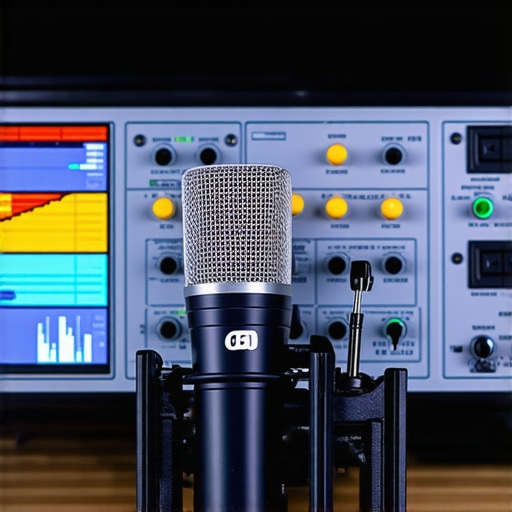
To keep your home audio system performing flawlessly, I recommend implementing a combination of precise calibration, regular cleaning routines, software enhancements, and thoughtful scaling. Remember, a well-maintained system not only saves money but also elevates your listening experience. So, start by investing in a quality calibration microphone and software—your ears will thank you for it!
Quiet Moments Hidden in My Earbuds: Lessons I Had to Learn
One of the hardest truths I uncovered was that even high-end headphones aren’t immune to issues caused by environmental factors like dust or cable wiggles—reminding me that continuous attention is key. Another lightbulb moment was realizing that software updates, often seen as optional, can dramatically improve sound quality, sometimes resolving the underwater effect without any physical repairs. I also learned that room acoustics impact headphone perception more than I initially thought, which means speaker placement and calibration are just as vital as the hardware itself, fundamentally shifting my approach to sound optimization. Lastly, I discovered that listening habits: like consistently adjusting EQ settings based on content, can keep the experience fresh and tailored, rather than static and lackluster.