
Ever had that frustrating moment when your Bluetooth headphones cut out just as you’re about to enjoy your favorite song or during an important call? I used to think it was my wireless device acting up—until I realized the real culprit was often lurking in my kitchen: my microwave. That blinking, humming box was the unexpected villain causing interference with my Bluetooth signals, turning a peaceful evening into a series of disconnections and annoyance.
How I Finally Squashed the Signal Battles with My Microwave
Like many, I dismissed the idea that household appliances could wreak havoc on my wireless connections. I simply assumed my Bluetooth devices needed upgrading or repair. But one day, after yet another frustrating drop in my audio stream, I decided to investigate. Turns out, my microwave operating at 2.4 GHz—the same frequency band as many Bluetooth devices—was the sneaky troublemaker. Once I discovered this, I mapped out a plan that didn’t require expensive tech gadgets, but instead, practical adjustments and a bit of patience. And guess what? My Bluetooth signals are now as steady as ever, even when my microwave is running.
Can You Really Fix Bluetooth Interference?
Absolutely. In fact, many folks make the mistake early on of ignoring simple obstacles like appliance placement or Wi-Fi channel settings, which can dramatically improve your signal quality. Interestingly, a study indicates that microwave ovens can leak electromagnetic interference strong enough to jam Bluetooth signals, especially in older models (source: CNET). Recognizing this common issue has saved me hours of troubleshooting and replaced my frustration with actionable steps you can follow too.
So, if you keep experiencing drops, crackles, or distorted audio, it might just be time to look beyond your device and consider the appliances and setup around you. Tomorrow, I’ll walk you through how to identify the real interference sources, reposition devices, and make simple tweaks that can restore harmony to your wireless audio experience. Ready to reclaim your Bluetooth bliss? Let’s dive in.
Pinpointing the Culprits in Your Home
Start by identifying which appliances might be disrupting your Bluetooth signals. I vividly remember a day when my constantly disconnecting headphones led me to a surprising culprit: my microwave. To verify, turn off all nearby appliances one by one, and test your Bluetooth device after each. This process helped me realize that my microwave’s operating frequency was causing interference. Think of it like troubleshooting a leaky pipe: isolating each section reveals where the problem originates.
Rearranging Your Devices for Clearer Signals
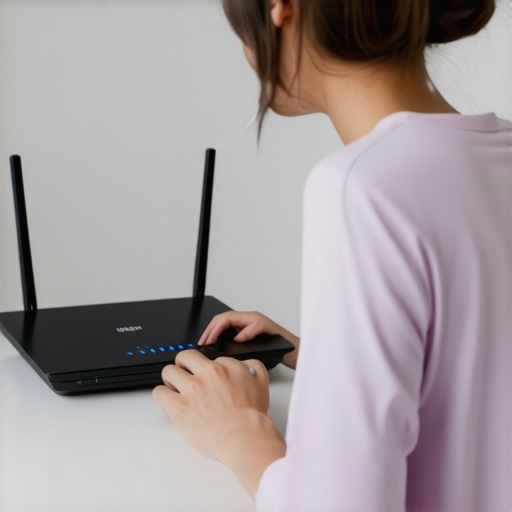
Next, adjust the placement of your Bluetooth devices and potential interference sources. Place your router, microwave, and other wireless gadgets as far apart as possible. For instance, I moved my Bluetooth transmitter away from my kitchen, which significantly stabilized my connection. Imagine trying to listen to a whisper in a noisy room — increasing the distance or reducing the noise makes a huge difference. Use this concept to create a buffer zone around sensitive devices.
Changing Wi-Fi and Microwave Channels
Most modern routers allow you to switch channels; doing so can reduce interference with Bluetooth’s 2.4 GHz band. Access your router settings and experiment with different channels until you find one with less overlapping activity. Similarly, consult your microwave’s manual—some models let you change operating frequencies or shield components. Think of it as tuning a radio to a clear station; finding the right frequency cut out the noise. For detailed steps, check out this guide.
Utilizing 5 GHz Wi-Fi Networks
If your router supports dual-band Wi-Fi, switch your devices to the 5 GHz band, which operates on a different frequency. This reduces the likelihood of interference from appliances that operate in the 2.4 GHz spectrum, like your microwave. I upgraded my network and noticed immediate improvements in Bluetooth stability. Think of it like switching to a less congested highway—less traffic equals smoother travel. Learn more about this at this article.
Adding Physical Barriers for Better Signal Quality
Sometimes, a simple physical barrier can block electromagnetic interference. Use shelves or furniture to separate your Bluetooth devices from appliances. For example, I placed my speaker behind a bookshelf, which noticeably reduced signal disturbances during cooking. Visualize this as placing a dam to block unwanted waves—an effective way to protect your signals. For optimal placement, refer to this guide.
Investing in Interference-Resistant Equipment
Finally, if interference persists, consider upgrading to Bluetooth adapters and devices that utilize dual-band or 5 GHz support. Many budget adapters struggle with interference, but higher-end models offer more robust signals, akin to upgrading from a walkie-talkie to a CB radio. Be cautious of overly cheap options, as they often perform poorly and can worsen the problem. For detailed advice, see this review.
 When it comes to home audio gear, many enthusiasts focus heavily on specs and brand names, believing that bigger woofers or more expensive cables guarantee better sound. However, experienced audiophiles know that this is a misconception. One common myth is that higher wattage ratings directly translate to louder or clearer audio, but in reality, without proper speaker design and room acoustics, increased power can lead to distortion rather than quality. It’s essential to understand the nuances of speaker impedance and amplifier matching; mismatched components can cause your system to underperform or even damage costly equipment.
Many consumers also overlook the importance of proper speaker placement. Correct positioning can make more difference than upgrading to a high-end speaker. For example, placing bookshelf speakers too close to walls can cause boomy bass and muddled mids. Conversely, a well-placed, slightly more affordable bookshelf can outperform a poorly positioned premium tower speaker. For tips on optimal placement, you might find this guide helpful.
A subtle yet critical mistake involves neglecting the room’s acoustics. Hard surfaces reflect sound waves, creating echoes and muddiness, which cheapens overall sound quality. Acoustic treatments like diffusers, rugs, or curtains can significantly improve clarity without hefty investments.
Make sure to avoid the trap of acquiring overly complex or expensive ‘audiophile’ cables. Many premium cables are marketed with the promise of superior sound, but studies show that in most setups, the difference is negligible—a concept backed by experts in audio engineering. Instead, focus on securing quality connections and proper grounding.
For those contemplating soundbar placement, many don’t realize the impact of the TV panel’s position. Placing a soundbar directly underneath or in front of the TV’s reflective surface can cause sound distortion or muffling. Experimenting with height and angle may revive your audio experience.
If you’re considering a home amplifier, remember that the source quality and matching components matter more than the amplifier’s power ratings. An underwhelming source will hinder system performance regardless of how powerful your amp is. For guidance, this detailed checklist can help you select the right integrated amplifier from the marketplace.
Have you ever fallen into this trap? Let me know in the comments. Remember, achieving optimal sound isn’t just about spending more; it’s about understanding the intricate details that influence your home audio environment. Stay curious and keep experimenting to find what truly works for your space.
How do I keep my home audio gear performing at their best over time?
Maintaining high-quality sound from your soundbars, headphones, and speakers requires more than just occasional cleaning. To ensure your system continues delivering stellar audio, investing in the right tools and adopting consistent maintenance routines is crucial. Personally, I rely on a combination of professional-grade cleaning supplies, calibration software, and regular checkups to keep my setup in top shape.
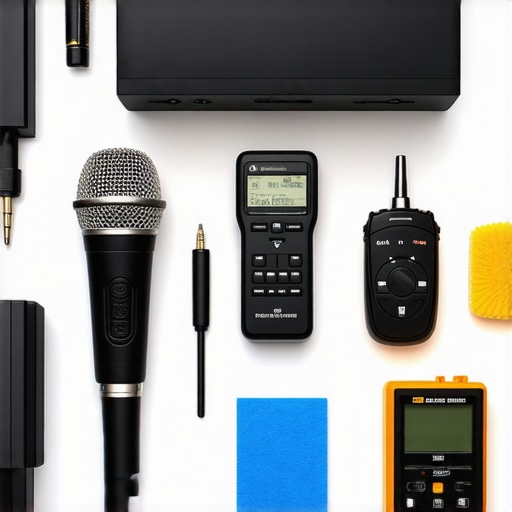
One indispensable tool I recommend is a set of bluetooth signal testers, like the BlueSaver Pro. This device helps me identify interference sources and verify connection stability without guesswork. It’s especially useful when troubleshooting persistent dropouts or crackling sounds in wireless setups. Pair this with a calibrated sound level meter, such as the MiniSPL, to ensure all your speakers are aligned and presenting an even soundstage. Proper calibration not only improves listening enjoyment but also prolongs the lifespan of your components by avoiding undue stress.
For cleaning and physical maintenance, I swear by a gentle, damp microfiber cloth combined with a small brush for dusting speaker grills and ports. Regularly dusting prevents buildup that can cause overheating or distort sound quality. If you notice dust or debris deep within the speaker cones, consult this detailed guide on foam surround replacement to stay proactive.
Another often overlooked aspect is software updates and firmware flashing. Manufacturers frequently release firmware to improve performance, fix bugs, or unlock new features. I recommend setting up automatic updates where possible, especially for network-connected devices like soundbars and AV receivers. This constant stream of updates is where the future of home audio lies—more personalized settings, smarter calibration, and enhanced compatibility.
Monitoring your system’s health over the years is essential. Tools like buying guides can help you evaluate used gear before purchase and assess ongoing maintenance needs. Additionally, consider investing in a surge protector with built-in EMI filtering; this can prevent voltage fluctuations from damaging sensitive equipment.
To maintain your setup’s long-term vitality, schedule regular inspections—at least bi-annually—to check for loose connections, worn cables, or overheating components. Keep a log of these maintenance sessions to track recurring issues and improvements. With diligent attention and the right tools, your home audio system can stay as captivating as the day you set it up.
Looking ahead, the trend points toward smarter, integrated systems that self-calibrate and notify users of potential issues. Embracing these innovations now will future-proof your investment and ensure continuous high-quality sound. Why not start by trying out a professional-level calibration tool for your speakers? It might be the upgrade your setup truly needs.

The Hardest Lesson I Learned About home audio gear
After countless hours tinkering with my setup, I finally realized that sometimes, the biggest obstacles to great sound aren’t high-end equipment but surprisingly simple household factors like appliances and placement. The revelation that my microwave was a major interference source taught me the importance of environmental awareness—something often overlooked by even seasoned audiophiles. This experience underscored the value of patience, experimentation, and a holistic approach to optimizing my system, rather than relying solely on expensive gear or complex configurations.
How I Discovered Trustworthy Sources for Better Sound
Over time, I curated a toolkit filled with resources that truly make a difference. I rely heavily on reviews of Bluetooth adapters to select interference-resistant models, and I often reference guides on purchasing used amps to ensure durability and compatibility. These sources stem from personal testing and honest insights, helping me avoid costly mistakes and achieve consistently satisfying audio performance.
Embracing the Challenge to Forge Better Sound Experiences
If you’re tired of battling unreliable connections or subpar audio, remember that your environment plays a crucial role. Take proactive steps, like repositioning your devices or exploring wireless gear with better interference resistance. Embrace the learning curve—each adjustment brings you closer to audio bliss. Don’t shy away from experimenting; your ideal setup is an ongoing journey, not a fixed endpoint. What small change will you make today to improve your home audio experience? Let me know below.