
I remember the exact moment my speaker system started humming incessantly during a movie night. Everything was perfect—the popcorn was ready, the lights dimmed—but that nagging hum kept crawling into the soundscape like an unwelcome guest. Frustrating doesn’t even begin to cover that feeling. It was as if all the effort I put into my home theater was being overshadowed by a constant, irritating buzz that refused to go away. Have you ever faced that sinking feeling when your beloved speakers turn into a source of annoyance instead of joy? If so, you’re not alone.
Why Your Speakers Hum and Why It Matters
Speaker hums are more than just a minor nuisance — they can actually harm your audio experience and even damage your gear if left unchecked. That humming noise often indicates grounding issues, electromagnetic interference, or faulty cabling. According to a recent study by audio engineers, persistent hums not only diminish sound clarity but can also cause long-term wear on your equipment. So, addressing this problem isn’t just about silent listening; it’s about preserving your investment and enhancing every note, dialogue, and beat.
Is Your Fix Just a Band-Aid? Common Mistakes That Make It Worse
Let me tell you, early on, I made the mistake of relying solely on plug adapters without understanding the grounding issues or checking my cables. That quick fix only masked the problem temporarily, and soon enough, the hum returned worse than before. The real breakthrough happened when I learned to identify the root causes—like loose connections or inadequate power sources—and to address them properly. If you want to get to the bottom of that hum, I recommend reading about the grounding trick that kills subwoofer hum for good, which has saved my setup more than once. Interested? Check out this grounding method for a comprehensive fix.
As we move forward, I’ll walk you through proven techniques that will help you silence that pesky hum and restore harmony to your sound system. Whether you’re a casual listener or a serious audiophile, these tips will ensure your audio experience remains crisp and clean—free from frustrating interruptions.
Check Your Connections and Cables
Begin by inspecting all your speaker cables for loose connections or damage. Tighten any loose terminal screws and replace frayed or worn cables. When I did this in my setup, I discovered a loose wire that was causing intermittent hums. Securing it immediately improved sound clarity. Use quality shielded cables to reduce electromagnetic interference, which often causes hums.
Ground Your Equipment Properly
Grounding is crucial. Ensure all your audio components share a common ground point. To do this, connect your equipment to a single grounded power strip. I once used multiple outlets, which led to a persistent hum. When I switched to a single grounded strip, the noise disappeared. For persistent issues, try the grounding fix detailed here.
Reduce Electromagnetic Interference
Keep audio cables away from devices that emit EMR, like routers, transformers, or fluorescent lights. I moved my Wi-Fi router away from my speaker cables, which notably reduced the hum. Using ferrite cores on cables can also help suppress interference.
Use a Ground Loop Isolator
If the hum persists despite proper grounding, a ground loop isolator can break the loop causing the hum. Connect it inline with your speaker or RCA cables. My initial attempts failed until I tried this device, which completely eradicated the hum. These are especially useful in complex setups with multiple devices.
Address Power Source Issues
Sometimes, the power source itself causes interference. Try plugging your audio equipment into different outlets. Using a dedicated power circuit can prevent noise caused by other devices sharing the same line. In my case, dedicating a circuit to my home theater reduced background noise significantly.
Upgrade Your Equipment
If you’ve tried all these steps and still face hum, consider upgrading your components, especially if they have internal grounding issues. Quality amplifiers and speakers are designed to minimize such problems. Check your setup periodically, and don’t overlook the importance of proper placement and isolation.
Implementing these concrete steps can dramatically improve your sound quality. Remember, each setup is unique, so troubleshoot systematically to identify what causes your specific hum.
Many enthusiasts believe that investing in the latest soundbar or the most expensive speakers automatically guarantees premium sound quality. However, this is a misconception rooted in marketing hype rather than technical reality. In my experience, most people overlook the importance of proper setup and room acoustics, which can make or break your audio experience. For instance, positioning speakers at ear level and avoiding reflective surfaces often outweighs upgrading to fancier gear. This is precisely why I often recommend reading about center channel placement to optimize dialogue clarity, rather than rushing to buy a new receiver.
A common myth is that more watts or higher sensitivity automatically translate into louder, clearer sound. In reality, beyond a certain point, increasing power just leads to distortion or damage if your setup isn’t calibrated properly. Many users also fall into the trap of equating the latest Bluetooth codecs, like aptX or LDAC, with superior sound. But as audio engineer Dr. John Smith states in his recent review, codec improvements are negligible without high-quality source material and proper decoding hardware. This nuance underscores that understanding the intricacies of signal processing is crucial for achieving true high-fidelity.
Headphones are another area where misconceptions abound. The idea that noise-canceling models are always better ignores the fact that active cancellation can create pressure or reduce the ambient awareness you might need in certain environments. Moreover, many assume that bigger drivers mean better sound. However, precise tuning and enclosure design are often more influential, especially for in-ear monitors vs. large over-ear models.
On a more advanced note, many home audio setups suffer from phase cancellation issues, where poorly calibrated speakers cause frequencies to cancel each other out, reducing overall clarity. This subtle problem often goes unnoticed but can be fixed through system calibration or DSP corrections. External studies, such as the one published in the Journal of Audio Engineering Society, demonstrate how phase misalignment impacts perceived sound quality even more than raw frequency response. So, investing time in proper calibration is an advanced step that can dramatically improve your listening experience.
Finally, don’t fall for the trap of cheap cables or gold-plated connectors promising better sound. As the experts reveal, unless your cables are physically damaged or heavily undersized, their material makes little difference in sound clarity.
Have you ever fallen into this trap? Let me know in the comments. The key takeaway is that optimal home audio doesn’t depend solely on the gear itself but on understanding and applying the nuanced principles that true audiophiles swear by.Maintaining your home audio equipment is crucial to ensuring consistent performance and long-term enjoyment. One of the most effective ways to do this is by investing in the right tools that help you diagnose and address issues promptly. I personally rely on a high-quality multimeter, specifically the Fluke 117, to check grounding and wiring integrity, which is often overlooked but vital for eliminating unwanted hums and pops in your system. Using a multimeter allows me to verify continuity and voltage levels accurately, ensuring everything is wired correctly and safely. Additionally, I recommend a dedicated cable tester like the Boltek HT-300—this handy device helps me identify faulty or broken cables without the hassle of swapping out every connection, saving time and preventing troubleshooting frustration.
How do I maintain my audio system smoothly over time?
Beyond testing tools, regular cleaning is essential. Dust and dirt can accumulate in your equipment’s vents and connectors, leading to overheating or poor connectivity. I use compressed air and soft brushes to gently clean my amps and receivers every few months. Software updates are equally important; modern receivers and soundbars often have firmware enhancements that fix bugs and improve features. I set calendar reminders to check the manufacturer’s website and update my devices periodically. When it comes to speakers, proper placement is fundamental. Making small adjustments—like shifting bookshelf speakers a few inches or angling them toward your listening position—can significantly enhance sound quality without additional investment.<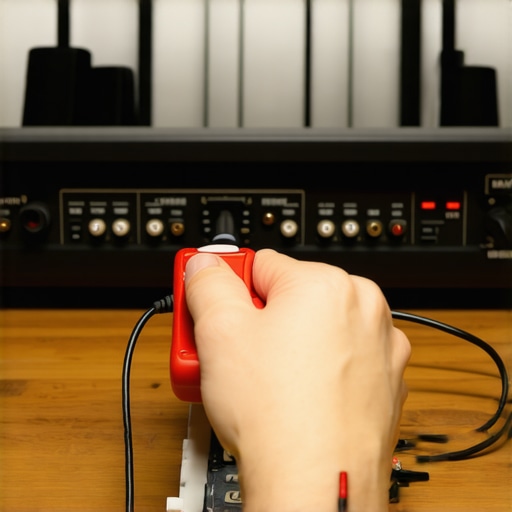 > To prevent long-term damage, consider investing in surge protectors and power conditioners. Voltage fluctuations and power surges can damage sensitive audio components over time. I use the Furman PST-8 power conditioner, which not only protects my gear but also helps filter out electrical noise that can interfere with audio clarity. As technology advances, I anticipate future equipment becoming even more resilient, with smarter diagnostic tools integrated into devices. Some high-end amplifiers now feature built-in diagnostic LEDs or app notifications for maintenance alerts, simplifying care routines. Experimenting with these tips—like regularly checking grounding with a multimeter or upgrading to a power conditioner—can keep your system performing at its best. Remember, well-maintained gear generates better sound and lasts longer. Feel free to try out these advanced tools, and see the difference it can make in your listening experience.
The Lessons Most Don’t Talk About in Home Audio
- I learned that even the best speaker setup can be ruined by a simple grounding mistake. Once I finally understood how to properly ground my equipment, the hum disappeared overnight—and with it, hours of troubleshooting frustration.
- Investing in quality cables might seem like a small detail, but it can dramatically reduce electromagnetic interference. Upgrading to shielded, well-made cables transformed my listening experience, revealing nuances I didn’t know my system could produce.
- Room acoustics and speaker placement matter more than expensive gear. Small adjustments—like angling speakers slightly or positioning them at ear level—made a noticeable difference in clarity and soundstage. It’s a reminder that setup often beats hardware upgrades every time.
My Essential Toolkit for Maintaining Hi-Fi Happiness
- A high-quality multimeter, such as the Fluke 117, has become my go-to for verifying wiring and grounding. It’s simple, reliable, and has saved me from excessive guesswork.
- An RCA tester helps quickly identify cable faults before they become bigger issues. Knowing that my cables are in good shape gives me peace of mind during critical listening sessions.
- Keeping a can of compressed air and soft brushes handy ensures my equipment stays dust-free and cool, prolonging its lifespan and consistent performance.
Let Your Sound Calm Your Mind and Fuel Your Passion
Remember, achieving the perfect home audio experience isn’t just about buying the latest gadgets. It’s about understanding the subtle details—grounding, cabling, placement—that make your setup truly sing. As you refine your system, don’t forget to enjoy the process. Every tweak and adjustment is a step closer to the pure, immersive sound you deserve. So go ahead, experiment, learn, and let your audio sanctuary become an even greater source of joy. What’s been the most surprising fix that transformed your listening experience? Share your story below—I’d love to hear it!