
I remember the frustration hit me one evening when I finally decided to upgrade my home audio. I had just purchased a fancy soundbar, expecting immersive sound, but it felt lackluster when I wanted music in the bedroom or the patio. The worst part? I had spent a fortune on that soundbar, yet I couldn’t enjoy multi-room audio without shelling out even more. That lightbulb moment made me realize—there’s got to be a smarter way to enjoy great sound across my space without draining my wallet.
Why a Multi-Room Setup Doesn’t Have to Cost a Fortune
Many folks assume that building a connected multi-room audio system requires expensive equipment and professional installation. The truth is, you can build a decent system on a tiny budget—I’ve done it myself, and I’m here to tell you how. The key is understanding that modern tech offers affordable solutions tailored for DIY enthusiasts. With a little patience and some research, you can have music filling every corner of your home without emptying your pockets. Believe me, I’ve learned a lot from early mistakes—like investing in overpriced wireless speakers that barely hold a charge or get out of sync. Learning to identify reliable, budget-friendly gear has made all the difference.
Is Setting Up a Multi-Room Audio System Worth the Effort?
A common concern I hear is, “Is it really worth all this fuss?” I get it. You might think, ‘Do I really need to synchronize audio in every room?’ Trust me, once you experience seamless music flow from your kitchen to your backyard, you’ll wonder why you didn’t start sooner. Plus, I’ve discovered that many budget options can match the sound quality of pricier setups—especially if you know what to look for. For example, I found some excellent deals on secondhand gear that outperform expensive new models, making it possible to craft a system that sounds great and costs less than a single high-end speaker.
As we dive deeper, I’ll guide you through each step—from selecting compatible devices to avoiding common pitfalls. Ready to transform your space with music that moves with you, all while saving money? First, let’s talk about the simple mistakes I made early on that you definitely want to avoid—mistakes that could turn your DIY project into a pricey headache, like overlooking compatibility or ignoring Wi-Fi interference issues. But don’t worry, with a few tips, you’ll sidestep those snares and start building your sound system with confidence. Want to see how I fixed my initial setup mistakes? Keep reading!
Select the Right Budget Speakers for Your Space
Start by choosing affordable, reliable wireless speakers that support multi-room functionality. Look for brands with positive reviews and compatibility with your existing devices. During my initial attempt, I bought a set of secondhand Bluetooth speakers that I scored at a thrift store—one of my best deals, demonstrating how savvy shopping can save money. Pay attention to speaker specifications—aim for a good balance of size, power, and connectivity options—this is crucial for seamless integration.
Match Speakers Based on Compatibility and Connectivity
Ensure all your speakers support the same protocol, such as Wi-Fi or Bluetooth, to avoid sync issues. Wi-Fi-enabled speakers like Amazon Echo or Google Nest are excellent because they can be grouped easily and support multi-room setup. I once paired a Bluetooth speaker with Wi-Fi speakers, which caused lag and out-of-sync audio—lesson learned: stick to one protocol. Also, check if your speakers support apps that facilitate multi-room control, making setup straightforward.
Arrange Your Audio Network Physically and Digitally
Place your speakers strategically around your home, considering room size and acoustics. Think of it like setting up a network of mini concert halls—each speaker needs a clear path to Wi-Fi routers or Bluetooth sources. During my setup, I used a simple Wi-Fi extender to boost signal strength in my backyard, which prevented dropouts and kept my music flowing seamlessly. Keep device placement in mind to reduce interference and ensure consistent connection quality.
Configure Your System for Perfect Synchronization
Proper setup involves syncing all speakers to play audio simultaneously. Many systems have a manual sync feature—use it to align sound across all rooms. I experienced lag when I first set up my system, but after tweaking the sync settings via the app, music played perfectly in harmony. For advanced users, exploring the [reason your multi-room audio keeps falling out of sync](https://premiumsounddeals.com/why-your-multi-room-audio-keeps-falling-out-of-sync) can help troubleshoot persistent issues. Remember, even wireless devices can pick up Wi-Fi interference, so placing routers centrally can improve performance.
Optimize Your System for Best Sound Quality
Don’t settle for the default sound—use equalizer settings within the app to tailor audio to your preferences. I experimented with bass boost and treble enhancements, transforming ordinary speakers into a lively soundscape. Additionally, avoid placing speakers in tight corners, which can cause boomy effects; instead, position them at ear level for clarity. If you notice distortion or weak bass, consider connecting a dedicated amplifier to your speakers, especially for high-impedance models, as discussed in [5-headphone-amps-that-make-a-difference](https://premiumsounddeals.com/5-headphone-amps-that-actually-make-a-difference-for-high-impedance-gear).
Test and Fine-Tune Your Setup
Play different types of music and note any out-of-sync sounds or audio dropouts. Use a local playlist to check for latency issues—if there’s a delay, revisit your sync settings or upgrade your Wi-Fi network. During my trial, I discovered my Wi-Fi router was causing interference, so I switched to a less congested channel, which improved performance. Remember, a well-tuned system enhances your listening experience and makes multi-room listening truly enjoyable.
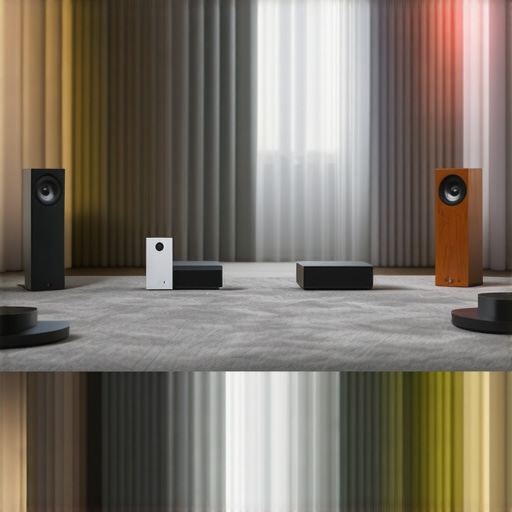 While many believe that choosing the most powerful amplifier or the latest soundbar guarantees top-notch audio, the real secret lies in understanding the intricacies behind these devices. One common misconception is that bigger wattage always equates to better sound. In reality, exceeding your speaker’s power handling capacity can cause distortion or even damage. For example, pairing a high-wattage amplifier with sensitive bookshelf speakers without proper matching can result in muddled sound quality rather than clarity. It’s essential to match your amplifier’s output with your speakers’ specifications—overlooking this leads to common pitfalls that diminish your listening experience.
Many assume that soundbars are a one-size-fits-all solution. However, they often overlook how room acoustics influence sound quality. Cheap or improperly placed soundbars might seem convenient but can create an echoey or boomy environment. Shockingly, just a small adjustment in placement or adding a simple acoustic panel can dramatically improve clarity. Keep in mind, achieving great sound isn’t solely about hardware; room treatment matters as much as the gear itself.
Some audiophiles get seduced by the allure of fancy headphones claiming to offer studio-quality sound. Yet, many high-end headphones actually suppress ambient noise in a way that can distort natural sound cues essential in professional setups. Additionally, a common mistake is neglecting the importance of maintaining your headphones—dirty drivers or worn-out ear pads can severely impact sound fidelity. Regular cleaning, such as using techniques found in [how to clean sticky headphone pads without damage](https://premiumsounddeals.com/how-to-clean-sticky-headphone-pads-without-damaging-the-foam), ensures your gear performs at its best.
Why Is Impedance Mismatch Critical When Combining Amplifiers and Speakers?
A nuanced yet crucial aspect often misunderstood by beginners is the impedance relationship between amplifiers and speakers. Mismatched impedance can lead to subpar performance, reduced lifespan of your equipment, or even damage. For instance, connecting low-impedance speakers to an amplifier designed for higher impedance can cause the amp to work harder, generating excess heat and risking failure. Experts recommend always checking that your amp and speakers share compatible impedance ratings—this ensures efficient power transfer and preserves sound integrity. For more insights into matching your gear, visit [how to match your car speakers to your head unit power](https://premiumsounddeals.com/how-to-match-your-car-speakers-to-your-head-unit-power).
Remember, sometimes the smallest details—like ensuring your amplifier’s gain is properly adjusted or using quality speaker cables—can significantly influence your overall sound experience. Avoid falling into the trap of blindly upgrading hardware without considering these nuances, as it might just lead to disappointment instead of sonic bliss. Testing your setup meticulously and aligning technical specifications will unlock your system’s full potential. Have you ever fallen into this trap? Let me know in the comments.
Keeping your home audio system in top shape requires more than just the initial setup; it demands regular maintenance and the right tools. Personally, I rely on a few specific items that have truly extended the lifespan of my gear and enhanced the listening experience. One such essential is a high-quality microfiber cloth, which I use daily to wipe down speakers, keeping dust and fingerprints at bay. For deeper cleaning, I swear by a gentle electronics cleaning spray combined with soft brushes—these help remove stubborn grime from delicate components without risking damage. Regularly inspecting and tightening loose connections with a precision screwdriver kit prevents signal loss and interference, ensuring your system stays reliable over time.
Another tool I can’t recommend enough is a headphone amplifier test plugin, such as this software plugin. It helps me verify impedance matching and amplifier performance without guessing, which is crucial when upgrading or troubleshooting. Additionally, investing in a good Ethernet cable tester can assist in diagnosing network issues that cause lag or sync problems in multi-room setups—saving hours of frustration.
Looking ahead, I believe the trend is moving toward smarter, self-maintaining systems. Devices will increasingly monitor their own health and notify us proactively about firmware updates or potential failures. Imagine gadgets that tell you precisely when to replace a filter or tighten a connection, much like a modern car’s maintenance system. To prepare, I’ve started integrating remote monitoring apps that keep tabs on my Wi-Fi strength and device statuses, helping me catch issues before they impact sound quality.
How do I maintain my audio setup for lasting performance?
Beyond tools, understanding routine care is key. Regularly dust and clean vents and connectors, avoid exposing equipment to extreme temperatures, and perform firmware updates as they become available—these small steps prevent many common issues. A simple yet effective practice is revisiting your cabling every few months; loose or corroded contacts can severely degrade sound quality. Remember, consistency in maintenance amplifies your system’s reliability and preserves your investment for years to come.
Don’t forget the importance of proper ventilation—overheating can reduce component lifespan. Ensuring your amplifier has adequate airflow, perhaps by adding a small cooling fan, can make a noticeable difference, especially during prolonged listening sessions. For detailed guidance, check out this article which discusses thermal management in high-performance amplifiers. As a final tip: schedule a quarterly checkup of your entire setup, just as you would with a car or any valuable equipment. This proactive approach guarantees your gear remains in peak condition, providing you with flawless audio for years to come. why not pick one of these tools today and see how much longer your system can perform at its best?
What I Wish I Knew Before Building My Home Audio Network
One of the most valuable lessons I learned was that compatibility trumps brand prestige. Investing in cheap, incompatible devices led to endless frustration, out-of-sync music, and constant resets. I finally realized that focusing on shared protocols and supported features saved me time, money, and headaches. Don’t underestimate the importance of researching device support for multi-room setup—they’re not all created equal.
Another eye-opening insight was the power of room acoustics and placement. Initially, I placed speakers haphazardly and wondered why the sound was muddy or uneven. Experimenting with positioning—such as elevating speakers at ear level and avoiding corners—transformed my listening experience entirely. Remember, hardware is only part of the equation; the environment significantly influences audio quality.
Lastly, I discovered that simplicity is underrated. Trying to build a complex, multi-device ecosystem without understanding each component’s role often backfires. I recommend starting small: a reliable Wi-Fi router, a pair of solid speakers, and a straightforward app—then expand gradually. Patience and incremental upgrades made my system more resilient and enjoyable, a lesson I wish I had embraced earlier.
Tools and Resources That Changed My Approach
For anyone serious about a budget-friendly multi-room setup, I recommend exploring this comprehensive guide. It covers everything from choosing compatible gear to optimizing placement, all without overspending.
Additionally, tools like sync troubleshooting resources proved invaluable when dealing with lag issues. Regularly updating firmware and monitoring your Wi-Fi network with simple apps keep the system running smoothly, extending the lifespan of your setup.
Finally, I trust reputable audio blogs and forums to stay current on affordable gear options and technical insights. Staying connected with knowledgeable communities helps avoid costly detours and keeps the passion alive.
Embrace the Journey Without Fear of Mistakes
Building a multi-room audio system that sounds fantastic doesn’t require a fortune or expert skills—just patience, curiosity, and a willingness to learn. Start with small, achievable steps, use the right tools, and pay attention to your environment. The pleasure of walking through your home, effortlessly controlling music across rooms, is worth every effort. Dive in, experiment, and remember: your perfect soundscape is within reach, regardless of your budget.
Have you ever faced a challenge when setting up your home audio system? What was the most valuable lesson you learned? Let me know below!