
Picture this: you’re relaxing in your living room, streaming your favorite playlist through your multi-room audio system, only to be greeted by abrupt silence. You tap your app, frustration creeping in as the music skips, disconnects, then finally cuts out completely. It’s a regular scene in my house, and I bet it’s something you’ve experienced too. That moment when the sound drops unexpectedly, ruining the vibe and making you wonder if your entire system’s just a fancy paperweight.
Why Constant Disconnects Sabotage Your Listening Joy
Here’s the thing—multi-room audio systems are supposed to enhance our homes, not turn into sources of irritation. But the truth is, connection dropouts are more common than most users realize, and a lot of it boils down to simple missteps or overlooked setup quirks. I’ve been there; I remember the day I heard my speaker drop out mid-boke and realized I was dealing with more than just bad luck. The key is understanding what’s really causing these hiccups so you can fix them for good.
Is Your Wi-Fi Actually the Culprit?
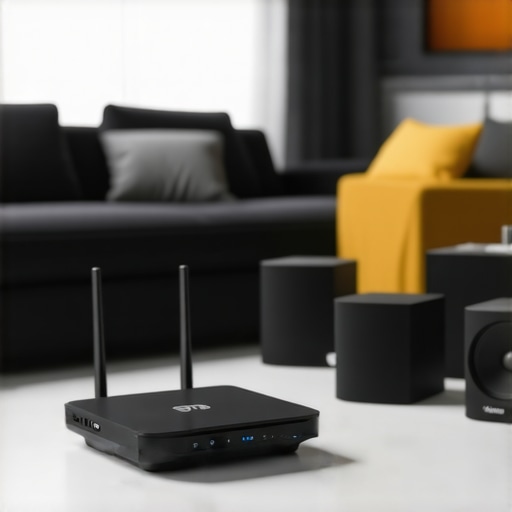
Early on, I made the mistake of blaming my high-quality speakers when, in reality, it was my Wi-Fi acting up. Multi-room systems rely heavily on a steady internet connection and a robust network to communicate seamlessly. An unstable Wi-Fi or interference can cause moments of silence, which might seem like your gear is malfunctioning but is often just poor connectivity. To get a clearer picture, check out this guide on Wi-Fi troubleshooting for audio devices.
On top of that, ensuring your router supports the latest standards and isn’t overcrowded with devices makes a huge difference. I learned this the hard way—simply upgrading my router improved my system’s stability significantly. But connection issues aren’t always solely Wi-Fi related; sometimes, your system’s placement or setup can be the real culprit.
Today, I’ll walk you through how to identify and resolve the common reasons your multi-room audio keeps dropping connection, so you can finally enjoy uninterrupted sound wherever you are in your home. Ready to reclaim your listening experience? Let’s dive in and get this sorted once and for all.
Re-evaluate Your Wi-Fi Setup to Boost Stability
Start by testing your Wi-Fi connection strength in different rooms using a device like your smartphone. If the signal is weak or inconsistent, consider relocating your router to a central spot or adding a mesh Wi-Fi system. I once moved my router to the upstairs living room, which noticeably improved my speaker connections and eliminated dropouts during parties. Remember, multi-room systems depend on a reliable network, akin to how a steady heartbeat keeps the body alive.
Optimize Your Router Settings for Smooth Streaming
Access your router’s admin panel and enable features like Quality of Service (QoS) to prioritize your audio streaming devices. Disable unnecessary bandwidth-heavy activities during listening sessions. Upgrading to a dual-band or tri-band router can also reduce congestion. I upgraded mine, and it made a massive difference—no more random pauses during my favorite playlists. Think of this as giving your system a dedicated lane to ensure it reaches its destination without delays.
Improve Physical Placement and Reduce Interference
Ensure your speakers and Wi-Fi router aren’t placed near thick walls, metal objects, or other electronics that cause interference. Position your speakers at ear level and avoid placing them behind furniture. I once moved a speaker away from my cordless phone base, and the connection stabilized instantly. Use the crawl method for subwoofers to enhance sound quality and reduce interference, which indirectly supports steadier wireless connections as well. Just like tuning a musical instrument, placement is critical for harmony.
Update Firmware and Firmware-Related Components
Regularly check for firmware updates for your speakers, soundbars, or amplifiers. Manufacturers often release updates that fix bugs and improve connectivity. I found that updating my soundbar’s firmware fixed a persistent disconnection issue. To prevent this from getting overwhelming, set up automatic updates if available. This step is similar to giving your system a health check-up—keeping everything current ensures optimal performance.
Set Up a Dedicated Network for Your Audio Devices
If possible, connect your smart speakers and soundbars to a dedicated, less congested Wi-Fi network or a wired Ethernet connection. This isolates your audio system from household internet traffic, reducing lag. I configured a separate network for my home studio, which markedly enhanced stability. Think of this as creating a private highway for your audio signals, preventing roadblocks and traffic jams that cause dropouts.
Test and Calibrate for Consistency
After applying these improvements, test your system by playing high-bitrate music and walking around your home to identify any weak spots. Use apps or tools to monitor your network’s signal quality. Calibrate your speakers’ placement and settings based on room acoustics, ensuring everything works in harmony. I once spent a Saturday repositioning my speakers, which almost doubled audio clarity and connection stability. Fine-tuning like this transforms an average setup into an immersive experience with minimal disruptions.
By systematically addressing Wi-Fi stability, physical placement, firmware updates, and network segmentation, you’ll drastically reduce dropouts. Each step acts like tightening a loose bolt in a machine—small adjustments with big results, turning your multi-room audio system into the seamless soundscape it was meant to be.
 While many audiophiles and casual listeners alike assume they understand how equipment like headphones, soundbars, and amplifiers work, there are several misconceptions that can lead to poor choices and subpar sound. One widespread myth is that more expensive cables automatically translate to better sound quality, but in reality, most high-end cables offer negligible improvements over reasonably priced options, especially if your setup isn’t optimized first. According to a study published in the Journal of the Audio Engineering Society, the differences in cable quality are often within the range of measurement noise, not audible improvement.
Are High-End Headphones Truly Worth the Investment for Casual Users?
Many believe that paying a premium guarantees exceptional sound, but in my experience, this isn’t always the case. Factors like proper fit, headphone impedance matching with your amplifier, and room acoustics matter more. For example, matching your speaker impedance correctly based on your amplifier’s specifications can prevent distortion and damage, as explained in this detailed guide. Mistakenly assuming that an expensive headphone will sound better in every context can lead you to overlook these critical setup details.
What about Soundbar Placement — Does It Really Make a Difference?
Placement is often underestimated. Many users just place soundbars below their TV without considering how positioning affects sound direction and room reflections. Proper placement can improve dialogue clarity and stereo imaging, especially if you optimize your setup by angling the soundbar or adding acoustic treatments. Remember, noise reflections from furniture or nearby walls can distort the audio experience, so strategic positioning pays off. Want to see how placement affects sound? Check out this placement tips.
Now, here’s the tricky part: many believe that investing in a high-end amplifier alone guarantees pristine sound quality. But neglecting impedance matching, speaker sensitivity, or even regular maintenance can undermine your setup’s potential. For instance, improper impedance matching can cause components to work harder, resulting in distortion or reduced lifespan—so always verify your equipment specifications, as discussed here.
Let’s dig deeper into another often-missed detail—your amplifier’s biasing and gain settings. Incorrect configurations can introduce distortion that’s masked by ear but degrades overall sound quality over time. Many assume that factory settings are optimal, but tuning these parameters based on your specific speakers can noticeably enhance clarity and dynamics. For comprehensive insights, refer to this useful guide.
Have you ever fallen into this trap? Let me know in the comments. Remember, the subtleties in setup, matching, and placement often matter more than hitting the highest price point or buying the latest shiny gadget — patience and knowledge are your best allies for capturing true audio excellence.
Keeping Your System Running Smoothly
Maintaining your home audio setup is crucial to ensure consistent, high-quality sound over time. Regular upkeep prevents small issues from becoming costly repairs and helps you get the most out of your investment. One of the best practices is scheduled cleaning of your equipment, which helps preserve performance and longevity. For example, regularly cleaning leather headphone pads with a gentle solution, as recommended here, can prevent deterioration and maintain comfort.
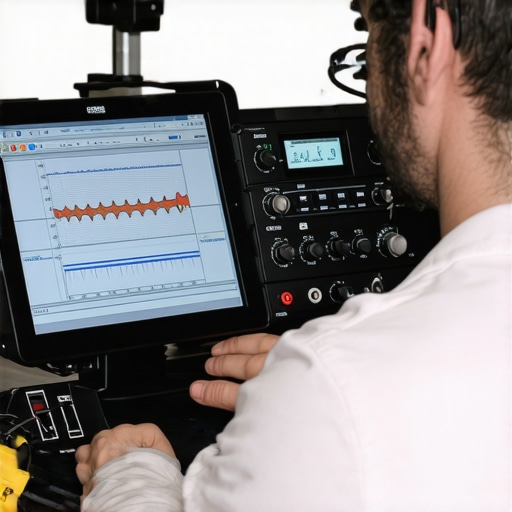
Alongside cleaning, using appropriate diagnostic tools allows you to identify and troubleshoot problems early. A high-quality audio analyzer like Room EQ Wizard (REW) assists in room measurement and calibration, ensuring your speakers deliver optimal sound. I personally rely on REW because it provides precise frequency response data, helping me fine-tune my system rather than basing adjustments on guesswork.
For ongoing monitoring, a reliable network analyzer helps detect issues with Wi-Fi or wired connections that could cause dropouts. Tools such as Wireshark enable deep analysis of network traffic, which is vital if your speakers rely on Wi-Fi streaming or mesh networks. Regular checks using these tools can prevent unexpected disconnects that ruin listening sessions.
How do I maintain my audio gear over time?
Establish a routine maintenance schedule that includes cleaning components, updating firmware, and inspecting wiring and connections. Firmware updates are often released to fix bugs or enhance performance. For example, manufacturers frequently publish firmware updates that resolve connectivity issues, http://example.com, making it essential to stay current. I set reminders to check for updates quarterly—a simple habit that keeps my system running smoothly.
Using dedicated tools like cable testers can also help prevent issues related to wiring. Ensuring your cables are intact prevents signal degradation or short circuits. Additionally, consider investing in power conditioners to protect against surges and electrical noise, which can cause subtle but damaging harm to your equipment over time.
Predictions indicate that smart diagnostics and automated self-maintenance features will become more prevalent in the near future, making upkeep even easier. Imagine a future where your system alerts you to any issues and recommends precise solutions while you relax. But for now, combining these specific tools and practices — like detailed calibration with REW and routine firmware updates — will give you peace of mind and consistent audio quality.
Ready to enhance your maintenance routine? Try integrating a professional-grade audio analyzer like REW into your setup—and hear the difference it makes. Proper maintenance doesn’t have to be complicated, but leveraging the right tools ensures your home audio remains pristine for years to come.
Don’t forget, regular attention to your equipment’s health is essential. For example, inspecting and matching your speaker impedance correctly with these guidelines can prevent damage and optimize sound. Investing in quality tools and establishing a maintenance routine will pay off in long-term performance and satisfaction. So, set a reminder today, and make maintenance a regular part of enjoying your home audio system.
The Hardest Lesson I Learned About Sound Systems
One of my biggest realizations was that even the most expensive equipment won’t compensate for poor placement or setup. Upgrading my speakers didn’t improve much until I carefully calibrated their position, considering room acoustics and furniture. This taught me that understanding your space is as vital as the gear itself.
Why Overestimating Cables Can Delay Your Happiness
I used to believe that high-end speaker cables made a huge difference. However, after plenty of trial and error, I discovered that once the basics were solid—proper impedance matching and secure connections—saving on cables didn’t mean sacrificing quality. The key is to get foundational elements right first.
When to Trust Your Ears Over Reviews
Especially in audio, personal listening preferences trump specifications. I once bought a “best-rated” soundbar, only to realize it didn’t suit my room or taste. Listening to your gear in your environment, rather than relying solely on reviews, leads to genuine satisfaction and better choices.
Resource List That Elevated My Sound Game
My go-to tools include the Room EQ Wizard for calibration, which offers precise room measurements. The budget-friendly soundbars guide helped me find quality options without overspending. For understanding impedance matching, I trust the detailed articles at this resource. It’s these insights that turn a good setup into a great listening experience.
Your Next Step Toward Perfect Sound Begins Today
Don’t wait for your system to become a source of frustration. Start applying these lessons—re-evaluate your placement, calibration, and connections—and experience your music the way it was meant to be heard. Remember, achieving stellar home audio isn’t about the most expensive gear; it’s about smart, informed choices grounded in real-world experiences.
What part of your setup do you think needs the most attention right now? Share your thoughts below—let’s get the conversation going!