
Have you ever eagerly lowered the needle onto your favorite record, only to be hit with an unexpected, deafening buzz that drowns out the music? That frustrating moment can ruin a perfect listening session and leave you scratching your head. I sure have been there—sitting in my listening nook, expecting warm vinyl sounds, only to be greeted by a loud, persistent hum that seemed to come out of nowhere. It’s like your equipment suddenly decided to throw a wrench into your audio peace.
Unmasking the Cause of That Annoying Buzz
Now, let’s be honest—noise issues with a phono preamp happen more often than you’d think. When I first encountered this problem, I thought it was a grounding issue or maybe a faulty connection. Turns out, it’s often a combination of factors, and understanding them can save you tons of frustration. Today, I promise to guide you through the common culprits behind that loud buzzing, and most importantly, how to tackle them head-on.
Is Your Buzz Just a Fluke or a Sign of Something More?
Early on, I mistakenly assumed that replacing my old preamp would instantly eliminate the hum. But it was a classic mistake—ignoring grounding and cable quality. According to experts, improper grounding accounts for up to 80% of noise issues in audio systems (source: SoundGuys). That’s why I’ll emphasize these troubleshooting tips to help you make smarter fixes and restore that lush, clear vinyl experience.
By understanding why your preamp is making this noise, you can avoid unnecessary replacements and focus on practical solutions. Ready to dive into the steps that will quiet that loud buzz and bring your vinyl to life? Let’s get started.
Secure Your Grounding Connections
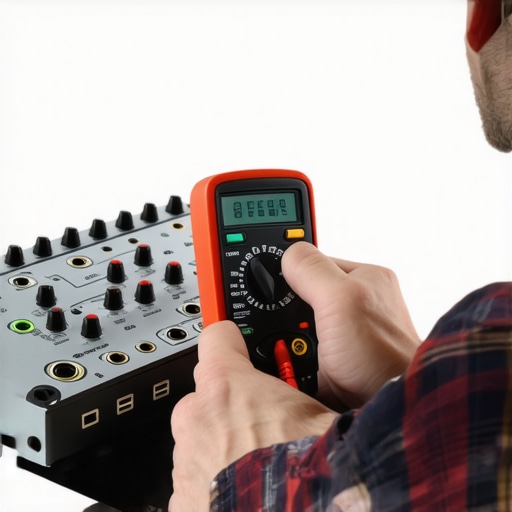
Start by checking if your turntable, preamp, and amplifier share the same ground. Use a multimeter or an audiophile-grade ground tester to verify continuity. Temporarily disconnect the ground wire from your turntable and see if the hum diminishes; if it does, re-establish a solid connection or try connecting the ground wire to a different grounding point on your equipment. I once had a stubborn buzz until I realized a loose ground wire was the culprit, and re-securing it instantly cleared the noise.
Upgrade Your Cables to Shielded Variants
Replace cheap, unshielded RCA cables with professional-grade, shielded cables. Shielding prevents electromagnetic interference from household electronics, which can cause buzz. During my own troubleshooting, swapping out my old cables for well-shielded ones made a noticeable difference—hum reduced significantly, and clarity improved. Also, ensure cables are neatly routed away from power cords or wireless devices.
Calibrate and Position Your Equipment Properly
Placement matters. Place your turntable on a sturdy, vibration-absorbing surface, ideally isolated from speakers and subwoofers. Use isolation pads designed for audio gear to minimize vibrations. I wrapped my turntable in a dense foam mat, which flattened vibrations enough to quiet the hum. Additionally, make sure your phono cartridge is properly aligned and calibrated, as misalignment can sometimes cause unwanted noise.
Check Your Power Source and Interference
Plug all your audio components into the same power strip to prevent ground loops. Consider adding an isolation transformer or a power conditioner if interference persists. I once experienced buzzing when my equipment was plugged into different circuits; consolidating everything onto a single surge protector solved the problem. Also, switch off other appliances or wireless devices nearby during critical listening sessions to eliminate potential interference.
Insulate and Shield Internal Components
If you’re comfortable opening your gear, examine internal wiring for loose connections or faulty solder joints. Use conductive paint or shielding tape on internal metal parts to block electromagnetic interference. During a repair, I noticed a loose wire inside my preamp; resecuring it and adding a shielded foil tape cut down the hum drastically. Always exercise caution, disconnect power before opening the device, and consider consulting a professional for complex internal work.
Test and Fine-Tune Your Setup
After implementing these steps, play a record and listen carefully. Adjust grounding points, cable routing, and equipment placement until noise is minimized. Patience is key; sometimes, a combination of small tweaks yields the best result. Remember, a systematic approach—changing one variable at a time—can help identify the root cause of the buzz more effectively.
Ready to explore further? You might find unique solutions like adding a dedicated power line for your audio gear or exploring specialized grounding techniques on sites like this resource. Troubleshooting can be challenging, but with persistence, you’ll achieve a clean, hum-free listen every time.
Many audiophiles and casual listeners alike fall prey to prevalent myths surrounding home audio setups, often leading to suboptimal performance or overspending on unnecessary gear. As an expert, I want to shed light on these nuanced misconceptions that frequently trip up enthusiasts who think they have it all figured out.
Why Bigger Isn’t Always Better with Power Ratings
It’s a common belief that higher wattage amplifiers automatically deliver better sound. However, power alone doesn’t guarantee quality. An under-optimized impedance match or poor components can cause distortion or overheating, regardless of wattage. For instance, a 50W high-fidelity amplifier can outperform a 200W budget unit when tuned correctly. Relying solely on wattage ratings can lead you down a costly path—remember, efficiency and quality matter more than sheer numbers.
Beware of the Overhyped Soundbar Boom
Many consumers see high-end soundbars as a quick fix for a lackluster TV audio experience. But in reality, most affordable soundbars rely on bass enhancement or virtual surround processing that doesn’t replace dedicated speakers or a proper home theater setup. A trap to avoid is assuming a single soundbar can replace a multi-speaker arrangement without sacrificing clarity or spatial accuracy. For elevated audio performance, integrating speakers properly or exploring options like multi-room audio solutions might be more effective.
Sound Quality Through Headphones Is About the Whole Chain
A prevalent misconception is that expensive headphones alone guarantee superior sound. While premium cans help, the true impact comes from the entire chain—DACs, amplifiers, cables, and source quality. For example, using an equalizer to compensate for flawed recordings can be more beneficial than just upgrading to high-end headphones. Additionally, cables—like premium speaker cables—often don’t significantly impact sound unless they are defective or extremely poor quality. Understanding this chain prevents overspending on superficial upgrades instead of meaningful ones.
Advanced Speaker Placement Can Make or Break Your System
Many enthusiasts overlook how subtle positioning influences soundstage and clarity. Moving speakers just a few inches or adjusting toe-in angles can dramatically improve imaging and reduce phase issues. A common mistake is placing speakers too close to walls, which can cause undesirable bass booms. Using techniques like the crawling method for subwoofer positioning or experimenting with speaker angles unlocks better spatial dynamics and clarity. Remember, the room itself acts as an extension of your gear, so neglecting acoustic treatment or placement is a surefire way to settle for mediocrity.
Have you ever fallen into this trap? Let me know in the comments. Recognizing these hidden nuances helps you make smarter choices, avoid costly mistakes, and truly enjoy your music and movies the way they were meant to be experienced.

Tools That Keep Your System Running Smoothly
Maintaining a high-quality home audio setup requires the right tools and regular attention. A reliable multimeter, for example, is indispensable for diagnosing grounding issues or checking continuity in cables and internal wiring. I personally use a Fluke 117 multimeter because of its accuracy and ease of use, which allows me to swiftly identify and resolve issues like faulty grounding that can introduce noise or distortion into my system.
Another essential tool is a dedicated cleaning kit for your headphones and turntables. Dust and debris accumulation can degrade performance over time, so I recommend using a proper stylus brush for records and a gentle, anti-static cloth for headphones. Regular cleaning, combined with ultrasonic cleaners for speakers’ grills and cabinet surfaces, helps preserve sound fidelity and hardware longevity.
Anticipating Future Trends in Equipment Care
Advances in smart diagnostics, such as IoT-enabled speakers and amplifiers, hint at a future where your devices can self-report issues before they affect performance. Soon, we might be able to schedule maintenance or software updates remotely, minimizing downtime. Keeping abreast of these innovations can give you an edge in preserving your gear’s longevity.
How do I maintain my speakers and headphones over time?
Consistent maintenance starts with understanding the typical wear points and incorporating routine checks. For speakers, inspect internal wiring for corrosion or looseness annually; for headphones, replace cables or ear pads as needed, following recommendations like those found at this resource. Additionally, avoid exposing your equipment to extreme temperatures or humidity, which can accelerate deterioration. Regularly toggling your equipment on and off helps prevent component fatigue, and applying a dedicated silicone or rubber protector to headphone cables can dramatically extend their life, preventing fraying and cable breakage.
Finally, ensure proper storage—storing headphones in a case when not in use and keeping speakers in stable environments minimizes dust ingress and mechanical stress. For a detailed approach to storing your headphones, check out this guide. Committing to consistent, gentle maintenance routines will keep your gear performing like new and enhance your listening experience for years to come.
If you’re interested in making your setup more resilient, try upgrading your cables with shielding techniques or adding vibration isolation platforms for your speakers. These small but impactful steps can improve long-term reliability and sound clarity. For example, adding a vibration isolation pad beneath your turntable can reduce unwanted resonance, a trick I personally found invaluable. Don’t wait for performance to dip—start your maintenance routine today and enjoy pristine sound quality long into the future.
What I Wish I Knew When I Started Tuning My System
- Understanding that every component’s placement and grounding has a bigger impact than I initially thought—it’s not just about buying quality gear but setting it up properly.
- Realizing that the smallest tweak, like adjusting speaker toe-in or using a simple vibration damping platform, can dramatically improve sound clarity and reduce buzzes.
- Learning that regular, mindful maintenance is essential—cleaning connections, inspecting internal wiring, and updating firmware can prevent issues before they escalate.
- Believing that high wattage alone doesn’t guarantee great sound; matching impedance and component quality is more crucial than chasing numbers.
- Discovering that addressing electromagnetic interference and proper cable routing is often the secret to eliminating persistent hums and buzzes.
Tools and Resources That Made a Difference in My Journey
- Fluke 117 Multimeter: Trusted for accurate grounding and continuity checks, helping me pinpoint and fix noise issues efficiently.
- Shielded RCA Cables: Upgrading to high-quality cables significantly reduced interference, enhancing audio clarity.
- Ultrasonic Speaker Cleaner: Ensured my turntable’s stylus and speaker grills stayed dust-free, preserving sound fidelity over time.
- Room Acoustic Treatment Guides from reputable audio sites, which helped me optimize my space for the best soundstage and imaging.
Embrace Your System’s Potential Today
There’s always room to refine and elevate your home audio experience. With a bit of insider knowledge and the right tools, you can achieve that pristine, buzz-free sound that transforms listening into pure joy. So, why wait? Dive into your setup, experiment with placement and grounding, and start experiencing your favorite records and movies the way they were meant to be enjoyed. Your ears—and your playlist—will thank you. What’s the first tweak you’re planning to try to improve your audio quality? Share below and let’s get the conversation started!