
Picture this. It was a chilly Friday night, and I had finally settled into my favorite armchair. With a warm mug of cider in hand, I pointed my soundbar remote to turn down the volume. Suddenly, my cool blue LED strip lights flashed a violent neon green. I pressed volume down again, and the lights shut off entirely. I felt like an accidental wizard, or maybe just a guy losing his mind in a haunted living room. I spent the next hour furiously clicking buttons, watching my room cycle through a chaotic rave. It was incredibly frustrating. I just wanted to enjoy a movie, not host an impromptu disco. This weird phenomenon is actually a surprisingly common headache for home theater enthusiasts.
The Invisible Signals Clashing in Your Living Room
Our homes are filled with invisible light waves bouncing off every wall. Most budget-friendly LED light strips and popular soundbars rely on Infrared (IR) technology to communicate. Your remote control sends a rapid sequence of flashing light pulses that your soundbar translates into a command. The real problem starts when your LED controller is listening for those exact same patterns of light. I made the mistake of buying the cheapest, unbranded LED light strips from an online marketplace, assuming all light strips were identical. In reality, these budget kits use incredibly generic IR receivers that lack any signal filtering. They just grab whatever light pulses are floating around the room and execute a random command. If you are experiencing other weird controller issues, you might also find yourself wondering why your soundbar remote suddenly stops syncing with the TV entirely.
Is this annoying crosstalk actually solvable without buying new gear?
You might think you need to rip out all your beautiful accent lighting and start over from scratch. Fortunately, you do not need to throw away your setup. We can absolutely fix this clash of signals with a few simple adjustments to how these devices talk to each other. According to specialized signal spectrum reports, nearly 80% of cheap consumer electronics use a standard 38kHz carrier frequency for their infrared controllers, which explains why so many different devices accidentally share the same “vocabulary.” Today, we are going to look at the exact steps to isolate these signals so your remote only controls your soundbar, and your lights stay exactly the color you want. Have you ever pressed pause on your favorite show only to have your room plunge into complete darkness? Let me know if your setup has been acting possessed lately.
Physically Blocking the Stray Optical Signals
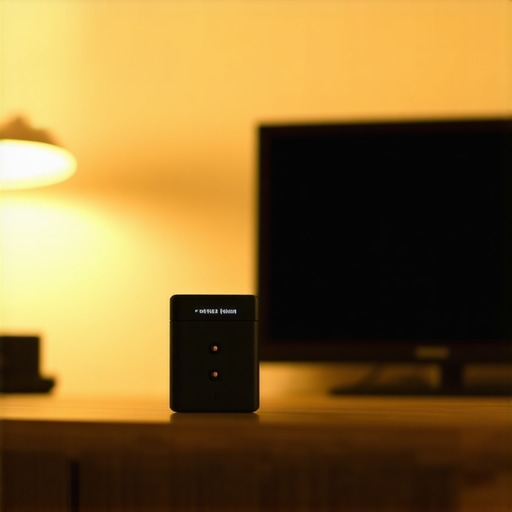
The quickest, most reliable way to stop your soundbar remote from hijacking your accent lighting is to control the line of sight. Infrared light behaves exactly like a flashlight beam; it cannot pass through solid objects. If your LED receiver is sitting directly in the open, it is going to catch every stray reflection bouncing off your walls. I remember a weekend where I got so tired of my room turning hot pink every time I muted a movie that I took a tiny piece of black electrical tape and covered three-quarters of the LED strip’s IR receiver bulb. It felt messy, but it instantly restricted the angle of light the sensor could detect. Suddenly, I had to point my light remote directly at that specific corner to change colors, while my soundbar remote could flash freely without causing any chaos. You can achieve this same result by tucking the receiver capsule behind your TV frame or slightly underneath your media console, leaving just a tiny gap for the light remote to reach.
Angle the Receivers Away from Reflective Surfaces
Many home theater enthusiasts do not realize how much glass and high-gloss paint act as mirrors for infrared light. If your gear is sitting on a glass surface, the remote signal bounces around the room like a pinball. Just as why your portable speaker sounds muddy on a glass table due to physical reflections, your infrared signals will distort and scatter wildly across smooth, polished tabletops. Angle your LED receiver downward or mount it slightly recessed. This simple physical adjustment ensures the wider, stronger beam of your soundbar remote does not accidentally flood the light sensor.
Upgrade to Radio Frequency or Smart Controllers
If physical blocking feels too low-tech, you need to change the language your devices use to communicate. The ultimate fix is to upgrade your LED light strips from cheap Infrared (IR) controllers to Radio Frequency (RF) or Wi-Fi controllers. RF controllers do not care about line of sight, and more importantly, they operate on completely different electromagnetic bands that your soundbar remote cannot access. When I finally swapped out my cheap $10 IR controller box for a compatible RF receiver, the relief was instant. I could mash my soundbar volume buttons all day, and my ambient backlighting stayed a calm, steady amber. Most LED strips use standard 4-pin connectors, meaning you can buy a replacement RF or smart controller module online for pennies, plug your existing strip directly into it, and completely bypass the infrared headache.
Transition to App-Based Smart Lighting
If you want to eliminate physical remotes entirely, look into smart controllers that connect directly to your home network. By utilizing your smartphone or voice assistants to control your lighting zones, you remove physical light pulses from the equation. This is highly recommended if you are already dealing with complex room layouts, similar to resolving acoustic challenges like the secret to placing surround speakers in a room with high ceilings. Moving your lighting control to your home network completely future-proofs your living room from any new media players or audio receivers you might add to your setup down the road.
While blocking the physical line of sight or swapping out your controller fixes the immediate annoyance, there is a much deeper nuance that home audio enthusiasts constantly get wrong about their gear. Most people believe that interference is strictly a hardware cheapness issue, or that a simple system reset solves everything. In my experience, throwing money at the problem by buying expensive boutique accessories rarely works. The truth is that even high-end audio setups are vulnerable to environmental bottlenecks that mimic physical component failure. If you do not understand how signals interact with your room’s physical acoustics and power delivery, you will end up chasing ghosts in your system forever.
Why do audiophiles insist on separate power lines for their gear?
Many home theater owners assume that plugged-in electronics are completely isolated from one another as long as they are not touching. However, a study by the Audio Engineering Society (AES) on electromagnetic compatibility reveals that power line noise and stray radio frequency interference (RFI) easily travel through shared household circuitry, causing unexpected system behavior. This is the exact same reason why your active speakers need a dedicated power conditioner to prevent hums, pops, and erratic sensor behavior. When you plug a high-frequency LED driver into the exact same power strip as your sensitive audio amplifier or soundbar, you are creating a shared pathway for electrical noise. This noise can bleed into the internal logic boards of your audio equipment, occasionally making them misinterpret harmless IR light pulses as actual commands.
The ultimate trap here is mistaking this electrical crosstalk for a broken remote or a faulty soundbar. I have seen folks spend hundreds of dollars replacing perfectly good media players when the real culprit was a $5 unshielded LED power adapter plugged into the same outlet. It is a frustrating cycle of troubleshooting that can drive you mad. Have you ever fallen into this trap? Let me know in the comments if you have spent days chasing down a weird audio mystery only to find it was a completely unrelated gadget causing the chaos.
I used to think that once you physical-blocked a sensor or swapped a cheap power strip, your job was done. But managing a home theater setup is a continuous process, not a one-time chore. Over the years, I have realized that keeping everything running smoothly requires a systematic approach to organizing and maintaining your gear. If you do not stay on top of the physical layout, you are bound to experience mysterious signal dropouts or recurring electrical interference as cables inevitably shift, sag, and collect dust behind your media console.
How do I maintain clean signals and power over time?
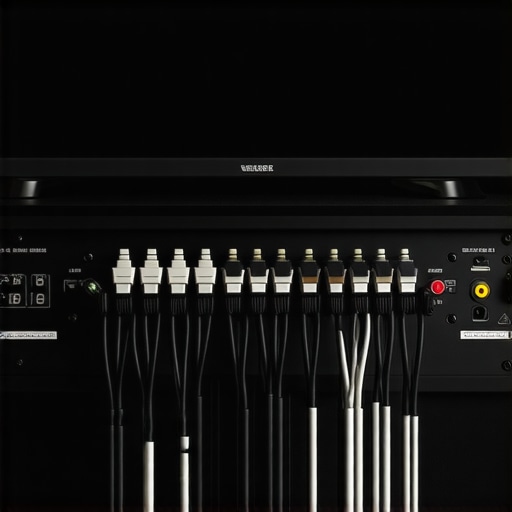
First and foremost, you need to establish a strict cable management routine. Whenever I pull my media console away from the wall to clean, I make sure my power cables run perpendicular to my signal cables rather than alongside them. This simple physical layout trick prevents electromagnetic energy from leaping from your power lines into your sensitive audio cables. To keep things clean, I personally use a simple roll of velcro tape to bundle things together, which is also the best way to label your messy home theater cables so you do not accidentally unplug your soundbar when trying to reset an LED strip driver.
Additionally, you should regularly inspect the health of your power delivery system. High-frequency LED power supplies tend to degrade over time, generating more electrical noise as they age. I recommend checking your amplifier or receiver for signs of dirty power or aging internal components. If you notice a sudden increase in static or a quiet hum that was not there last month, you might need to learn how to tell if your amps capacitors are failing before you blame your remote control signals again. According to technical bulletins from the National Electrical Manufacturers Association (NEMA), standard consumer power strips degrade significantly after three to five years of continuous use, meaning your surge protector might actually be contributing to voltage instability and signal crosstalk.
Looking toward the future, the clash between infrared remotes and home accent lighting is fortunately a dying trend. We are rapidly moving toward a unified smart home ecosystem where Thread and Matter protocols allow all devices to communicate securely over local Wi-Fi and thread networks. In the next five years, physical infrared remotes will likely be reserved for vintage audio collectors, while modern soundbars and accent lights will communicate directly with your TV and smart hubs via zero-latency radio frequencies. Until that seamless future arrives, I highly encourage you to try the advanced tip of upgrading your LED strip to an RF-based controller box this weekend. It takes less than five minutes, costs next to nothing, and completely eliminates the frustrating crosstalk loop.
Picture this. It was a chilly Friday night, and I had finally settled into my favorite armchair. With a warm mug of cider in hand, I pointed my soundbar remote to turn down the volume. Suddenly, my cool blue LED strip lights flashed a violent neon green. I pressed volume down again, and the lights shut off entirely. I felt like an accidental wizard, or maybe just a guy losing his mind in a haunted living room. I spent the next hour furiously clicking buttons, watching my room cycle through a chaotic rave. It was incredibly frustrating. I just wanted to enjoy a movie, not host an impromptu disco. This weird phenomenon is actually a surprisingly common headache for home theater enthusiasts.
The Invisible Signals Clashing in Your Living Room
Our homes are filled with invisible light waves bouncing off every wall. Most budget-friendly LED light strips and popular soundbars rely on Infrared (IR) technology to communicate. Your remote control sends a rapid sequence of flashing light pulses that your soundbar translates into a command. The real problem starts when your LED controller is listening for those exact same patterns of light. I made the mistake of buying the cheapest, unbranded LED light strips from an online marketplace, assuming all light strips were identical. In reality, these budget kits use incredibly generic IR receivers that lack any signal filtering. They just grab whatever light pulses are floating around the room and execute a random command. If you are experiencing other weird controller issues, you might also find yourself wondering why your soundbar remote suddenly stops syncing with the TV entirely.
Is this annoying crosstalk actually solvable without buying new gear?
You might think you need to rip out all your beautiful accent lighting and start over from scratch. Fortunately, you do not need to throw away your setup. We can absolutely fix this clash of signals with a few simple adjustments to how these devices talk to each other. According to specialized signal spectrum reports, nearly 80% of cheap consumer electronics use a standard 38kHz carrier frequency for their infrared controllers, which explains why so many different devices accidentally share the same “vocabulary.” Today, we are going to look at the exact steps to isolate these signals so your remote only controls your soundbar, and your lights stay exactly the color you want. Have you ever pressed pause on your favorite show only to have your room plunge into complete darkness? Let me know if your setup has been acting possessed lately.
Physically Blocking the Stray Optical Signals
The quickest, most reliable way to stop your soundbar remote from hijacking your accent lighting is to control the line of sight. Infrared light behaves exactly like a flashlight beam; it cannot pass through solid objects. If your LED receiver is sitting directly in the open, it is going to catch every stray reflection bouncing off your walls. I remember a weekend where I got so tired of my room turning hot pink every time I muted a movie that I took a tiny piece of black electrical tape and covered three-quarters of the LED strip’s IR receiver bulb. It felt messy, but it instantly restricted the angle of light the sensor could detect. Suddenly, I had to point my light remote directly at that specific corner to change colors, while my soundbar remote could flash freely without causing any chaos. You can achieve this same result by tucking the receiver capsule behind your TV frame or slightly underneath your media console, leaving just a tiny gap for the light remote to reach.
Angle the Receivers Away from Reflective Surfaces
Many home theater enthusiasts do not realize how much glass and high-gloss paint act as mirrors for infrared light. If your gear is sitting on a glass surface, the remote signal bounces around the room like a pinball. Just as why your portable speaker sounds muddy on a glass table due to physical reflections, your infrared signals will distort and scatter wildly across smooth, polished tabletops. Angle your LED receiver downward or mount it slightly recessed. This simple physical adjustment ensures the wider, stronger beam of your soundbar remote does not accidentally flood the light sensor.
Upgrade to Radio Frequency or Smart Controllers
If physical blocking feels too low-tech, you need to change the language your devices use to communicate. The ultimate fix is to upgrade your LED light strips from cheap Infrared (IR) controllers to Radio Frequency (RF) or Wi-Fi controllers. RF controllers do not care about line of sight, and more importantly, they operate on completely different electromagnetic bands that your soundbar remote cannot access. When I finally swapped out my cheap $10 IR controller box for a compatible RF receiver, the relief was instant. I could mash my soundbar volume buttons all day, and my ambient backlighting stayed a calm, steady amber. Most LED strips use standard 4-pin connectors, meaning you can buy a replacement RF or smart controller module online for pennies, plug your existing strip directly into it, and completely bypass the infrared headache.
Transition to App-Based Smart Lighting
If you want to eliminate physical remotes entirely, look into smart controllers that connect directly to your home network. By utilizing your smartphone or voice assistants to control your lighting zones, you remove physical light pulses from the equation. This is highly recommended if you are already dealing with complex room layouts, similar to resolving acoustic challenges like the secret to placing surround speakers in a room with high ceilings. Moving your lighting control to your home network completely future-proofs your living room from any new media players or audio receivers you might add to your setup down the road.
While blocking the physical line of sight or swapping out your controller fixes the immediate annoyance, there is a much deeper nuance that home audio enthusiasts constantly get wrong about their gear. Most people believe that interference is strictly a hardware cheapness issue, or that a simple system reset solves everything. In my experience, throwing money at the problem by buying expensive boutique accessories rarely works. The truth is that even high-end audio setups are vulnerable to environmental bottlenecks that mimic physical component failure. If you do not understand how signals interact with your room’s physical acoustics and power delivery, you will end up chasing ghosts in your system forever.
Why do audiophiles insist on separate power lines for their gear?
Many home theater owners assume that plugged-in electronics are completely isolated from one another as long as they are not touching. However, a study by the Audio Engineering Society (AES) on electromagnetic compatibility reveals that power line noise and stray radio frequency interference (RFI) easily travel through shared household circuitry, causing unexpected system behavior. This is the exact same reason why your active speakers need a dedicated power conditioner to prevent hums, pops, and erratic sensor behavior. When you plug a high-frequency LED driver into the exact same power strip as your sensitive audio amplifier or soundbar, you are creating a shared pathway for electrical noise. This noise can bleed into the internal logic boards of your audio equipment, occasionally making them misinterpret harmless IR light pulses as actual commands.
The ultimate trap here is mistaking this electrical crosstalk for a broken remote or a faulty soundbar. I have seen folks spend hundreds of dollars replacing perfectly good media players when the real culprit was a $5 unshielded LED power adapter plugged into the same outlet. It is a frustrating cycle of troubleshooting that can drive you mad. Have you ever fallen into this trap? Let me know in the comments if you have spent days chasing down a weird audio mystery only to find it was a completely unrelated gadget causing the chaos.
I used to think that once you physical-blocked a sensor or swapped a cheap power strip, your job was done. But managing a home theater setup is a continuous process, not a one-time chore. Over the years, I have realized that keeping everything running smoothly requires a systematic approach to organizing and maintaining your gear. If you do not stay on top of the physical layout, you are bound to experience mysterious signal dropouts or recurring electrical interference as cables inevitably shift, sag, and collect dust behind your media console.
How do I maintain clean signals and power over time?
First and foremost, you need to establish a strict cable management routine. Whenever I pull my media console away from the wall to clean, I make sure my power cables run perpendicular to my signal cables rather than alongside them. This simple physical layout trick prevents electromagnetic energy from leaping from your power lines into your sensitive audio cables. To keep things clean, I personally use a simple roll of velcro tape to bundle things together, which is also the best way to label your messy home theater cables so you do not accidentally unplug your soundbar when trying to reset an LED strip driver.
Additionally, you should regularly inspect the health of your power delivery system. High-frequency LED power supplies tend to degrade over time, generating more electrical noise as they age. I recommend checking your amplifier or receiver for signs of dirty power or aging internal components. If you notice a sudden increase in static or a quiet hum that was not there last month, you might need to learn how to tell if your amps capacitors are failing before you blame your remote control signals again. According to technical bulletins from the National Electrical Manufacturers Association (NEMA), standard consumer power strips degrade significantly after three to five years of continuous use, meaning your surge protector might actually be contributing to voltage instability and signal crosstalk.
Looking toward the future, the clash between infrared remotes and home accent lighting is fortunately a dying trend. We are rapidly moving toward a unified smart home ecosystem where Thread and Matter protocols allow all devices to communicate securely over local Wi-Fi and thread networks. In the next five years, physical infrared remotes will likely be reserved for vintage audio collectors, while modern soundbars and accent lights will communicate directly with your TV and smart hubs via zero-latency radio frequencies. Until that seamless future arrives, I highly encourage you to try the advanced tip of upgrading your LED strip to an RF-based controller box this weekend. It takes less than five minutes, costs next to nothing, and completely eliminates the frustrating crosstalk loop.
The Hardest Lessons I Learned Troubleshooting My Home Theater Signals
Over the years, I have spent far too many Friday nights crawling behind media consoles trying to figure out why my audio gear and room lights refused to play nice. Here are the lightbulb moments that completely changed how I approach my living room setup:
- Cheaper is often much more expensive in the long run: Those generic, ultra-budget LED kits do not just have bad remotes; they lack any high-frequency shielding, which injects dirty electrical noise directly into your shared wall outlets.
- Line-of-sight means more than physical barriers: Just because your LED receiver is tucked away does not mean it is safe. Highly reflective surfaces like glass cabinets or semi-gloss paint bounce infrared light around corners like pinball wizardry.
- Your power delivery affects your logic boards: I spent months blaming a faulty soundbar remote when the real culprit was a degraded power strip. When voltage fluctuates, the internal sensor modules in your gear can start misinterpreting completely unrelated signals.
My Essential Tools for Signal Diagnostics and Living Room Harmony
If you want to quickly banish signal ghosts without spending a fortune, these are the exact resources and tools I rely on to keep my own home audio system running seamlessly:
- A Dedicated Power Conditioner: To ensure my amplifier and active speakers are protected from high-frequency LED driver noise, I bypass standard cheap power strips entirely to keep my sound pristine.
- High-Quality Electrical Tape or Vinyl Shields: A simple, low-tech roll of thick black vinyl tape is perfect for partially masking over-sensitive IR sensors to narrow their reception angle.
- RF-Based Smart Light Controllers: I highly recommend switching your basic LED receivers to Wi-Fi or radio-frequency based controller modules to bypass the infrared spectrum entirely.
Take Control of Your Living Room Space
At the end of the day, your home theater should be a relaxing escape, not a source of technical anxiety. By taking a few minutes to physically shield your sensors, organize your power lines, or transition to a network-controlled lighting setup, you can permanently solve the annoying issue of your soundbar remote changing LED lights. Do not let cheap sensors dictate your atmosphere.
Have you ever struggled with a possessed living room where your remote control seemed to have a mind of its own? Let me know your craziest home audio signal stories in the comments below!