
I remember the moment clearly—after a long day, I finally settled into my favorite chair, headphones on, ready to indulge in some much-needed audio bliss. But within minutes, the once comfy fit turned into an uncomfortable squeeze, like a vice gripping my head. It was the classic headphone clamp—those relentless tight ear cups that make you question whether audio quality is worth the pain. Sound familiar? If so, you’re not alone. Many audiophiles and casual listeners alike have faced the frustrating reality of headphones feeling like they’re trying to squeeze their brains out.
Why So Many Headphones Feel Like a Clamp—and How We Can Fix It
It’s a common gripe: headphones that are supposed to comfort us while delivering rich sound end up causing discomfort that makes us want to rip them off. The good news? Those tight clamps aren’t a fixed feature; they’re often the result of design choices or manufacturing quirks that can be fixed with a few simple mods. Just like tuning a sound system or finessing your setup with small tweaks, modifying your headphones can dramatically improve comfort without sacrificing sound quality.
Are These Mods Actually Worth the Hype?
At first, I was skeptical. Honestly, I thought, “Isn’t this just another gimmick?” I made the mistake early on of dismissing recommendations from fellow audiophiles without trying them myself. And let me tell you, I paid the price—suffering through aching ears and migraine-inducing pressure after only an hour. But once I started experimenting with some DIY modifications, everything changed. The relief was almost immediate, and I realized that with just a few tweaks, I could turn my clamped headphones into a comfortable, high-quality listening experience. If you’ve ever questioned whether these mods could work for you, keep reading. I’ll share the simple steps I took, proven to loosen that unwanted grip and restore your headphone comfort to a whole new level. For extra tips on optimizing your entire sound setup, you might want to explore common issues like why your soundbar remote stops working or subwoofer thumping when off. But for now, let’s focus on freeing your head from that clamp and enjoying your music again without pain or distraction.
Measure Your Headphone Clamping Force Directly
Start by assessing how tight your headphones feel. Place them on your head and notice the pressure points. For a precise measurement, use a small scale or a kitchen scale to gently press against the ear cups while wearing the headphones. Record the force to understand how much tension you’re dealing with. I once used a luggage scale to measure my headphones’ clamp before making adjustments; this gave me a clear baseline.
Modify the Headband for Flexibility
Use Heat to Soften the Material
Some headphones are made with plastic or metal that can be mildly reshaped. Carefully apply heat using a hairdryer set to low or warm, not hot. Hold the headband and gently bend it outward, then let it cool while maintaining the shape. During my first attempt, I heated my headphones for about 30 seconds, then slowly widened the headband. The result was a noticeable reduction in squeeze without compromising structural integrity.
Add Padding or Discs to Distribute Pressure
Attach thin foam padding or small rubber discs inside the headband to distribute the pressure more evenly. This method reduces direct force on your head. I used foam from an old earmuff, cutting tiny pieces to insert into the headband’s interior, which softened the clamp and improved comfort.
Adjust the Ear Cup Clamps
If the ear cups are adjustable, loosen or re-engineer the mechanisms to reduce tightness. For fixed cups, consider wrapping the ear pads with soft fabric or replacing them with thinner or more flexible padding. An experience I had involved carefully trimming the existing foam behind the pads to decrease pressure points, leading to a much more comfortable fit over long listening sessions.
Test and Iterate for Comfort
After each modification, wear the headphones for at least 20 minutes to gauge comfort and sound quality. If discomfort persists, fine-tune the adjustments—add more padding or gently bend the headband further. Remember, patience is key; small incremental changes yield the best results.
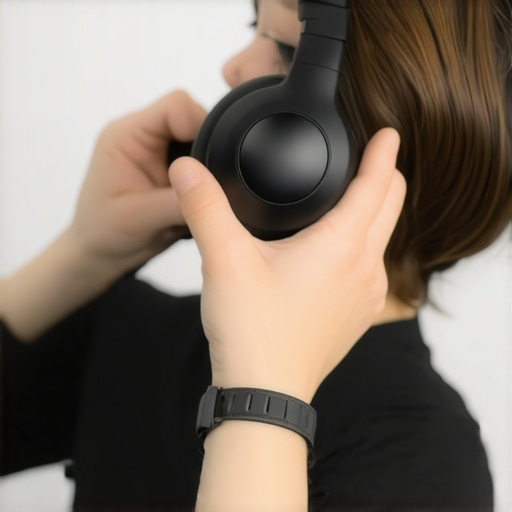
Visualize the process: a hand carefully heating and adjusting a headphone headband for better fit and comfort.
When it comes to building an optimal home audio environment, many enthusiasts and consumers fall prey to common misconceptions that hinder their listening experience. One prevalent myth is that the most expensive equipment guarantees superior sound. While high-end gear can offer improvements, the actual quality heavily depends on proper setup, room acoustics, and matching components. For instance, investing in premium speakers won’t yield optimal results if the amplifier’s power output or impedance doesn’t align correctly. Experts like those at audiophile sources emphasize that synergy between devices often matters more than raw cost. Another misconception centers around soundbars being a complete substitute for true surround systems. Although convenient, many soundbars lack the dynamic range and spatial accuracy that dedicated speakers can produce, especially in challenging room geometries. To truly enhance your setup, consider addressing room treatment techniques and speaker placement rather than relying solely on a single device. A common trap is overspending on accessories like expensive speaker cables, which most studies—such as research—show offer negligible perceptual benefits beyond a certain quality threshold. Instead, focus on optimizing your existing gear through proper calibration and positioning. For those seeking advanced insight, understanding the importance of speaker impedance matching can prevent power distortion or damage. An improperly matched amplifier and speaker set can lead to clipping, which not only degrades sound but risks frying your delicate tweeters. To avoid this, learn how to tell if your amp is clipping before it causes costly damage, detailed in this resource. Additionally, many overlook the significance of proper room acoustics. Hard surfaces reflect sound, creating echoes and uneven frequency response, which often leads to asymmetric sound where one speaker appears louder or clearer than the other. Simple treatments such as bass traps and diffusers can dramatically improve sound fidelity, turning your space into a true listening sanctuary. Before spending on upgrades, consider these nuanced factors and test your setup systematically. Have you ever fallen into this trap? Let me know in the comments.
Essential Tools for Long-Term Audio Maintenance
Maintaining your home audio gear isn’t just about plugging and playing; it requires specific tools that ensure longevity and optimal performance. I personally rely on a high-quality multimeter like the Fluke 117 to regularly check impedance and identify wiring issues early. Its precision helps me prevent damage caused by voltage inconsistencies, especially in complex setups involving multiple components. Additionally, a dedicated speaker wire stripper simplifies cable replacements and ensures clean, secure connections, which are crucial for sound clarity and preventing signal loss. For the delicate task of cleaning dust from inside your receiver or around sensitive components, an anti-static brush and compressed air can prevent static buildup and accidental shorts. Using these tools regularly saves money and time, avoiding costly repairs or replacements down the line.
Effective Software for Troubleshooting and Calibration
When it comes to calibration, I highly recommend using Room EQ Wizard (REW). This free software allows precise measurement of room acoustics and speaker response, helping you identify issues like frequency dips or peaks. By analyzing these graphs, I can fine-tune equalization settings and speaker placement for a balanced soundstage. For ongoing system health checks, apps like SpectralView provide real-time troubleshooting, alerting me to potential clipping or distortion before they damage my equipment. Regular software updates from manufacturers, such as your soundbar or receiver, are also vital—they often include crucial performance improvements and security patches. Staying proactive with these digital tools ensures your setup remains pristine and responsive over years of use.
Longer-Term Results and Scaling Up Your Setup
Investing in robust tools and disciplined maintenance routines pays off through sustained sound quality, reduced equipment failures, and overall satisfaction. For those expanding their setup, consider modular components that are compatible and easy to troubleshoot, like upgrading to powered speakers with built-in DSP, which streamlines calibration. As technology evolves, I see the trend moving toward intelligent, self-adjusting audio systems that monitor their performance—like network-connected amplifiers that optimize output based on room acoustics. Ensuring your current gear is well-maintained now prepares you for seamless integration of these future innovations.
How do I keep my audio gear performing over time?
Implement a regular cleaning schedule using anti-static brushes and compressed air to remove dust buildup, which can cause overheating or component failure. Periodically check connections with a multimeter to detect impedance changes indicating wear. Keep firmware and software updated to benefit from improvements and security fixes—like the latest updates from your amplifier manufacturer that often include enhanced protection against clipping (learn more here). Finally, store equipment in a cool, dry environment to prevent corrosion or warping. Staying vigilant with these simple steps will ensure your audio system remains pristine for years to come.
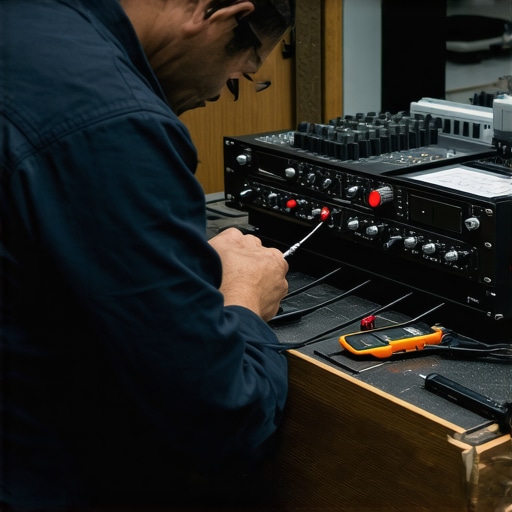
Visualize the process: a technician carefully cleaning and calibrating an audio rack for peak performance, emphasizing maintenance’s role in long-term satisfaction.
Remember, a little investment in the right tools and routine checks today can save you from costly repairs tomorrow. Try incorporating a multimeter into your regular maintenance routine—it’s a game changer for early diagnosis and peace of mind.
What I Wish I Knew About the Limits of Cheap Fixes
One of the biggest lightbulb moments was realizing that many discomforts from headphones or speakers aren’t inevitable, but rather the result of overlooked adjustments or misconceptions. I used to believe that if a headphone felt tight, I just had to suffer through it or spend big on new gear. Now, I understand that small tweaks—like adding padding or adjusting the headband—can unlock both comfort and improved sound, saving money and frustration along the way.
The Hidden Power of Routine Checks and Calibration
Regularly measuring and maintaining your setup isn’t just for audiophiles—it’s the key to consistency and longevity. Simple tools like a multimeter or a free software such as Room EQ Wizard help me catch issues before they become costly repairs. This proactive approach has transformed my listening experience, making it more immersive and reliable, and it can do the same for you.
How Cutting-Edge Tech Really Changes the Game
While it’s tempting to chase after the latest shiny gadget, I’ve learned that understanding your existing gear—calibrating, experimenting with placement, and maintaining it—yields more satisfying results than jumping from one new purchase to another. Advances like self-adjusting speakers or smart amplification will enhance your setup in the future, but only if you build a solid foundation now by mastering current equipment and techniques.
Insider Wisdom: Lessons That Could Save Your Audiophile Journey
- Don’t overlook the importance of room acoustics; simple treatments often trump expensive upgrades.
- Trust your ears over price tags: affordable gear with proper setup can outperform costly equipment that’s badly configured.
- Small adjustments—like loosening a headband or changing foam padding—can drastically improve comfort and sound quality.
- Regular maintenance and calibration prevent many common issues and extend the lifespan of your gear.
Tools and Resources I Lean On for Long-Term Success
- Fluke 117 Multimeter: A reliable tool for diagnosing impedance issues and wiring faults, ensuring your gear performs at its best.
- Room EQ Wizard (REW): A free software that helps me visualize room acoustics and fine-tune speaker placement and EQ settings for optimal sound.
- Compression air and anti-static brushes: Simple yet powerful for cleaning dust and static, safeguarding delicate components over time.
- Guides from reputable audiophile sites: Trusted sources that explain complex concepts in accessible terms, helping me make informed choices and avoid pitfalls.
Empower Your Listening Space Today
Mastering your speakers, headphones, and audio setup isn’t just about technical tweaks—it’s about unlocking a richer, more comfortable listening experience that lasts. Remember, patience and curiosity are your best allies. By experimenting with small adjustments and embracing ongoing maintenance, you’ll turn your gear into the performance powerhouse it was meant to be. Your journey toward audiophile mastery begins now—why not start with one tweak today?
How have you found that small adjustments improved your home audio experience? Share your stories below!
,