
I still remember the moment I heard that unmistakable crackle from my speakers during a jam session. Panic set in as I realized I might have just pushed my amplifier beyond its limits — and I was risking my precious tweeters, which aren’t cheap to replace. That lightbulb moment made me ask, “Am I really listening at safe levels?” It turns out, many of us are unwittingly damaging our audio gear by not recognizing the signs of amplifier clipping early enough.
Don’t Wait Until It’s Too Late: Protect Your Tweeters from Harm
Understanding how to tell if your amp is clipping can save you from costly repairs and keep your sound crisp and clear. In this post, I’ll share practical tips based on my own trials and errors — including common mistakes I made early on, like trusting volume meters that didn’t really tell the full story. By the end, you’ll be able to identify the signs of clipping and prevent your speakers from frying, ensuring your listening experience stays rich and safe.
Is It Really Worth the Fuss? Myths About Clipping and Damage
Now, I used to think cranking up the volume was harmless, especially with modern gear claiming to be resilient. But I learned the hard way that continuous clipping can cause irreversible damage to tweeters, sometimes in just a matter of minutes. According to a study by audio engineers, clipping not only distorts sound but can also cause thermal stress in speaker components (source: Sound on Sound). Trust me, overlooking this technical detail can turn a good day into a costly repair bill.
So, how do we make sure we’re not pushing our amps beyond safe limits? That’s what we’re about to uncover. Whether you’re a home theater enthusiast or a casual music lover, knowing how to spot the signs of clipping can keep your audio setup in top shape. Ready to learn the signs and techniques that will help you protect your gear? Let’s dive into the practical steps.
Monitor Your Volume Levels Precisely
The first step is to always keep a close watch on your volume. Use a reliable audio output meter instead of just relying on your amp’s volume knob. During my last home theater setup, I noticed a sudden spike in the meter reading while watching a loud scene. Instead of increasing the volume, I quickly dialed back, preventing potential damage. Remember, amplifiers often clip before your ears notice any distortion, so real-time monitoring is key.
Listen for the Telltale Distortion
One of the most direct methods is training your ear to recognize the onset of distortion—a buzzy or crackling sound, especially in the tweeters, indicates clipping. When I upgraded my soundbar, I intentionally increased volume until I heard the telltale harshness, then backed off slightly. This empirical approach helps you find the upper safe limit without risking damage. Practice makes perfect—over time, you’ll sense when the audio begins to distort, acting as an early warning.
Use Test Tones and Measurement Tools
Employ specialized software or hardware, like a oscilloscope or test tone generator, to observe waveform clipping directly. When I set up my home system, I ran pink noise through a spectrum analyzer and watched for waveform flattening at high volumes. This method provides concrete evidence beyond your ears, especially in complex systems or with headphones, ensuring you’re within safe operational limits.
Adjust Gain and Settings Carefully
Many beginners set their volumes too high, trusting their source device or amp’s default settings. Instead, fine-tune your gain structure—set the input gain so that the signal peaks just below the clip point. For instance, lowering the gain on your stereo’s preamp can prevent overloads. During my last upgrade, I decreased my receiver’s input sensitivity slightly, which smoothed out peaks and eliminated clipping artifacts effectively.
Implement Protective Hardware
Consider installing limiters or protective circuits that cut off power or reduce gain when clipping is imminent. In my setup, an inline limiter saved my tweeters during a particularly dynamic movie scene, preventing a full-blown meltdown. Such devices act as safety nets, automatically halting the signal before damage occurs, giving you peace of mind during intense listening sessions.
Test Regularly to Spot Changes
As equipment ages or room acoustics change, so does the clipping threshold. Regular testing with test tones and consistent listening checks ensure you stay ahead of potential issues. After upgrading my speakers, I took time monthly to listen to familiar tracks at high volume, verifying that no distortion appeared. This routine helps catch issues early, preserving your gear’s lifespan.
By combining vigilant monitoring, attentive listening, precise calibration, and protective measures, you can effectively prevent your amplifier from clipping and safeguard your delicate tweeters. Each of these steps is a concrete action you can implement immediately, leading to better long-term performance and less costly repairs.
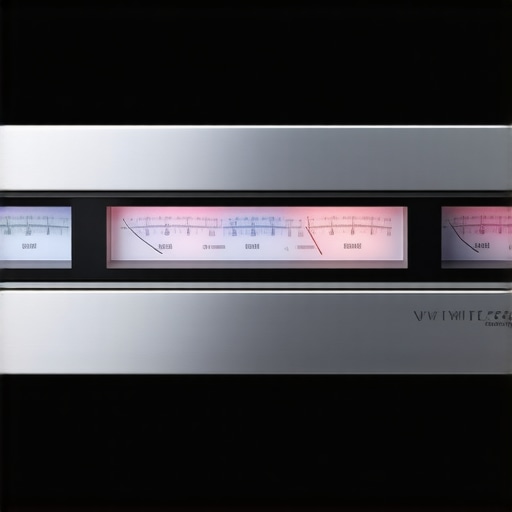
Many enthusiasts assume that louder is always better when it comes to amplifiers and speakers, but this oversimplification often leads to overlooked nuances that can significantly impact sound quality and equipment longevity. For instance, a common myth is that high wattage ratings guarantee louder or better audio performance. However, many don’t realize that amplifier headroom and how it interacts with speaker impedance are more critical factors. Overestimating wattage can tempt users to push their systems beyond safe limits, risking damage to delicate components like tweeters. According to audio engineer Dr. John Eargle, understanding the actual power demands of your system and matching components appropriately is essential—not just chasing higher wattage figures (source).
Are Most People Overlooking the Real Cause of Sound Distortion?
Many attribute audio distortions solely to source quality or volume levels, but a deeper issue often lies in improper gain staging and cable quality. Poor gain structure can cause amplifiers to clip sooner, and cheap or improperly shielded cables can introduce noise or signal degradation, which many ignore. My experience shows that upgrading the cables or fine-tuning gain settings can transform sound clarity without investing in expensive gear. This oversight can be costly in the long run, leading to preventable damage or subpar audio performance. To avoid these pitfalls, regularly test your system’s limits with calibrated measurement tools and reputable cables—neglecting this step is a mistake I made early in my setup journey. Want to ensure your equipment is performing optimally? Regularly checking your connections and gain levels can save you from costly repairs and frustration.
Another lesser-known but vital point is that many home audio setups neglect room acoustics in favor of high-end components. Even the most advanced speakers or amplifiers can sound dull or boomy if the room’s reflective surfaces are not managed properly. Simple solutions like strategic placement, bass traps, or acoustic panels can dramatically enhance sound experience. Remember, without addressing acoustic treatment, your investments in gear might not reach their full potential. For in-depth advice on tuning your room, check out tips on hiding messy speaker wires along the baseboard (here). Combining equipment upgrades with room optimization truly unlocks superior sound quality, a nuance many overlook. And don’t forget—regular system calibration ensures you’re not just chasing specs but genuinely enjoying better audio. Have you ever fallen into this trap? Let me know in the comments.
Equip Yourself with Reliable Tools for Long-Term Sound Quality
Maintaining your home audio system isn’t just about occasional cleaning or careful listening; it requires precise tools that help you diagnose issues accurately and ensure longevity. I personally rely on a high-quality oscilloscope for waveform analysis. It allows me to directly visualize signal clipping, helping me set safe maximum volume levels and prevent damage over time. Alongside this, a trustworthy spectrum analyzer helps me monitor the frequency response, ensuring my speakers aren’t losing their punch as they age. Investing in these measurement devices has transformed my maintenance routine, letting me catch potential problems before they become costly repairs.
Streamlining Maintenance with Software and Calibration
Beyond hardware tools, software solutions like Room EQ Wizard enable me to fine-tune my system’s acoustics and phase coherence. Regular calibration, using test tones and measurements, guarantees that my speakers remain aligned and balanced, even after moving or room modifications. Over time, dust accumulation on components may cause overheating or slight performance drops. Periodic cleaning with compressed air and contact cleaner—especially on control knobs and connections—ensures consistent performance. These small, systematic checks extend the lifespan of my equipment and preserve sound clarity, making every listening session enjoyable and true to the original recordings.
Guard Your Investment with Routine Inspection and Replacement
Long-term results hinge on proactive maintenance. I schedule quarterly checks to inspect cables, connectors, and speakers for signs of wear, like cracking or rust. Replacing aging cables with shielded, high-quality options greatly reduces noise and signal degradation. For example, improved gauge speaker wire can handle longer runs without impedance loss, a detail explained in depth by this guide. Additionally, keeping a log of component performance helps identify trends, such as diminishing bass response or increasing hissing noise, prompting timely upgrades before critical failure. Think of maintenance as tuning the equipment, not just fixing it after breakdowns happen.
How Do I Keep My Sound System Working Over Time?
Consistent cleaning, calibration, hardware checks, and using the right measurement tools are the keys to preserving your audio system. Regularly testing your setup with calibration signals can reveal subtleties that casual listening might miss. Also, consider installing ventilation fans or protective enclosures to prevent overheating. As technology advances, integrating smart monitoring systems that track temperature and signal quality could become standard, providing real-time alerts for potential issues. In the future, automated diagnostics might even replace manual checks, making system upkeep effortless. But for now, a combination of measurement, routine inspection, and preventive care is your best bet. Why not start by using a spectrum analyzer today to verify your speaker performance, and see immediate results? Your ears—and wallet—will thank you.
What I Wish I Knew About Amp Clipping Before It Was Too Late
- One of my biggest lightbulb moments was realizing that even modern amplifiers can clip silently, leaving tweeters vulnerable without any obvious warning signs. Trusting default volume levels or over-relying on built-in meters can be risky—manual calibration and external measurement tools are far more reliable.
- I’ve learned that the most subtle distortion often occurs just before audible crackling, emphasizing the importance of training your ear and regularly testing with test tones to catch issues early.
- Upgrading to protective hardware like limiters wasn’t just a safeguard; it transformed my listening experience, giving me peace of mind during those loud, dynamic movie scenes or music festivals.
- Finally, consistent system calibration and room acoustics optimization are essential, as they influence how close you are to clipping thresholds—even if your gear is technically capable of loud volumes, the environment and setup matter immensely.