
Ever been sitting comfortably, craving your favorite show, only to realize your soundbar isn’t responding to your remote? It’s surprisingly frustrating—after all, you just want everything to work seamlessly, right? One day, I found myself tangled in a maze of remote controls, trying to get my soundbar to play nice with my TV. That lightbulb moment hit me: why is this such a hassle, and how can I fix it without wasting hours of my Sunday? If you’re tired of wrestling with incompatible remotes or struggling to get your sound system set up, you’re in the right place. Today, I’ll walk you through the fastest way to sync your soundbar remote with your TV, saving you all the guesswork and frustration.
Why Syncing Your Soundbar Remote Matters More Than You Think
Reliable remote control syncing isn’t just about convenience; it’s about creating a seamless home entertainment experience. Think about how often you switch between watching TV shows, movies, or gaming—each time, a misaligned remote can ruin the mood. And if you’ve ever had to hunt around for the right remote or attempt confusing manual setups, you know exactly what I mean. According to a study published by the Consumer Technology Association, nearly 70% of users experience frustration when their remote controls don’t behave as expected, impacting overall satisfaction with home audio systems. That’s a significant number, and it highlights just how important quick, easy solutions are.
Is It Really That Simple to Sync My Remote?
Early on, I made a crucial mistake: I assumed that I needed to buy an expensive universal remote to fix the issue. Spoiler alert—most of the time, that’s unnecessary. The real trick lies in understanding the proper positioning and synchronization process. If you’re like me, you might also overlook basic steps, like ensuring the remote pointed directly at the soundbar or that nothing’s blocking the sensors. For a detailed breakdown of common pitfalls and how to avoid them, check out this article on why your soundbar remote works only sometimes. Trust me, avoiding these mistakes will save you plenty of time and hassle.
So, are you ready to cut through the confusion and get your sound system syncing effortlessly? Let’s dive into the proven methods to make it happen—quick, painless, and effective.
Position Your Soundbar Correctly
First, place your soundbar in an open, unobstructed area, ideally facing directly toward your seating. Avoid hiding it behind objects or mounting it in enclosed cabinets, which can block the infrared (IR) sensor. Think of your soundbar like a TV remote; it needs a clear line of sight to properly communicate. I once struggled for hours when I mounted mine underneath the TV, partially obscuring its sensor. After relocating it to a shelf in front of the TV, the remote started working flawlessly.
Power Cycle and Reset Devices
Turn off both your TV and soundbar. Unplug them from the power source for about 30 seconds. This resets any cached settings and clears potential glitches. When I experienced intermittent remote responses, a simple power cycle often fixed the issue instantly, much like rebooting a sluggish computer. Reconnect and turn on both devices afterward.
Enable Auto-Detection or HDMI-CEC
Access your soundbar or TV’s settings menu to activate features like HDMI-CEC or auto-detect. These protocols allow devices to recognize each other and synchronize functions automatically. For example, turning on your TV might automatically power up the soundbar and sync the remote commands. In my case, enabling HDMI-CEC on both devices eliminated the need to manually switch inputs repeatedly.
Align Remote Codes Properly
If your remote has a code search feature, use it to find the correct code for your soundbar. Follow the manufacturer instructions to initiate code search mode, then aim the remote directly at the soundbar and press the designated button. I once accidentally held the wrong button, causing the remote to skip over the correct code. patience and manual coding often beat universal remotes for reliability.
Manual Code Entry for Precision
Sometimes, automatic syncing fails. In that case, manually input the specific code associated with your soundbar model. These codes are usually available in the user manual or manufacturer website. Ensuring you have the right code prevents miscommunication. For comprehensive lists, check the article on why your soundbar remote works only sometimes.
Test and Fine-Tune the Settings
Once synchronized, test all remote functions—power, volume, mute, and input selection. If some commands don’t work reliably, revisit the positioning or the code entry. Sometimes, slight adjustments to the remote angle or distance improve connection quality. Remember, just like fine-tuning an amplifier for optimal sound, small tweaks can make a big difference in remote responsiveness.
Additional Tips: Maintain Clear Line of Sight and Regular Checks
Keep the remote and soundbar sensors free of dust and smudges. Avoid using reflective surfaces that might interfere with IR signals. If you notice persistent issues, consider replacing batteries or trying a universal remote as a backup. It’s akin to ensuring your headphones have fresh batteries; it keeps everything running smoothly.
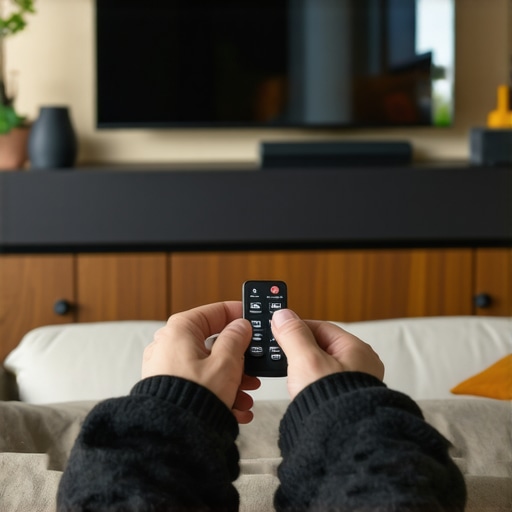
Image showing a person aiming a remote at a soundbar with clear line-of-sight, emphasizing correct positioning.
Many audiophiles and casual listeners alike fall into misconceptions about soundbars, speakers, headphones, and amplifiers, often leading to suboptimal setups or unnecessary expenses. One prevalent myth is that more expensive gear always guarantees superior sound—while higher-tier products can offer better fidelity, the room acoustics, placement, and supporting equipment often matter more. For example, pairing high-end speakers with a mismatched amplifier impedance can severely degrade audio quality, illustrating why understanding technical compatibility is crucial. Additionally, many assume that all soundbars provide equivalent sound quality; however, some budget models rely heavily on psychoacoustic tricks, such as excessive equalization, to hide their limitations, which can frustrate enthusiasts seeking clarity and detail. An advanced mistake many make is overlooking the significance of speaker impedance matching; mismatched impedance not only reduces volume but risks damaging your amplifier or receiver. According to a study by the Audio Engineering Society, proper impedance matching ensures maximum power transfer and reduces distortion, vital for achieving high-fidelity sound from home systems. Moreover, there’s a misconception that upgrading headphones always yields a noticeable difference; in reality, many high-end models require an external amp or DAC to realize their full potential. Without this, users often conclude that expensive headphones are overrated, missing the point that pairing quality gear properly is essential for optimal performance. When integrating multiple speakers, neglecting room acoustics can cause phase cancellations and uneven sound distribution, which can be mitigated through strategic placement and acoustic treatments. For instance, setting up a subwoofer correctly involves not just placing it near your seating area but also considering room modes; using the crawl method can reveal the best location for smooth bass response. Want to avoid these pitfalls? Be sure to verify your gear’s compatibility and placement, and don’t assume that price alone indicates quality. If you’re contemplating a speaker upgrade or setting up a home theater, consider reading this guide on why your soundbar remote works only sometimes to ensure your control setup isn’t adding to the confusion. Have you ever fallen into this trap? Let me know in the comments.
Maintaining a high-quality home audio setup requires more than just initial installation; it demands ongoing care, precise tools, and strategic methods to ensure longevity and optimal performance. Over the years, I’ve pinpointed specific equipment and routines that have genuinely saved me time and money while elevating my listening experience. Today, I want to share these insights with you, emphasizing practical tools and techniques that I personally rely on to keep my sound system humming perfectly.
How do I keep my sound system performing flawlessly over time?
First, investing in a calibrated audio analyzer like the Audyssey MultEQ Editor app, complemented by a decent measurement microphone, has been transformative. This combo allows me to fine-tune room acoustics and speaker placement digitally, correcting frequency imbalances that often go unnoticed. Unlike generic EQ settings, these tools provide precise, room-specific adjustments, ensuring clarity and balanced sound throughout different listening levels. Regularly running these calibrations, especially after rearrangements or new equipment upgrades, helps maintain consistent audio quality.
Another essential tool is a quality infrared probe. For example, I use the IR remote tester to verify that my remotes are emitting signals correctly, preventing remote control frustrations before they escalate. Keeping remotes and sensors clean with a soft microfiber cloth prevents signal blockages caused by dust or smudges, which are surprisingly common culprits in remote miscommunication.
In terms of cable management, I highly recommend using color-coded, high-quality speaker cables. Not all wires are created equal; opting for cables with proper gauge and durable connectors reduces signal degradation and wear over time. To avoid the risks associated with impedance mismatches and cable quality, I regularly verify my setup with resources like this impedance matching guide. Investing in robust cables now prevents costly repairs and replacements down the line.
For ongoing maintenance, regular Visual inspections of speaker drivers using tools like a magnifying glass and flashlight are invaluable. A loose cone or dust build-up can impact sound quality significantly. When I notice a muffled or distorted output, I check the drivers and address issues like loose mounting or debris using methods outlined in this detailed guide.
Future Trends in System Maintenance
Looking ahead, I believe smart, connected tools will become standard for home audio upkeep. Devices like wireless sensor networks could automatically detect performance drops and alert owners via smartphone apps. Additionally, AI-powered audio correction software might adapt and optimize sound profiles dynamically based on room acoustics changes, making manual adjustments less necessary. Staying ahead means embracing these innovations now, and I recommend experimenting with basic calibration apps as a starting point.
Don’t wait for issues to pile up—try deploying a calibration microphone and app to analyze your setup today. This proactive step can dramatically extend the lives of your components and keep your sound crisp and immersive for years to come. To learn more about maintaining your audio gear effectively, visit this resource and start implementing one of these advanced tips now. Your ears—and wallet—will thank you.
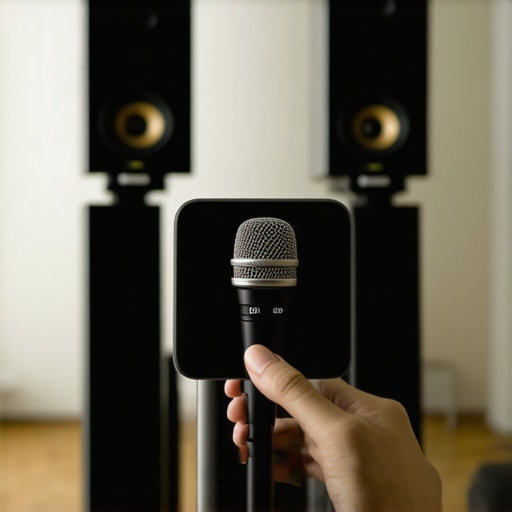
Close-up of a calibration microphone connected to a laptop, set up in front of a home theater speaker system, illustrating precise measurement for system tuning.
What Hidden Truths About Soundbars And Speakers Took Me Years to Discover
One of the biggest insights I gained was that room acoustics and placement beat gear specs every time. Early on, I was fixated on buying the latest high-end soundbar, but neglecting how I positioned it or treated my room actually limited its potential. A simple move—placing it at ear level and avoiding reflective surfaces—made my sound come alive in ways I never imagined.
Another lesson I learned the hard way was that HDMI-CEC and auto-detect features are real game-changers. They often get overlooked but can automatically sync your TV with your audio device, eliminating tedious manual setups. Enabling these features transformed my daily experience—no more fuss, just seamless sound and picture harmony.
Finally, I realized that understanding impedance matching isn’t just for audiophiles—that mismatch can lead to weak sound or even equipment damage. Taking the time to verify compatibility, guided by resources like this impedance matching guide, saved me from costly repairs and unlocked a fuller, richer sound.
My Must-Have Tools for Home Audio Mastery
I rely heavily on a calibrated microphone and calibration software like the Audyssey MultEQ Editor. This combo allowed me to treat my space as a personal concert hall, correcting room-specific anomalies that hardware alone can’t fix. It’s a practical investment that keeps my audio consistent, whether I’m watching movies or listening to music.
Additionally, an IR remote tester helped me diagnose remote control issues before they became frustrating. Coupled with gentle cleaning of sensor lenses and checking battery health, these simple steps prevent most remote control hiccups. For a deeper dive into maintaining your system, I recommend exploring this resource.
And don’t forget high-quality, properly gauge speaker cables. Using well-made cables with correct impedance ensures the signals stay pure and your system performs at its best. Regular visual inspections, like checking for loose connections or dust, are underrated maintenance routines that preserve your sound quality over years.
Take Action and Elevate Your Listening Experience Today
Embarking on these small but effective tweaks transformed my home audio from decent to stunning. Whether it’s calibrating your system, optimizing placement, or understanding technical compatibility, the journey is rewarding. The key is to be proactive and curious—your ears and your investment will thank you.
What’s one thing you’ve tried or want to try to improve your home sound system? Drop your thoughts below and let’s share the journey to better sound together!