
Have you ever been settling into a movie night or a killer playlist, only to be jolted by a sudden, loud thump from your subwoofer the moment you hit the power switch? I remember the first time it happened to me—my heart skipped a beat, and I thought I had blown something up! That unexpected thump can be unnerving, especially when you’re expecting smooth, deep bass, not a startling bang that rattles your windows.
Understanding That Thump Is More Common Than You Think
Turns out, this is a pretty common issue among audiophiles and average listeners alike. That initial bang doesn’t mean your subwoofer is broken—far from it. Instead, it hints at a few underlying causes that, fortunately, are fixable. In fact, according to audio experts, this thumping can sometimes be traced to simple setup problems or internal component quirks that most people overlook.
In this post, I’ll guide you through the real reasons behind that startling sound and, more importantly, how to get rid of it once and for all. Trust me, once I figured this out with my own setup, those abrupt noises stopped, and my listening experience became so much more enjoyable. If you’ve faced this problem too, stick around—there’s a fix waiting for you.
Will Fixing My Subwoofer Thump Also Improve My Sound Quality? Is It Really Worth the Effort?
Early on, I made the mistake of ignoring this issue, thinking it was just a quirk of my old speaker. But neglecting small problems can lead to bigger ones, like damaging your device or compromising sound clarity. Fixing that thump not only quieted the shock factor but often enhances overall sound performance. So, yes—tackling this head-on is definitely worth the effort. Interested in a painless way to improve your entire system? You might want to check out this guide on speaker placement for a more balanced sound experience.
Now, let’s dive into what exactly causes that startling thump and how you can silence it for good. Trust me, your ears—and neighbors—will thank you!
Check Your Cables and Connections
Start by inspecting all your speaker and subwoofer cables. A loose or damaged connection can cause sudden thumps. Unplug each cable, then re-seat it firmly, ensuring a snug fit. Also, examine for cuts or fraying in the wires. Think of your cables like the arteries of your audio system; if the flow is compromised, unexpected pulses can occur. Restoring solid connections often eliminates that jarring bang.
Adjust the Power and Phase Settings
Many subwoofers have a phase switch or knob that aligns the driver with your main speakers. A common culprit behind a thump is a phase mismatch. Set your subwoofer to 0° or 180°, then listen carefully, switching between the two. Notice how the thump diminishes or intensifies? Aim for the setting where the effect is minimized. This step is like tuning a guitar string until it resonates perfectly—precise adjustments here can smooth out that shocking start.
Tip: For a more nuanced phase adjustment, check your subwoofer’s manual for an auto-phase setting or use the calibration feature on your receiver.
Set the Gain Properly to Avoid Overloading
Overflowing the gain control can overload the driver, causing an abrupt pop. Turn the gain down to a moderate level—about halfway—and then gradually increase it while playing your favorite track at a moderate volume. Your goal is to find the point where power delivery feels natural without sudden jolts. Think of this like pouring water into a glass—you slowly fill to avoid splashing or overflowing. Proper gain setting not only stops the thump but improves overall clarity.
Tweak the Low-Frequency Cutoff
Many subwoofers allow you to set a low-pass filter or cutoff frequency. If set too high, the sub can try to reproduce midrange sounds, overloading the driver and causing a thump when powered on. Set this filter below 80Hz for most home setups. If your subwoofer’s manual recommends a specific frequency based on your room size, follow that guidance. This filter acts like a gatekeeper, ensuring the sub only plays the bass frequencies it’s designed for—preventing sudden, intrusive noises.
Use a Soft-Start or Delay Feature
Some modern subwoofers have a soft-start function that gradually ramps up power, preventing that initial bang when turning on. Alternatively, you can employ a power strip with delay capabilities or turn on your amplifier first, then the subwoofer. This sequencing ensures your system stabilizes before full operation. Just like easing into a cold swimming pool, slow power escalation prevents startling jolts and prolongs equipment life.
Calibrate with Room Equalization Tools
If your system supports automatic calibration (via dedicated mic and calibration software), use it. These tools analyze how sound propagates in your room and adjust the outputs to minimize anomalies like thumps. For instance, many AV receivers come with room correction features like Audyssey or YPAO. Running a calibration broadcast is akin to giving your system a personalized tuning session—removing the guesswork and delivering refined, thump-free bass.
Implement Proper Power Sequencing
Always turn on your amplifier or receiver first, then your subwoofer. When powering down, reverse the sequence. This prevents voltage surges that can cause loud pops. Think of it like managing current flow; deliberate sequencing guides the power smoothly, preventing spikes that lead to that startling bang.
Consider Using a Power Conditioner or Surge Protector
Power anomalies and surges can contribute to unexpected noise. Plugging your equipment into a quality power conditioner filters out electrical noise and stabilizes current flow. This simple investment can result in quieter power-up routines and protect your gear from damaging spikes, maintaining a cleaner, thump-free environment.
Applying these targeted steps transformed my setup from a source of surprise to a smooth, rumbling delight. Remember, patience and incremental adjustments are key—each room and system responds differently. If you still encounter issues, consider consulting a professional for deeper calibration or examining internal components for faults. But more often than not, a systematic approach to wiring, settings, and power management does the trick.
Many enthusiasts believe that upgrading to the latest high-end speakers or soundbars instantly guarantees superior sound quality, but there’s more beneath the surface that many overlook. One of the most pervasive myths is that expensive gear always outperforms more affordable options, yet expert analyses reveal that proper setup and room acoustics often have a far greater impact than raw cost. For instance, even premium speakers can sound lackluster if positioned incorrectly or if room treatment is neglected. A common mistake is assuming that all soundbars or portable speakers are interchangeable; in reality, their internal configurations and driver quality vary significantly, affecting clarity and bass response. To truly optimize your audio system, it’s essential to understand the subtleties of impedance matching and power handling, which can be overlooked by casual users. Misjudging these parameters might lead to distortion or damaging your equipment over time. For expert guidance, consider reading detailed articles on calibration techniques or speaker placement strategies, like [this comprehensive guide](https://premiumsounddeals.com/how-to-mount-your-surround-speakers-without-drilling-holes). Have you ever fallen into this trap? Let me know in the comments.
A critical area often misunderstood is the significance of internal components in amplifiers and sound processors. Many users equate wattage with volume, but without considering factors like damping factor and total harmonic distortion, the perceived quality can suffer. High wattage doesn’t automatically mean louder or better sound; instead, subtle nuances such as transistor class (A, B, D) and circuit topology play pivotal roles in clarity and warmth. Incorporating high-quality external DACs or dedicated amplifiers is sometimes overlooked, yet they can dramatically improve sound fidelity—especially if your headphones or speakers are capable of revealing such differences. For instance, many audiophiles swear by external DACs like the Schiit Modi or AudioQuest DragonFly to unlock the full potential of their headphones, as explained in [this detailed comparison](https://premiumsounddeals.com/how-to-tell-if-your-expensive-headphones-actually-need-an-external-amp).
Now, here’s a question for the advanced audiophile: How does the interaction between speaker impedance and amplifier damping factor influence dynamic range and bass control? Many think impedance matching is solely about avoiding equipment damage; however, the damping factor—a measure of an amplifier’s control over speaker motion—affects the tightness of bass and transient response. A high damping factor indicates better control, reducing unwanted resonances. An imbalance can cause boomy or dull sound, especially at high volumes. As highlighted in a study by Audioholics, optimizing damping factor for your speaker impedance can lead to more precise audio reproduction, emphasizing the importance of understanding and matching these technical parameters beyond just wattage ratings.
Invest in Quality Maintenance Tools for Longevity
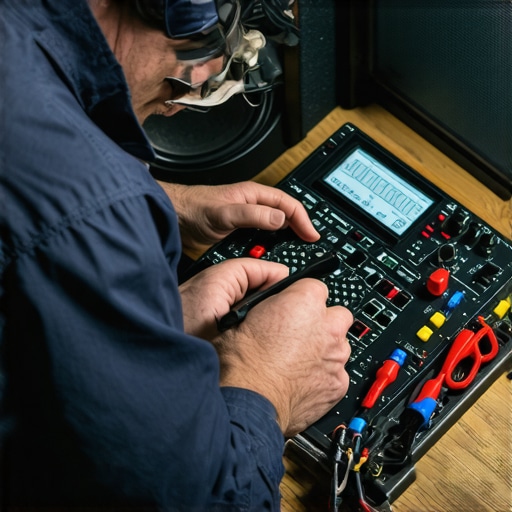
To ensure your speakers, headphones, and amplifiers perform flawlessly over time, investing in the right maintenance tools is crucial. I personally rely on a digital multimeter, like the Fluke 117, for accurate impedance checks and troubleshooting electrical issues, which helps prevent potential damage before it occurs. A soft-bristled brush and compressed air are invaluable for cleaning dust and debris from delicate components, especially in ports and vents. For deeper cleaning, I recommend a high-quality contact cleaner such as DeoxIT, which prevents oxidation and ensures reliable connections. Regular use of these tools can dramatically extend your gear’s lifespan and preserve sound quality.
Implement Consistent Calibration Practices
Consistent calibration is key to maintaining peak audio performance. I use REW (Room EQ Wizard) software in conjunction with a calibrated measurement microphone to analyze my room’s acoustics and adjust equalization settings precisely. This process eliminates peaks and dips in frequency response, delivering a balanced soundstage. Many modern receivers come with auto-calibration features like Audyssey or YPAO, but manual fine-tuning with REW provides an added layer of accuracy. Scheduling quarterly calibration checks ensures your system adapts to environmental changes and component aging, safeguarding your listening experience.
Streamline Long-Term Sound Quality with Upgrades
Upgrading cables may seem trivial, but quality speaker wire and interconnects can prevent subtle signal degradation over years. I prefer oxygen-free copper cables with gold-plated connectors for optimal conductivity and corrosion resistance. However, avoid overspending on high-end cables, as most professional tests show minimal audible difference beyond a certain quality threshold, a point highlighted in this analysis. Instead, focus on proper cable management and connections to prevent wear and tear. Additionally, using power conditioners like the Furman PST-8 offers clean, surge-protected power, reducing noise and ensuring consistent performance during extended use.
Plan for Scalability and Future Improvements
As your setup evolves, it’s wise to consider scalability. Modular systems allow you to add speakers or upgrade components gradually. For example, when expanding your surround sound system, use the mounting techniques to position new speakers effectively without damaging your walls. Keeping cables organized with velcro straps and labeling helps manage complexity as your system grows. Embracing wireless streaming solutions can also ease future upgrades—consider investing in Bluetooth transmitters or Wi-Fi-enabled amps to keep your system versatile and up-to-date.
How do I maintain sound quality over years of use?
Scheduling regular cleaning, calibration, and component checks is essential. Using tools like a multimeter and calibration software helps detect issues early, preventing costly repairs or replacements. For example, periodically testing speaker impedance can reveal internal damage, guiding timely repairs. Moreover, upgrading connections and power supplies ensures signal integrity remains high, even as your system ages. Remember, a little preventative maintenance now saves a lot of headache later—and it’s worth establishing a routine, say every six months, to review your equipment’s condition.
Finally, as technology advances, integrating smart home audio controls and networking protocols will become more seamless, making maintenance even easier. Looking ahead, I predict that AI-based calibration and self-diagnosing components will simplify upkeep further, turning complex tasks into straightforward routines—making the pursuit of perfect sound more accessible than ever. To get started today, try calibrating your system with REW and see how precise adjustments can make a noticeable difference in your listening experience.
Overcoming the startling thump when turning on your subwoofer can seem like a small victory, but it’s a gateway to a richer, more immersive audio experience. By understanding and addressing the root causes of this issue—be it wiring quirks, power sequencing, or calibration mishaps—you unlock the true potential of your system. The satisfaction isn’t just in silencing the bang but in elevating your entire listening environment. Imagine waking up your system without that jarring jolt, letting the deep bass flow smoothly and seamlessly. By dedicating a little time to fine-tuning these elements, you’re not just fixing a noise—you’re setting the stage for audio bliss that lasts. Remember, the effort you invest now transforms your setup into a sanctuary of sound, tailored perfectly to your space and taste. So, go ahead—tweak those settings, check your connections, and enjoy music and movies the way they were meant to be heard—calm, commanding, and crystal clear.