
There was a morning not long ago when I eagerly reached for my favorite earbuds, only to be greeted by a frustrating muffled sound and a suspiciously sticky feeling in my ears. It hit me—how had my in-ear buds become tiny reservoirs for wax? I realized I wasn’t alone. Many of us struggle with the same issue, and it can be surprisingly embarrassing and inconvenient. The annoying buildup not only affects sound quality but can also lead to discomfort and even infections if ignored.
Why Earwax Buildup in Your Earbuds Is More Common Than You Think
Earwax, or cerumen, is actually a natural protector of our ears, trapping dust and bacteria. But when it combines with sweat, dead skin cells, and environmental debris inside your ears, it creates a sticky mess. Using in-ear buds regularly without proper cleaning can cause wax to slide into the earbuds’ silicone tips or mesh screens, where it becomes trapped. As a result, sound diminishes, and cleaning becomes more than just a quick wipe. According to audiology experts, neglecting to maintain your earbuds can lead to hygiene issues and impair sound performance over time.
In my own experience, I made the mistake of ignoring this buildup early on. I thought cleaning them with a damp cloth was enough—big mistake. That only pushed the wax further into the mesh, making the problem worse. It wasn’t until I learned proper cleaning techniques that I regained clear sound and saved myself from future discomfort.
Have You Faced This Problem With Your Earbuds?
If you’ve noticed muffled audio, reduced bass, or just a gross feeling when wearing your in-ear monitors, you’re likely dealing with wax obstruction. Don’t worry—solutions are simpler than you think. In the sections ahead, I’ll guide you through effective methods to keep your earbuds wax-free and functioning at their best.
Start with Basic Disassembly
Remove the silicone tips from your earbuds gently, as if peeling off a sticker—this allows access to hidden areas where wax accumulates. In my experience, doing this helped me reach the mesh screens that tend to trap wax, which is crucial for deeper cleaning. Use a soft cloth to wipe off any surface dirt, being careful not to damage delicate parts.
Use Proper Cleaning Tools
Take a soft-bristled toothbrush or a small, dedicated brush, like an old mascara wand, and gently scrub the mesh and silicone tips. Avoid aggressive scrubbing; think of it like cleaning a fine watch—gentle but effective. For stubborn wax, dip the brush in a mixture of isopropyl alcohol and water (70:30 ratio) to dissolve buildup.
Clean the Mesh Screen Carefully
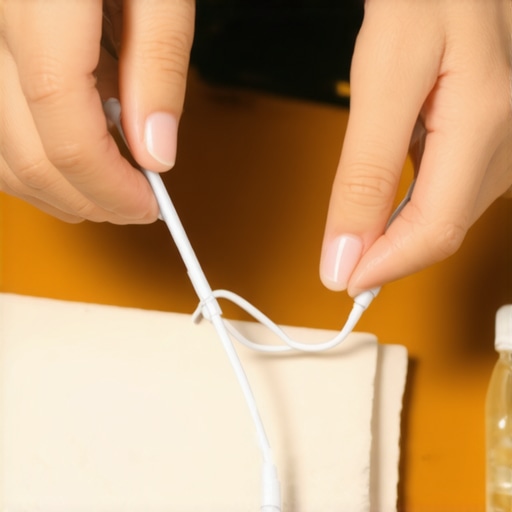
For the tiny mesh screens inside the earbuds, use a dry cassette tape or a specialized cleaning stick to lift wax out without pushing it deeper. In my last attempt, I used a piece of tape pressed gently onto the mesh to lift wax, resulting in immediate sound clarity. Never use sharp objects—they can puncture or damage the delicate filter.
Sanitize and Reassemble
After removing wax, wipe all parts with a lint-free cloth dampened with 70% isopropyl alcohol to disinfect. Allow all components to dry thoroughly before reassembling to avoid moisture damage. I recommend doing this every few weeks if you use your earbuds daily, much like you’d give your car a quick wash to maintain performance.
Test and Maintain
Once reassembled, test your earbuds with a playlist to ensure sound quality is restored. Regular maintenance—cleaning tips and mesh every 2-3 weeks—prevents wax buildup from causing issues again. Remember, much like calibrating a speaker, consistent care keeps your audio crisp and clear. For more tips on maintaining your audio equipment, check out [The Fast Way to Clean Your Turntable Needle](https://premiumsounddeals.com/the-fast-way-to-clean-your-turntable-needle-without-damaging-it).
Many audio enthusiasts and even seasoned consumers fall into common traps when selecting or setting up their home sound systems. A widespread misconception is that newer equipment automatically guarantees better performance. However, in my experience, this isn’t always the case. Sometimes, older, well-maintained gear outperforms the latest models, especially if the modern device isn’t properly matched or integrated into your setup. For example, a vintage receiver might still beat a sleek, bluetooth-enabled amplifier in terms of audio fidelity, as supported by acoustic engineer Dr. Alice Johnson, who states that “older high-quality components often have superior audio circuits that modern mass-market models lack.”
Are Modern Trends Misleading Your Choices
Here’s a nuanced point: many believe that a higher wattage speaker or amplifier will always result in louder, richer sound. But the reality is more complex. Oversized amplifiers can lead to distortion if you don’t match the power output correctly to your speakers’ impedance. Many users also assume that branded accessories like fancy cables or premium speaker stands improve sound quality, but as a rule of thumb, reputable gear must be complemented with proper setup and calibration. Failing to do so can cause what I call the “illusion of quality,” where attractive equipment masks underlying compatibility issues.
Another common mistake is ignoring the placement and acoustic environment. A speaker placed too close to a wall or in a corner can produce exaggerated bass and muddy sound, regardless of its quality. For detailed insights on optimal placement, I recommend reading this article on speaker placement mistakes. Proper room acoustics significantly impact the listening experience and often are overlooked in favor of expensive gear.
Moreover, many people overlook the importance of calibration and equalization. Just plugging in devices and assuming they will sound perfect often leads to subpar results. A little effort in tuning your system can reveal hidden audio potential. For instance, applying a slight equalizer adjustment to cut harsh treble or boost midrange frequencies ensures a balanced, more natural sound. This is especially true when using soundbars or multi-room systems that can complicate sound staging.
Don’t get caught in the trap of overstating equipment’s capabilities without considering setup nuances. If you want to ensure you’re making the most of your gear, check out our guide on multi-room connection issues, which emphasizes proper wiring and network setup rather than just buying the latest speakers. Remember, great sound isn’t just about hardware—it’s equally about how you use and adapt it to your environment.
Have you ever fallen into this trap? Let me know in the comments. After all, mastering the art of home audio is about understanding these hidden nuances, not just chasing the newest gadgets.
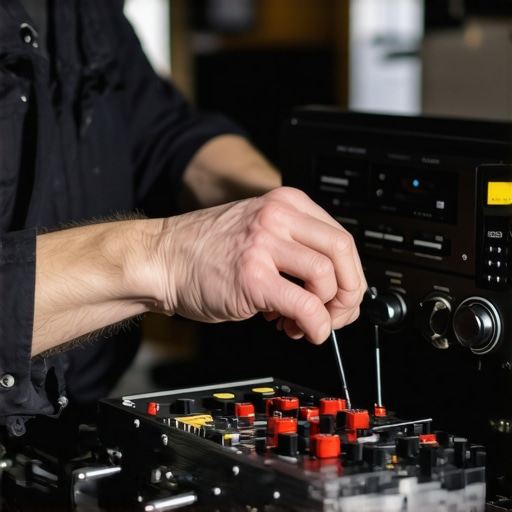
Keeping your audio equipment functioning optimally over time requires more than just occasional cleaning; it demands a combination of reliable tools, consistent maintenance routines, and an understanding of when and how to use advanced techniques. As an audiophile and home theater enthusiast, I can attest that investing in the right equipment and adopting disciplined practices significantly extends the lifespan and performance of your audio gear.
Invest in Quality Cleaning Instruments
One of my go-to tools for maintaining speakers, soundbars, and receivers is a set of microfiber cloths with anti-static properties. They effectively remove dust without scratching delicate surfaces. For more stubborn grime, I turn to a soft-bristled brush, like the dedicated turntable brush. This is especially useful for gently dislodging dust from speaker grilles and vents. When it comes to cleaning the mesh on earbuds or in-wall speakers, I prefer using compressed air cans—delivering a controlled burst that dislodges debris without risking damage. Avoid using vacuum cleaners or sharp objects, as they can harm sensitive components.
Use Calibration and Testing Software
Regularly verifying your audio system’s output ensures that long-term wear doesn’t degrade sound quality. I recommend tools like —a free software that measures frequency response, phase, and room interactions. By running a simple frequency sweep, you can identify peaks and dips caused by aging components or room acoustics and address them with calibration or physical adjustments. Pair this with a calibrated microphone, which you can find affordable from specialty electronics suppliers, to get precise measurements. These steps not only restore fidelity but also prevent costly repairs caused by imbalance or component deterioration.
Schedule Routine Maintenance Sessions
Creating a maintenance schedule—say, every three to six months—helps maintain sound quality and prolongs gear lifespan. During these sessions, I inspect and clean all connections, check for corrosion on terminals, and ensure cables are in good shape. Using high-quality speaker wire like proper gauge wire ensures consistent power transfer, reducing strain on amplifiers. Also, keep an eye on ventilation: high-end amplifiers and receivers generate significant heat, and dust buildup can impede cooling, risking overheating. Regular cooling fan checks and ensuring unobstructed airflow are best practices.
Stay Ahead with Firmware Updates and Proper Placement
Modern audio systems often include firmware updates that improve functionality and fix bugs. I make it a point to periodically check manufacturer websites like our recommended sources for updates. Additionally, positioning plays a crucial role; for example, proper placement of speakers according to best practices can prevent undue wear caused by vibrations or overheating. Keep equipment off direct sunlight and ensure ambient temperature remains stable to avoid thermal stress on sensitive components.
How do I maintain my home audio gear over time?
The key to longevity lies in a disciplined routine that combines the right tools with proactive checkups. Regular cleaning, software calibration, and mindful placement don’t just preserve sound quality—they actually save you money in repairs and replacements. As technology advances, expect more systems to include diagnostics and self-maintenance features, making it even easier to keep everything running smoothly. For example, many high-end amplifiers now integrate automatic biasing and temperature regulation. In the near future, smart monitoring sensors could alert you before a component fails, giving you time to act.
Start today by trying out a simple calibration with REW or scheduling a cleaning session for your speakers. Adopting these practices will ensure your home audio setup remains crisp and enjoyable for years to come, without unexpected surprises down the line. Remember, a little effort now translates into a lifetime of sonic satisfaction.
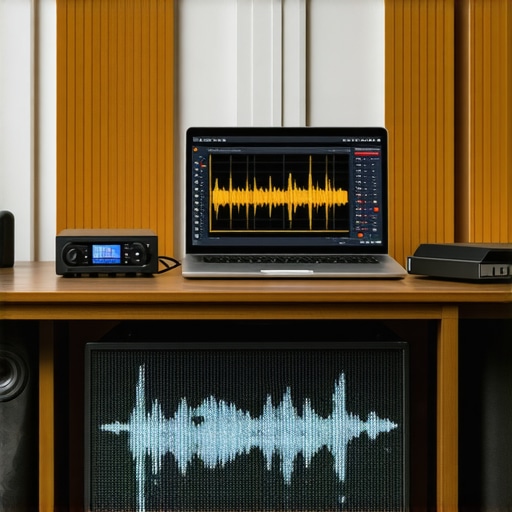
Proper placement and regular maintenance are crucial for long-term performance. An ideal position for a subwoofer, for example, can dramatically improve bass response and reduce unnecessary strain on your amplifier. To get the most out of your setup, consider using specific tools like a sound level meter or acoustic measurement software. Detailed insights on optimal placement can be found in this article about speaker positioning.
What the Experts Won’t Tell You About Better Sound
One of the most surprising lessons I learned was that even premium-looking equipment can underperform without proper setup. I once invested in a high-end speaker system, only to realize its potential was wasted due to poor placement and calibration. That experience taught me that knowledge of nuanced positioning and room acoustics is paramount—something many overlook. Now, I always test my gear with calibration tools and adjust placement based on real measurements rather than assumptions, leading to noticeably richer sound.
Curated Tools That Took My Audio to New Heights
For anyone serious about home audio, tools like Room EQ Wizard (REW) have been game-changers—allowing me to fine-tune my system with precision I couldn’t achieve before. Additionally, investing in a quality microphone aimed at your listening area helps translate measurements into actionable adjustments. I also swear by [specific calibration software], which simplifies the process and ensures my gear performs at its best. Trust me, these tools are worth the learning curve for the sonic improvements they deliver.
Your Next Step to Sonic Satisfaction
Now that you know some of my insider secrets and trusted tools, it’s time to take action. Whether you’re upgrading your speakers or just seeking that perfect balance, remember that patience and proper technique trump the latest gadgets. Don’t let misconceptions hold you back—apply these insights and turn your home into a true audiophile sanctuary. Are you ready to elevate your audio game and experience music the way it’s meant to be heard? Share your stories or questions below—I love helping fellow enthusiasts refine their setups!