
I was sitting in a bustling café last Tuesday, nursing a lukewarm latte and trying to get some writing done. I had my premium, noise-canceling headphones clamped over my ears, and the world had mostly disappeared into a blissful, silent hum. The low drone of the espresso machine? Gone. The distant traffic? Vanished. But then, a woman at the next table started laughing—a sharp, high-pitched trill—and it pierced through my music like a hot knife through butter. It was jarring. It was annoying. And honestly, it made me feel like I’d wasted four hundred bucks. I actually spent twenty minutes frantically checking my settings, wondering if I had somehow broken the active noise cancellation (ANC) or if I needed to clean my ear tips for better isolation. But the truth is much more frustrating: your headphones aren’t broken, they’re just fighting a losing battle against physics. Today, I’m going to explain exactly why those shrill voices and sharp sounds keep getting through your digital fortress and what you can actually do to stop it.
The Sneaky Physics That Let High Voices Slip Through
Active Noise Cancellation is essentially a game of ‘copycat’ played at the speed of sound. Your headphones use tiny microphones to listen to the world, then they create an ‘anti-noise’ wave to cancel it out. This works like a charm for low, predictable drones—think of the steady roar of an airplane engine or the hum of an air conditioner. However, high-pitched voices are chaotic. They move fast and change constantly. According to audio experts at SoundGuys, ANC systems struggle with sounds above 1kHz because the wavelengths are so short that the headphone’s processor can’t generate the anti-noise wave fast enough to match the incoming sound perfectly. When I first started testing high-end gear, I made the mistake of thinking ANC was a magic ‘mute’ button for the entire world. I even tried wearing open-back headphones on an airplane once, thinking the software would save me. Spoiler: it didn’t. Most of the heavy lifting for high-frequency sounds actually comes from ‘passive’ isolation—the physical seal of the foam against your head. If that seal is weak, or if you’ve had to stretch tight headphones to make them bearable, you’re creating gaps for those high voices to leak in.
Is Your Headset Actually Defective?
It’s easy to get paranoid when you can still hear the neighbor’s kid screaming while you’re wearing flagship cans. You start wondering if the firmware is bugged or if the microphones are clogged. Usually, the hardware is fine; it’s just reaching its natural limit. High frequencies vibrate so rapidly that by the time your headphones have ‘calculated’ the cancelation wave, the sound wave has already moved on. Have you ever felt like your noise-canceling tech is actually letting *more* noise in during a conversation? Drop a comment below and let me know which sounds seem to haunt your quiet time—I’m curious if we’re all fighting the same high-pitched battles.
Swap Your Pads to Silence the World
Think of your headphone seal like a dam holding back a massive reservoir of sound. If there is even a pin-sized hole in that dam, the water—or in this case, that high-pitched chatter—will flood in with surprising force. Most people assume the ANC software is doing all the work, but the software is actually a backup for the physical barrier. I remember a grueling six-hour flight to Denver where my expensive headphones were failing me miserably. I could hear every word of the conversation two rows back. I eventually realized my left ear pad was slightly deformed from being shoved into my bag. The moment I adjusted it and ensured a perfect seal around my ear, the chatter finally vanished. If your cushions are even slightly flattened or cracked, you must replace the foam pads on your favorite headphones to restore that airtight isolation. Without a plush, flexible seal, the best processors in the world cannot stop short-wavelength sounds from reaching your eardrums.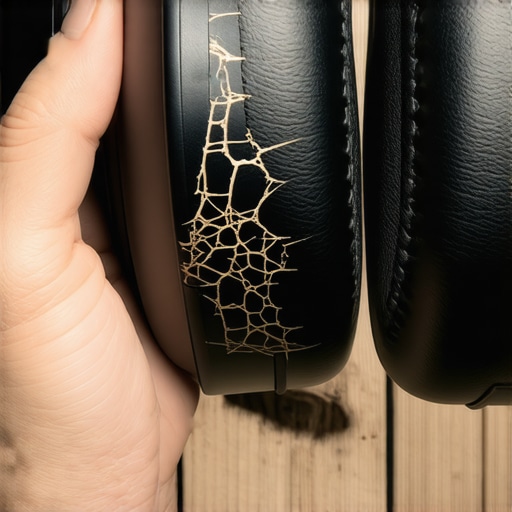
Update Your Firmware to Sharpen the Tech
Software is the brain behind the noise-canceling muscle. Manufacturers are constantly refining the algorithms that detect and counter erratic frequencies like human speech. It is a common mistake to ignore those annoying app notifications, but just as your soundbar needs a firmware update to fix audio drops, your headphones require the latest code to keep the ‘anti-noise’ wave as accurate as possible. These updates often improve the speed at which the onboard chip can react to sudden, sharp noises. I once updated my flagship cans after six months of neglect, and the difference in how they handled a clattering kitchen was night and day. Don’t let outdated software be the reason you can still hear the espresso machine.
Keep Your Microphones Clear of Debris
Active noise cancellation relies on external microphones to sample the environment. If these tiny ports are obstructed by dust, lint, or skin oils, the headphones are essentially flying blind. They cannot cancel what they cannot hear accurately. You should regularly clean earwax out of your iems without pushing it deeper and use a soft, dry brush to clear the external microphone mesh on your over-ear headsets. I’ve seen cases where a tiny bit of pocket lint was the only thing standing between a user and total silence. If you are a heavy traveler, check these ports weekly.
Switch to Foam Tips for Maximum Isolation
If you are using in-ear monitors (IEMs) or earbuds, the silicone tips that come in the box are often the weakest link. Silicone is thin and vibrates easily, allowing high frequencies to pass through. Switching to high-density memory foam tips can provide a massive boost in passive isolation. This physical barrier works in tandem with the ANC to create a much quieter floor. Once you have upgraded your fit, make sure you know the best way to store your iems to prevent driver damage, as keeping them in a hard case prevents the foam from getting crushed and losing its shape. A well-maintained pair of foam tips can block out up to 10 decibels more than standard silicone, which is often enough to make those shrill voices disappear entirely.
While swapping out your ear pads or updating firmware can solve immediate ANC frustrations, the rabbit hole of audio performance goes much deeper. I see it every single day: people spend thousands on ‘audiophile-grade’ gear only to be disappointed by the final results. They assume that if they buy the most expensive components, the physics of sound will simply obey. But in my experience, throwing money at a problem without understanding signal integrity is a recipe for a very expensive headache. One of the biggest traps you can fall into is the belief that premium accessories are the secret sauce. In reality, why expensive speaker cables are mostly a marketing trick is a lesson many enthusiasts learn the hard way. Unless you are running cables over fifty feet, that triple-braided silver wire isn’t doing much more than a standard copper strand would.
The Expensive Cable Myth That Needs to Die
Everyone says that gold-plated everything is the key to sonic purity, but let’s look at the actual science. Gold is great for preventing corrosion, but it is actually less conductive than silver or copper. If you’re constantly plugging and unplugging gear, sure, that plating helps. Otherwise, the truth about gold-plated audio connectors for home stereos is that they are more about durability than they are about the ‘warmth’ of the sound. I once watched a friend drop five hundred dollars on interconnects while his speakers were sitting in the worst possible spot in the room. He was trying to buy his way out of a problem that could have been fixed for free with a little bit of geometry. If you want a real upgrade, stop worrying about the metal in your wires and start focusing on where you’re standing. Have you ever fallen into the ‘premium cable’ trap? Let me know in the comments, because I definitely have.
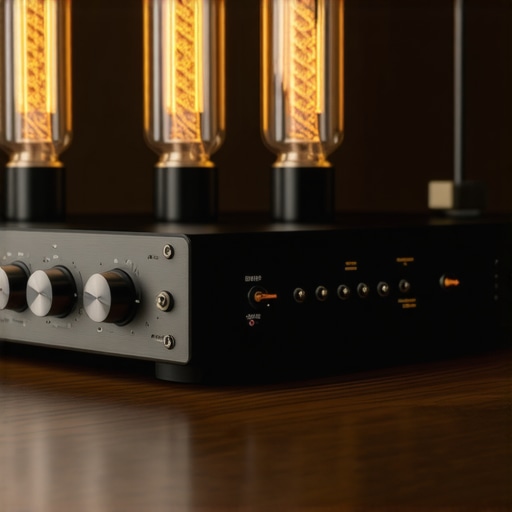
Why Does My High End DAC Click When I Change Tracks?
If you’ve upgraded to a standalone Digital-to-Analog Converter, you might notice a sharp ‘click’ inside the box whenever you skip a song. This is a classic nuance that scares beginners into thinking their new toy is broken. In reality, why your digital to analog converter is making a clicking sound usually boils down to physical relays switching between different sample rates to ensure bit-perfect playback. Experts at Audioholics have frequently pointed out that these mechanical switches are actually a sign of a high-quality circuit design that avoids digital artifacts during transitions. It is a sophisticated solution to a complex timing problem, not a defect. However, if the noise is coming through your speakers rather than the box itself, you’re likely dealing with a DC offset issue, which is a much bigger ‘oops’ factor that can actually damage your drivers.
Stop Sabotaging Your Sound with Bad Placement
The most common mistake I see is ‘gear worship’ at the expense of room acoustics. You can have the best amp in the world, but if you’re fighting standing waves, you’ll never hear what it’s truly capable of. For example, why you should never put your speakers directly on the floor comes down to boundary reinforcement. The floor creates a massive boost in muddy low-mid frequencies that masks the crisp detail of the vocals. Similarly, the truth about using your phone to power high end headphones is that even if it gets ‘loud enough,’ you’re likely losing dynamic range and bass control because the phone’s tiny amp is clipping. High-impedance headphones require voltage swing that a smartphone battery simply cannot provide, leading to a flat, lifeless soundstage regardless of the file quality you’re streaming. Real expertise isn’t just about buying the best gear; it’s about respecting the physics of the environment where that gear lives.
I’ve seen so many beautiful setups ruined by a simple lack of maintenance. If you’ve ever heard that annoying static when you turn a dial on your favorite receiver, you’re experiencing oxidized potentiometers. I always keep a can of DeoxIT D5 handy because it’s not just a cleaner; it’s a lubricant that prevents future wear. According to the detailed white papers by the engineering team at Benchmark Media Systems, even a tiny amount of contact resistance in your signal path can introduce measurable harmonic distortion. This is vital because those tiny bursts of static aren’t just annoying—they can actually send spikes of DC current to your speakers. If you are running older gear, you need to know how to tell if your vintage amplifier needs new capacitors before a leak ruins the entire board. Most people wait until the sound is muddy or the unit won’t turn on, but proactive care is the only way to protect your investment.
Dust is the Silent Killer of Great Sound
It’s easy to ignore the layer of grey fuzz settling on your amp’s vents, but heat is the natural enemy of electronics. When dust builds up, it acts like an insulator, trapping heat against sensitive transistors. I make it a habit to use a small vacuum and a soft brush every month to keep those airways clear. If you’ve noticed your setup getting unusually warm, you should check for airflow obstructions immediately. It’s the same reason I tell people to how to stop the hissing sound in your studio monitors—sometimes it’s just a matter of heat-related component noise or dirty power contacts. Keeping things cool and clean is the cheapest performance upgrade you will ever find.
How do I keep my gear sounding new for years?
Maintenance isn’t just about cleaning; it is about how you treat the equipment when you aren’t using it. Storage is the other half of the battle. I used to just toss my headphones on my desk, only to find the pleather peeling six months later. Now, I use dedicated stands and specialized cases. Learning the best ways to store your headphones to prevent cable fraying will save you from that dreaded ‘one ear goes silent’ phenomenon that plagues so many enthusiasts. And for those of us who still love the physical ritual of vinyl, you absolutely must learn the best way to clean a turntable stylus without breaking it. A dirty needle is basically a microscopic chisel that will carve permanent noise into your favorite records. 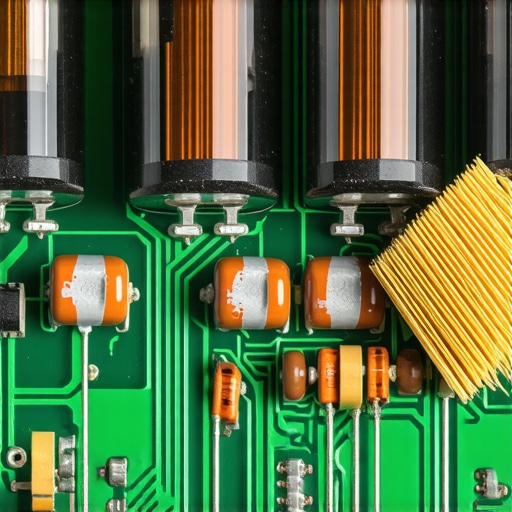
The Future of Listening is Adapting to You
Looking ahead, I suspect we are moving toward a world where your gear doesn’t just sit there—it learns. We are already seeing this with room-correction software and adaptive ANC that changes based on your ear canal shape. This trend is only going to accelerate. In fact, why your smart speaker is actually listening to your room acoustics is just the tip of the iceberg. Eventually, our amplifiers will likely adjust their output in real-time to compensate for speaker aging or even the specific humidity in your room. It’s an exciting time to be an audiophile, provided you keep your current gear in shape long enough to see these innovations arrive. If you want to take your sound to the next level right now, stop what you’re doing and use a damp (not wet!) microfiber cloth to clear the dust out of your speaker’s rear ports. You’ll be surprised at how much ‘breath’ it gives back to your low end. You can also how to fix the crackling noise when you turn your amp volume with just five minutes of effort and a little bit of contact cleaner. Don’t let your hardware die a slow death—give it the care it deserves today.
The Hardest Lessons I Learned Chasing Silence
After years of testing everything from budget earbuds to thousand-dollar monitors, I’ve realized that the biggest enemy of great sound isn’t usually the hardware—it’s our expectations. When I first got into active noise cancellation, I expected a sensory deprivation chamber. But I eventually learned that sound is a physical force that requires physical solutions. If you find one headphone side being louder than the other, it’s often a sign that the physical seal or internal balance is failing, not just a software glitch. I also discovered that your environment dictates your gear choice more than any spec sheet; for instance, why your open-back headphones sound better in a quiet room is a lesson in air pressure and driver physics that ANC simply cannot bypass.
The Essential Toolkit for Any Serious Listener
If you want to keep your gear in peak condition, you don’t need a lab—just a few reliable resources and habits. I swear by SoundGuys for their technical frequency response graphs and Audioholics for deep dives into amplifier topology. For your physical toolkit, a simple microfiber cloth and a dedicated storage solution are non-negotiable. If you’ve ever had to clean your earbuds after they fell in the dirt, you know that keeping the mesh clear is the only way to maintain that crisp high-end. If you’re looking to repurpose old tech, I’ve found that learning how to use an old smartphone as a high-res music streamer is one of the most cost-effective ways to bypass the limitations of Bluetooth.
Your Path to Better Sound Starts Today
You don’t need to spend thousands to see a massive improvement in your daily listening. Start by moving your gear away from interference and ensuring your active noise cancellation isn’t being throttled by a bad Wi-Fi connection—why your high-res audio stream keeps buffering on wi-fi is often just a matter of router placement. Audio is a journey of small adjustments that add up to a transcendent experience. Remember that even the best setup needs room to breathe; stop placing your speakers directly on the floor for better bass and start listening to the nuances. Have you ever had a specific high-pitched sound, like a baby crying or a tea kettle, that your noise-canceling headphones just couldn’t handle? Let me know in the comments below!