
I remember the day I finally unboxed my first pair of truly high-end audiophile cans. I was vibrating with excitement. I spent weeks reading reviews, saved up my hard-earned cash, and finally pulled the trigger. I plugged them straight into my smartphone, hit play on my favorite track, and waited for the magic. It never came. The bass was nonexistent, the volume was pathetic even at 100%, and the whole experience felt hollow. I actually thought the headphones were defective. I almost boxed them back up to send them back, feeling like I’d been scammed by the ‘audiophile’ community. It took a long afternoon of frustration and a borrowed amp to realize the headphones weren’t the problem—my phone was just too weak to drive them. Today, I’m going to explain exactly why this happens and how you can stop your mobile device from strangling your music. We are going to turn that thin, tinny mess into the rich, immersive soundstage you actually paid for.
The Day I Realized My Phone Was Killing My Music
I used to think a headphone jack was just a headphone jack. I didn’t realize that high-end gear requires a lot more ‘juice’ than the cheap earbuds that come in the box. When you plug a demanding pair of drivers into a basic smartphone, you aren’t just losing volume; you’re losing the soul of the music. I’ve seen many friends complain that their new gear is broken or that their [headphones sound slightly different in each ear](https://premiumsounddeals.com/why-your-headphones-sound-slightly-different-in-each-ear) because the phone’s internal amp is struggling to maintain a steady signal. I made the classic mistake of blaming the hardware instead of the source. Have you ever felt that sinking feeling of disappointment after spending big on audio gear?
Is it possible you just wasted three hundred dollars?
It’s a terrifying thought. You see the glowing reviews, you see the frequency response charts, but in your ears, it sounds like a cheap radio. According to research by the audio engineers at SoundGuys, most standard smartphone outputs are capped at around 0.5 to 1.0 volts. That is perfectly fine for low-impedance earbuds, but it is nowhere near enough to move the heavy voice coils in professional-grade headphones. You aren’t hearing the headphones; you’re hearing the sound of an amplifier gasping for air.
Your Smartphone is Starving Those Drivers
Most people don’t realize that high-performance headphones act like a heavy workout for your phone. If your phone can’t provide enough current, the first thing to go is the low end. This is why your music sounds ‘thin.’ It’s the same reason why a [car radio dims when the bass hits](https://premiumsounddeals.com/the-reason-your-car-radio-dims-when-the-bass-hits)—the system is being pushed past its limits. To get that punchy, life-like sound, you need a dedicated power source. I eventually found [the 50-amp that drives high-impedance cans without a struggle](https://premiumsounddeals.com/the-50-amp-that-drives-high-impedance-cans-without-a-struggle), and the difference was like switching from a black-and-white TV to 4K. If you’re serious about your sound, you might even look into [how to use an old smartphone as a high-res music streamer](https://premiumsounddeals.com/how-to-use-an-old-smartphone-as-a-high-res-music-streamer) to keep your main device free while giving your music the dedicated attention it deserves. We need to look at the ‘why’ behind impedance and sensitivity before we can fix it.
The Secret to Waking Up Your Sleepy Drivers
The internal hardware of your phone is designed for efficiency and battery life, not for high-fidelity transients. It is like trying to tow a massive camping trailer with a compact sedan; you might move a little, but you will burn out the engine before you reach highway speeds. This is why you need a dedicated DAC/Amp. I once bought a cheap fifteen-dollar generic adapter thinking it would solve my problems, but it just added a layer of digital noise. I eventually learned that why your digital-to-analog-converter is making a clicking sound is often a sign of poor clock synchronization or insufficient power—issues you only fix with quality gear. To truly unlock your headphones, you must bypass the phone’s internal audio path entirely and use a USB-C or Lightning interface to send the raw digital data to an external processor.
Stop Relying on the Phone’s Weak Internal Chip
When you use the built-in jack, you are at the mercy of a chip that costs about fifty cents to manufacture. An external DAC (Digital-to-Analog Converter) takes that file and reconstructs the soundwaves with surgical precision. If you are noticing that your high-bitrate files are stuttering or sounding muddy, it might not be the hardware’s fault alone; knowing why your high-res audio stream keeps buffering on Wi-Fi can help you ensure the source is clean before it even hits your amp. 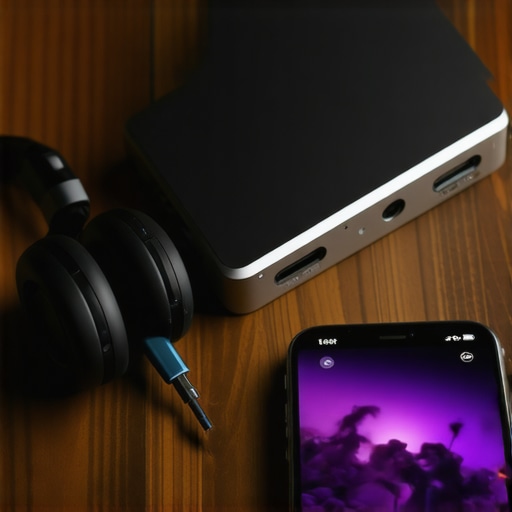
The Quick Way to Check Impedance
Before you buy an amp, check the Ohms on your headphone box. If they are over 32 Ohms, your phone is likely already struggling. If they are 250 or 600 Ohms, your phone is basically whispering in a storm. I remember the first time I plugged a pair of 250-Ohm professional studio cans into my phone; I thought the cable was broken. It was not until I added a portable amplifier that I realized the difference between peak and rms power explained simply was the key to hearing the full dynamic range of the kick drum.
Why Balanced Connections are Worth the Hype
If your new portable amp supports a 2.5mm or 4.4mm jack, use it. This is not just about a different plug size. Going balanced doubles the voltage delivered to the drivers and cancels out electromagnetic interference picked up along the wire. I switched my open-back setup to a balanced cable last year and finally understood the real performance benefit of using balanced XLR cables even in a compact format. The instrument separation became so wide it felt like I was standing in the middle of a recording studio.
Cut the Noise Before You Crank the Volume
Getting more power is only half the battle. You also have to ensure that power is not carrying a bunch of garbage noise with it. When you add an external amp, you are amplifying everything—including the background noise floor. If you are hearing a static hiss, you might need to apply the same logic used for larger setups, such as how to stop the hissing sound in your studio monitors, which involves using shielded cables and clean power sources. Many people obsess over materials, but the truth about gold-plated audio connectors for home stereos is that they matter far less than a solid, well-grounded circuit. I once spent a whole flight with a ‘stacked’ rig—my phone rubber-banded to a portable amp—and while security gave me a strange look, the lack of interference and the sheer punch of the bass made the bulkiness worth it.
Stop Chasing Watts and Start Fixing Your Room
Most beginners believe that if they spend more money on gear, the sound will automatically improve. I’ve seen people drop five thousand dollars on a pair of floor-standing speakers only to place them in a corner on a hardwood floor. Here is the contrarian truth: Your room is a giant filter that distorts sound far more than a mediocre amplifier ever could. If you aren’t careful, the way you set up your space can make even the most expensive drivers sound thin. This is particularly true for studio gear; there is a scientific reason why your studio monitors sound boxy against a wall, and it has to do with low-frequency waves bouncing off the drywall and canceling themselves out. According to Dr. Floyd Toole, a leading researcher in the field of psychoacoustics, the interaction between a loudspeaker and the room boundaries is the single most influential factor in the perceived quality of bass and lower-midrange frequencies.
If you want to hear what you actually paid for, you have to get the positioning right. I always tell my friends to stop placing your speakers directly on the floor for better bass. When a speaker sits on a hard floor, you get immediate reflections that smear the stereo image. It sounds counterintuitive, but lifting a speaker up or using the simple rug trick that instantly improves your room acoustics can do more for your clarity than a thousand-dollar cable upgrade. I once spent an entire weekend rearranging my living room because I realized my coffee table was acting like a giant acoustic mirror, ruining the soundstage of my favorite jazz records.
Why Does My High-End Amp Feel Like a Space Heater?
As you move into higher-end territory, you’ll notice your equipment behaving differently than consumer electronics. A common point of concern for new enthusiasts is why your new amplifier gets hot after only twenty minutes. Many high-fidelity amplifiers operate in Class A or high-bias Class AB modes, which means they are drawing significant current even when no music is playing. This is not a defect; it is a design choice to eliminate ‘crossover distortion.’ However, this leads to the ‘Oops’ factor many people ignore: ventilation. I once saw a beautiful vintage receiver melt its own internal solder because the owner tucked it into a tight, unventilated wooden cabinet. If you feel that why your amplifier gets hot enough to burn your hand is becoming a reality, you need to rethink your rack setup immediately.
The Dangerous Shortcut That Starves Your Power Amp
The biggest mistake I see advanced users make when they finally get a high-current amplifier is how they provide power to the unit. It is tempting to use a long cord to reach a far outlet, but there is a clear reason why you should avoid using an extension cord for your power amp. These cords often have high resistance, which causes a voltage drop when your amplifier tries to pull a large amount of current for a deep bass hit. This ‘starves’ the power supply, leading to a loss of dynamic headroom and making your expensive amp sound like a cheap budget model. Always plug your primary power source directly into the wall or a dedicated high-current power conditioner. Have you ever fallen into this trap and blamed your speakers for a lack of punch? Let me know in the comments.
Give Your Gear the Spa Day It Deserves
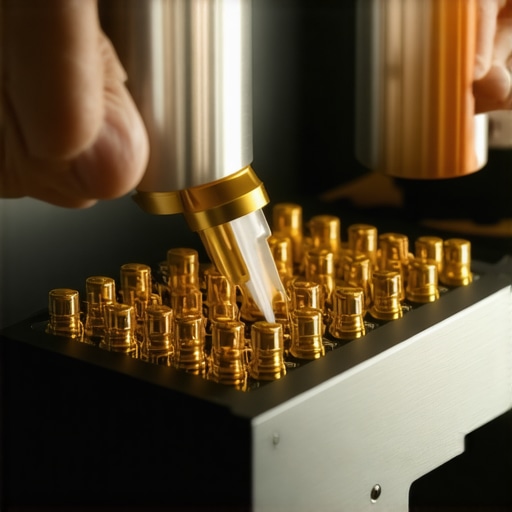
Once you’ve solved the power delivery and room placement issues, you can’t just set it and forget it. I used to think high-end gear was ‘buy it for life,’ but environmental factors like humidity and dust are the silent killers of fidelity. If you start hearing a static pop when you adjust your gear, you need to learn how to fix the crackling noise when you turn your amp volume before it gets worse. I personally keep a can of DeoxIT D5 on my workbench at all times. According to technical documentation from Caig Laboratories, the creators of professional-grade contact cleaners, oxidation on metal contacts creates a microscopic semiconductor layer that increases resistance and rectifies small parts of your audio signal, causing audible distortion. A quick spray on your potentiometers and jacks every year keeps the signal path pristine.
How do I keep my expensive audio gear from degrading over time?
Maintenance is more than just dusting the cabinets. For headphones, the oils from your skin are constantly eating away at the synthetic leather. This is why your headphone pads are peeling and how to replace them becomes a necessary skill if you want to keep that tight acoustic seal. I’ve found that switching to genuine lambskin or high-quality microsuede pads not only lasts longer but can actually tune the frequency response to your liking. If your current set feels like it is falling apart, don’t toss the whole unit; learning how to replace the foam pads on your favorite headphones is the single most cost-effective way to refresh your listening experience.
Don’t Ignore the Software Side of the Equation
In the digital age, hardware maintenance is only half the battle. I’ve seen people complain about bugs for months without realizing why your soundbar needs a firmware update to fix audio drops or connectivity issues. Manufacturers are constantly tweaking the DSP (Digital Signal Processing) profiles to improve performance long after you take the product home. We are moving toward a future where AI does the heavy lifting for us. I predict that within the next five years, real-time adaptive EQ will become a standard feature in all entry-level gear. We are already seeing the beginning of this trend with why your smart speaker is actually listening to your room acoustics right now to optimize its output in real-time. The next step is a system that predicts hardware wear and compensates for it automatically. Until then, take five minutes this weekend to check your cable connections and clean your jacks. You’ll be amazed at how much clarity you get back when you remove the physical and digital ‘gunk’ from your signal path.
The Expensive Mistakes I’ll Never Make Again
Looking back at my journey, I realize I wasted hundreds of dollars chasing the wrong solutions. I once spent an entire month’s rent on silver-plated cables before I even bothered to stretch tight headphones for a more comfortable fit, which actually fixed the soundstage issues I was blaming on the wires. I also learned that gear doesn’t have to be brand new to be brilliant; some of the most musical experiences I’ve had came from 3 budget upgrades that make cheap speakers sound expensive. Most importantly, I stopped assuming that ‘louder’ meant ‘better.’ Clean power at a moderate volume will always reveal more detail than a distorted signal pushed to the limit.
#IMAGE_PLACE_HOLDER_E#
The Only Three Tools You Actually Need
If you are serious about this hobby, you don’t need a lab full of equipment, but you do need these three essentials. First, a simple multimeter is a lifesaver; you can use a 9v battery to check your speaker polarity to ensure your system isn’t fighting itself. Second, I highly recommend ‘Sound Reproduction’ by Dr. Floyd Toole to understand the physics of your room. Finally, a high-quality portable DAC is non-negotiable for mobile listening. Just remember that environment is everything—I learned the hard way why open-back headphones are the worst choice for an airplane, proving that even the best gear fails in the wrong context.
Your Ears Are the Final Judge
At the end of the day, all the specs, Ohms, and voltage charts are just tools to get you closer to the music. Don’t let the technical jargon intimidate you from exploring higher fidelity. Whether you are using a dedicated desktop stack or a tiny dongle DAC, the goal is to feel the impact of every note. Your headphones are a gateway to another world, so treat them with the respect they deserve by giving them the power they need to shine. Have you ever had a ‘lightbulb moment’ where a small change in gear completely transformed a song you thought you knew by heart? Let me know in the comments below.