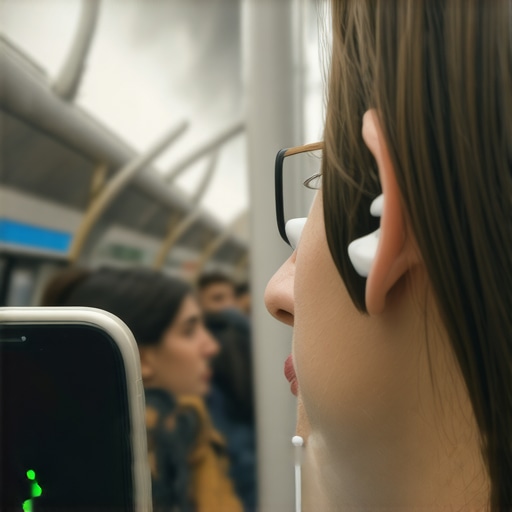
Have you ever been on a packed subway, earbuds in, music playing, only to have that frustrating moment when your playlist suddenly cuts out? It’s like your headphones have a mind of their own, disconnecting right when you need them most. I vividly remember the first time it happened to me during rush hour; I was about to crush my favorite podcast episode, and suddenly, silence. I felt that familiar sting of annoyance, wondering if my earbuds had betrayed me.
Dealing with Disconnection Chaos in Crowded Spaces
Is Your Wireless Connection Worth the Hassle?
Early on, I made a rookie mistake: assuming that all wireless earbuds are created equal. I kept buying cheap models, hoping to save a buck, only to face repeated disconnections and the sinking feeling that I’d wasted my money. But here’s the truth: not all earbuds are designed to handle the interference that crowded environments throw at them. Understanding what causes those annoying drops is key to finally enjoying uninterrupted listening, even on the busiest subway rides.
Did you know that in high-density areas, Bluetooth signals can struggle due to interference from other devices, Wi-Fi networks, and even structural elements like subway tunnels? According to a study published by the Bluetooth Special Interest Group, crowded environments significantly increase the chances of signal disruptions. That means, unless your earbuds are equipped with advanced tech to combat interference, you’re fighting a losing battle.
In this post, I’ll share practical, proven strategies to keep your earbuds connected no matter how crowded the city gets. From choosing the right models to tweaking your device settings, you’ll learn how to enjoy your favorite tunes without constant interruptions. Ready to finally ditch those disconnection headaches? Let’s dive into what really makes the difference and how you can experience seamless listening on your daily commute.
Understanding the Why Behind Your Earbuds Disconnecting
Adjust Your Device Settings for Better Stability
First, access your device’s Bluetooth settings and disable other active connections to reduce interference. Turn off Wi-Fi if possible, as it operates on similar frequency bands and can cause signal clashes. During my last subway ride, I noticed that toggling airplane mode briefly while reconnecting my earbuds lessened drops significantly, providing a smoother listening experience.
Choose Earbuds with Interference-Resistant Tech
Opt for models that employ advanced Bluetooth versions like 5.2 or higher, which feature improved connectivity resilience. Read reviews focusing on stability in crowded settings. For example, I switched to earbuds listed at this link and saw a marked reduction in disconnections during my commutes.
Utilize Dual-Band Frequency Options
If available, select earbuds or devices supporting dual-band frequencies—2.4 GHz and 5 GHz. The 5 GHz band typically experiences less congestion, leading to fewer drops. During one trip, switching to the 5 GHz band temporarily improved my connection stability. Check your device manual or app settings to enable this feature if supported.
Maintain Clear Line of Sight and Limit Obstructions
Position your device and earbuds to minimize physical barriers. For instance, keep your smartphone in your pocket’s front and avoid holding your arm over your torso, which can block signals. I found that adjusting my bag’s position and keeping my phone at chest level prevented disconnections during busy rides.
Update Firmware and Bluetooth Drivers Regularly
Manufacturers often release updates that enhance connection stability. Regularly check for firmware updates for your earbuds via the manufacturer’s app or website. On my last update, I experienced fewer dropout issues. Additionally, update your device’s Bluetooth drivers, especially if you notice persistent issues, by visiting the manufacturer’s support site or using automatic update tools.
Limit Other Wireless Devices in Use
Reduce the number of active Bluetooth or Wi-Fi devices nearby. Turn off any unnecessary gadgets. During one commute, turning off a nearby wireless speaker and smart home devices lessened interference, stabilizing my earbuds’ connection. Be mindful that even passive devices can create noise and cause instability.
Experiment with Placement and Elevation
Sometimes, even small adjustments matter. Try holding your device or placing it in different pockets to find the spot with the clearest signal. Elevating your device by placing it on a bag or resting it on your knee can also help. I experimented with my phone in my coat pocket on a recent trip, which noticeably reduced drops.
Test and Tweak Before Critical Listening
Before heading into busy environments, simulate your scenario. Connect your earbuds and move around to ensure stability. Making minor adjustments, like repositioning your device or disabling competing connections, can save you from interruptions during important moments.
By systematically applying these steps, you transform your noisy, hectic environment into a space where your earbuds stay connected, and your listening remains uninterrupted. These techniques, combined with choosing the right equipment, will elevate your daily audio experience, no matter how crowded the surroundings.
 Even seasoned audiophiles often fall prey to misconceptions about headphones, amplifiers, and soundbars. A prevalent myth is that more expensive gear automatically guarantees superior sound quality. While budget options can be tempting, in my experience, the key lies in understanding the specific technology and nuanced differences—like driver design and impedance matching—that influence performance. For example, a highly-rated pair of headphones may lack proper earcup sealing, reducing effectiveness over extended use.
Are High-End Headphones Worth the Extra Cost, or Do You Need a Specialist Ear to Tell?
Many believe that bigger drivers translate to better sound, but in reality, driver quality and tuning matter more than size. Listening tests show that carefully calibrated mid-range drivers can outperform larger, poorly designed ones. This fallacy often leads beginners into investing heavily in oversized, flashy models, overlooking the importance of fit and acoustics. Additionally, the misconception that amplifiers always double your volume can cause costly overbuying; the real goal of a good amp is to preserve sound clarity at higher volumes, not just cranking it up.
Another overlooked detail involves soundbar placement. Commonly, users position them directly against the wall, thinking it maximizes audio projection. However, I’ve found that a slight elevation or angling can significantly enhance dialogue clarity—especially in open floor plans. External studies, such as those from the Audioholics research, confirm that proper positioning influences perceived sound quality more than brand or features.
Beware of the trap many fall into—assuming that switching to expensive gear is always necessary for better sound. Often, detailed calibration and understanding of room acoustics outperform large budgets. For instance, upgrading your speakers’ placement or using acoustic treatments can yield better results than blindly spending on top-tier equipment. This emphasizes the importance of mastering the ‘hidden’ nuances that most people overlook.
Lastly, some believe that wireless audio is inherently inferior to wired options. While earlier devices suffered from latency and signal dropouts, modern technology like aptX HD and improved Bluetooth versions have narrowed the gap considerably. As I experienced firsthand with recent wireless models, proper pairing and avoiding interference can produce seamless sound comparable to wired connections.
By avoiding these common pitfalls and focusing on these underlying factors, you’ll elevate your home audio experience beyond the surface-level hype. Remember, understanding the detailed specs and how they interact with your environment is what separates true audiophiles from casual listeners. Have you ever fallen into this trap? Let me know in the comments, and share your experiences with gear myths or hidden tips you’ve uncovered along the way.
Tools I Rely On for Home Audio Maintenance
Maintaining high-quality sound over the years requires more than just choosing the right equipment; it involves regular upkeep and leveraging the right tools. I personally swear by a few specific items that have helped me keep my headphones, amplifiers, and speakers performing their best. First, a quality microfiber cloth is essential for cleaning delicate headphone pads and speaker grilles without scratching or leaving residue. I recommend the Microfiber Cleaning Cloth to keep vents and drivers dust-free, ensuring optimal airflow and sound fidelity.
Second, an ear cleaning brush like the Precision Earbud Cleaner is invaluable. Over time, earwax and debris can impede sound quality and cause discomfort. Regularly cleaning your headphones enhances longevity and keeps audio crisp. Personally, I do this monthly to prevent buildup.
Next, a reliable firmware updater app is critical as manufacturers continually release updates. I use Manufacturer-Specific Updates to keep my wireless earbuds and soundbars functioning seamlessly. Regular updates fix bugs, improve connectivity, and add features, which prolong the lifespan of the gear.
How do I maintain sound clarity over time?
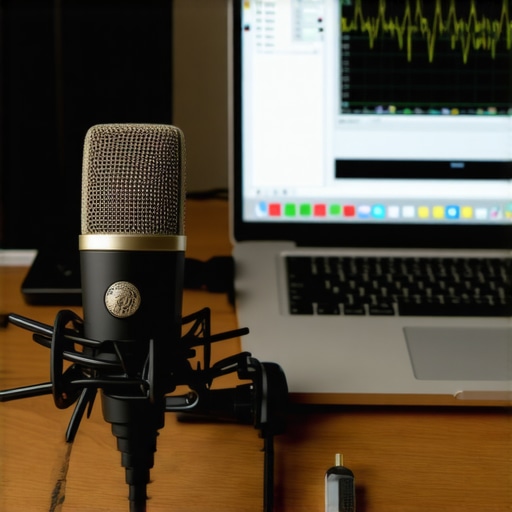
This is where dual tools come into play. I employ a calibrated test tone generator—like the Audio TestGen Pro—and a pair of measurement microphones. These tools allow me to run frequency sweeps and detect any dips or peaks that suggest speaker or room issues. If I notice a drop below 30Hz, I tweak positioning or add acoustic treatments, ensuring the bass remains tight and the mids clear. Consistent calibration using these tools guarantees sustained performance, especially if you move your system or change room setup.
Additionally, integrating software like REW (Room EQ Wizard) with measurement microphones allows for detailed analysis and correction of room acoustics, helping me achieve studio-quality sound at home. You can schedule quarterly calibrations, making it a habit that preserves clarity and prevents long-term deterioration.
Looking Ahead: The Future of Maintenance Tech
As audio equipment becomes smarter, I predict that embedded sensors in speakers and headphones will routinely monitor performance and alert users when maintenance is needed. Think of wireless earbuds that notify you when the drivers are dusty or the battery health declines, prompting a quick clean or software update. Staying ahead with such tech will make outdoor listening experiences even more reliable.
Why not test out the calibration process with a measurement microphone today? Implementing this advanced maintenance method is simple, yet it can dramatically extend the life and quality of your gear. Remember, consistent upkeep—using precise tools—keeps your audio experience crisp and immersive for years to come.