
I remember sitting down for the season finale of The Last of Us last year. The popcorn was perfectly buttery, the lights were low, and I was ready for total immersion. Then it happened. Joel spoke, but his voice didn’t reach my ears until his mouth had already closed. It felt like watching an old, badly dubbed Godzilla movie on a premium OLED screen. I spent the next three hours frantically toggling settings and unplugging cables, convinced I’d wasted my money on a lemon. It’s a special kind of torture when your gear, which is supposed to make life better, starts making it feel like work. If you’ve ever found yourself staring at your screen wondering if you’re going crazy, I promise you aren’t. We are going to get that sound back in line today.
The Growing Pain of Digital Processing
The truth is, as our TVs get smarter and our soundbars get more powerful, they also get slower. Your TV is doing an incredible amount of heavy lifting to process 4K HDR images, and sometimes the audio just gets left in the dust. I’ve seen people give up and go back to using their built-in speakers because they’re so fed up. But let’s be real: your TV speakers usually sound thin compared to a dedicated setup, so retreating isn’t the answer. Early on, I made the mistake of thinking it was just a “cheap hardware” issue and bought a $200 cable that did absolutely nothing. Don’t be like me. The lag isn’t about the quality of the wire; it’s about the timing of the data. Sometimes the solution is as simple as knowing why your soundbar needs a firmware update to handle the latest video formats.
Is a perfect sync even realistic with modern setups?
Many of my neighbors ask me if they should just ditch the soundbar and go back to basics. They fear that the lag is just an inherent flaw of modern HDMI ARC and wireless tech that we have to live with. While it’s true that digital handshakes introduce variables that can mess with your gaming headset or home theater audio, it is absolutely fixable. According to research from the Audio Engineering Society (AES), humans generally don’t notice audio-visual delays until they exceed 100 milliseconds, though the most sensitive among us start twitching at just 40ms. Our goal today is to get you well under that threshold so the experience feels seamless again. Have you ever felt like you were watching a ventriloquist act instead of a movie because of your soundbar? I want to know if your lag happens only on apps or across all your devices. Let’s look at how to fix the delay between the picture and sound once and for all by diving into the settings you probably ignored during setup.
Hunt Down the Audio Sync Setting First
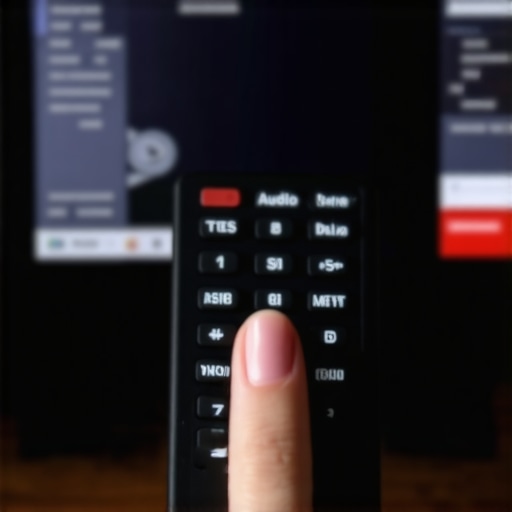
Your first move should be to dive into your TV’s expert audio settings. Look for a label like “A/V Sync” or “Audio Delay.” This is essentially a manual slider that tells your TV to wait a few milliseconds before showing the picture or to speed up the audio signal. Think of it like a conductor holding back the violins so the percussion can catch up. I remember helping my brother-in-law with his new 75-inch beast; he was ready to pack it back into the box because the mouths didn’t match the words. We found the sync slider, moved it to +80ms, and suddenly the dialogue snapped into place like a puzzle piece. If your TV doesn’t have this, check the settings on the soundbar itself. Many modern remotes have a dedicated ‘Sync’ button specifically for this headache.
Switch Your Output to PCM for Instant Results
If the slider doesn’t cut it, the problem might be the “handshake” between your devices. Most TVs default to “Bitstream” or “Digital Dolby” because it sounds impressive on the box. However, Bitstream is like sending a compressed ZIP file to your soundbar; the soundbar then has to take a microsecond to unzip and process that data before playing it. By switching your TV’s digital audio output to “PCM,” you are sending an uncompressed, “ready-to-play” signal. It’s like handing someone a glass of water instead of a dehydrated packet they have to mix themselves. You might lose some proprietary surround effects, but for many, the trade-off for perfect sync is worth it. This is especially true if you’re using a gaming headset or home theater audio where every millisecond counts toward your reaction time.
Don’t Fall for the Expensive Cable Trap
When I was first starting out, I was convinced my lag was due to “slow data” in my cheap HDMI cables. I spent nearly a hundred dollars on a fancy braided version with gold tips, thinking I was buying speed. It was a total waste. The reality is that expensive speaker cables are mostly a marketing trick. If the cable works, it works. Digital data doesn’t “slow down” in a cheaper wire; it either arrives or it doesn’t. Instead of buying new wires, check if your soundbar needs a firmware update. Manufacturers often release patches specifically to fix timing issues with new TV models. I once spent a whole afternoon troubleshooting a sync issue that turned out to be a software bug, and a five-minute download fixed what a $100 cable couldn’t.
Optimize the Physical Path of the Sound
Sometimes what we perceive as lag is actually just poor acoustics making dialogue muddy and hard to track. If your speaker is tucked inside a cabinet or shoved behind the TV, the sound waves are bouncing off three different surfaces before they hit your ears. This “smearing” effect makes it feel like the sound is late. For the clearest experience, your center channel should always be at ear level. When the sound has a direct line of sight to your head, your brain processes the phonemes faster. If you’re dealing with a larger room and the audio feels “lost,” you can even try the simple rug trick that instantly improves your room acoustics. Absorbing those floor reflections stops the “echo” that mimics a digital delay. I once set up a system in a minimalist loft with concrete floors and thought the receiver was broken; in reality, the room was just talking back to me too much.
But even with a rug on the floor, many of my fellow enthusiasts fall into the ‘spec sheet trap’ when buying new gear. Most people believe that a higher wattage rating on an amplifier automatically means better sound quality or more volume. In reality, that is a massive oversimplification. You could have a 200-watt receiver that sounds thin and clinical, while a high-quality 20-watt Class A amplifier provides a richness that fills the room. It’s not about raw power; it’s about how that power is delivered to your specific speakers. I’ve seen people spend thousands on ‘powerhouse’ amps only to realize the truth about using your phone to power high-end headphones or standard setups is that current delivery and impedance matching matter far more than the number on the box.
Stop Chasing Wattage Numbers
One of the biggest mistakes I see in the community is ignoring speaker sensitivity. A speaker with 90dB sensitivity requires ten times less power than one with 80dB sensitivity to reach the same volume level. If you have sensitive speakers, you are essentially throwing money away on a high-wattage amp. I once watched a friend freak out because his expensive new receiver kept shutting down. He thought it was defective, but in reality, he was pushing a low-impedance load that the amp couldn’t handle. Understanding why your surround sound receiver keeps clicking into protect mode is often about heat management and impedance, not a lack of ‘juice.’ Have you ever fallen into the ‘more watts is better’ trap? Let me know in the comments.
Can you really hear the difference in balanced cables?
As you move into higher-end territory, you’ll encounter the debate over XLR vs. RCA. Many ‘audiophiles’ will tell you that balanced cables are a mandatory upgrade for sound quality. However, unless you are running cables longer than 25 feet or living in an environment with extreme electromagnetic interference, the audible difference is usually zero. The real performance benefit of using balanced XLR cables is mostly about noise rejection in professional studio settings, not ‘sweeter highs’ in your living room. Dr. Floyd Toole, a legend in the Acoustical Society of America, has demonstrated through decades of double-blind testing that room acoustics and speaker placement affect what you hear ten times more than your cable choice ever will.
The Simple Trick Most Pros Use for Phase Issues
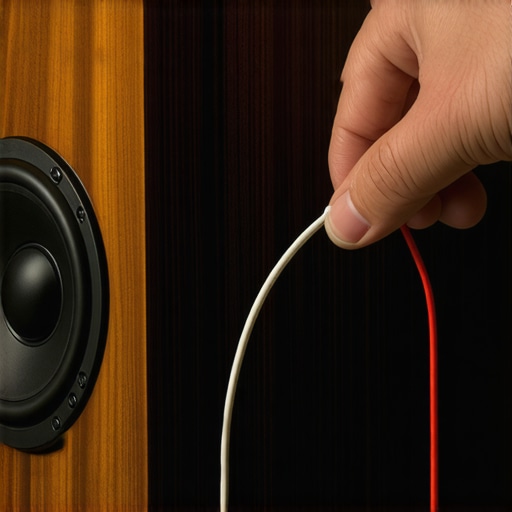
If your system sounds ‘hollow’ or the bass seems to disappear when you sit in the sweet spot, you probably have a phase issue. This happens when one speaker’s driver is pushing out while the other is pulling in. I’ve seen people tear their entire walls apart looking for a ‘broken’ wire when the fix was just a flipped connection. You can actually use a 9V battery to check your speaker polarity in about five seconds. It’s a classic old-school trick that saves you from the ‘Oops’ factor of a mislabeled wire. Once you’ve confirmed your speakers are in sync, you should focus on the best way to position your subwoofer for clearer lows, as the interaction between low frequencies and your room boundaries is the final boss of home audio calibration.
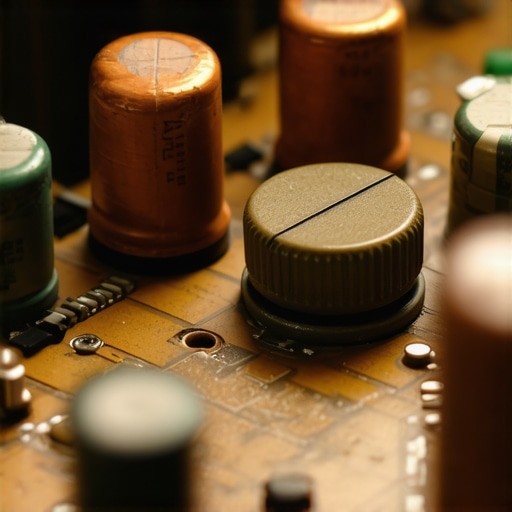
I’ve learned the hard way that the ‘set it and forget it’ mentality is the fastest way to kill a $2,000 investment. Dust is the silent killer of home audio. It gets into your potentiometers—those knobs you turn for volume—and creates that horrific static sound. If you’ve ever wondered how to fix the crackling noise when you turn your amp volume, the answer isn’t usually a new amp; it’s a can of DeoxIT D5. I keep a bottle in my drawer like it’s holy water. Just a small squirt into the contact points can revive a ‘dead’ receiver I found at a garage sale. The Audio Engineering Society (AES) has published extensive research on ‘contact physics,’ proving that even microscopic oxidation on a connector can introduce measurable harmonic distortion. Keeping those connections clean is the single most effective ‘free’ upgrade you can give your system.
How do I maintain my sound system over the long haul?
It’s not just about the internal electronics; we often ignore the physical interface between us and the tech. For example, if you’re a heavy headphone user, why your headphone pads are peeling is usually down to sweat and skin oils breaking down the synthetic leather. Replacing these pads or learning the best way to clean your ear tips for better noise isolation can make a five-year-old pair of IEMs feel brand new. I personally swap my Sennheiser pads every 18 months because the foam compression actually changes the frequency response over time. If you ignore this, you aren’t just losing comfort; you are losing the intended sound signature of the device.
Scale Your Setup Without Going Broke
When you’re ready to grow your collection, don’t assume retail is your only option. I’ve built entire secondary systems for my home office just by knowing how to find high-end audio gear at thrift stores before anyone else. You’d be shocked at what people donate when they can’t figure out a simple firmware update to fix audio drops. Many audio products are discarded not because they are broken, but because of software obsolescence or simple mechanical wear like a loose charging port on your bluetooth speaker. A quick solder job or a firmware flash can save you hundreds of dollars.
The Future of Proactive Maintenance
In the next five years, I predict we won’t even be manual-tuning our systems for wear and tear. AI-driven ‘acoustic mapping’ is already trickling down from high-end Dirac Live systems into budget soundbars. Your gear will essentially ‘hear’ its own degradation and adjust the EQ to compensate for a dusty crossover or an aging capacitor. We are moving toward a world where your speakers will send a notification to your phone saying they need a internal cleaning before you even notice the audio quality dipping. For now, though, we still have to do the legwork. If you find a terminal that’s acting up, learning how to repair a loose speaker terminal in under five minutes is a skill that will serve you for a lifetime. Before you go out and buy a new ‘upgraded’ model, I want you to try one thing: Grab a microfiber cloth and some isopropyl alcohol, and clean every single terminal on the back of your receiver. You’ll be amazed at how much ‘mud’ disappears when the connection is actually clean.
The Hardest Lesson I Learned While Chasing Sonic Clarity
For years, I believed that if I just spent enough money, my audio problems would vanish. I bought the heaviest amplifiers and the most expensive cables, only to realize that the most frustrating issues—like audio lag or muddy dialogue—are rarely solved with a credit card. One major lightbulb moment was discovering that the simple rug trick that instantly improves your room acoustics did more for my clarity than a thousand-dollar processor ever could. I also learned that keeping up with software is non-negotiable; checking why your soundbar needs a firmware update to fix audio drops is often the first thing you should do before calling tech support. Lastly, don’t ignore the physical health of your gear. Knowing how to repair a loose speaker terminal in under five minutes has saved me from replacing perfectly good equipment twice in the last decade.
Tools That Saved My Sanity and My Wallet
If you want to move beyond the ‘plug and play’ frustration, you need a small arsenal of tricks. I never go into a setup without a standard 9V battery; it is the most reliable way to check your speaker polarity and ensure your system isn’t fighting itself. Another essential resource is your local second-hand market. I’ve found incredible pieces by knowing how to find high-end audio gear at thrift stores before anyone else. Often, these ‘broken’ gems just need a little maintenance. I also highly recommend keeping a dedicated contact cleaner on hand. Learning how to fix the crackling noise when you turn your amp volume with a simple spray can turn a garage sale find into the centerpiece of your office setup.
Your Path to a Better Home Theater Starts Now
Home audio shouldn’t be a source of stress; it should be your escape. Whether you are troubleshooting high-end amplifiers or trying to get the most out of budget soundbars, the key is patience and a bit of curiosity. You now have the knowledge to hunt down lag, fix phasing issues, and maintain your speakers like a pro. Don’t be afraid to experiment with your placement or dive into those hidden menus to how to get theater quality sound out of a small living room. The goal is simple: hearing every whisper and feeling every explosion exactly when they happen. Have you ever managed to fix a ‘broken’ sound system with just a simple cleaning or a software update? Let me know about your wins in the comments below!