
It was a typical workday morning, and I was about to jump into a crucial Zoom meeting. As I settled in, I noticed something was off—the voice coming through my speakers sounded distant, muffled, and barely intelligible. Despite upgrading my webcam and lighting, I overlooked one vital detail: my audio setup. That moment was a lightbulb flickering on—good video but terrible sound defeats the purpose. Have you ever faced a similar situation where your audio ruins an otherwise perfect virtual meeting? If so, you’re not alone.
Why Your Sound Matters More Than Ever in Virtual Meetings
In today’s remote work landscape, clear audio isn’t just a luxury; it’s a necessity. Poor sound quality can cause misunderstandings, reduce productivity, and make meetings feel exhausting. Yet, many of us are still using default laptop speakers or cheap headsets that don’t do justice to our voice and the room’s acoustics. The problem isn’t always the equipment but how we set it up.
When I first started, I made a critical mistake: I placed my microphone too close to my keyboard, causing clicking noises, and didn’t realize I needed a dedicated space or stand for my speakers. Early on, I also believed that any cheap headphones would suffice—until I discovered that proper speaker positioning and quality audio gear transform my calls, making me sound more professional and confident.
Getting your speakers set up correctly has an immediate impact on your communication. Whether it’s a job interview, a team sync, or a client presentation, your voice needs to come across clearly and comfortably. That’s exactly what we’ll tackle today—how to optimize your speaker setup for the best sound during Zoom calls.
> **Did you know?** According to a study, poor audio quality is the top reason for miscommunication in remote meetings [source](https://premiumsounddeals.com/the-truth-about-high-res-audio-can-you-actually-hear-the-difference). Improving your audio environment isn’t just about hearing better; it’s about being heard and understood.
Now, let’s dive into the practical steps to elevate your audio game and turn your Zoom calls into professional-grade conversations.
Invest in a Quality Microphone
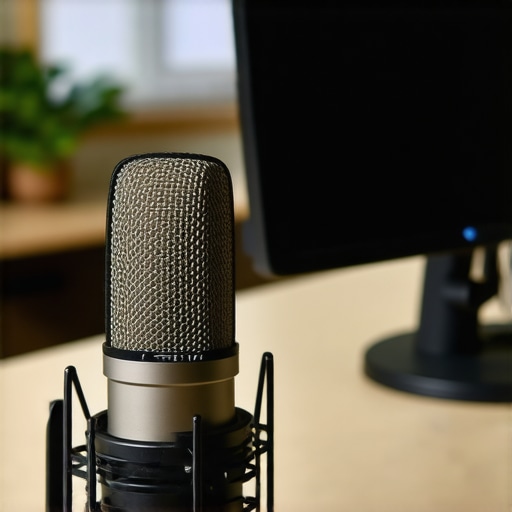
Start by choosing a dedicated microphone rather than relying on your built-in laptop mic. A good external mic, such as a condenser or dynamic microphone, captures your voice more accurately and reduces background noise. I once used my gaming headset for months until I upgraded to a USB condenser mic. The difference was night and day, with clearer voice quality and less distraction during meetings.
Position Your Microphone Correctly
Place the microphone close to your mouth, about 6-12 inches away, and slightly off-center to avoid breathing noises. Use a boom arm or a stand to keep it steady and at mouth level. I initially placed mine on my desk, but it picked up keyboard clicking and desk vibrations. Elevating it and ensuring it’s aimed directly at me greatly improved clarity.
Optimize Your Audio Environment
Reduce echo and background noise by creating a controlled space. Use soft materials like rugs, curtains, or specialized acoustic panels. If your room is too reflective, even simple DIY solutions like hanging blankets or using a bookshelf with books can help absorb sound. I once taped blankets over my windows and walls, which drastically minimized echo during calls.
Choose the Right Headphones or Speakers
For private calls, closed-back headphones block out ambient noise and prevent sound leakage, ensuring you hear and are heard clearly. If you prefer speakers, position them properly—about 1-2 feet in front of you, at ear level, and at a slight angle. Avoid placing speakers directly against walls; a small distance prevents reflected sound muddling your voice. Open-back headphones are great for studio work, but not for noisy environments like open offices or shared spaces.
Use a Quality Audio Interface or Mixer
If you’re serious, connect your microphone to an audio interface or a dedicated mixer. These devices convert analog signals more cleanly and allow you to adjust gain levels precisely. An improperly set gain can cause distorted audio or clipping, which makes your voice hard to understand. I once forgot to lower the gain, leading to peaky, unintelligible sound until I adjusted it properly.
Tweak Your Computer’s Audio Settings
Ensure your system recognizes your external mic as the default input device. Adjust input volume levels to avoid distortion—too high introduces clipping, too low makes you hard to hear. On Windows, access sound settings and test different levels. Macs have similar options in Sound preferences. Also, disable any enhancements or effects that could alter your voice quality. Routinely check that your mic’s sample rate matches your equipment’s capabilities—to learn more about high-res audio benefits, visit this guide.
Test and Fine-Tune Your Setup Regularly
Before daily calls, record a quick sample or run a test call to check audio quality. Use free tools like Zoom or Skype’s test functions. Listen carefully and note any background noise, echo, or muffling. Adjust microphone position, environment, or settings accordingly. I’ve found that small tweaks—like moving the mic an inch or two—can make significant improvements.
 When it comes to setting up a killer home audio system, many enthusiasts fall for myths that can hinder their listening experience. For example, a widespread misconception is that more expensive gear automatically equals better sound. In reality, proper setup and understanding of your equipment matter more.
Why Bigger Isn’t Always Better for Speakers
Many believe that large speakers deliver superior sound, but this isn’t always true. Larger speakers might produce more bass, but they can also introduce unwanted resonance if not carefully placed. Smaller, well-placed bookshelf speakers can outperform bulky floor-standing counterparts if you understand their placement and acoustics. Always consider room size and acoustic treatment over sheer size when choosing speakers.
The Hidden Trap of Buying High-Res Audio Files
Many assume that purchasing high-resolution audio files will give them the best listening experience. However, according to audio experts, your ears might not distinguish the difference unless you have high-end equipment and proper listening conditions. For most casual listeners, standard quality files sound just as good. Curious about whether your setup supports true high-res audio? Check out this guide.
Are Open-Back Headphones Really Better for Critical Listening?
Open-back headphones are often touted as superior for studio work because of their natural soundstage. But in noisy environments or shared spaces, they can leak sound and reduce privacy. Closed-back headphones, despite some skepticism, offer better isolation and prevent sound leakage, crucial for accurate listening in imperfect acoustics. Make the right choice based on your environment, not just reputation. Also, avoid cheap options that feel like plastic; you can find durable, budget-friendly options at this link.
Avoid These Amplifier Setup Mistakes
One common mistake is mismatching amplifier power with speakers impedance, leading to distortion or damage. Many overlook the importance of matching their gear correctly, causing a degraded sound or even equipment failure. Understanding the technical specs and ensuring compatibility can save you from costly repairs. For detailed guidance, see this comprehensive article.
Have you ever fallen into this trap? Let me know in the comments! Remember, mastering your audio setup is less about the gear and more about the knowledge behind it.Once you’ve invested in quality sound equipment, keeping it in top shape is crucial for sustained performance. Regular maintenance involves simple yet effective practices like dusting components with a soft microfiber cloth, ensuring ventilation to prevent overheating, and checking cables for wear or corrosion. I personally swear by using a compressed air can to clear dust from delicate parts like speaker vents and amp heatsinks—this prevents overheating and irreparable damage. Periodic software updates for streaming devices or audio receivers also enhance stability and introduce new features. For example, updating your receiver’s firmware can improve compatibility with the latest audio formats, ensuring you’re getting the most out of your setup. Incorporating a dedicated shelf or rack, like those suggested at https://premiumsounddeals.com/the-secret-to-making-tiny-bookshelf-speakers-sound-huge, can protect equipment from accidental damage and promote airflow. Remember to keep your remote controls clean with a gentle alcohol wipe, as dirty contacts can cause connectivity issues over time. Looking ahead, the trend is moving toward smarter, self-maintaining devices that monitor their own health, so investing in units that support remote diagnostics might save you time and money in the future.
How do I maintain my sound system over time?
Establish a routine cleaning schedule, observe for signs of wear on cables and connectors, and perform firmware updates regularly. Using tools like a quality microfiber cloth and compressed air, I prevent dust buildup that can lead to static or faulty connections. Also, consider mounting speakers with vibration-absorbing pads to reduce transmission of unwanted vibrations, which helps maintain clarity over years of use. Exploring innovative accessories and maintenance practices, such as specialized cleaner sprays or acoustic treatments, can extend your gear’s lifespan and enhance sound quality. Don’t forget, a well-maintained system not only lasts longer but also preserves the premium listening experience you aimed for. For high-end investments, I recommend checking out https://premiumsounddeals.com/the-trick-to-setting-up-dual-subwoofers-for-even-bass for tips on fine-tuning your subwoofers—proper setup and maintenance go hand in hand for optimal performance. Make sure to develop a habit of inspecting your equipment monthly, and try implementing at least one new maintenance tip today to keep your audio system sounding pristine for years to come.
What I Wish I Knew About Perfect Sound Years Ago
One of the biggest lessons I’ve learned is that great audio isn’t just about the gear—it’s about understanding and setup. I used to think expensive equipment automatically meant better sound, but proper positioning and environment tuning are equally crucial. Sometimes, a small adjustment like angling my speakers or acoustic treatment made a dramatic difference in clarity and bass response. Finding that balance required patience and curiosity, but it transformed my listening experience and made me appreciate the nuances of sound design.
Another insight is that high-res audio files are only beneficial if your system can reveal their full detail. Upgrading to lossless formats on a modest setup won’t magically improve your sound—tech literacy matters. I now focus on matching formats with equipment quality, and I recommend exploring this guide to understand what truly impacts audio fidelity.
Lastly, I realized that maintenance and environment are ongoing commitments. Regularly checking cables, cleaning components, and adjusting for room changes prevent deterioration and keep performance high. Investing in these habits has saved me headaches and costs, ensuring my gear continues to serve my listening goals effectively.
My Go-To Tools for Superior Sound
I trust the ecosystem of budget-friendly headphones that offer durability without sacrificing sound quality. They remind me that affordability doesn’t mean compromising on essentials. For speaker placement and acoustic treatment, this resource provided invaluable tips, helping me craft a more immersive audio space. Finally, for understanding audio formats and improvements, expert guides have kept me informed and confident in my upgrades.
Keep Pushing Your Limits in Sound
Don’t let uncertainty hold you back from creating a listening environment that excites and inspires. Whether you’re just starting or upgrading your gear, remember that mastery comes from curiosity, patience, and continuous learning. Every small tweak or new piece of knowledge brings you closer to audio bliss—don’t settle for mediocre sound when the potential for amazing is within your reach. Your best sound experience is waiting to be unlocked; all it takes is the desire to explore and improve.