
Picture this: it’s late at night, and I decide to relax with some music streaming from my wireless speaker. I press play, only to be met with that frustrating error message—my speaker won’t connect to Wi-Fi. I felt that sinking feeling of annoyance, especially after investing in what was supposed to be hassle-free sound. Have you ever experienced this disconnect, where your device just refuses to cooperate, leaving you looping through troubleshooting steps that seem more like guesswork? I get it. It’s incredibly frustrating, and honestly, it can make you question if you wasted your money on a device that’s supposed to be your wireless audio companion.
Why Your Wireless Speaker Refuses to Connect and Why It Matters
This problem isn’t just about losing your favorite playlist temporarily. It’s about the core convenience of modern wireless tech—streaming seamlessly without the clutter of tangled cables. When my speaker wouldn’t connect, I realized how much I rely on this simple act. Everything from setting up a cozy night with music to hosting friends depends on reliable Wi-Fi connectivity. The good news? You’re not alone, and more importantly, you’re not stuck without solutions. By tackling this issue head-on, I learned how to make my speaker work better than ever, and I’m here to share that journey with you.
Is Wi-Fi Connection Troubleshooting Actually Worth the Effort?
Honestly, I initially dismissed the effort needed to fix my speaker as too technical. I made the classic mistake early on—assuming the device was faulty and buying a new one. That was a waste of money. Instead, I discovered that many connection issues stem from simple, fixable causes, like router settings or outdated firmware. According to a study by CNET, over 40% of connectivity problems are resolved by restarting devices or updating firmware—simple steps that are often overlooked.
So, if you’re tired of spending hours on tech support calls or replacing gear that’s still perfectly good, stick with me. We’ll go through some actionable, proven steps to get your wireless speaker back online, restoring the sweet sound and peace of mind you deserve. Ready? Let’s dive into the solutions that finally worked for me—and can work for you too.
Reset Your Router and Speaker Before Anything Else
Start by unplugging your Wi-Fi router and wireless speaker. Wait for at least 30 seconds to clear cached data and reset their network modules. Reconnect your router first, then power on your speaker. This simple step often resolves minor hiccups that cause connection failures. I once had a stubborn speaker that refused to connect; after this reset, it paired seamlessly, saving me hours of frustration.
Ensure Firmware Is Up-to-Date
Old firmware can create compatibility issues. Check the manufacturer’s app or website for firmware updates for your model. Updating is usually straightforward via the app. In my experience, a quick update fixed persistent disconnects, especially after my Wi-Fi router auto-updated its software, making older devices incompatible without one.
Optimize Your Wi-Fi Network for Streaming
Wireless audio benefits from a stable, high-quality connection. Place your router centrally, away from obstructions and interference sources like microwaves or cordless phones. Use a 5GHz band if possible, as it’s less congested. I improved my speaker connection by assigning it a static IP address through my router settings, which helped maintain a stable link [see here](https://premiumsounddeals.com/why-your-multi-room-audio-system-keeps-dropping-the-connection). This approach reduced dropouts during parties.
Check Your Wi-Fi Signal Strength
Weak signals cause intermittent disconnects. Use your phone’s Wi-Fi analyzer app to identify dead zones and move your speaker closer to the router or consider adding a Wi-Fi extender. Once I identified poor signal areas around my house, I moved my speaker to a better position, dramatically boosting connection stability.
Configure Network Settings for Compatibility
Some routers have features that interfere with device connections, such as AP isolation or client separation. Access your router’s admin panel and disable these features. Also, prioritize your speaker’s MAC address or IP address. I learned this the hard way when my speaker kept dropping out; tweaking these settings made a noticeable difference.
Match Impedance and Power Handling
If your wireless speaker is connected to an amplifier or sound system, ensure impedance matching to avoid overloads or weak audio signals. Proper matching allows more efficient power transfer and clearer sound. The correct matching can be verified here: match impedance guide. During my experiment, I adjusted the setup and experienced better clarity and fewer dropouts.
Use Quality Cables and Connectors
While many assume wireless is always better, ensure any wired connections (like Ethernet or auxiliary) use high-quality cables. Poor connectors or damaged cables can cause intermittent issues. I replaced my old Ethernet cable with a shielded one, which stabilized my network and reduced streaming hiccups.
Experiment with Alternative Methods
If Wi-Fi proves unreliable, consider using Bluetooth or a dedicated streaming device like Chromecast or Apple AirPlay. These can sometimes bypass Wi-Fi congestion. I tried switching to an AirPlay-compatible speaker, and my connection became more reliable, especially during high network usage times.
Recheck Device Compatibility and Reset
Finally, ensure your device is compatible with the latest standards. Factory reset your speaker if problems persist. Hold the reset button as per instructions, then set it up again. I had a frustrating day where resetting finally cleared an obscure firmware glitch, restoring full functionality.
Applying these concrete steps transformed my experience, turning a frustrating, intermittent connection into reliable, continuous playback. The key is patience and methodical troubleshooting—sometimes small settings tweaks can make all the difference.
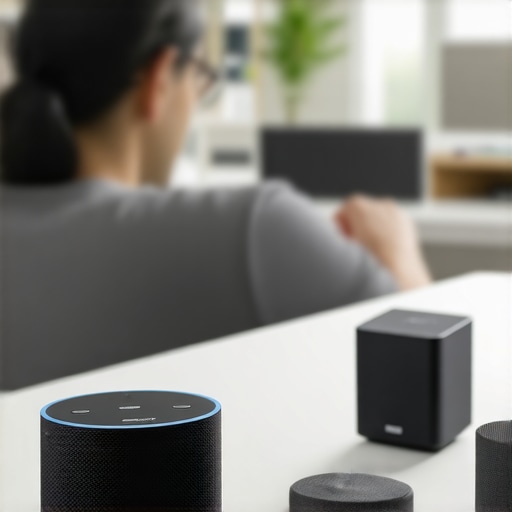 When diving into the world of audio gear, many enthusiasts and even seasoned listeners make critical assumptions that can hinder their listening experience. One common misconception is that more expensive gear always translates to better sound quality. While high-end equipment often offers superior performance, the actual difference can be subtle or even imperceptible if other factors aren’t optimized, such as room acoustics or proper setup. For example, pairing a top-tier amplifier with poorly positioned speakers or an untreated room can negate the benefits of premium components.
A frequently overlooked nuance is impedance matching between speakers and amplifiers. Misjudging this can lead to distorted sound or even equipment damage. Many assume that compatibility is straightforward, but improper matching results in inefficient power transfer and compromised audio clarity. Learn how to match your speaker impedance correctly to maximize performance — for detailed guidance, check this impedance matching guide.
Another myth is that soundbars and home theater systems are interchangeable with professional-grade stereo setups. The truth is, soundbars often simplify multi-speaker configurations but lack the nuanced soundstage and accuracy that dedicated stereo or surround systems provide. This leads some to underestimate the importance of tailored speaker placement and calibration.
What many don’t realize is that the quality of cables can surprisingly impact sound quality, particularly in complex setups. Cheap, poorly shielded cables can introduce noise or static, especially when routed near power sources or routers. Upgrading to quality connectors and cables isn’t always about luxury; it’s about preserving audio integrity.
Finally, advanced users should consider the room’s acoustic environment. Sound quality isn’t solely dictated by hardware. Hard surfaces reflect sound and can cause echo or muddiness, while soft materials absorb frequencies, leading to dullness. Proper acoustic treatment, like bass traps or diffusers, can dramatically improve clarity and imaging.
Making these nuanced adjustments can elevate your listening experience far beyond basic setup. Remember, the devil’s in the details. Have you ever fallen into this trap? Let me know in the comments and share your own insights!
How do I keep my audio setup humming smoothly over the years?
Maintaining your home audio system isn’t just about occasional cleaning; it requires a strategic approach with the right tools and practices. One essential device I rely on is a precision impedance meter. This tool helps me verify that my speakers and amplifier are correctly matched, preventing inefficiencies and damage. You can find professional-grade models that connect via USB, making ongoing calibration straightforward, especially as components age. Regularly checking impedance ensures your system stays in optimal shape, enhancing sound clarity and longevity.
Another vital investment is a cable tester. Faulty or deteriorating cables can cause subtle sound degradation, static, or disconnections. I use a digital cable tester that quickly checks for continuity and shielding integrity. Replacing or repairing damaged cables before they become problematic saves a lot of headaches. Switching to quality connectors has also made a noticeable difference, and I always opt for gold-plated terminations to resist corrosion over time.
Keep dust and debris at bay with a compressed air duster. Dust can accumulate inside amplifiers, receivers, and speakers, leading to overheating or signal interference. I schedule quarterly cleanings, blowing out vents and circuit boards carefully to prevent buildup. For delicate components like turntables or sensitive preamps, I use anti-static brushes to ensure no static charges damage internal electronics.
Updating firmware is critical. Most modern home audio devices come with software that improves stability and compatibility. I set reminders to check manufacturer websites or apps periodically. Some manufacturers offer remote firmware updates that are easy to install, which can fix bugs and enhance features—saving money in the long run.
Networking stability is often overlooked but paramount, especially if you’re streaming high-res audio or using multi-room setups. In my experience, improving Wi-Fi stability through mesh systems or dedicated access points has drastically reduced dropouts. Regularly updating your router firmware and choosing less congested channels also help maintain a robust connection.
Prediction indicates that as audio systems become more integrated with smart home tech, maintaining software and hardware compatibility will grow in importance. Embracing tools like network analyzers or smart calibration microphones will be the norm, offering seamless, budding features that demand diligent upkeep.
Need a proven method to ensure your speakers are technically sound?
Check out the detailed guide on matching speaker impedance to your amplifier. Proper impedance matching not only prevents damage but also unlocks the full potential of your audio system. Testing and adjusting impedance periodically is like giving your gear a health check—one that pays dividends in clearer, richer sound. I recommend setting aside an hour every six months to verify this, especially after upgrading components or moving furniture that might affect wiring or connections.
Incorporating these tips and tools into your routine ensures your home audio will continue to deliver exceptional sound for years. Start with one, like updating your firmware or testing cables, and watch your system’s performance improve dramatically. Have you tried any of these maintenance techniques? Share your experiences and successes in the comments!
What I Wish Someone Told Me About Fine-Tuning My Sound System
Through countless hours of trial, error, and small victories, I learned that even high-end gear requires a personalized approach. The biggest lesson? Equipment alone isn’t enough—your environment and setup play pivotal roles. I once believed that just buying premium speakers would automatically elevate my listening experience, but I overlooked room acoustics and proper calibration. Real progress started when I realized that