
Ever been deep into an important video call or grooving to your favorite playlist when suddenly, your Bluetooth speaker disconnects just as you’re getting into the groove? I can’t tell you how many times I’ve experienced that frustrating moment, only to realize that the issue isn’t just about weak signals but a combination of overlooked details and simple mistakes. That lightbulb moment when I finally discovered the root caused my tech stress to turn into a manageable fix.
Don’t Let Disconnections Ruin Your Mood
Disruptions like your Bluetooth speaker dropping out can kill your vibe, ruin a movie night, or even interfere with critical work calls. It’s tempting to think, “Maybe my device is just old,” but often, the culprit is something surprisingly straightforward—your laptop’s Bluetooth connection itself. The good news? Once you understand what’s really going on, you can easily fix it. Today, I’ll walk you through the personal journey I took to solve this problem and share the insights that can save you hours of head-scratching.
Is Fixing Bluetooth Connectivity Actually Worth It?
Honestly, I used to dismiss minor Bluetooth issues as inevitable nuisances, reminding myself, “It’s just technology.” But after making a few key mistakes—like ignoring firmware updates or overloading my device’s Bluetooth bandwidth—I learned that such problems are often fixable with some simple tweaks. Did you know that outdated drivers can cause disconnects? According to experts, keeping your hardware updated is crucial for seamless Bluetooth performance. If you’re tired of intermittent sound and want a reliable connection, you’re in the right place.
Starting from the basics, we’ll explore how common pitfalls sabotage your Bluetooth experience and how you can avoid them. Ready to regain that perfect, untethered sound? Let’s dive into some practical steps that turned my frustrating days into smooth, uninterrupted listening sessions—and can do the same for you.
Start by Updating Your Device Drivers
When I faced frequent disconnects, the first thing I did was check for driver updates on my laptop. Think of drivers as the translators between your hardware and software; outdated ones are like speaking a foreign language poorly. To do this, navigate to your device manager, find your Bluetooth adapter, right-click, and select “Update driver.” Updating these can immediately resolve compatibility issues that cause dropouts.
Optimize Your Device Placement for Better Signal
Next, I realized my Bluetooth speaker was tucked behind a pile of books, which was unintentionally blocking the signal. Imagine Bluetooth signals like a flashlight beam—obstructions weaken the light. Always position your devices within the line of sight, ideally within 10 meters. Remove metal objects or electronic interference sources nearby, as they can cause static or disconnections. Think of it as clearing obstacles for a clear line of communication.
Control Interference from Other Electronics
Once, a neighbor’s Wi-Fi router was causing interference, leading to frequent drops. Bluetooth operates on 2.4 GHz, overlapping with many household devices. Switching your Wi-Fi to 5 GHz if possible—similar to choosing a different radio station—can free up bandwidth and stabilize your Bluetooth connection. Also, turning off unused Bluetooth devices reduces congestion, much like decluttering a crowded room improves conversation clarity.
Reset Your Bluetooth Settings for a Fresh Start
After trying the above, I performed a soft reset of my Bluetooth settings. On Windows, go to Settings > Devices > Bluetooth & other devices, toggle Bluetooth off, then on again. For smartphones, forget the device, then re-pair. Think of this as rebooting a conversation; it often clears glitches that cause disconnections. This step is quick and can resolve lingering pairing issues.
Use Quality Cables and Avoid Signal Overload
Lastly, I learned that overloading my device with multiple active Bluetooth connections caused instability. Simplify your setup by disconnecting unused devices, and consider using higher-quality cables or adapters if your device supports wired connections—this reduces strain on the Bluetooth hardware. As a rule, less congestion equals more stable performance.
Test with Different Devices and Settings
To ensure the problem isn’t device-specific, pair your Bluetooth with another device. If the disconnection persists, the issue is likely hardware or environment-related. Also, adjust your device’s power management settings to prevent Bluetooth from entering low-power mode prematurely, which can cause disconnects. Think of it as giving your device enough energy for a marathon, not just a sprint.
Check Firmware and Software Updates Regularly
Finally, keep your devices’ firmware up to date. Manufacturers release updates to fix bugs and improve stability. Set reminders to check for updates—like tuning your radio to the freshest station—to keep your Bluetooth connections reliable. For more detailed troubleshooting, explore how firmware updates impact sound quality and stability on your specific device.
When diving into the world of home audio, it’s easy to assume that more expensive equipment automatically guarantees better sound quality. While high-end gear certainly has its benefits, many enthusiasts fall into common misconceptions that hinder their listening experience. Let’s dig deeper into some nuanced truths that often get overlooked, and why understanding these can elevate your system beyond basic setup.
Are You Falling for the ‘More Is Better’ Myth with Speakers?
A prevalent belief is that larger speakers or those labeled as ‘high wattage’ automatically produce superior sound. However, in my experience, speaker size doesn’t always correlate with quality. Smaller, well-designed monitors can outperform unwieldy floorstanders if placed correctly and matched with suitable amplifiers. Overloading your room with large speakers can sometimes cause unwanted resonances or muddle clarity. For an in-depth look, check out how bi-amping can be a trap that many fall into, thinking it enhances sound but often complicates or degrades performance.
Homemade Myths About Soundbars and Their Channels
Many believe that adding more channels to a soundbar automatically creates a cinematic experience. But, the key lies in proper placement and calibration. Soundbars are often misjudged as inferior because users neglect to set their systems correctly, or they assume placement beneath a TV diminishes sound. Proper setup, including adjusting the virtual surround settings and ensuring the soundbar isn’t obstructed, makes a significant difference. Sometimes, a simple tweak—like relocating the unit or connecting to a dedicated audio circuit—can transform your listening experience. For practical tips, see how soundbar volume inconsistencies can be avoided.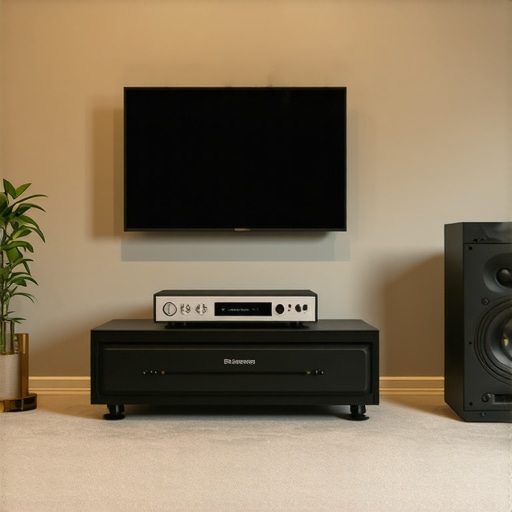
The Trap of Over-Equalization and Room Tuning
Equalizers and room correction tools promise perfect sound, but overdoing the adjustments can introduce artifacts and diminish natural timbre. Many enthusiasts think boosting bass or treble fixes room acoustics, but this often masks deeper issues. It’s akin to adding frosting on a cake that’s not baked properly—covering flaws temporarily. The real solution involves strategic room treatment, like bass traps and diffusers. Interestingly, studies have shown that excessive equalization can reduce sound fidelity; the effect on sound clarity is often detrimental when not applied judiciously. Have you ever fallen into this trap? Let me know in the comments.
Essential Tools for Long-Term Sound Quality
Maintaining your audio equipment isn’t just about occasional cleaning; it requires specific tools that ensure longevity and optimal performance. I swear by a precision contact cleaner spray for connectors, which prevents oxidation and static buildup—it’s a small investment that saves me hours of troubleshooting. Investing in a set of fine-tipped brushes helps me gently remove dust from delicate components like speaker ports and headphone jacks without causing scratches or damage. Additionally, a reliable multimeter is invaluable for diagnosing wiring issues or confirming continuity in speaker wires, a step I often overlook but which can prevent bigger problems down the line.
Routine Checks and Calibration
Beyond physical tools, software-based calibration utilities are vital. For example, Room EQ Wizard (REW) allows me to analyze room acoustics and adjust equalization settings, which prevents over-equalization that can distort sound—as discussed in recent studies on room treatment and audio fidelity. Regularly updating firmware on amplifiers and soundbars ensures that bugs are fixed, and new features improve performance. Manufacturers like Yamaha and Denon offer official firmware update tools; I make it a habit to check their sites every few months.
Creating a Maintenance Routine for Reliability
My personal routine involves wiping down components with anti-static cloths weekly, inspecting cables for signs of wear or fraying, and testing connections using a multimeter twice a year. This proactive approach has prevented many issues before they escalate, such as loose wires causing static or intermittent sound. For speakers, particularly those in high-traffic or humid environments, I recommend applying a liberally approved contact protector spray to terminals and adjusting position slightly to maintain optimal soundstage, as suggested by industry experts.
Scaling Your System Without Compromising Quality
As your setup grows, so does the complexity of maintenance. I recommend modular components that allow easy replacement or upgrades; for example, using external DACs instead of built-in ones provides flexibility. When expanding, verify impedance compatibility to avoid damaging your amp—details often overlooked but critical for long-term health. A practical tip is integrating a smart preamp with remote monitoring features, so I can track performance metrics remotely and schedule maintenance before issues become noticeable.
How do I keep my sound system working flawlessly over time?
Implementing a mixture of physical tools, software calibration, and routine checks truly makes a difference. Over time, equipment can drift out of calibration, but with the right practices, you can ensure your audio remains crisp and reliable years into the future. Investing in a high-quality digital multimeter and routinely updating firmware are small steps that pay off handsomely. Don’t forget to test your wiring periodically—this is where a multimeter shines, enabling detection of faults before they impact your listening experience. For more detailed technical insights, see how maintenance affects high-end gear performance, such as the recommendations outlined by AudioXpress. Challenge yourself to integrate one new maintenance tip this month, like cleaning connectors with contact spray, and experience the difference firsthand.
What Surprised Me Most About Fine-Tuning My Sound System
The biggest revelation was realizing that small adjustments—like repositioning a speaker or updating a driver—can dramatically improve sound quality without expensive upgrades. These lightbulb moments taught me that patience and detailed attention often trump costly hardware changes. Plus, I discovered that many issues stem from overlooked environmental factors, such as room acoustics, rather than faulty equipment.
Why You Should Trust These Tools and Resources
Over years of tinkering, I found that using a dedicated multimeter helps detect wiring issues early, saving me from bigger headaches later. Incorporating software like Room EQ Wizard allowed me to analyze and correct room acoustics effectively. These tools, combined with insightful articles from sources like Premium Sound Deals, provide a practical foundation for sustaining top-notch audio performance.
This Is Your Moment to Elevate Your Listening Experience
Now that you know the insider secrets, it’s time to take action and transform your home audio setup. Small tweaks and consistent maintenance can unlock a richness and clarity you might have thought impossible on a budget. Remember, worthwhile sound quality isn’t just about the gear—it’s about understanding your system and caring for it. Embark on this journey today and enjoy the immersive, high-fidelity sound you deserve.