
It was a blistering Saturday afternoon in July, the kind where the humidity makes your shirt stick to your back, and I had the perfect backyard playlist cranking. Suddenly, the music cut. My favorite portable speaker let out that pathetic, low-battery chirp and went dark right before the chorus. I scrambled into the house, frantic to keep the vibe alive, and grabbed the first thing I could find: the massive 65-watt power brick for my laptop. I stood there, staring at that tiny USB port on the speaker and then at the industrial-strength charger in my hand. I hesitated. Would this supercharge my afternoon, or was I about to watch my hundred-dollar speaker turn into a molten pile of plastic? We’ve all been there, standing over our gear with the wrong cable, hoping the internal circuits are smarter than we are. Have you ever felt that surge of charger anxiety when you’re just trying to get your music back on?
Stop Fearing the Fast Charging Brick in Your Drawer
The good news is that I’ve spent the last decade making every possible mistake in the book so you don’t have to. Early in my audio journey, I actually managed to fry a first-generation Bluetooth unit by forcing a non-regulated 12V adapter into a 5V slot just because the plug fit. It didn’t just break; it let out a hiss and a puff of smoke that smelled like a burning chemistry set. That ‘magic smoke’ is a smell you never forget. But modern tech is a different beast entirely. Today, we’re going to pull back the curtain on how power delivery actually works and why that beefy charger might actually be the safest thing in your house. If you are already dealing with hardware issues, like needing to how to fix a loose usb charging port on a bluetooth speaker, you are likely already worried about the physical lifespan of your device, but the electrical side is where the real mystery lives.
Is Plugging This In Actually Worth the Risk?
You might be skeptical. After all, if a speaker only needs 5 watts, surely hitting it with 65 watts is like trying to fill a water balloon with a fire hose, right? Not exactly. The secret lies in a digital ‘handshake.’ Modern devices use a protocol where the charger and the speaker actually talk to each other before any serious power flows. According to the technical standards at the USB Implementers Forum, the power negotiation protocol is designed specifically to prevent overvoltage damage to smaller devices. The speaker is the boss; it tells the charger exactly how much current it can handle. However, if you notice your speaker starting to how to stop your portable bluetooth speaker from distorting after it gets hot on the charger, that’s a sign of heat stress, not necessarily high voltage. Much like why your wireless earbuds charge to 90 and then stop, many speakers have smart chips that throttle the charging speed to protect the battery’s long-term health. I’ve learned that while the charger is powerful, your speaker’s internal regulator is the unsung hero keeping everything from melting down.
Verify Your Voltage Before You Plug In
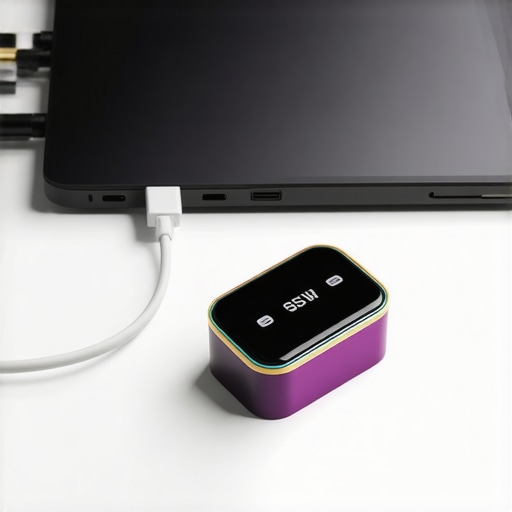
Think of voltage like water pressure in a pipe. If the pressure is too high for the pipe, things explode. Most Bluetooth speakers operate on 5V DC. The beauty of USB-C and Power Delivery (PD) is that the charger defaults to 5V unless the device asks for more. You can check the tiny print on your speaker’s bottom panel—it usually says something like ‘Input: 5V/2A.’ When you plug in a 65W laptop brick, it starts a digital conversation. It says, ‘I can provide 20V, 15V, 9V, or 5V. What do you want?’ Your speaker replies, ‘I’ll take 5V, please,’ and the charger complies. This is vastly different from old-school ‘dumb’ adapters that just pushed whatever they had regardless of the load. If you’ve ever wondered about the difference between peak and rms power explained simply, you know that managing the flow is everything for hardware safety.
Look for the PD Logo on Your Brick
If you are using a modern USB-C to USB-C cable, you are likely working with Power Delivery. I remember a time I tried to revive a dead speaker using a cheap gas station wall wort I found in my glovebox. The speaker didn’t just charge slowly; it started to emit a faint electronic hum. That’s because cheap, non-certified chargers often lack the internal filtering needed for clean power delivery. When I swapped to my 60W MacBook charger, the hum disappeared instantly. The speaker wasn’t ‘overloading’; it was finally getting stable, regulated power. It’s a similar logic to why the real reason your amp is getting hot to the touch is often due to poor efficiency rather than the raw amount of electricity being consumed.
Don’t Let the Battery Cook in Its Own Heat
While the charger itself won’t fry the internal circuits, the speed at which it pushes current can generate ambient heat. Heat is the absolute number one killer of lithium-ion batteries. I once left my speaker charging with a high-speed brick while it was tucked into a pile of laundry on my bed. Within twenty minutes, the outer casing was uncomfortably hot. When heat builds up, the internal resistance of the battery increases, which can lead to performance issues similar to how to stop your portable bluetooth speaker from distorting during playback. Always charge on a hard, flat surface like a desk or a granite countertop to allow the heat to dissipate naturally from the bottom of the device.
The Cable is the Often Overlooked Middleman
You can have the smartest charger in the world, but if you’re using a frayed $2 cable from a bargain bin, you’re asking for trouble. Poor quality cables can have high electrical resistance, which causes the connector head to heat up significantly. This is a common culprit when people eventually need to know how to fix a loose usb charging port on a bluetooth speaker, as chronic heat can actually weaken the solder joints over time. If the cable feels hot near the plug, toss it immediately. Much like why your wireless earbuds charge to 90 and then stop to preserve their internal chemistry, your speaker might also throttle or stop charging if it detects a faulty connection or excessive heat from a subpar cable.
The Great Slow-Charging Myth That’s Ruining Your Experience
Common wisdom suggests that using a low-wattage ‘trickle’ charger is the kindest way to treat your portable electronics. People often argue that slow is always better, but I’ve found that using an underpowered, cheap brick can actually introduce more noise and instability into your device’s power management system. When a charger struggles to provide even the minimum current requested, it can run hot and produce ‘ripple’—tiny fluctuations in voltage that stress the internal components. This is why the real reason your amp is getting hot to the touch or your speaker feels warm isn’t always about the raw wattage, but about how hard the components have to work to clean up poor power. I once used a generic 500mA cube to charge a modern speaker, and the speaker’s LEDs flickered because the power delivery was so inconsistent. Swapping to a high-quality 65W PD brick stabilized everything instantly.
Why Is Your Receiver Clicking into Protect Mode When You Push the Volume?
This is a question I get from more advanced audiophiles who move from portable speakers to home theater setups. If you’ve noticed why your surround sound receiver keeps clicking into protect mode, it’s usually not because the ‘charger’ or power supply is too big. It’s often an impedance mismatch or a thermal safety trigger. Just like our Bluetooth speaker discussion, the power supply is ready to give, but the speaker’s load (or a short in the wire) is creating a demand the system can’t safely meet. According to data from the experts at Battery University, the most significant factor in battery longevity isn’t the peak wattage of the charger, but the duration of exposure to high heat. A fast, efficient charge that gets the battery to 80% and then stops is often better than a slow, eight-hour session that keeps the battery warm for an entire day.
The Trap of Poor Physical Placement
One of the biggest ‘oops’ moments I see isn’t about the electronics at all—it’s about where you put the gear while it’s working hard. If you’ve wondered why your bluetooth speaker sounds muffled when placed on the floor, imagine what that lack of airflow is doing to the battery during a high-speed charge. I’ve seen people bury their speakers under blankets or couch cushions while charging. This traps the heat, and as we’ve established, heat is the ultimate enemy. Furthermore, if you are constantly plugging and unplugging in tight spots, you’re going to eventually need to know how to fix a loose usb charging port on a bluetooth speaker. Give your gear room to breathe, and use the smartest charger you own. Have you ever fallen into the trap of thinking a cheap, slow charger was the ‘safe’ choice? Let me know in the comments!
Keep Those Connectors From Failing Before Their Time
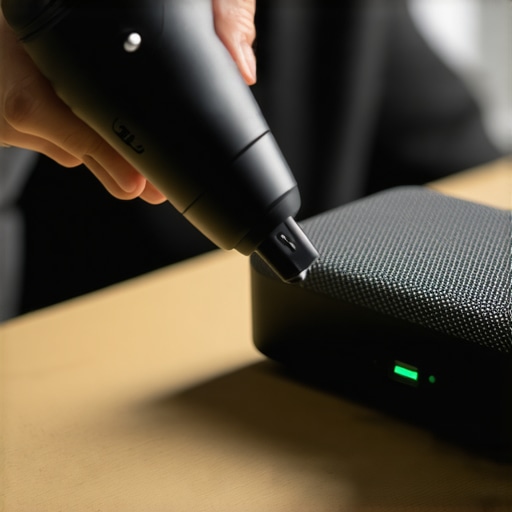
Once you’ve mastered the art of choosing the right power brick, the next battle is physical wear and tear. I’ve seen more high-end portable speakers end up in the junk drawer because of a wobbly charging socket than because of an actual circuit failure. It’s a preventable tragedy. I’ve started using a small dedicated tech kit that includes a canister of compressed air and a set of plastic anti-static picks. If you find yourself wondering how to fix the loose charging port on your your bluetooth speaker, you’re usually already at the point of hardware failure. I try to stay ahead of it by cleaning out the lint that accumulates in the port every three months. You would be shocked at how much pocket debris gets packed into a USB-C port, preventing a solid connection and forcing the user to wiggle the cable—which is exactly what snaps those internal solder joints.
Fight the Green Fuzz on Your Copper Terminals
If you’re moving into the world of passive speakers or home theater, maintenance gets even more granular. I live in a humid climate, and within a year, my bare copper wire connections usually start looking a bit dull. That dullness is oxidation, and it’s a silent tone-killer. You need to know how to clean green oxidization off your copper speaker terminals before it increases the resistance of your signal path. According to technical white papers from Neutrik, even a microscopic layer of oxidation can significantly increase contact resistance, leading to signal degradation and heat buildup. I personally use a specialized contact cleaner like DeoxIT D5. I don’t just spray it; I use a lint-free swab to scrub the terminals until they shine. This simple five-minute routine has saved me from chasing ‘ghost’ noises in my system for hours.
How do I maintain my headphones and cables over time?
Headphones are the most abused category of audio gear. We throw them in bags, sweat on the pads, and yank the cables. I’ve learned the hard way that the ‘roadie wrap’ (the over-under technique) is the only way to store your gear if you want to avoid internal wire fatigue. If you’re tired of asking why your headphone cable is always tangled and how to fix it, start using a hardshell case instead of the soft pouch most brands provide. Furthermore, skin oils are acidic; they will eventually eat through the synthetic protein leather on your earcups. I’ve had to learn why your headphone pads are peeling and how to replace them because I ignored this for years. Now, I give my pads a quick wipe with a dry microfiber cloth after every long listening session.
The Future of Audio Power Is GaN
Looking ahead, the next big shift in how we power our audio gear is Gallium Nitride (GaN) technology. These chargers are smaller, more efficient, and generate significantly less heat than traditional silicon-based bricks. I predict that within the next two years, we’ll see high-end amplifiers moving toward GaN power supplies to reduce the physical footprint of home setups without sacrificing current. Even your soundbar might benefit; if you notice why your soundbar needs a firmware update to fix audio drops, it’s often because the manufacturer is trying to optimize the power management via software. My advanced tip for you this week: Invest in one high-quality 100W GaN charger and a certified 5-amp USB-C cable. It will become the universal ‘health-conscious’ power source for every portable device in your collection, from your laptop to your smallest pair of wireless earbuds.
The Lessons I Had to Learn Through Smoke and Fried Circuits
After years of tinkering with audio gear, I’ve realized that the ‘smart’ in smartphone or smart speaker is only as good as the physical connection you provide. One of the biggest lightbulb moments for me was realizing that charging issues are rarely about the wattage of the brick and almost always about the health of the port. If you find yourself constantly adjusting the angle of your cable, you need to learn how to fix the loose charging port on your your bluetooth speaker before a tiny spark causes a permanent hardware failure.
Another hard truth: ‘Fast’ doesn’t always mean ‘Best’ for the entire life of the product. Just like why your wireless earbuds charge to 90 and then stop, your speaker is fighting a constant battle against chemical degradation and internal heat. I now prioritize high-quality PD chargers not just for the speed, but for the stability of the voltage they provide. Clean power is quiet power, and your internal components will thank you for it with a much longer lifespan and better audio fidelity over the years.
The Tools That Live in My Audio Emergency Bag
I don’t go anywhere without a few specific items that have saved my gear more times than I can count. First is a dedicated contact cleaner; you must know how to clean green oxidization off your copper speaker terminals because even a tiny bit of crust can cause your charger to work twice as hard and generate excess heat. Second, I always carry a USB-C power meter. It’s a tiny, inexpensive tool that shows you exactly how many volts and amps are flowing, taking the guesswork out of whether that laptop brick is actually doing its job safely. Finally, I rely on the technical archives at Battery University to stay updated on how lithium-ion chemistry is evolving in modern portable audio devices.
Go Ahead and Blast That Playlist Without Battery Anxiety
Tech should serve you, not the other way around. Now that you understand the digital handshake and the thermal limits of your gear, you can stop hovering over your speaker every time you plug it in. Using a high-wattage charger isn’t a gamble if you’re using quality components—it’s actually a more efficient way to manage your setup. Remember that managing electricity is about understanding the difference between peak and rms power explained simply, whether you’re talking about the sound coming out of the drivers or the current flowing into the battery. Have you ever been worried about a charger getting too hot to the touch while reviving a dead speaker? Let me know in the comments!
#IMAGE_PLACE_HOLDER_E#