
I was halfway through my morning jog, finally hitting that runner’s high, when my favorite bass drop turned into a glitchy mess. Every time my left leg swung forward, the audio cut out. I looked like a crazy person, frantically patting my pockets and twisting my neck, trying to find the ‘sweet spot’ for a signal that should, in theory, work through walls. It was infuriating. I remember feeling so defeated that I almost went back to wired sets, even though I hate the way headphone cables are always tangled. This wasn’t a cheap pair of buds, either. I had spent a week’s wages on them, yet here I was, defeated by a pair of denim jeans and a little bit of movement. It took me a lot of trial, error, and some deep dives into radio frequency physics to realize that I wasn’t ‘holding it wrong’—I was just fighting a losing battle against my own biology. Today, I am going to show you exactly why this happens and the simple tweaks you can make so you never have to deal with that digital stutter again.
Your Body is Literally Blocking the Signal
The truth is a bit of a blow to the ego: you are essentially a giant, walking bag of salt water. Bluetooth operates on the 2.4GHz frequency, which is the exact same frequency that microwave ovens use to heat up food. Why? Because water is incredibly efficient at absorbing that specific energy. When you shove your phone into your back pocket, the signal has to travel through your hip, your butt, and potentially your torso to reach the receiver in your ears. According to research published by the IEEE, the human body can attenuate (weaken) a 2.4GHz signal by as much as 20 to 30 dB. That is a massive drop in power. I made the mistake early on of thinking my battery was just low, or that I needed a 5-minute fix for crackling signals like I do on my laptop. But out in the real world, the ‘cross-body interference’ is the real villain. Have you ever noticed the skipping gets worse when you turn your head a certain way? That is the physical world interfering with your digital peace.
Is it just because I bought cheap headphones?
You might be tempted to think that throwing more money at the problem is the answer. Trust me, I’ve been there. I once bought a flagship pair of noise-cancelers thinking the antenna would be better, only to find they stuttered just as much as my budget pairs. While it is true that expensive headphones can sound thin on a basic smartphone due to power issues, the Bluetooth skip is an equal-opportunity annoyer. Even the best tech can’t rewrite the laws of physics. The antenna in your earbuds is tiny—smaller than a penny—and it is fighting to catch a signal that is being absorbed by your own muscles. Before you give up and go back to a wired life, let’s look at how we can actually win this fight. Do you find that your music only cuts out when you’re outdoors, or does it happen inside the house too? Let me know in the comments, because the environment plays a bigger role than you think.
Stop Wearing Your Phone on the Wrong Side
The quickest way to solve a stuttering audio signal isn’t to buy new gear, but to simply swap pockets. I learned this the hard way during a rainy 10k run last November. My music was cutting out so rhythmically it felt like a broken record. I realized my earbuds had the ‘master’ antenna in the right ear, but my phone was strapped to my left arm. My torso, soaked in rain and sweat, was acting like a lead wall for that tiny 2.4GHz wave. The moment I switched the phone to my right side, the signal was flawless. This is common because Bluetooth is a ‘low-power’ radio tech; it doesn’t have the juice to punch through a human heart and two lungs without losing some data packets along the way. If you notice your audio acts up, check your manual or the manufacturer’s site to see which bud is the primary receiver. Keeping your phone on the same side of your body as that master bud is the single most effective ‘pro’ move you can make. If you are seeing other weird electrical issues, like why your wireless earbuds charge to 90 and then stop, it might be a battery health feature, but the skipping is purely about the path of the radio wave.
Find Out Which Earbud is the Boss
Most True Wireless Stereo (TWS) sets aren’t actually equal. One earbud connects to the phone (the master) and then relays the signal to the other earbud (the slave). This relay adds another layer of potential failure. Think of it like a game of catch: if the first person (your phone) throws a ball that gets blocked by a wall (your body), the second person never gets to catch it. You can usually test this by taking one earbud out and putting it in the case. If the music stops entirely, you’ve likely found the master. 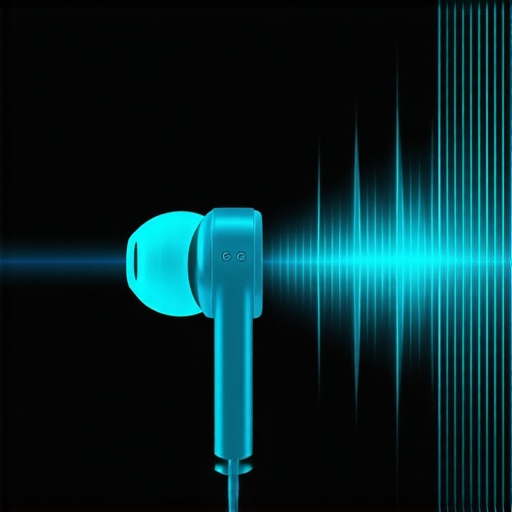 Managing this connection is vital because when the master bud struggles, the entire stream collapses. This is fundamentally different from how to stop your portable bluetooth speaker from distorting, where the issue is usually gain-related. With earbuds, it is all about the line of sight. Even a thin layer of denim can cause enough attenuation to make the connection unstable if your body is also in the way.
Clear the Invisible Obstacles in Open Spaces
It sounds counterintuitive, but your Bluetooth signal often works better inside a cluttered living room than in a wide-open park. Indoors, the radio waves bounce off the walls, ceiling, and furniture, creating multiple paths to reach your ears. This is called ‘multipath propagation.’ Outdoors, there are no walls to bounce off. If the direct line between your pocket and your ear is blocked by your hip, the signal just keeps traveling into the horizon and never reaches the receiver. This is the same reason why your high-res audio stream keeps buffering on wi-fi when you move to the backyard; the lack of reflective surfaces makes the ‘dead zones’ much more literal. Furthermore, keep an eye on your background apps, because why your bluetooth audio quality drops when you open a mic app is a known issue where the phone switches to a lower-bandwidth codec, making the connection even more susceptible to physical interference.
But let’s peel back another layer. Most of the time, the ‘advanced’ gear we buy to fix the problem actually makes it worse because of a fundamental misunderstanding of digital bandwidth. Everyone says you need the highest bitrate possible—LDAC or AptX HD—but in my experience, forcing high-res audio in a crowded environment is a recipe for disaster. While expensive headphones can sound thin on a basic smartphone, the stuttering you feel is often because you’re trying to push too much data through a narrow pipe. High-res codecs require a nearly perfect connection; if you’re jogging or in a crowded area, your phone is constantly re-sending dropped packets, leading to that annoying digital ‘glitch’ sound.
The High-Resolution Trap You Probably Fell Into
This is the ‘Oops’ Factor: many enthusiasts think buying cables with gold tips for their charging or base stations will help, but gold-plated connectors aren’t always better for digital data transfer where signal integrity isn’t about conductivity in the same way analog is. It’s a common trap to focus on the wrong hardware fixes. For instance, I’ve seen people buy massive amplifiers for their home setups thinking it fixes connection quality, but they don’t even know how to tell if your amplifier has enough headroom for your speakers, leading to internal clipping that sounds remarkably like Bluetooth interference.
#IMAGE_PLACE_HOLDER_C#
Why does my expensive ‘High-Res’ connection stutter more than the cheap one?
According to technical testing by audio industry experts at SoundGuys, high-bitrate codecs like LDAC 990kbps are incredibly sensitive to signal-to-noise ratios. If your body is even slightly in the way, the bitrate drops, and the ‘handshake’ between your devices falters. It’s the same logic behind why your high-res audio stream keeps buffering on wi-fi; the more data you demand, the less room you have for error. Sometimes, the best ‘pro’ move is to manually downscale your codec in your phone’s developer settings to a stable 320kbps when you’re on the move. Also, don’t assume your home theater gear is exempt from these nuances. If you’ve tried using a soundbar for high-fidelity music, you’ve likely noticed it lacks the punch of a dedicated system. There is a specific reason why soundbars struggle with music compared to stereo sets, and it often comes down to the same processing lag that plagues Bluetooth. Have you ever fallen into the ‘more expensive must be better’ trap only to have it stutter on you? Let me know in the comments.
It is not just about the signal path; it is about the physical health of your drivers and components. I have seen so many people bin a perfectly good pair of buds because they sounded muffled, when in reality, they just needed a deep clean. I personally use a specialized cleaning putty and a tiny bit of 90% isopropyl alcohol once a week to keep the mesh clear. It prevents the earwax from hardening into a shell that blocks those crisp high frequencies. If you have ever had a mishap outdoors, you really need to know how to clean your earbuds after they fell in the dirt before you try to charge them again. Moisture and grit are the silent killers of the 2.4GHz antenna.
How do I keep my audio gear sounding new for years?
Maintenance is more than just wiping things down; it is about environment and connection integrity. For my home setup, I am obsessive about checking the back of my amplifier every few months. Oxygen is the enemy of copper, and if you see that weird crusty film appearing, you should learn how to clean green oxidization off your copper speaker terminals immediately. This keeps the electrical resistance low and the fidelity high. Even the mechanical parts of your speakers need love. For instance, I have found that vintage gear often develops a tacky texture on the edges, and knowing how to clean sticky speaker surrounds without damaging the rubber can save you from a costly reconing job. If you have kids or clumsy friends, you might even need to know how to safely remove a pushed-in speaker dust cap without puncturing the cone—it is a stressful but necessary skill for any home theater owner.
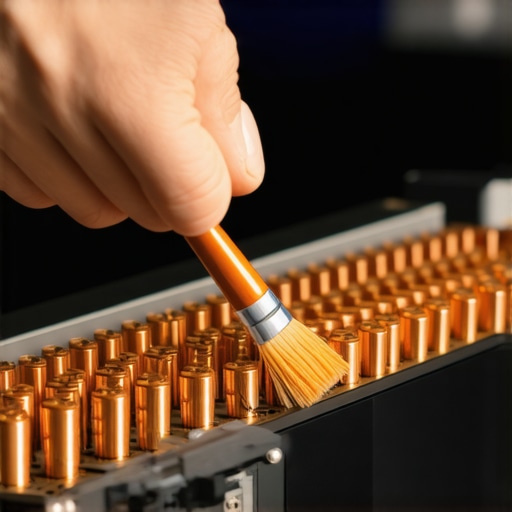
Beyond the physical cleaning, pay attention to your storage habits. I never toss my high-end earbuds loosely into a bag because the micro-vibrations can actually loosen the internal connections over time. Learning the best way to store your iems to prevent driver damage will double their lifespan. Similarly, if you find your battery life isn’t what it used to be, look into why your wireless earbuds charge to 90 and then stop, as this is often a built-in software feature designed to prevent heat degradation rather than a hardware failure. I also highly recommend using a dedicated contact cleaner like DeoxIT D5 for any sliders or ports; it is a tool every audiophile should have in their drawer for eliminating that annoying crackling noise.
The Future is LC3 and It’s Looking Bright
While we are currently fighting with bitrates and body-blocking, the landscape is about to change. According to technical whitepapers from the Bluetooth Special Interest Group (SIG), the new LC3 (Low Complexity Communication Codec) is designed to provide 50% better audio quality at half the bit rate of the standard SBC codec. This is a massive win for stability. Lower bitrates mean the signal is much more resilient to interference, meaning your body won’t act as such a massive barrier in the future. We are also seeing the rise of Auracast, which will allow your phone to broadcast to an unlimited number of nearby speakers or headphones simultaneously. This will revolutionize how we share audio in public spaces, but it also means we will need to be even more diligent about hygiene and tip maintenance. I suggest getting ahead of the curve by mastering the best way to clean your ear tips for better noise isolation now, as clear seals will always be the foundation of good sound, regardless of the codec. For a quick win today, I want you to go into your phone’s Developer Options and manually force your Bluetooth codec to a lower bitrate when you are out for your next run—you might be surprised how much the stability improves.
I was halfway through my morning jog, finally hitting that runner’s high, when my favorite bass drop turned into a glitchy mess. Every time my left leg swung forward, the audio cut out. I looked like a crazy person, frantically patting my pockets and twisting my neck, trying to find the ‘sweet spot’ for a signal that should, in theory, work through walls. It was infuriating. I remember feeling so defeated that I almost went back to wired sets, even though I hate the way headphone cables are always tangled. This wasn’t a cheap pair of buds, either. I had spent a week’s wages on them, yet here I was, defeated by a pair of denim jeans and a little bit of movement. It took me a lot of trial, error, and some deep dives into radio frequency physics to realize that I wasn’t ‘holding it wrong’—I was just fighting a losing battle against my own biology. Today, I am going to show you exactly why this happens and the simple tweaks you can make so you never have to deal with that digital stutter again.
Your Body is Literally Blocking the Signal
The truth is a bit of a blow to the ego: you are essentially a giant, walking bag of salt water. Bluetooth operates on the 2.4GHz frequency, which is the exact same frequency that microwave ovens use to heat up food. Why? Because water is incredibly efficient at absorbing that specific energy. When you shove your phone into your back pocket, the signal has to travel through your hip, your butt, and potentially your torso to reach the receiver in your ears. According to research published by the IEEE, the human body can attenuate (weaken) a 2.4GHz signal by as much as 20 to 30 dB. That is a massive drop in power. I made the mistake early on of thinking my battery was just low, or that I needed a 5-minute fix for crackling signals like I do on my laptop. But out in the real world, the ‘cross-body interference’ is the real villain. Have you ever noticed the skipping gets worse when you turn your head a certain way? That is the physical world interfering with your digital peace.
Is it just because I bought cheap headphones?
You might be tempted to think that throwing more money at the problem is the answer. Trust me, I’ve been there. I once bought a flagship pair of noise-cancelers thinking the antenna would be better, only to find they stuttered just as much as my budget pairs. While it is true that expensive headphones can sound thin on a basic smartphone due to power issues, the Bluetooth skip is an equal-opportunity annoyer. Even the best tech can’t rewrite the laws of physics. The antenna in your earbuds is tiny—smaller than a penny—and it is fighting to catch a signal that is being absorbed by your own muscles. Before you give up and go back to a wired life, let’s look at how we can actually win this fight. Do you find that your music only cuts out when you’re outdoors, or does it happen inside the house too? Let me know in the comments, because the environment plays a bigger role than you think.
Stop Wearing Your Phone on the Wrong Side
The quickest way to solve a stuttering audio signal isn’t to buy new gear, but to simply swap pockets. I learned this the hard way during a rainy 10k run last November. My music was cutting out so rhythmically it felt like a broken record. I realized my earbuds had the ‘master’ antenna in the right ear, but my phone was strapped to my left arm. My torso, soaked in rain and sweat, was acting like a lead wall for that tiny 2.4GHz wave. The moment I switched the phone to my right side, the signal was flawless. This is common because Bluetooth is a ‘low-power’ radio tech; it doesn’t have the juice to punch through a human heart and two lungs without losing some data packets along the way. If you notice your audio acts up, check your manual or the manufacturer’s site to see which bud is the primary receiver. Keeping your phone on the same side of your body as that master bud is the single most effective ‘pro’ move you can make. If you are seeing other weird electrical issues, like why your wireless earbuds charge to 90 and then stop, it might be a battery health feature, but the skipping is purely about the path of the radio wave.
Find Out Which Earbud is the Boss
Most True Wireless Stereo (TWS) sets aren’t actually equal. One earbud connects to the phone (the master) and then relays the signal to the other earbud (the slave). This relay adds another layer of potential failure. Think of it like a game of catch: if the first person (your phone) throws a ball that gets blocked by a wall (your body), the second person never gets to catch it. You can usually test this by taking one earbud out and putting it in the case. If the music stops entirely, you’ve likely found the master. Managing this connection is vital because when the master bud struggles, the entire stream collapses. This is fundamentally different from how to stop your portable bluetooth speaker from distorting, where the issue is usually gain-related. With earbuds, it is all about the line of sight. Even a thin layer of denim can cause enough attenuation to make the connection unstable if your body is also in the way.
Clear the Invisible Obstacles in Open Spaces
It sounds counterintuitive, but your Bluetooth signal often works better inside a cluttered living room than in a wide-open park. Indoors, the radio waves bounce off the walls, ceiling, and furniture, creating multiple paths to reach your ears. This is called ‘multipath propagation.’ Outdoors, there are no walls to bounce off. If the direct line between your pocket and your ear is blocked by your hip, the signal just keeps traveling into the horizon and never reaches the receiver. This is the same reason why your high-res audio stream keeps buffering on wi-fi when you move to the backyard; the lack of reflective surfaces makes the ‘dead zones’ much more literal. Furthermore, keep an eye on your background apps, because why your bluetooth audio quality drops when you open a mic app is a known issue where the phone switches to a lower-bandwidth codec, making the connection even more susceptible to physical interference.
But let’s peel back another layer. Most of the time, the ‘advanced’ gear we buy to fix the problem actually makes it worse because of a fundamental misunderstanding of digital bandwidth. Everyone says you need the highest bitrate possible—LDAC or AptX HD—but in my experience, forcing high-res audio in a crowded environment is a recipe for disaster. While expensive headphones can sound thin on a basic smartphone, the stuttering you feel is often because you’re trying to push too much data through a narrow pipe. High-res codecs require a nearly perfect connection; if you’re jogging or in a crowded area, your phone is constantly re-sending dropped packets, leading to that annoying digital ‘glitch’ sound.
The High-Resolution Trap You Probably Fell Into
This is the ‘Oops’ Factor: many enthusiasts think buying cables with gold tips for their charging or base stations will help, but gold-plated connectors aren’t always better for digital data transfer where signal integrity isn’t about conductivity in the same way analog is. It’s a common trap to focus on the wrong hardware fixes. For instance, I’ve seen people buy massive amplifiers for their home setups thinking it fixes connection quality, but they don’t even know how to tell if your amplifier has enough headroom for your speakers, leading to internal clipping that sounds remarkably like Bluetooth interference.
Why does my expensive ‘High-Res’ connection stutter more than the cheap one?
According to technical testing by audio industry experts at SoundGuys, high-bitrate codecs like LDAC 990kbps are incredibly sensitive to signal-to-noise ratios. If your body is even slightly in the way, the bitrate drops, and the ‘handshake’ between your devices falters. It’s the same logic behind why your high-res audio stream keeps buffering on wi-fi; the more data you demand, the less room you have for error. Sometimes, the best ‘pro’ move is to manually downscale your codec in your phone’s developer settings to a stable 320kbps when you’re on the move. Also, don’t assume your home theater gear is exempt from these nuances. If you’ve tried using a soundbar for high-fidelity music, you’ve likely noticed it lacks the punch of a dedicated system. There is a specific reason why soundbars struggle with music compared to stereo sets, and it often comes down to the same processing lag that plagues Bluetooth. Have you ever fallen into the ‘more expensive must be better’ trap only to have it stutter on you? Let me know in the comments.
It is not just about the signal path; it is about the physical health of your drivers and components. I have seen so many people bin a perfectly good pair of buds because they sounded muffled, when in reality, they just needed a deep clean. I personally use a specialized cleaning putty and a tiny bit of 90% isopropyl alcohol once a week to keep the mesh clear. It prevents the earwax from hardening into a shell that blocks those crisp high frequencies. If you have ever had a mishap outdoors, you really need to know how to clean your earbuds after they fell in the dirt before you try to charge them again. Moisture and grit are the silent killers of the 2.4GHz antenna.
How do I keep my audio gear sounding new for years?
Maintenance is more than just wiping things down; it is about environment and connection integrity. For my home setup, I am obsessive about checking the back of my amplifier every few months. Oxygen is the enemy of copper, and if you see that weird crusty film appearing, you should learn how to clean green oxidization off your copper speaker terminals immediately. This keeps the electrical resistance low and the fidelity high. Even the mechanical parts of your speakers need love. For instance, I have found that vintage gear often develops a tacky texture on the edges, and knowing how to clean sticky speaker surrounds without damaging the rubber can save you from a costly reconing job. If you have kids or clumsy friends, you might even need to know how to safely remove a pushed-in speaker dust cap without puncturing the cone—it is a stressful but necessary skill for any home theater owner.
Beyond the physical cleaning, pay attention to your storage habits. I never toss my high-end earbuds loosely into a bag because the micro-vibrations can actually loosen the internal connections over time. Learning the best way to store your iems to prevent driver damage will double their lifespan. Similarly, if you find your battery life isn’t what it used to be, look into why your wireless earbuds charge to 90 and then stop, as this is often a built-in software feature designed to prevent heat degradation rather than a hardware failure. I also highly recommend using a dedicated contact cleaner like DeoxIT D5 for any sliders or ports; it is a tool every audiophile should have in their drawer for eliminating that annoying crackling noise.
The Future is LC3 and It’s Looking Bright
While we are currently fighting with bitrates and body-blocking, the landscape is about to change. According to technical whitepapers from the Bluetooth Special Interest Group (SIG), the new LC3 (Low Complexity Communication Codec) is designed to provide 50% better audio quality at half the bit rate of the standard SBC codec. This is a massive win for stability. Lower bitrates mean the signal is much more resilient to interference, meaning your body won’t act as such a massive barrier in the future. We are also seeing the rise of Auracast, which will allow your phone to broadcast to an unlimited number of nearby speakers or headphones simultaneously. This will revolutionize how we share audio in public spaces, but it also means we will need to be even more diligent about hygiene and tip maintenance. I suggest getting ahead of the curve by mastering the best way to clean your ear tips for better noise isolation now, as clear seals will always be the foundation of good sound, regardless of the codec. For a quick win today, I want you to go into your phone’s Developer Options and manually force your Bluetooth codec to a lower bitrate when you are out for your next run—you might be surprised how much the stability improves.
Lessons I Learned the Hard Way While Chasing a Perfect Signal
After years of testing everything from budget buds to audiophile-grade wireless sets, I’ve realized that price tags don’t fix path loss. You can spend hundreds on a pair of high-end headphones, but if you’re blocking the signal with your own body, they will skip just as much as a basic pair. Another lightbulb moment was realizing that ‘interference’ isn’t just about other electronics; it’s about the very air around you. Humidity, for instance, makes the air more dense with water molecules, slightly increasing the signal absorption rate—something to keep in mind on those muggy summer runs. I also realized that hardware limitations are often misunderstood, much like why your noise-canceling headphones struggle with high voices; the tech is designed for specific environments, and trying to force it beyond those limits usually leads to frustration.
My Personal Audio Gear Survival Kit
To keep my listening experience consistent, I rely on a few specific tools. First, the Android Developer Options menu is my best friend for forcing stable bitrates when I am in high-interference areas. Second, I frequently check the Bluetooth SIG technical blogs for updates on LC3 and Auracast tech. For physical upkeep, a simple microfiber cloth and specialized cleaning putty are non-negotiable for my daily drivers. If you find your gear is getting uncomfortable after long sessions, it might be the materials breaking down, so check why your headphone pads are peeling and how to replace them to keep your gear in peak condition. #IMAGE_PLACEHOLDER_E#
Give Your Ears the Stability They Deserve
Fixing your Bluetooth audio issues isn’t just about avoiding a half-second skip; it’s about preserving the emotional impact of your favorite tracks. When you don’t have to worry about your phone being in the ‘wrong’ pocket or your bitrate being too high for the environment, you can actually get lost in the sound again. Don’t let the limitations of radio waves ruin your morning run or your office focus. Apply these small tweaks, and you’ll find that even the most stubborn Bluetooth audio glitches can be tamed with a little bit of physics. What’s the weirdest place you’ve ever experienced signal dropouts? Let me know in the comments below!