
I still remember the sunny afternoon I set up my favorite Bluetooth speaker on the deck. I was hosting a small backyard barbecue, and the music sounded decent, but it lacked that extra punch. Frustrated, I ran an extension cord outside and plugged the speaker into the wall. Instantly, the kick drums tightened up, the vocals leaped forward, and the overall volume soared. I stood there with a burger spatula in hand, completely baffled. Why did a speaker designed to be portable sound like a completely different, high-end beast the second it tasted wall power? It was a major lightbulb moment for me, revealing that our compact audio gear is secretly holding back when running on battery power.
The Secret Power Bottleneck in Your Portable Audio Gear
When you are running your speaker off its internal battery, the device is constantly trying to balance performance with battery life. Manufacturers design these systems to stretch every milliampere-hour so you do not end up with a dead device in the middle of a playlist. To achieve this, the internal amplifier limits its power draw, which directly impacts the dynamic range and bass response of your music. Once you plug that power cable back in, the safety gloves come off. The amplifier finally receives a steady, unrestricted flow of current, allowing it to drive the speaker transducers to their absolute limits without the fear of draining a battery cell.
Years ago, I made the classic mistake of thinking my speaker was defective because of this exact behavior. I actually returned a fantastic unit, thinking its battery was failing, only to realize later that it was just standard power-management engineering. If you are experiencing other power issues, like why your bluetooth speaker is losing battery while turned off, you know how frustrating battery management can be. Today, we are going to dive deep into the engineering reasons behind this audio shift, how internal digital signal processors (DSP) alter your sound profile, and how you can get the absolute best sound out of your portable setup every single time.
Is this dramatic sound difference actually worth the hassle of plugging in?
You might wonder if the subtle boost in audio fidelity is worth hunting for an outlet, especially when convenience is the whole point of a wireless speaker. The short answer is a resounding yes, especially if you are hosting friends or listening in larger spaces. When unplugged, speakers often experience a noticeable loss in low-end punch because reproducing bass frequencies requires the most electrical energy. In fact, acoustic research published by the Audio Engineering Society confirms that reproducing low frequencies requires exponentially more amplifier power than high frequencies, which is why battery-powered amplifiers aggressively compress the bass to prevent rapid battery depletion. If you have ever wondered why your portable speaker loses all its battery bass when you move outdoors, this power restriction is a massive part of the puzzle. Have you ever noticed your own speaker suddenly losing its punch the moment you unplug it? Let me know in the comments below, because I want to hear if your brand behaves the same way.
To bridge the gap between weak, thin battery playback and the robust punch of wall power, we need to understand how to optimize the current flow. Think of your speaker’s battery as a narrow straw and the wall outlet as a high-flow fire hose. When your amplifier demands sudden energy to push out a heavy bass note, the straw simply cannot deliver the volume of current needed fast enough. By implementing a few key operational changes, you can bypass these built-in power restrictions and enjoy premium sound quality consistently.
Configure Your Setup for Maximum Power Delivery
Getting the absolute best performance out of your hardware requires direct power management. Many modern Bluetooth systems feature intelligent firmware that alters the EQ curve based on the detected power source. If you want that deep, non-fatiguing bass, your first step should always be to bypass the battery entirely when listening at home or on the patio. However, simply plugging in any random cable might not do the trick.
Use the Original High-Wattage Charger
I once made the frustrating mistake of using a cheap, low-power gas station charger for my premium portable speaker during a garage workout. The sound remained thin and lifeless, and I could not figure out why until I realized the charger was only outputting 5 watts instead of the required 15 watts. The speaker was still running primarily off its battery reserve because the charger could not keep up with the active power consumption. If you use a weak power brick, you might find why your portable speaker won’t charge with your phone cable is tied directly to this exact issue. Always utilize a high-output Power Delivery (PD) wall adapter to ensure the internal amplifier gets the unrestricted current it needs to open up the soundstage.
Position the Speaker to Maximize Bass Coupling
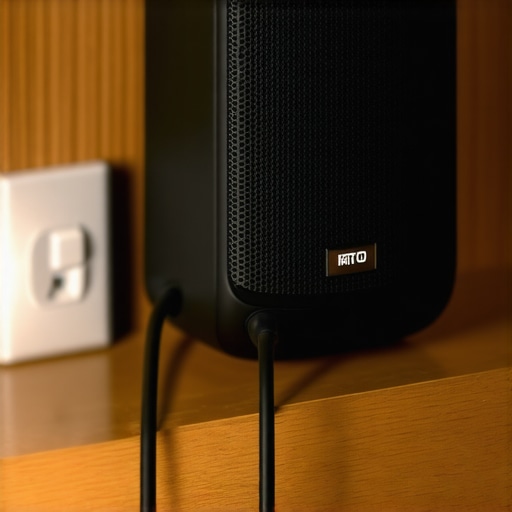
Once your amplifier is receiving unrestricted wall power, you must position the physical speaker cabinet to take advantage of this boost. Because low-frequency acoustic waves are omnidirectional, placing your plugged-in speaker near a wall or in a corner creates an acoustic boundary effect. This physical coupling naturally amplifies the bass output without putting extra electrical strain on the speaker’s internal components. Just be careful with your choice of surface; placing your speaker on vibrating materials can ruin the clarity, which explains why your portable speaker sounds muddy on a glass table due to unwanted resonance transfer.
Manage the Charging Port to Prevent Signal Degradation
Over time, constantly plugging and unplugging your speaker can wear down the physical connection. A loose power port causes intermittent current drops, which forces the speaker’s internal digital signal processor (DSP) to rapidly switch back and forth between battery-saver mode and full-power mode. This constant switching causes noticeable audio stuttering and volume fluctuations. Knowing how to fix a loose charging port on your favorite bluetooth speaker will ensure your device maintains a steady, uninterrupted connection to its wall power source, preserving both your hardware and your listening experience.
Now that we have established how raw current dynamics affect your music, let’s dig deeper into the actual software running the show. There is a massive, incredibly common misconception in the audio world that digital signal processors, or DSPs, are only there to clean up the sound. Everyone says that a speaker’s DSP is a passive guardian of high fidelity, but in my experience, manufacturers actually use aggressive software limits as a crutch to mask cheap physical components under battery power. When your speaker is running on its battery, the DSP isn’t just balancing power; it is actively mutilating your EQ curve to prevent physical damage to the drivers at high volumes, a protective measure that is heavily relaxed the moment you connect a robust power line.
Why does the DSP compress your audio dynamics when unplugged?
To understand this, we have to look at how modern audio engineering handles compact spaces. According to whitepapers from the Audio Engineering Society, dynamic range compression is aggressively applied to battery-powered systems to prevent voltage sags from shutting down the system entirely. When you play a dynamic track with sudden, heavy transient peaks on battery power, the amp demands a massive spike in current. If the battery cannot supply it instantly, the voltage drops, which can cause digital distortion or force the unit to turn off. The DSP anticipates this by flattening those peaks beforehand. However, when you plug the unit into a reliable power source, this digital ceiling is lifted, allowing the speaker to breathe and deliver the full range of expression the artist intended.
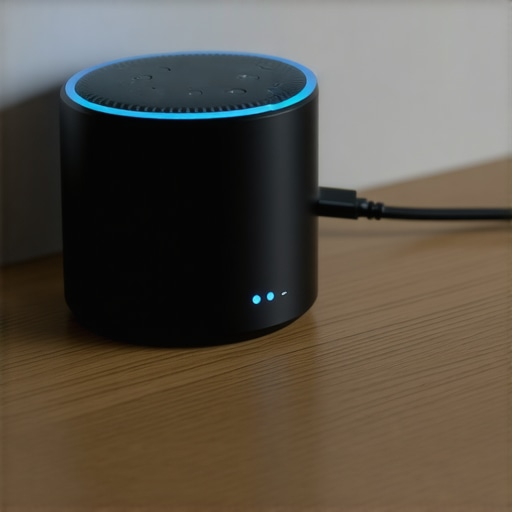
But here is the absolute trap to avoid: do not assume that running your speaker plugged in at maximum volume 24/7 is completely harmless. While you get incredible soundstage improvements and tighter bass response, you are also running the internal amplifier significantly hotter. If you have ever wondered why your amp gets hot when playing at low volumes or high loads, it comes down to thermal dissipation. Portable speaker cabinets are incredibly cramped and lack heat sinks. Running them at full blast on wall power creates a massive thermal buildup inside the chassis, which can prematurely degrade the internal lithium-ion battery cells, leading to situations why you should never charge your portable speaker overnight if the thermal sensors are already compromised.
Furthermore, relying on a wall connection to drive a weak speaker past its mechanical limits can lead to voice coil warping. Just because the amplifier is getting clean, unrestricted current does not mean the physical speaker cone can handle that power output indefinitely. Have you ever fallen into this trap of treating your portable speaker like a permanent home theater system and ended up frying the drivers? Let me know in the comments below, and let’s talk about the limits of portable hardware.
Managing the physical thermal limits of your hardware is only half the battle; the real trick is setting up a maintenance and optimization routine that keeps your amplifiers and portable speakers running like new. When you push these compact devices to their absolute limits on continuous wall power, you accelerate the wear on every internal component, from the micro-DAC to the power delivery capacitors. If you want to keep your gear out of the landfill and maintain that pristine audio fidelity, you need to treat your portable systems with the same respect as a high-end home theater setup.
How do I maintain my portable speaker sound quality over time?
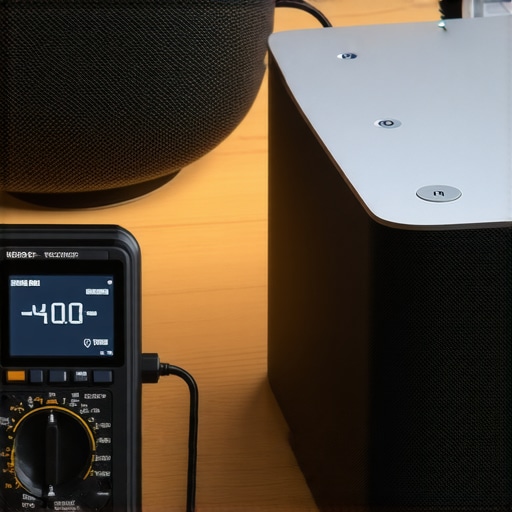
To preserve the life of your hardware, I highly recommend using a dedicated, high-quality USB power meter, such as the MakerHawk Type-C USB Multimeter. This tiny tool sits between your charger and your speaker, allowing you to monitor the exact voltage and current draw in real-time. By tracking the draw, you can instantly see if your speaker is pulling its full rated wattage or if a failing cable is starving the internal amplifier. Additionally, you should periodically inspect the physical health of your speaker drivers. If you hear a strange vibration at high volumes, knowing how to tell if your speaker is blown or just loose can save you from throwing away a perfectly salvageable unit that simply has a loose internal mounting screw.
Looking ahead, the future of portable audio is moving rapidly toward dynamic, AI-driven power management. Leading audio chip manufacturers like Qualcomm are already developing smart amplifiers that use predictive machine learning models to analyze the incoming audio signal and calculate the exact thermal dissipation of the voice coil milliseconds before the sound is produced. This means future speakers will be able to squeeze every drop of dynamic range out of a battery without needing to compress the bass or risk overheating the internal components, finally closing the performance gap between battery power and wall outlets.
If you want to experience the absolute best sound from your current system tonight, I challenge you to try one specific advanced tip: grab your original manufacturer charger, find a solid corner in your room to maximize boundary bass coupling, and play a high-fidelity FLAC track. The difference in transient response and soundstage headroom will make you feel like you bought a brand-new speaker.
The Hardest Lessons I Learned Burning Through Portable Gear
Over the years, I have pushed compact audio setups to their absolute limits, and those experiments came with a steep learning curve. The first major revelation was that active thermal throttling is the silent killer of great sound. When you run a portable system on wall power continuously to get that extra performance, you must keep an eye on temperature. I learned this the hard way after cooking the components of a favorite outdoor blaster. If you are using dedicated amplification elsewhere, you should regularly learn how to tell if your amp is running too hot to prevent catastrophic thermal failure.
Second, clean power is not just about volume; it is about protecting your investment. Underpowering a speaker by using weak, off-brand wall adapters actually forces the internal amp to clip and distort more often than when it runs on its native battery reserve. This clipping creates high-frequency harmonics that can permanently melt delicate voice coils. Finally, treating portable gear like permanent home theater equipment is a recipe for disappointment. If you want maximum performance, optimize your power supply, but do not expect a battery-first unit to serve as a continuous desktop monitor without some smart thermal management.
My Essential Toolkit for Optimizing Portable Audio
To get the absolute most out of your portable setup without damaging your gear, I highly recommend keeping a few diagnostic and placement tools in your kit:
- MakerHawk Type-C USB Multimeter: This is my go-to tool for verifying that my wall chargers are actually delivering the full wattage promised on the label. It stops you from unknowingly starving your amplifier.
- Heavy-Duty Adhesive Rubber Isolation Feet: Placing these under your speaker when it is sitting on hard wooden surfaces or shelves prevents resonance transfer and instantly cleans up muddy mid-range frequencies.
- Audio Engineering Society (AES) E-Library: For true audio geeks, their published papers on micro-amplifier design and dynamic range compression are incredible resources that demystify how DSPs function under limited voltage constraints.
The Future of Your Listening Setup Starts Tonight
You do not need to spend thousands of dollars to experience crisp, dynamic, and room-filling sound. By simply understanding the relationship between raw power delivery, boundary positioning, and your speaker’s digital signal processor, you can unlock a premium listening experience from the hardware you already own. Plug that speaker in with its original high-output block, tuck it into a solid wall corner, and let the music breathe. Have you ever noticed your portable speaker losing its punch or changing its sound signature when you transition from wall power to battery? Let me know your experience in the comments below!