
I still remember the smell of slightly burnt plastic coming from my nightstand three years ago. It was my brand new, rugged outdoor speaker—the one I’d saved up for weeks to buy. I thought I was doing the right thing by keeping it topped off for a big weekend hike, but when I woke up, the casing was uncomfortably hot to the touch. I’d fallen into the classic trap of treating a portable device like a permanent fixture. It’s a mistake that most of us make without even thinking about it, but that ‘plug it and forget it’ habit is the fastest way to turn your audio investment into a paperweight.
The Night I Fried My Favorite Speaker
I used to be obsessed with having 100% battery at all times. I’d come home from a BBQ, plug in my speaker, and let it sit there until the next time I needed it. Eventually, I noticed a weird trend. What used to last twelve hours was barely struggling to hit four. I even started wondering if my speaker was getting quieter because of the battery drain. It turns out, I was cooking the lithium-ion cells from the inside out. If you’ve noticed your speaker won’t charge with your usual cable or the battery is draining faster than a leaky bucket, your overnight charging habit is likely the culprit. Today, I want to walk you through the science of battery stress and show you how a few simple changes in how you juice up can double the lifespan of your gear. We’re going to fix the way you think about ‘full’ so you never have to deal with a dead speaker in the middle of your favorite playlist again.
Is Leaving It Plugged In Really That Dangerous?
You might be thinking, ‘Hey, modern tech has smart chips to prevent overcharging, right?’ While that’s technically true, it doesn’t tell the whole story. Even if the speaker stops ‘charging’ at 100%, it enters a cycle of ‘trickle charging’ to stay there. This keeps the battery in a high-voltage state, which generates heat. According to the battery experts at Battery University, heat is the absolute number one enemy of lithium-ion longevity, and keeping a battery at a high state of charge significantly accelerates its chemical breakdown.
What Actually Happens When You Over-Charge
When you leave that speaker on the charger all night, you aren’t just topping it off; you’re forcing the internal chemistry to work overtime. It’s like trying to keep a balloon inflated to its absolute limit for eight hours straight—eventually, the material is going to stretch and weaken. I learned this the hard way when I had to fix a loose charging port only to realize the internal battery had actually started to swell slightly. If you’ve ever noticed your speaker sounding a bit muddy on a glass table, it might even be a power delivery issue caused by a degraded cell. Have you ever woken up to find your speaker surprisingly hot, or noticed it just doesn’t hold a charge like it used to?
How to Keep Your Battery in the Sweet Spot
To save your speaker, you have to stop thinking of ‘full’ as the goal. Think of your speaker’s battery like a pair of lungs. If you’re constantly holding your breath at maximum capacity, your chest starts to hurt and your muscles tense up. Lithium-ion batteries feel the same way at 100% capacity. They are most ‘relaxed’ and chemically stable when they are roughly half-full.
Ditch the ‘Charge to 100’ Obsession
The most effective way to extend your speaker’s life is to stay between 20% and 80% charge. This keeps the voltage from hitting the ‘stress zones’ at either end of the spectrum. I started doing this religiously after my last rugged speaker’s battery started acting up, and the performance gap was night and day. I used to reach for the charger the second I hit 50%, but now I let it breathe and work within that middle margin. If you’ve ever wondered why your wireless earbuds won’t charge in their case anymore, it’s often because they are constantly being topped off to 100% inside their cradle, causing the same chemical degradation I’m talking about.
Use a Smart Timer to Save Your Gear
If you’re like me and can’t help but plug things in before bed, buy a $10 mechanical outlet timer or a smart plug. I set mine to turn off after exactly two hours of juice. It’s a literal lifesaver for my audio gear. Before I did this, I was constantly dealing with heat issues that were slowly killing my sound quality. Just like learning how to tell if your amp is running too hot, you need to monitor the physical temperature of your speaker during a charge. If the back panel feels like a warm cup of coffee, it’s working too hard and you should pull the plug immediately. 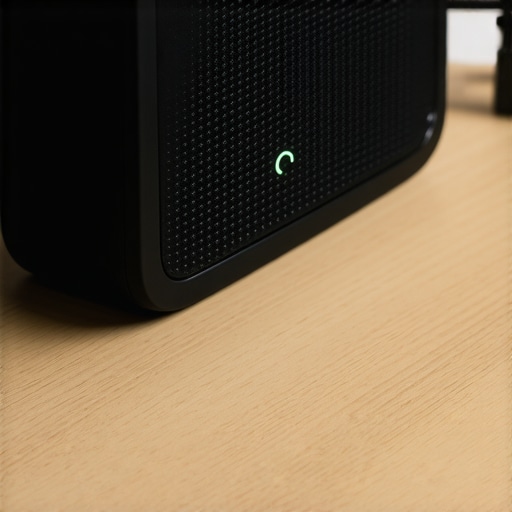
Stop Using Random Power Bricks
Not all chargers are created equal. I once tried to save a few bucks by using a generic gas-station brick I found in my glovebox, and my speaker started making a high-pitched electronic whine. It’s the same reason why your portable speaker won’t charge with your phone cable sometimes; the voltage handshake just isn’t there, or the amperage is too low to sustain a healthy charge. This puts unnecessary strain on the battery controller. If the port feels wobbly while you’re trying to find that ‘sweet spot’ for charging, you might need to learn how to fix a loose charging port on your favorite bluetooth speaker before the internal connections snap.
The 50% Rule for Long-Term Storage
If you aren’t planning on using your speaker for a few weeks—maybe the hiking season is over—don’t store it empty and definitely don’t store it at 100%. I once left a high-end speaker in my closet at 0% for a whole winter. When spring came, the battery was ‘zombified’ and wouldn’t take a charge at all. Aim for 50% for storage. It’s the stable middle ground that keeps the ions happy without letting the battery’s internal safety switch trip into a permanent shutdown mode. It is a simple habit that prevents your expensive audio gear from becoming a paperweight.
Stop Chasing the Myth of Instant Audio Perfection
Most beginners think that the moment they unbox a speaker, they are hearing its final, perfect form. It is a common trap to assume that if it doesn’t sound ‘blow-your-mind’ incredible in the first five minutes, the unit is a dud. I have seen countless people return high-end gear because they didn’t understand why your new speakers sound better after 20 hours of use. While the mechanical suspension of the driver needs to loosen up, there is also a phenomenon called ‘brain burn-in.’ Your ears actually need time to adjust to a new frequency response. If you are switching from bass-heavy consumer buds to neutral monitors, you will initially think they sound ‘thin.’ Don’t return them yet; your brain is just recalibrating. A study by the Audio Engineering Society (AES) confirms that while mechanical changes are measurable, the human psychological adaptation is the most significant factor in ‘perceived’ sound improvement over the first few days.
Does Your Charger’s Amperage Actually Degrade the Internal Controller?
Here is the hidden nuance most people miss: even if you are using a ‘smart’ charger, the initial handshake between a high-wattage power brick and a low-draw portable speaker can cause subtle voltage spikes. I used to use my 96W MacBook Pro charger for everything, thinking the ‘PD’ (Power Delivery) chip would handle it. However, I noticed the charging port area getting significantly hotter than when using a dedicated low-voltage wall wart. This excess heat doesn’t just stress the battery; it stresses the charging IC (Integrated Circuit). If you have ever had to learn how to fix a loose charging port on your wireless headphones, it might not have been a mechanical failure, but a thermal one that weakened the solder joints over time.
The High-Voltage Trap for Audiophiles
This ‘more is better’ philosophy also bleeds into how we treat high-end headphones. I see people plugging $500 cans directly into a gaming console and wondering why your high end headphones sound tiny when plugged into a controller. They assume the ‘premium’ label means it should work with everything. In reality, high-impedance gear requires actual current, not just volume. Without understanding how to tell if your headphones need an external amp, you are essentially driving a Ferrari on a dirt road. You are hearing the ‘shape’ of the music, but none of the texture. The same logic applies to digital-to-analog conversion; there is a massive difference between cheap and expensive dacs that actually matters when it comes to the noise floor and the timing of the signal. If you are hearing a faint hiss during silent passages, your ‘fast’ charging or cheap power supply might be injecting ‘dirty’ electricity into your signal chain. Have you ever fallen into this trap of using the wrong power source for your gear? Let me know in the comments.Maintenance isn’t just about batteries; it’s about the physical connections that carry your sound. I’ve seen incredible setups ruined by nothing more than dust and neglect. According to Shure’s technical bulletin on hardware maintenance, environmental contaminants like dust and skin oils are the primary cause of intermittent signal loss in high-end connectors. I personally keep a bottle of 99% isopropyl alcohol and a can of compressed air next to my records. If you’re wondering why your old receiver pops when you switch inputs, it’s often just oxidized contact points that need a quick blast of cleaner. For the vintage lovers, taking ten minutes to learn how to clean a sticky volume knob on a vintage amp is the difference between a high-end experience and a frustrating, crackly mess.
Clean Your Terminals Before the Signal Fades
When I was younger, I used to ignore it when a connection felt wobbly, but learning how to fix a loose speaker terminal on your cabinet early on can save you from a short circuit that fries your output stage. I also recommend a basic digital multimeter—it’s the most underrated tool in an audiophile’s kit. Checking your electronics isn’t just for pros; knowing how to tell if your amps capacitors are failing with a simple visual check for bulging or leaking can save you hundreds in professional repair bills. I suspect the next five years will see a massive shift toward AI-aware power management in audio gear that automatically learns your listening habits to optimize battery cycles, but until then, physical maintenance is your responsibility.
Label Your Mess Before You Forget What Goes Where
There is nothing more demoralizing than staring at a ‘snake pit’ of black wires behind a media console. Even small tasks, like finding the best way to label your messy home theater cables, drastically reduce the frustration of troubleshooting a dead channel later. I use a dedicated label maker to flag every wire at both ends. This way, if I need to swap a component, I’m not playing a guessing game. #IMAGE_PLACE_HOLDER_D# Beyond cables, if you still run physical media, don’t neglect your optical drives. Knowing how to clean the lens on an old cd player can breathe new life into a thrift store find that you thought was broken.
How do I keep my gear running for the long haul?
Consistency is the key to longevity. Every six months, I do a ‘walk-around’ of my entire system. I check for loose connections, wipe down heat sinks to ensure proper airflow, and listen for any new hums or hisses. This proactive approach prevents small issues from becoming catastrophic failures. My challenge to you: Grab a label maker or even just some masking tape and label the ends of your three most important cables tonight—you’ll thank yourself the next time you have to move your setup or troubleshoot a connection.
Hard truths from my years of melted plastic and dead cells
After going through dozens of portable units, I have realized that battery health is a marathon, not a sprint. One major realization was that not every noise is a hardware failure. Sometimes, the power supply itself creates a high floor, which is exactly the mistake that makes your noise-canceling headphones hiss in quiet rooms. I also learned to stop throwing away tech just because the battery got weak. Instead, I found how to use an old smartphone as a dedicated music streamer to keep the load off my primary devices. If you do run into trouble with your connectors, do not panic; learning how to fix a loose charging port on your wireless headphones is a skill that will save you hundreds over the years. Finally, stop buying into the hype of expensive metals; understanding the real difference between gold and silver plated connectors will help you spend your money on things that actually impact the sound.
The tiny toolkit that preserves my collection
I do not believe in magic elixirs, but I do believe in chemistry. My maintenance drawer always contains 99% isopropyl alcohol for cleaning contact points and a simple digital multimeter to check for voltage drops. I also keep a roll of hook-and-loop cable ties—never use plastic zip ties, as they can pinch the delicate shielding of your cables. #IMAGE_PLACEHOLDER_E# I personally trust the Audio Engineering Society journals for deep technical dives and the Hoffman Forums for real-world reliability reports on older gear. These sources have taught me more about audio longevity than any product manual ever could.
Your path to a lifetime of perfect audio
Audio gear is more than just plastic and copper; it is the gateway to your favorite memories and the soundtrack to your daily life. By taking these small steps—managing your charge cycles, keeping your ports clean, and respecting the chemistry inside your batteries—you ensure your audio investment lasts for a decade instead of a season. It feels good to know your gear is ready when you are. Have you ever had a piece of audio gear die on you way sooner than expected because of a battery issue? Let me know in the comments below!