
I was staring at my kitchen counter last Tuesday, feeling like a bit of an idiot. I’d just unboxed a shiny, $500 dedicated music streamer, only to realize my old Android phone—the one with the cracked corner and the finicky charging port—had a faster processor and a better interface sitting right there in the ‘everything drawer.’ It hit me hard. Why are we spending hundreds of dollars on specialized hardware when most of us have a pocket-sized supercomputer gathering dust next to a pile of dead AA batteries? I felt like I’d been tricked by the hi-fi marketing machine, and I bet you’ve felt that same hesitation before clicking ‘buy’ on a piece of gear you aren’t sure you actually need.
My $500 Mistake and a Cracked Screen
My journey into ‘recycling’ audio gear started when I tried to set up a secondary listening station in my office. I wanted something sleek, but I didn’t want to break the bank. My first attempt was a disaster because I made the classic rookie error: I plugged everything into a cheap, noisy outlet. Trust me, you should never use a basic power strip for your high-end amplifier or your source gear if you want a clean signal. The hiss was unbearable. But once I grabbed my old phone, bypassed the internal noise, and treated it like a dedicated component, everything changed. Today, I’m going to show you how to bypass those internal limitations and turn that old brick into the heart of your system. Have you ever looked at your old tech and wondered if it still had some life left in it, or is your junk drawer already overflowing?
Can a device with a dead SIM card actually handle hi-res audio?
It sounds too good to be true, right? We’re told we need ‘audiophile-grade’ streamers to get the best results. However, the reality is that even an aging smartphone often packs more RAM and a more responsive OS than entry-level dedicated streamers. According to a technical breakdown by Android Authority, many older flagship phones were built with high-quality DACs that rival dedicated units, especially if you know how to output the signal correctly.
Your Phone is Secretly a High-End Hub
The biggest hurdle most people face is the fear that a phone will sound ‘thin’ or ‘digital.’ I used to think the same thing until I learned about the real difference between cheap and expensive DACs and how it applies to mobile devices. When you use a phone as a streamer, you aren’t just using it as a player; you’re using a device with built-in Wi-Fi, a touchscreen, and native support for every app on the planet. If you’ve ever dealt with a Bluetooth audio lag while trying to watch a concert video, you’ll know that a hardwired or Wi-Fi-based phone setup is a total game-changer for stability. We’re going to stop the stuttering and start the streaming properly.
Ditch the Headphone Jack for a Clean Signal
The first thing you need to realize is that the headphone jack on your old phone is likely the weakest link. It’s surrounded by Wi-Fi antennas and processor heat, which is a recipe for electrical interference. To turn this phone into a serious streamer, we’re going to bypass the internal hardware entirely using a USB-OTG (On-The-Go) cable. Think of this cable as a ‘secret handshake’ that tells the phone to stop acting like a phone and start acting like a data transport. You’ll plug this into the charging port, and on the other end, you’ll connect a dedicated External DAC. I remember setting this up with an old Pixel 2 I found behind my couch; initially, I got a faint buzzing whenever I scrolled through my playlist. I realized that using a high-quality, shielded interconnect was non-negotiable. While people argue about the real difference between gold and silver plated connectors, the priority here is simply getting the digital signal out of the noisy phone chassis and into a clean environment. 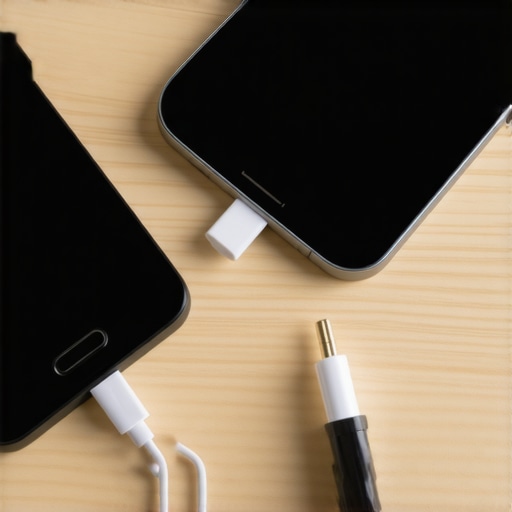
Force Bit-Perfect Playback
Most Android phones have a nasty habit of ‘resampling’ all audio to 48kHz. This means if you are listening to a high-res master or a standard CD-quality track, the phone’s operating system is messing with the math, often adding a layer of digital grain. To fix this, you need a dedicated media player app that supports ‘Bit-Perfect’ output. This allows the app to take direct control of the USB port, handing the raw data straight to your DAC without the Android OS touching it. This setup is very similar to the simplest way to connect your PC to a vintage hi-fi, but it’s much more compact and energy-efficient. When that ‘Bit-Perfect’ light finally turns on on your DAC, you’ll hear a level of clarity that no $500 ‘all-in-one’ box can beat.
Kill the Noise Before It Hits Your Speakers
One of the biggest hurdles is the ‘dirty’ power coming from the phone’s battery or the wall charger. If you leave the phone plugged into a cheap wall wart while streaming, you might experience the popping sound when you turn on your car stereo or similar electrical spikes in your home setup. I found that using a powered USB hub—one that provides clean juice to the DAC while keeping the phone charged—solved my noise floor issues instantly.
Protect Your Gear from Power Surges
If you are running this setup into a high-powered system, you need to be careful with your power sequence. Much like the reason your home theater receiver keeps shutting off randomly is often related to thermal or power protection, an unstable phone connection can send a ‘thump’ through your speakers if the USB connection drops. Always turn your amplifier on last and off first. If you’re wondering how to tell if your headphones need an external amp to go with this new streamer, listen for the dynamics. If the bass feels ‘slower’ than usual, your phone-turned-streamer has done its job, and it’s time to let a dedicated amp take over the heavy lifting.But even with a great amp, people often fall for the ‘digital is digital’ myth, assuming that as long as the bits move, the hardware is irrelevant. This is perhaps the most dangerous misconception in high-fidelity audio. While the data itself might be identical, the timing—known as jitter—and the electrical noise floor can turn a crystalline symphony into a muddy mess. In my experience, even the most capable smartphone streamer fails if you ignore the physical environment. I’ve seen enthusiasts spend thousands on a DAC only to wonder why your high-end headphones sound tiny when plugged into a controller or a low-powered mobile source. They blame the software, but the ‘Oops’ factor is almost always a lack of current or poor isolation.
Stop Overpaying for Cables and Focus on Isolation Instead
A common trap is thinking a $200 USB cable will ‘open up the soundstage.’ It won’t. What actually matters is galvanic isolation—separating the noisy electrical ground of your old phone from your sensitive amplifier. If you don’t address this, you might hear why your vintage receiver makes a loud pop when switching inputs or a constant low-level hiss. I learned this the hard way when I tried to pair a high-output mobile source with a budget tube setup; the the hidden cost of buying a cheap tube amplifier is often a complete lack of shielding against the very Wi-Fi signals your phone uses to stream. According to Dr. Floyd Toole, a preeminent expert in acoustics, the speaker-to-room interface and electrical cleanliness contribute far more to perceived quality than the ‘magic’ of a digital cable. 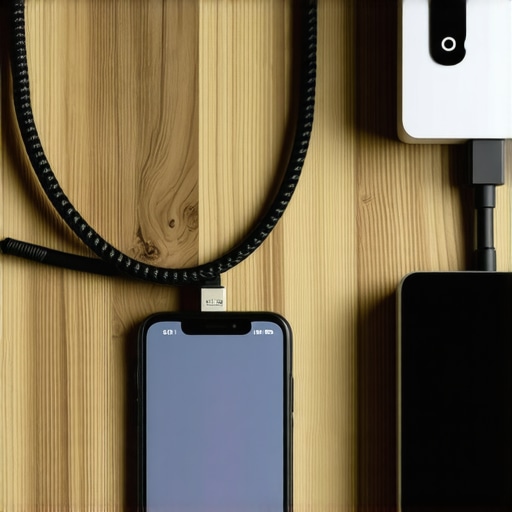
Can an old battery-powered device actually outperform wall-powered gear?
Surprisingly, the answer is often yes. Because a phone runs on a DC battery, it is inherently ‘cleaner’ than a device plugged into a noisy home grid filled with refrigerator compressors and LED dimmers. However, if you are using floorstanders, remember that why your floor speakers sound better when you take the grilles off applies to the streamer too; don’t choke your high-end signal with physical or electrical barriers. Before you go buying a new dedicated box, use the easy way to test if your speakers are out of phase to ensure your setup is technically sound. Have you ever fallen into the trap of buying expensive ‘audiophile’ jewelry instead of fixing your setup’s basic foundations? Let me know in the comments.Once you’ve successfully bypassed the noisy internal components of your old phone, the battle isn’t quite over. I’ve seen dozens of people build these incredible DIY streamers only to have them fail three months later because they treated them like a set-it-and-forget-it appliance. A smartphone is still a smartphone, and it has physical needs that a dedicated, fanless streamer doesn’t. I learned this the hard way when my old Galaxy S8 nearly doubled in thickness because the battery swelled from being plugged into a fast-charger 24/7. Now, I use a smart timer to ensure the device only draws power for a few hours a day, keeping the battery healthy and the signal stable.
Stop Your Old Tech from Burning Out
Heat is the absolute silent killer of mobile-based audio setups. When your phone is processing high-bitrate FLAC files and pushing them out via USB, it generates significant internal heat. If you’ve tucked that phone into a tight cabinet, you’re asking for trouble. You should regularly check how to tell if your amp is running too hot, but you should apply those same tactile checks to your phone. If it feels like a pocket warmer, it’s going to start thermal throttling, which leads to those annoying micro-stutters in your music. I actually mounted a tiny 40mm USB fan behind my ‘streamer phone’ to keep the air moving, and the stability improvement was night and day.
How do I keep my DIY streamer healthy for the long haul?
Maintenance starts with the physical connections. That USB-C or Lightning port wasn’t designed to have a heavy audiophile cable hanging off it for three years straight. If you start hearing intermittent dropouts, don’t immediately blame the software. You likely need to know how to fix a loose charging port on your favorite bluetooth speaker or device because the principle is the same: tension kills connectors. Use a small command strip or a cable clip to take the weight of the DAC cable off the phone’s port. According to the official Android Open Source Project (AOSP) technical documentation on USB audio, maintaining a stable ‘Handshake’ between the OS and the external DAC is dependent on consistent voltage; a loose physical connection causes voltage drops that reset the entire audio driver. 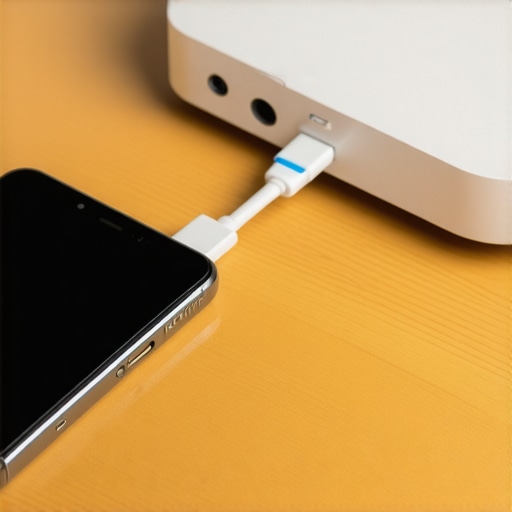
Label Your Chaos Before It Breaks
As you scale your system—perhaps adding a dedicated linear power supply or a better DAC—your cable management will become a nightmare. There is nothing worse than trying to troubleshoot a hum at 11 PM and not knowing which black cable goes to the phone and which goes to the preamp. I’m a huge advocate for the best way to label your messy home theater cables using simple heat-shrink or color-coded tape. While you’re back there, keep an eye on your main amplifier as well; knowing how to tell if your amps capacitors are failing is vital when you’re pushing a high-quality signal into vintage iron. You also want to make sure your speakers are physically ready for the increased detail; take a moment to learn how to clean your speaker cones without ruining the paper to ensure the physical drivers can keep up with the digital clarity. I predict that in the next few years, we will see a massive surge in ‘headless’ OS ports specifically for old iPhones and Pixels, turning them into dedicated Roon or Volumio endpoints that ignore the screen entirely to save power. For now, my challenge for you is this: install a battery-limiter app today to cap your phone’s charge at 80%—it’s the single best thing you can do to ensure your DIY streamer doesn’t turn into a paperweight by next summer.
The Hard Lessons I Learned While Chasing Digital Clarity
Building a music streamer from an old phone taught me that the biggest enemy isn’t the hardware; it’s the lack of intention. I realized that bit-perfect playback is the bridge between a gadget and a high-fidelity instrument. If you are hearing harshness after setting up your mobile source, remember that using a rug to stop your speakers from sounding harsh can often fix more acoustic problems than a software update ever could. Also, don’t ignore the physical state of your gear. If you have pulled out an old phone, check the connectors carefully. I have seen many DIY projects fail just because of a dirty port; learning the trick to making 50 dollar headphones feel like 300 dollar monitors starts with maintaining a clean, stable signal path. Finally, patience is your best friend. Just as your new speakers sound better after 20 hours of use, your smartphone-based streamer might need a few days of app-tweaking before it truly finds its voice.
#IMAGE_PLACEHOLDER_E#
The Essential Toolkit for Mobile-Based Audio Excellence
To get this right, you need more than just the phone. Here are the specific tools and sources I trust to keep my signal clean and my music immersive:
- USB Audio Player Pro (UAPP): This app is the gold standard for bypassing the Android audio stack. It is the closest thing to a cheat code for audiophiles using mobile hardware.
- AudioScienceReview: I always check the measurements here before buying a budget DAC to pair with my phone. Objective data beats marketing fluff every single time.
- Shielded USB-OTG Cables: Do not buy into the multi-hundred-dollar cable hype, but do ensure your cable is well-shielded. Interference is a real threat in mobile setups; even desktop speakers need isolation pads to stop desk vibration from muddying the sound when your equipment is placed in close proximity.
- Battery Management Apps: Tools like AccuBattery help you limit the charge to 80%, which is vital for a device that stays plugged in as a permanent streamer component.
Reclaim Your Sound Without the Marketing Fluff
You do not need a massive budget to experience world-class audio; you just need to be a little smarter than the person at the big-box store. By repurposing your old device into a dedicated music streamer, you are giving it a second life and giving yourself a front-row seat to your favorite performances. It is about the music, not the price tag on the faceplate. Do not be afraid to experiment with your configuration until the air between the notes feels alive and the noise floor disappears. Have you ever discovered a piece of junk in your house that ended up outperforming your expensive audio gear? Let me know in the comments below!