
Imagine this: It’s Friday night, the popcorn is buttery, and the subwoofers are literally rattling the floorboards during the most intense scene of the movie. Then, out of nowhere—click. The screen stays on, but the audio vanishes, and that little red power light on your receiver starts blinking like a frantic SOS signal. I’ve been there, standing in front of my entertainment center, feeling that mix of frustration and genuine worry that my expensive gear just gave up the ghost. It happened to me right in the middle of a Super Bowl party, and let me tell you, ‘The Helpful Neighbor’ wasn’t feeling very helpful while twenty people stared at my silent speakers.
Your Receiver Isn’t Dying It Is Just Protecting Itself
The first thing I need you to do is take a deep breath. Most of the time, your receiver isn’t actually broken; it’s just smarter than you are. Modern units are packed with protective circuitry designed to shut everything down before a component literally melts. Back when I was first getting into high-end audio, I made the classic rookie mistake of stacking my gear like a game of Tetris. I thought it looked cool to have everything in one tight tower, but putting a turntable or another component directly on top of your receiver is a recipe for a thermal shutdown. I learned the hard way that restricted airflow is the silent killer of home cinema setups. According to the experts at Audioholics, heat is the primary cause of premature component failure in amplifiers, and your receiver knows it.
Is My Expensive Receiver Actually a Lemon?
It’s easy to feel like you bought a dud when your receiver shuts off whenever you turn the volume up. You start wondering if you should have spent more or if the brand you chose is just low-quality. But the truth is, even a five-thousand-dollar flagship will shut down if the conditions aren’t right. We’re going to look at everything from ‘stray wire whiskers’ to impedance mismatches that trick your amp into thinking there’s a short circuit. Have you ever had your system cut out right at the best part of a song? It’s incredibly annoying, isn’t it?
Let’s Track Down the Ghost in the Machine
Before you run out and buy a replacement, we’re going to perform some basic ‘audio forensics.’ We’ll check if you’re pushing your speakers too hard or if a single copper strand is touching the wrong terminal. I’ll show you how to tell if your amp is running too hot and when it’s time to break out the tools. Sometimes, the fix is as simple as a $10 fan, and other times, you might need to learn how to use a multimeter to find a short in your speaker wires. My goal today is to get your movie night back on track without you having to spend a dime on a repair shop.
Hunt Down the Copper Whiskers Killing Your Sound
The most common reason a receiver goes into protection mode isn’t a blown capacitor; it’s a ‘whisker.’ This happens when you’re twisting bare speaker wire and a single, tiny strand of copper escapes the terminal and touches the receiver’s metal chassis or the adjacent terminal. It creates a dead short. I remember spending a whole Saturday afternoon convinced my Denon was a paperweight because it clicked off every time a movie reached a loud climax. I eventually pulled the unit out and found one microscopic hair of wire from the left surround channel bridging the gap. Once I trimmed it and used the best way to label your messy home theater cables to keep things organized, the problem vanished.
Check Every Single Connection Twice
Don’t just glance at the back of the receiver. Unplug the power cord first. Then, physically wiggle every speaker wire. If you see frayed ends, snip them off and strip a fresh quarter-inch of insulation. If you’re using banana plugs, ensure they are seated deeply. Sometimes the vibration from a nearby subwoofer can loosen a poorly-fitted plug.
Stop Asking Your Amp to Do the Impossible
If your system only dies when things get loud, you’re likely dealing with an impedance mismatch or a ‘current draw’ issue. Speakers have a rating (usually 4, 6, or 8 ohms). If you’ve hooked up 4-ohm ‘power-hungry’ speakers to a receiver rated only for 8 ohms, you’re essentially asking the amp to work twice as hard as it was designed to. This is precisely why your receiver shuts off when you turn the volume up. The amp tries to provide the requested current, gets too hot, and the protection circuit pulls the emergency brake.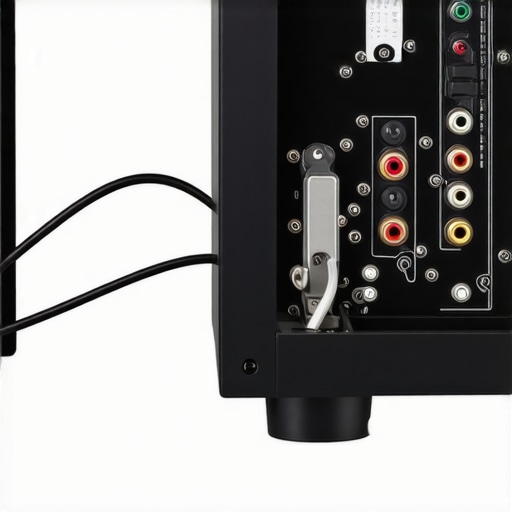
Is Your Room Swallowing the Sound?
Sometimes we crank the volume because the room acoustics are working against us. In a room with high ceilings or bare hardwood floors, you might find that your soundbar sounds thin or your speakers lack punch, leading you to push the gain into the danger zone. Instead of turning it up to eleven, consider if how to use a rug to fix the echo in your home theater room might actually let you hear more detail at lower volumes, saving your amp from a thermal meltdown.
The Multimeter Is Your Best Friend
If a visual inspection doesn’t reveal the culprit, it’s time for some real data. A short circuit can happen inside the wall or even inside the speaker cabinet itself. You need to learn how to use a multimeter to find a short in your speaker wires. By checking the resistance (ohms) at the end of the wire that plugs into the receiver, you can see if the reading is close to zero. If it is, you’ve found a short. This happened to me after I accidentally drove a picture-frame nail through a speaker wire hidden behind the drywall. Without the meter, I would have been guessing for weeks. Also, keep an eye on your gear’s temperature; knowing how to tell if your amp is running too hot can prevent permanent damage to the internal components before they actually fail.
Everyone tells you that you need a 100-watt monster to drive a home theater, but that’s one of the biggest myths in the industry. In my experience, chasing raw wattage is a fool’s errand compared to seeking out ‘clean’ current. You see, a cheap receiver rated at 100 watts might actually be producing a signal so distorted that it triggers protection mode long before a high-quality 50-watt amp would even break a sweat. It is a common misconception that more power equals more safety. In reality, under-powering your speakers and driving that small amp into ‘clipping’ is what actually fries tweeters and sends your receiver into a tailspin. Have you ever fallen into the trap of buying gear based solely on the number on the box? Let me know in the comments.
Watts are often a marketing lie
When you see a ‘1000-watt’ sticker on a budget system, they are usually measuring ‘Peak Power’ at a single frequency, which is practically useless for real-world listening. What matters is Continuous Power (RMS). If you’re using high-impedance gear, you might even find yourself wondering how to tell if your headphones need an external amp, because the same logic applies there: if the source can’t provide steady voltage, the sound collapses. This is also where the difference between cheap and expensive dacs that actually matters comes into play; a clean signal from the start prevents your amp from having to amplify ‘trash’ noise.
Why does my amp click off if the volume dial is only at 9 o’clock?
This is a sophisticated headache that often points to an input gain mismatch. If your source—like a PC or a high-output streaming box—is sending a signal that is already too ‘hot,’ your receiver’s internal preamp will clip before the volume knob is even turned up. It’s like trying to pour a gallon of water into a funnel all at once; it’s going to overflow. According to research published by the Audio Engineering Society (AES), signal clipping at the input stage can create ultrasonic harmonics that cause modern Class D amplifiers to overheat and shut down almost instantly. 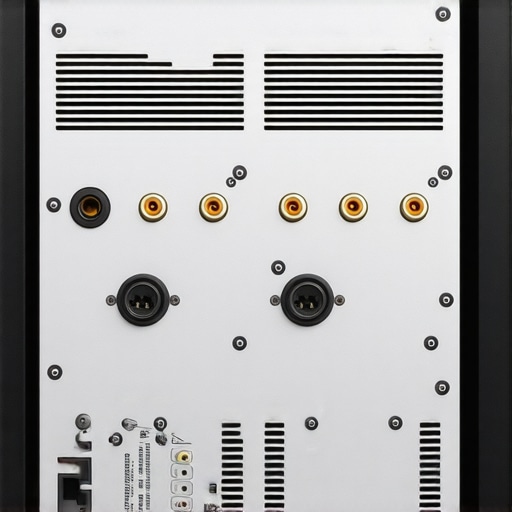
The digital clipping trap you didn’t see coming
One ‘oops’ factor I see constantly is the ‘Double EQ’ mistake. People boost the bass on their phone and then boost it again on the receiver. This forces the amp to work exponentially harder at specific frequencies, leading to a thermal shutdown. Instead of cranking the EQ, I always suggest starting with the basics of setup. For example, ensuring you have the best crossover frequency for small satellite home theater speakers ensures the receiver isn’t wasting energy trying to send deep bass to tiny speakers that can’t handle it anyway.
Your speakers are literally stiff on day one
Don’t panic if your system sounds a bit ‘thin’ or shuts down during the first few hours of use. There is a physical reality to the ‘break-in’ period. The rubber surrounds and spiders of a new driver are stiff from the factory. This is why your new speakers sound better after 20 hours of use—the materials become more compliant, which actually changes the electrical load your receiver ‘sees.’ Before you start tearing wires apart, run the easy way to test if your speakers are out of phase to ensure you aren’t fighting a wiring error that’s canceling out your bass and forcing you to overcompensate with the volume knob.
I’ve seen $2,000 systems sound like garbage after just two years simply because the owner didn’t know how to clean your speaker cones without ruining the paper. Dust isn’t just an eyesore; it’s an insulator that traps heat inside your chassis and can eventually lead to crackling dials or even signal loss. I personally swear by a dedicated electronic contact cleaner. If you’ve ever noticed why your old receiver pops when you switch inputs, it’s almost always just a tiny bit of oxidation on the physical metal contacts inside the selector. A three-second spray and some vigorous knob-turning usually clears it right up.
Grab a can of contact cleaner and save your vintage gear
If you’ve picked up a gem from a garage sale and it sounds ‘fuzzy’ on one side, you need to learn how to fix channel imbalance on a vintage stereo amplifier before you assume the transformer is blown. It’s often just a dirty potentiometer that needs a quick scrub. 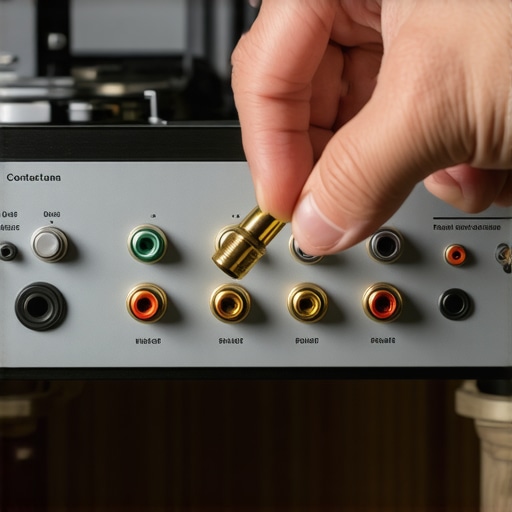
How can I make my audio gear last a lifetime?
The secret isn’t buying more expensive stuff; it’s about preventative care and noticing the small changes. For your headphones, you should regularly check for 7 signs your headphone pads need replacing today because degraded foam changes the acoustic seal and ruins the bass response. For speakers, keep them out of direct sunlight to prevent the rubber surrounds from cracking and becoming brittle. If you do find a small rip, knowing how to repair a tear in your speaker surround with rubber glue can extend their life by another decade without the cost of a full recone. According to technical service bulletins from McIntosh Laboratory, maintaining a stable operating temperature and avoiding frequent ‘hard’ power cycles is the most effective way to preserve the life of electrolytic capacitors in your power supply.
Where the home audio world is heading
I’m seeing a massive shift toward AI-integrated thermal management and predictive diagnostics. Future receivers won’t just shut down when they get hot; they will dynamically adjust their internal rail voltage and crossover points to mitigate heat before it even reaches a critical level. This means you’ll spend less time troubleshooting and more time listening. My challenge to you today: Pull your receiver out of the cabinet, blow out the dust with a can of compressed air, and re-seat every single speaker wire connection. You might be surprised at how much ‘clarity’ you regain just by ensuring you have a clean, tight electrical path. Don’t wait for the ‘click’ of death to give your system the attention it deserves.Imagine this: It’s Friday night, the popcorn is buttery, and the subwoofers are literally rattling the floorboards during the most intense scene of the movie. Then, out of nowhere—click. The screen stays on, but the audio vanishes, and that little red power light on your receiver starts blinking like a frantic SOS signal. I’ve been there, standing in front of my entertainment center, feeling that mix of frustration and genuine worry that my expensive gear just gave up the ghost. It happened to me right in the middle of a Super Bowl party, and let me tell you, ‘The Helpful Neighbor’ wasn’t feeling very helpful while twenty people stared at my silent speakers.
Your Receiver Isn’t Dying It Is Just Protecting Itself
The first thing I need you to do is take a deep breath. Most of the time, your receiver isn’t actually broken; it’s just smarter than you are. Modern units are packed with protective circuitry designed to shut everything down before a component literally melts. Back when I was first getting into high-end audio, I made the classic rookie mistake of stacking my gear like a game of Tetris. I thought it looked cool to have everything in one tight tower, but putting a turntable or another component directly on top of your receiver is a recipe for a thermal shutdown. I learned the hard way that restricted airflow is the silent killer of home cinema setups. According to the experts at Audioholics, heat is the primary cause of premature component failure in amplifiers, and your receiver knows it.
Is My Expensive Receiver Actually a Lemon?
It’s easy to feel like you bought a dud when your receiver shuts off whenever you turn the volume up. You start wondering if you should have spent more or if the brand you chose is just low-quality. But the truth is, even a five-thousand-dollar flagship will shut down if the conditions aren’t right. We’re going to look at everything from ‘stray wire whiskers’ to impedance mismatches that trick your amp into thinking there’s a short circuit. Have you ever had your system cut out right at the best part of a song? It’s incredibly annoying, isn’t it?
Let’s Track Down the Ghost in the Machine
Before you run out and buy a replacement, we’re going to perform some basic ‘audio forensics.’ We’ll check if you’re pushing your speakers too hard or if a single copper strand is touching the wrong terminal. I’ll show you how to tell if your amp is running too hot and when it’s time to break out the tools. Sometimes, the fix is as simple as a $10 fan, and other times, you might need to learn how to use a multimeter to find a short in your speaker wires. My goal today is to get your movie night back on track without you having to spend a dime on a repair shop.
Hunt Down the Copper Whiskers Killing Your Sound
The most common reason a receiver goes into protection mode isn’t a blown capacitor; it’s a ‘whisker.’ This happens when you’re twisting bare speaker wire and a single, tiny strand of copper escapes the terminal and touches the receiver’s metal chassis or the adjacent terminal. It creates a dead short. I remember spending a whole Saturday afternoon convinced my Denon was a paperweight because it clicked off every time a movie reached a loud climax. I eventually pulled the unit out and found one microscopic hair of wire from the left surround channel bridging the gap. Once I trimmed it and used the best way to label your messy home theater cables to keep things organized, the problem vanished.
Check Every Single Connection Twice
Don’t just glance at the back of the receiver. Unplug the power cord first. Then, physically wiggle every speaker wire. If you see frayed ends, snip them off and strip a fresh quarter-inch of insulation. If you’re using banana plugs, ensure they are seated deeply. Sometimes the vibration from a nearby subwoofer can loosen a poorly-fitted plug.
Stop Asking Your Amp to Do the Impossible
If your system only dies when things get loud, you’re likely dealing with an impedance mismatch or a ‘current draw’ issue. Speakers have a rating (usually 4, 6, or 8 ohms). If you’ve hooked up 4-ohm ‘power-hungry’ speakers to a receiver rated only for 8 ohms, you’re essentially asking the amp to work twice as hard as it was designed to. This is precisely why your receiver shuts off when you turn the volume up. The amp tries to provide the requested current, gets too hot, and the protection circuit pulls the emergency brake.
Is Your Room Swallowing the Sound?
Sometimes we crank the volume because the room acoustics are working against us. In a room with high ceilings or bare hardwood floors, you might find that your soundbar sounds thin or your speakers lack punch, leading you to push the gain into the danger zone. Instead of turning it up to eleven, consider if how to use a rug to fix the echo in your home theater room might actually let you hear more detail at lower volumes, saving your amp from a thermal meltdown.
The Multimeter Is Your Best Friend
If a visual inspection doesn’t reveal the culprit, it’s time for some real data. A short circuit can happen inside the wall or even inside the speaker cabinet itself. You need to learn how to use a multimeter to find a short in your speaker wires. By checking the resistance (ohms) at the end of the wire that plugs into the receiver, you can see if the reading is close to zero. If it is, you’ve found a short. This happened to me after I accidentally drove a picture-frame nail through a speaker wire hidden behind the drywall. Without the meter, I would have been guessing for weeks. Also, keep an eye on your gear’s temperature; knowing how to tell if your amp is running too hot can prevent permanent damage to the internal components before they actually fail.
Everyone tells you that you need a 100-watt monster to drive a home theater, but that’s one of the biggest myths in the industry. In my experience, chasing raw wattage is a fool’s errand compared to seeking out ‘clean’ current. You see, a cheap receiver rated at 100 watts might actually be producing a signal so distorted that it triggers protection mode long before a high-quality 50-watt amp would even break a sweat. It is a common misconception that more power equals more safety. In reality, under-powering your speakers and driving that small amp into ‘clipping’ is what actually fries tweeters and sends your receiver into a tailspin. Have you ever fallen into the trap of buying gear based solely on the number on the box? Let me know in the comments.
Watts are often a marketing lie
When you see a ‘1000-watt’ sticker on a budget system, they are usually measuring ‘Peak Power’ at a single frequency, which is practically useless for real-world listening. What matters is Continuous Power (RMS). If you’re using high-impedance gear, you might even find yourself wondering how to tell if your headphones need an external amp, because the same logic applies there: if the source can’t provide steady voltage, the sound collapses. This is also where the difference between cheap and expensive dacs that actually matters comes into play; a clean signal from the start prevents your amp from having to amplify ‘trash’ noise.
Why does my amp click off if the volume dial is only at 9 o’clock?
This is a sophisticated headache that often points to an input gain mismatch. If your source—like a PC or a high-output streaming box—is sending a signal that is already too ‘hot,’ your receiver’s internal preamp will clip before the volume knob is even turned up. It’s like trying to pour a gallon of water into a funnel all at once; it’s going to overflow. According to research published by the Audio Engineering Society (AES), signal clipping at the input stage can create ultrasonic harmonics that cause modern Class D amplifiers to overheat and shut down almost instantly.
The digital clipping trap you didn’t see coming
One ‘oops’ factor I see constantly is the ‘Double EQ’ mistake. People boost the bass on their phone and then boost it again on the receiver. This forces the amp to work exponentially harder at specific frequencies, leading to a thermal shutdown. Instead of cranking the EQ, I always suggest starting with the basics of setup. For example, ensuring you have the best crossover frequency for small satellite home theater speakers ensures the receiver isn’t wasting energy trying to send deep bass to tiny speakers that can’t handle it anyway.
Your speakers are literally stiff on day one
Don’t panic if your system sounds a bit ‘thin’ or shuts down during the first few hours of use. There is a physical reality to the ‘break-in’ period. The rubber surrounds and spiders of a new driver are stiff from the factory. This is why your new speakers sound better after 20 hours of use—the materials become more compliant, which actually changes the electrical load your receiver ‘sees.’ Before you start tearing wires apart, run the easy way to test if your speakers are out of phase to ensure you aren’t fighting a wiring error that’s canceling out your bass and forcing you to overcompensate with the volume knob.
I’ve seen $2,000 systems sound like garbage after just two years simply because the owner didn’t know how to clean your speaker cones without ruining the paper. Dust isn’t just an eyesore; it’s an insulator that traps heat inside your chassis and can eventually lead to crackling dials or even signal loss. I personally swear by a dedicated electronic contact cleaner. If you’ve ever noticed why your old receiver pops when you switch inputs, it’s almost always just a tiny bit of oxidation on the physical metal contacts inside the selector. A three-second spray and some vigorous knob-turning usually clears it right up.
Grab a can of contact cleaner and save your vintage gear
If you’ve picked up a gem from a garage sale and it sounds ‘fuzzy’ on one side, you need to learn how to fix channel imbalance on a vintage stereo amplifier before you assume the transformer is blown. It’s often just a dirty potentiometer that needs a quick scrub.
How can I make my audio gear last a lifetime?
The secret isn’t buying more expensive stuff; it’s about preventative care and noticing the small changes. For your headphones, you should regularly check for 7 signs your headphone pads need replacing today because degraded foam changes the acoustic seal and ruins the bass response. For speakers, keep them out of direct sunlight to prevent the rubber surrounds from cracking and becoming brittle. If you do find a small rip, knowing how to repair a tear in your speaker surround with rubber glue can extend their life by another decade without the cost of a full recone. According to technical service bulletins from McIntosh Laboratory, maintaining a stable operating temperature and avoiding frequent ‘hard’ power cycles is the most effective way to preserve the life of electrolytic capacitors in your power supply.
Where the home audio world is heading
I’m seeing a massive shift toward AI-integrated thermal management and predictive diagnostics. Future receivers won’t just shut down when they get hot; they will dynamically adjust their internal rail voltage and crossover points to mitigate heat before it even reaches a critical level. This means you’ll spend less time troubleshooting and more time listening. My challenge to you today: Pull your receiver out of the cabinet, blow out the dust with a can of compressed air, and re-seat every single speaker wire connection. You might be surprised at how much ‘clarity’ you regain just by ensuring you have a clean, tight electrical path. Don’t wait for the ‘click’ of death to give your system the attention it deserves.
Lessons Learned from a Blown Transformer and a Silent Living Room
Through years of trial and error, I’ve realized that your ears can lie but your receiver usually doesn’t. If the protection light is on, don’t just turn it off and on again; take it as a serious warning to find the physical culprit before you fry a board. High-quality audio isn’t just about the speaker brand; it’s about the synergy between the amp and the load. I’ve seen $50 garage sale speakers kill a $1,000 amp simply because of an impedance mismatch that forced the amp into a thermal tailspin. Furthermore, airflow is absolutely non-negotiable. If you can’t place your hand on the top of the unit comfortably, your cooling strategy has failed. #IMAGE_PLACEHOLDER_FINAL#
My Personal Audio Survival Kit
To keep my system running, I always keep a few essentials on hand. A reliable multimeter is non-negotiable for verifying wire integrity, but I also rely on smart room management. If your system is buzzing, you might need to learn how to find the source of a ground loop in home theater setups. I also suggest refining your environment; sometimes how to use a rug to stop your speakers from sounding harsh can save you from cranking the volume to dangerous levels just to compensate for bad acoustics. Finally, keep a bottle of electronic contact cleaner nearby; it is the single best way to revitalize an old receiver without a trip to the repair shop.
Your Movie Night is Worth the Extra Effort
Troubleshooting a system that keeps shutting off is about patience rather than luck. By respecting the physical limits of your hardware and ensuring every copper connection is pristine, you can enjoy years of uninterrupted, high-fidelity sound. Don’t let a blinking red light ruin your weekend. Take control of your setup, perform the ‘audio forensics,’ and your receiver will reward you with the performance you paid for. Have you ever found a tiny ‘whisker’ of wire causing a short in your system? Let me know in the comments below.