
I’ll never forget the afternoon my pride and joy—a vintage Marantz—gave up the ghost right in the middle of a Fourth of July barbecue. I was pushing it hard, the music was loud, and I didn’t notice the faint smell of “hot metal” until the speakers went silent with a heartbreaking pop. I’d made the classic rookie mistake of stacking gear, which is why you should never place your turntable on top of your receiver if you value your airflow. Today, I’m going to help you avoid that expensive paperweight scenario by teaching you how to read the warning signs your amplifier is screaming at you before the internal components start to cook. [image_placeholder]
The Five-Second Hand Test and Other Warning Signs
If you touch the top of your amp and have to pull your hand away immediately, you’ve got a major problem. Most of us have been there, wondering why your receiver shuts off when you turn the volume up, only to find the chassis is hot enough to fry an egg. It’s not just about the immediate shutdown; it’s about the slow degradation of your internal capacitors. I used to think as long as the music played, I was fine. I was wrong. Heat is the silent killer of audio fidelity. This is even more critical in tight spaces, which is often why your car amp is overheating during long summer drives when the trunk essentially acts like a convection oven.
Is “Warm” Actually Something to Worry About?
You might be thinking that electronics are naturally meant to get warm. You aren’t wrong, but there is a massive difference between a healthy operating temperature and thermal runaway. According to researchers at the IEEE, an increase of just 10°C in operating temperature can effectively cut the life expectancy of your components by half. Have you ever smelled that distinct, ozone-like scent coming from your vents? That’s your first real warning. If you’ve ever seen the “Protection” light flicker on your display, you’re already in the danger zone. Have you ever felt like your system was losing its punch or sounding distorted as the night went on? That loss of headroom is often the first sign of a heat-soaked power supply. Let me know in the comments if you’ve ever had an amp just quit on you mid-song or if you’ve ever smelled that terrifying “magic smoke” yourself.
Give Your Components Some Room to Breathe
The most common reason for a thermal shutdown isn’t a complex circuitry failure; it’s simply bad geography. You need at least three inches of vertical clearance above your vents. I see people shove their home theater receivers into glass-fronted cabinets and wonder why they keep cutting out. If you absolutely must keep your gear in a cabinet, you need active ventilation. In my old setup, I actually cut a hole in the back of my media console and mounted a silent PC fan to pull the hot air out. If you’re dealing with car audio, the stakes are higher because the environment is smaller. Learning how to stop your car subwoofer from overheating in the trunk often comes down to where you mount the amp—avoiding flat-against-the-floor mounts that trap heat beneath the heatsink.
Use a Multimeter to Hunt for Shorts
A single stray copper strand at the back of your speaker terminals can act like a bridge, creating a short circuit that drives the amp’s current through the roof. I remember a frantic Friday night where my left channel kept dropping out. I was convinced the amp was toast. I finally grabbed my meter and discovered the speaker wire had been pinched by a heavy chair leg, crushing the insulation and causing a partial short. This is why you should learn how to use a multimeter to find a short in your speaker wires before you start shopping for a replacement. If you hear a mechanical ‘snap’ inside the unit, pay attention, as why your receiver clicks when you change the volume is often the protection relay saving your expensive gear from a total meltdown. 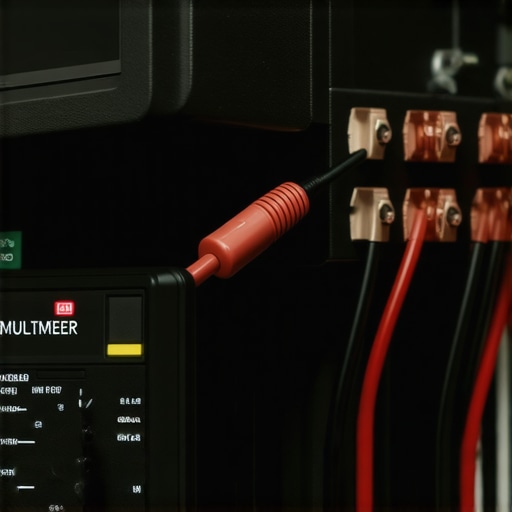
Check for Mismatched Impedance
Think of your amp as a runner and your speakers as the weight they are carrying. If you ask a runner meant for a 10lb pack (8 ohms) to carry 50lbs (2 ohms), they’re going to overheat fast. Many budget amps aren’t rated for 4-ohm loads. When the impedance is too low, the amp works overtime to push the required current, generating massive heat. This mismatch is a huge factor in the reason your passive speakers sound quiet with a digital amp or why they distort early. Always check the back of your unit for the ‘Minimum Impedance’ rating before you wire up a second set of speakers in parallel.
Inspect for Aging or Leaking Parts
Inside that chassis, capacitors act like tiny batteries that smooth out the power supply. Over time, heat causes the electrolyte inside them to dry out or even leak. Once they start to fail, they can’t filter power effectively, making the transistors work harder and run much hotter. You can often spot this by looking for ‘bulging’ tops on the cylindrical components. Knowing how to tell if your amps capacitors are failing can save you from a catastrophic board failure. If you see a brownish crust at the base of a capacitor or if it looks like the top is dome-shaped rather than flat, it’s already overstayed its welcome and needs a replacement to keep the heat in check.I’ve spent years chasing the perfect signal chain, and if there’s one thing I’ve learned, it is that the loudest voices in the audiophile community are often the most wrong. Everyone will tell you that you need to drop hundreds of dollars on ‘oxygen-free’ copper or exotic alloys to save your sound. In my experience, most of that is marketing fluff designed to separate you from your cash. The actual nuance lies in the contact point, not the wire itself. This is the real difference between gold and silver plated connectors: it isn’t about better conductivity—it’s about long-term corrosion resistance. Silver is technically a better conductor, but it tarnishes, while gold stays clean forever. If you want to maintain your amp’s health, you should focus on how to clean gold plated connectors without ruining the finish rather than buying a ‘premium’ cable that’s effectively just a fancy garden hose. 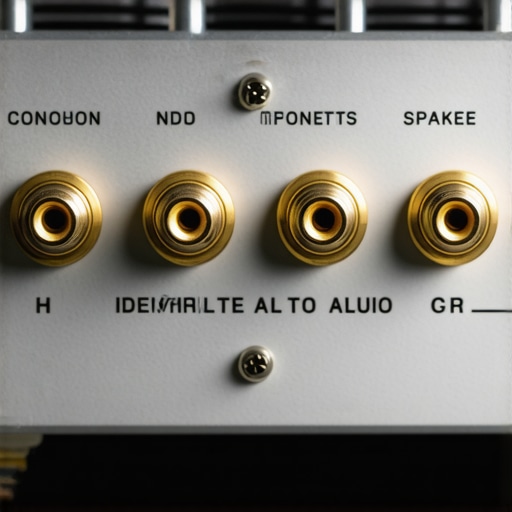
Don’t Waste Your Budget on Digital Snake Oil
One of the biggest traps beginners fall into is buying high-end digital cables. Let’s be clear: a digital signal is a series of ones and zeros. If the cable works, the data gets there. Unlike an analog signal that can degrade and sound ‘fuzzy,’ a digital signal either arrives or it doesn’t. You should stop wasting money on expensive optical cables because a five-dollar cable will carry the exact same bits as a five-hundred-dollar one. The only exception is extremely long runs where signal attenuation becomes a factor, but for your average living room, that expensive cable is just an expensive aesthetic choice.
Can You Really Hear a Speaker ‘Breaking In’?
This is the ultimate debate in the audio world. Many skeptics call it ‘ear-adjustment,’ but there is a mechanical reality at play. A study by the Audio Engineering Society (AES) has shown that the mechanical compliance of a loudspeaker’s suspension—specifically the spider and the surround—changes significantly during the first few hours of high-excursion use. This is why your new speakers sound better after 20 hours of use; the materials literally loosen up, allowing the woofer to move more freely and reach deeper frequencies. If you judge a speaker the second you take it out of the box, you’re making a huge mistake. Give it a weekend of moderate volume before you decide to return it. Have you ever fallen into this trap of returning gear before it was ready, or did you buy into the cable hype? Let me know in the comments below.
The Dangerous Myth of the ‘Cool-Running’ Digital Amp
Another nuance that catches pros off guard is the thermal behavior of Class D (digital) amplifiers. People assume because they are efficient, they don’t need ventilation. That is a dangerous lie. While they don’t generate the same ‘idle heat’ as a massive Class A tube amp, they still produce heat under load. If you bury a Class D amp in a pile of wires or a closed box, the heat builds up in the power supply switching transistors. This leads to the reason your passive speakers sound quiet with a digital amp—the amp is likely thermal-throttling to prevent a meltdown. Efficiency does not mean immunity. Always treat your gear like it needs to breathe, regardless of what the marketing sticker says.
Once you’ve moved past the initial setup and the ‘honeymoon phase’ with your gear, the real work begins: keeping it all running at peak performance. I’ve seen thousands of dollars worth of equipment degraded simply because the owner didn’t have a can of DeoxIT D5 on hand. If you’ve ever noticed a ‘crackle’ when you turn a volume knob, you aren’t just hearing dust; you’re hearing oxidation that creates resistance. This is usually how to fix channel imbalance on a vintage stereo amplifier without having to pay a technician a hundred-dollar bench fee. I personally spray every vintage piece I buy the moment it enters my house. It’s a simple maintenance ritual that prevents the dreaded ‘dead channel’ syndrome.
How do I maintain my high-end audio gear over time?
Maintenance isn’t just about the internal electronics; it’s about the tactile interfaces too. For example, if you’re a headphone enthusiast, you need to be vigilant about your ear pads. Skin oils are acidic and will eventually crack leather or flatten velour, which drastically changes the acoustic seal. I’ve found that 7 signs your headphone pads need replacing today often revolve around a loss of low-end punch that you might mistake for a failing driver. Similarly, if you’re using IEMs, keep a specialized cleaning tool handy; the best way to clean earwax out of mesh earbuds is with a fine wire loop, never a toothpick or a needle which can puncture the delicate acoustic filters. According to Floyd Toole, a renowned expert in acoustics and author of ‘Sound Reproduction,’ even minor changes in the physical state of a transducer can lead to measurable deviations in frequency response that our ears perceive as ‘muddiness.’
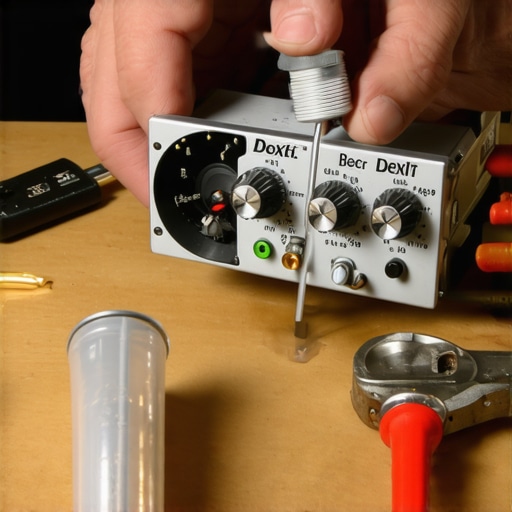
Beyond cleaning, scaling your system requires a strategy for cable management and power. I use a dedicated label maker for every single run. It sounds obsessive until you’re behind a rack trying to figure out which black cable goes to the rear-left surround. Learning the best way to label your messy home theater cables will save you hours of frustration during your next upgrade. If you find yourself running out of power, don’t just buy a bigger amp; consider the easiest way to daisy-chain two amplifiers safely to distribute the load across multiple power supplies. This is especially useful when you’re trying to bi-amp speakers that have separate terminals for high and low frequencies.
Looking toward the future, I predict we are going to see a massive shift toward AI-driven self-calibration tools built directly into our amplifiers. We already see the beginnings of this with Room EQ, but the next step is ‘Component Health Monitoring’ that alerts your smartphone the moment a capacitor starts to drift out of spec. For now, the best tool you have is your own ears and a reliable multimeter. I highly recommend you take ten minutes this weekend to check your connections for any signs of fraying or oxidation. A quick hit of contact cleaner on your RCA jacks can sometimes bring back a level of clarity you didn’t even realize you’d lost. Give your system a ‘physical’ tonight—unplug everything, wipe down the connectors, and re-seat those cables. You might be surprised at the results.
Lessons Bought with Melted Solder and Magic Smoke
If there is one thing that years of restoring vintage gear has taught me, it’s that the ‘protection’ circuit is your best friend, not an annoyance to be bypassed. I’ve seen people try to jump relays only to watch their power transformer turn into a molten brick. Another hard truth: heat damage is cumulative. Just because your amp didn’t die today after a four-hour high-volume session doesn’t mean the internal solder joints aren’t slowly turning brittle and ‘cold.’ I also learned that why your car audio system drains the battery while the engine is off is often related to cooling fans or relays that get stuck ‘on’ because they’ve been heat-damaged. Finally, remember that your ears adjust to distortion over time—if your system sounds ‘different’ after an hour, it’s usually thermal compression, and it’s time to dial it back.
[image_placeholder]
The Essential Toolkit for Long-Term Audio Health
I never go into a setup without three things: a reliable multimeter, a non-contact infrared thermometer, and a quality contact cleaner. If you have an older setup, knowing how to fix a scratchy fader on a vintage audio mixer is a skill that will save you hundreds in repair costs. I also highly recommend visual inspections; periodically check how to tell if your speaker capacitors are starting to leak to catch a mess before it eats through your PCB traces. For headphone users, don’t overlook the simple things—applying the trick to making 50-dollar headphones feel like 300-dollar monitors through proper pad maintenance and sealing can revitalize your listening experience without needing a new amp.
Keep the Music Playing for Decades to Come
Audio gear is an investment in your happiness, and a little proactive care goes a long way. Whether you are hunting for the latest home audio deals or babying a 40-year-old tube amp, the principles remain the same: give it room to breathe, keep the connections clean, and respect the limits of the hardware. Your amplifiers and speakers will reward you with years of crystalline sound if you just pay attention to the warning signs. Go ahead and put your hand on your receiver right now—how hot is it really? Have you ever had a piece of gear go into protection mode during a party, and what did you do to fix it? Let me know in the comments below.