
I’ll never forget standing in that fluorescent-lit aisle, a $90 “performance” optical cable in my hand, listening to a salesman explain how its “specialized glass core” would give my music more “breath.” I was young, I was excited about my new setup, and I fell for it hook, line, and sinker. I went home, plugged it in, and it sounded exactly like the $5 lead I’d been using. It was a stinging realization that in the world of digital audio, the “more-expensive-is-better” rule often hits a brick wall. We spend so much time worrying about the tiny details of our connections while ignoring the big things, like why your soundbar sounds thin in a room with high ceilings or basic room acoustics. Today, I want to pull back the curtain on the optical cable industry. I’m going to show you why those flashy boxes are mostly air and how you can better spend your hard-earned cash on things that actually move the needle for your home theater.
Your Soundbar Doesn’t Need a Platinum Connection
The audio world is full of myths, and the “premium optical cable” is one of the most persistent. When we talk about analog signals—like the difference between balanced and unbalanced cables for home studios—the quality of the copper and the shielding matters because the signal is susceptible to interference. But an optical cable, or Toslink, uses light. It’s binary. It’s either on or it’s off. The light doesn’t care if the connector is made of plastic or some “aerospace-grade” alloy. I once wasted hours trying to clean gold-plated connectors on a digital cable, only to realize later that gold, while a great conductor for electricity, has zero impact on a beam of light. It was a classic rookie error that cost me both time and money. If you’re getting a signal through, you’re getting 100% of the audio quality. There is no middle ground where the sound becomes “fuzzy” due to a cheap cable. If the cable is poor, you’ll get dropouts or silence, not just “lesser” audio quality.
Is “Premium” Fiber Truly Better for Your Ears?
You might hear people talk about “jitter” or signal timing issues when defending their $100 cables. While jitter is a legitimate technical concept in digital audio, it is rarely caused by the cable itself over standard home distances. According to the experts at Audioholics, a reputable authority on high-end audio, if a cable is built to the standard Toslink specification, it will deliver a bit-perfect signal from your source to your amp. The electronics on either end of the cable are far more likely to affect timing than the fiber itself. Have you ever felt pressured to buy a “luxury” cable just to “match” the quality of a new receiver? I’ve been there, and it’s a marketing trap. Instead of overspending on a digital pipe, you could be using that money for the trick to making cheap bookshelf speakers sound expensive or finally tackling how to get rid of ground loop hum in your audio setup. Even something as simple as using a rug to fix a bright-sounding room will have a massive, audible impact on your sound that no fancy cable can ever replicate. Let’s look at what is actually happening inside that little plastic tube and why the cheap ones are just fine.I once spent a whole afternoon cursing at a soundbar because the dialogue didn’t match the actors’ lips. My first instinct, fueled by years of marketing brainwashing, was that my cheap cable was “too slow” or the signal was somehow “degraded.” I almost drove back to the store to drop $60 on a “high-speed” optical lead. It was a classic case of looking for a hardware solution to a software problem. If you are currently facing audio issues, here is the roadmap to fixing them without opening your wallet for snake oil.
Fix the System Instead of Buying More Cables
If you have sound coming through your speakers, your cable is functionally perfect. It is that simple. To prove it to yourself, just unplug the cable from the receiving end while the source is playing. You should see a bright red light. That light is your data. If it is there, the physical pipe is fine. Instead of blaming the glass, you should focus on how to fix the audio delay on your soundbar. Most modern TVs and soundbars have a sync or A/V delay setting in the menu. This is where the real processing happens, and no amount of silver-plated fiber will fix a 100ms processing lag from your TV internal processor. 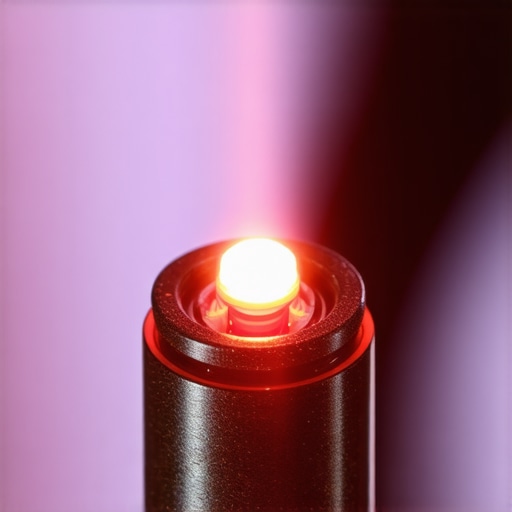
Protect the Fragile Fiber Core
One of the biggest mistakes I made early on was treating my optical cables like standard speaker wire. I used to pull them tight around corners and secure them with industrial-strength zip ties to keep things tidy. When I finally moved my setup, the audio just stopped. I had literally cracked the internal glass fiber by bending it too sharply. Unlike copper, which can be bent and bruised, optical fiber relies on internal reflection. If you kink it, you break the path of light. When you are learning how to mount a soundbar on drywall without hitting a stud, make sure you leave a generous loop for your optical connections. Don’t force them into 90-degree angles. If you suspect a break, use the flashlight test: shine a light in one end; if it doesn’t come out the other side clearly, the cable is toast.
Clean the Lens Instead of the Connector
We often obsess over how to clean gold-plated connectors without ruining the finish, but for Toslink, the gold is purely decorative. The real hero is the tiny plastic or glass lens at the very tip. If you have been handling it with greasy fingers, you have just created a filter for that light beam. A simple wipe with a dry, lint-free cloth is usually enough. If you are dealing with older gear that has been sitting in a dusty attic, you might even need to look at how to clean a laser lens on a skipping vintage CD player, as the internal components are far more likely to fail than the cable itself.
Treat Your Room to Improve the Sound Quality
If your audio sounds thin or harsh, your cable is never the culprit. I remember a friend who bought a high-end optical cable because his system sounded too bright. We swapped the cable, and the sound remained identical. Then, we tried why you should use a rug to fix a bright-sounding room. The difference was immediate and massive. The hard wood floors were bouncing high frequencies everywhere, creating a chaotic mess. By focusing on the environment rather than the digital signal path, he actually fixed the problem for a fraction of the price. Likewise, if your bass feels weak or boomy, understanding why your subwoofer sounds better in the corner of the room will do more for your cinematic experience than any luxury light pipe ever could. Before you blame the wire, make sure you know how to tell if your speaker is actually blown or just rattling to avoid chasing ghosts in your setup.Speaking of chasing ghosts, one of the biggest spirits in the audio world is the concept of speaker break-in. People love to argue about it, claiming you need to play pink noise for 40 hours before your speakers open up. Honestly? It’s mostly nonsense. While the mechanical suspension of a driver does change slightly in the first few minutes of use, it is not a week-long process. Often, what you are actually experiencing is your brain getting used to a new sound signature. It’s why the truth about speaker break-in periods is much more about psychological adaptation than physical metallurgy. If you’ve spent weeks waiting for a soundbar to ‘warm up,’ you’re likely just becoming accustomed to its flaws rather than witnessing a transformation in the hardware.
Does Speaker Break-In Actually Change the Frequency Response?
The technical answer, according to researchers like Sean Olive at Harman International, is that the measurable changes in a speaker’s performance after the first few minutes are so small they are essentially inaudible to the human ear. If you don’t like the way a speaker sounds out of the box, you probably won’t like it in a month either. Instead of waiting for a miracle, you might need to check how to test your headphones for a blown driver at home or see if your speakers are simply a bad match for your room. 
Why You Should Never Buy a Used Receiver Without the Remote
Here is a trap I see people fall into every single weekend at thrift stores and garage sales. They find a high-end 7.1 receiver for $40, test that it powers on, and take it home. Then they realize they can’t access the setup menu to calibrate the speakers because the remote is missing. Modern receivers often hide 90% of their functionality—like crossover settings, distance delays, or room EQ—behind a proprietary menu that physical buttons on the faceplate cannot reach. This is exactly why you should never buy a used receiver without the remote unless you’ve already sourced a replacement online. You might end up with a powerful amp that you can’t actually configure for your specific speakers, leaving you stuck with a default setting that sounds terrible. Another massive ‘oops’ factor involves impedance. If you are pairing high-end speakers with a budget amplifier, you need to understand the secret to choosing the right ohm rating for your amp. I’ve seen enthusiasts blow fuses or cook their internal boards because they forced a 4-ohm load on an amp designed for 8 ohms. This mismatch is usually why your receiver’s protection mode keeps triggering at high volume. It’s not that your gear is ‘broken,’ it’s that you’re asking it to work harder than physics allows. The world of audio is addictive, and it’s easy to get lost in the pursuit of perfection. But remember: the gear is just a tool for the music. Don’t let the marketing or the ‘audiophile rules’ get in the way of your enjoyment. Have you ever fallen into this trap of overcomplicating your setup or buying gear that didn’t live up to the hype? Let me know in the comments.
Moving beyond the initial setup and the cables, the real secret to great sound isn’t just what you buy, but how you treat it over the next five to ten years. I have seen thousand-dollar systems sound like garbage because the owner ignored basic maintenance. It is heartbreaking to see a vintage amp slowly die just because no one bothered to learn how to fix a scratchy volume knob on an old amp. Dust and oxidation are the silent killers of high-end audio, and if you aren’t proactive, your equipment will eventually lose its luster. Maintaining your gear doesn’t require an engineering degree; it just takes a bit of discipline and the right mindset regarding your hardware’s lifespan.
Keep Your Gear Alive for Decades
One of the most common points of failure in older systems isn’t the electronics, but the physical materials. If you have inherited or bought older cabinets, you might find the bass sounds muddy or ‘loose.’ Often, this is because the foam surround holding the cone has dry-rotted. Instead of tossing them, you should look into how to revive old speakers with new foam surrounds. It is a tedious job, but it can make a thirty-year-old speaker sound brand new for less than the cost of a pizza. The same applies to your portable gear; for instance, knowing the mistake that kills your portable speaker battery life—like leaving it plugged in 24/7 or letting it sit at 0% for months—can double the life of your favorite Bluetooth device. And for my headphone users, please don’t neglect the hygiene of your kit. Learning how to clean your headphone ear pads without ruining the leather will prevent that nasty flaking that happens when skin oils eat through the material.
Every Audiophile Needs This $15 Tool
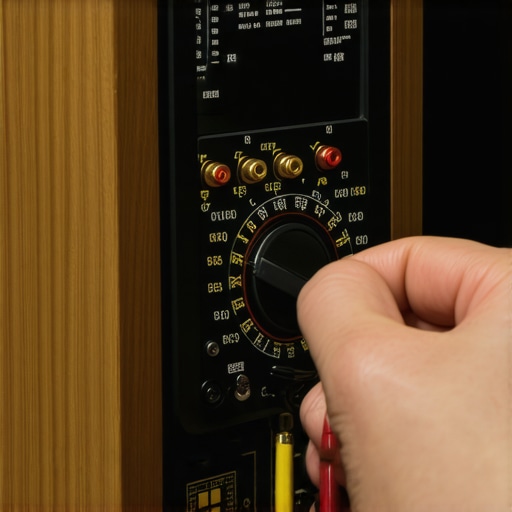
If you want to move from a casual listener to someone who actually understands their system, you need a digital multimeter. I use mine constantly to troubleshoot everything from dead speaker channels to mysterious humming noises. It is the only definitive way to check for continuity or how to use a multimeter to find a short in your speaker wires before you accidentally fry your amplifier’s output stage. As Dr. Floyd Toole points out in his seminal work, Sound Reproduction: The Acoustics and Psychoacoustics of Loudspeakers and Rooms, the interaction between the speaker and the room is the most significant factor in what we actually hear. While we can’t all hire an acoustic engineer, we can use technology to bridge the gap. I highly recommend learning how to use your phone to measure your rooms frequency response using apps like HouseCurve or REW. This allows you to see the ‘peaks’ and ‘nulls’ in your room so you can place your speakers with surgical precision rather than just guessing.
How do I maintain my home audio performance over time?
Consistency is key. Every six months, I make it a habit to check all my physical connections. Over time, heat cycles can cause wires to slightly loosen or copper to oxidize. I also predict that the next five years will see a massive shift toward AI-integrated DSP (Digital Signal Processing) that automatically corrects for hardware aging. Until then, the best maintenance is environmental: keep your amps ventilated and your speakers out of direct sunlight. My challenge to you this weekend is to download a frequency response app and test your listening position. You might discover that moving your chair just six inches back fixes a bass problem you have been blaming on your equipment for years. If you find a massive dip in the low end, you will finally understand why I always say the room is the most important component in your signal chain.
The Hard Lessons That Saved My Wallet and My Ears
Looking back at my journey, there are a few “lightbulb moments” that changed how I approach my setup. First, I realized that digital signals are remarkably resilient. Unlike the difference between balanced and unbalanced cables for home studios, where copper quality actually impacts noise, light is either there or it isn’t. Second, I learned that a cable’s biggest enemy isn’t “cheap glass,” but physical stress—sharp bends kill optical signals faster than any brand-name plastic ever could. Finally, I discovered that sound issues are almost always environmental. If your system feels lacking, understanding why your soundbar sounds thin in a room with high ceilings is a much more important question than which brand of cable you are using.
My Personal Toolkit for Perfect Home Sound
If you want to stop guessing and start knowing what is happening in your system, here are the three things I never go without. I always keep a digital multimeter nearby; it is the only definitive way to troubleshoot how to use a multimeter to find a short in your speaker wires before you risk your expensive amplifier. For theory, I swear by Dr. Floyd Toole’s Sound Reproduction. It is the bible of audio science and will protect you from every marketing trap in the book. Lastly, I use measurement apps like REW to see how my room is actually behaving, which is far more effective than any “premium” accessory purchase. Even simple maintenance, like knowing how to clean your headphone ear pads without ruining the leather, ensures your investment lasts for years instead of months.
#IMAGE_PLACEHOLDER_E#
Time to Trust Your Ears Over the Marketing
At the end of the day, your audio journey should be about the joy of the experience, not the stress of the specs. Don’t let a salesperson convince you that a fancy optical cable is a magic wand for your sound. Focus on placement, room treatment, and keeping your gear clean. When you stop worrying about the wires, you start hearing the music again. Have you ever bought an expensive cable only to realize it made zero difference to your setup? Let me know your experience in the comments below!