
I remember the exact moment I realized my trusty portable speaker wasn’t pulling its weight anymore. I was trying to listen to a podcast while doing the dishes, and even with the volume slider pushed to the absolute limit, the sound of the running water completely drowned it out. It felt like my speaker had aged ten years overnight. I felt cheated. I spent good money on that thing, and now it was whimpering. I’ve been there—standing over a device, repeatedly clicking the ‘volume up’ button even though the little LED is already blinking at its maximum. It’s frustrating, especially when you know it used to have enough kick to start a party. Today, I’m going to help you figure out why those decibels are disappearing and how to get that “brand new” roar back into your life without having to buy a whole new sound system.
Your Speaker Might Not Be Dying, Just Choking
Many of us assume that a quiet speaker is a broken speaker, but in my experience, that is rarely the case. Before you go shopping for expensive replacements, you need to check the physical reality of your device. I once made the classic mistake of thinking I was experiencing a weird variation of the truth about speaker break-in periods, waiting for the sound to “open up” again. I actually spent three weeks playing pink noise at low volumes thinking I was “resetting” the drivers. What a waste of time! In reality, I had just let months of kitchen grease and dust build up on the fabric grill. If your speaker can’t breathe, it can’t move air efficiently. And if it can’t move air, you aren’t getting volume. Sometimes the issue is as simple as placement; while we know your Bluetooth speaker sounds better on a wooden table due to the way wood amplifies those lower frequencies, even the best surface won’t save a driver that is physically obstructed by grime or software limitations.
Is This Just a Sign You Need a Brand New Setup?
I hear this concern all the time from my friends and neighbors. They worry that the internal amplifier is simply “worn out” or that the magnets have lost their strength. While components do age, the culprit is almost always more mundane—like a software-level volume cap hidden in a recent phone update or a failing battery that can’t provide the peak voltage needed for high-volume transients. In fact, technical papers from the Audio Engineering Society suggest that as lithium-ion batteries degrade, their internal resistance increases, which can directly limit the peak power output to the driver, effectively acting as an unintended volume limiter. Have you noticed your speaker sounding a little “polite” or muffled lately, or is it just me? If it’s struggling to stay powered or the sound dips when the bass hits, you might even need to look into how to fix a loose charging port on a rugged portable speaker to ensure it’s getting the consistent current it needs to perform. We’re going to dig deep into the settings, the hardware, and the common myths that keep your music sounding small. It is time to get that room-filling sound back.Start by inspecting the most obvious barrier: the grill. Whether it is a metal mesh or acoustic fabric, these surfaces are magnets for hair, dust, and kitchen oils. If you can not see the driver through the mesh, the sound waves are definitely struggling to get out. I once rescued a pair of vintage cabinets that sounded incredibly muffled; a quick lesson in how to clean your speaker cones without ruining the paper turned them from muddy relics into crisp performers. For more rugged units, even a vacuum on low power can pull out the debris that acts like a physical mute button. Next, look at where the juice enters the system. If you are using wired components, oxidation is your silent enemy. It creates resistance, and resistance eats your volume for breakfast. You should regularly check how to clean gold-plated connectors without ruining the finish to keep that signal path wide open. I remember helping a neighbor who was ready to buy a new receiver; all we did was spend ten minutes tightening a connection after I showed him how to fix a loose speaker terminal on your cabinet. The ‘broken’ speaker suddenly gained about 6 decibels of headroom just by restoring the physical integrity of the circuit. 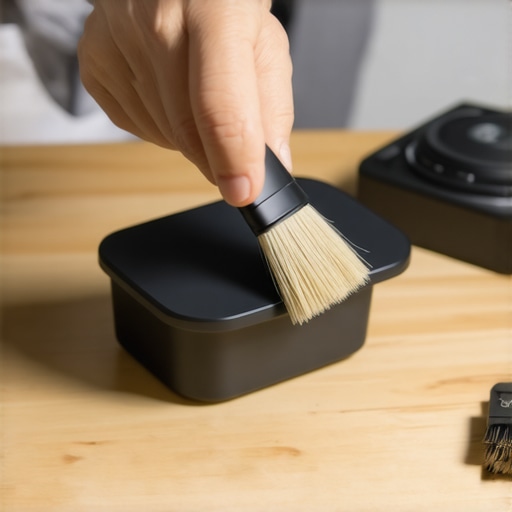
Fix the Hardware Mismatches You Did Not Know Existed
If your hardware is clean but the output is still weak, you might be facing an impedance mismatch. This is common when pairing modern tech with older gear. Many people find the reason your passive speakers sound quiet with a digital amp is simply that the amp does not have the current reserves to drive low-efficiency drivers. Think of it like trying to tow a boat with a golf cart—it will move, but it will not have any power. I have personally used the trick of how to fix a speaker cone with a simple coffee filter to repair a small tear that was causing air leakage and volume loss, proving that sometimes the fix is mechanical rather than electrical.
Stop Smothering the Sound Waves
Finally, consider the physics of the room. A speaker shoved into a tight corner might sound ‘boomy,’ but it can also lead to phase cancellations that make the mid-range feel hollow and quiet. You need to understand why your floorstanding speakers need more breathing room from the wall to allow the rear-firing ports to function properly. When I moved my office setup just six inches further from the drywall, the soundstage expanded so much I actually had to turn the volume knob down for the first time in months. This isn’t just about volume; it is about efficiency. When the speaker does not have to fight its own reflections, the perceived loudness increases naturally without stressing the internal amplifier.Let’s dig deeper into the invisible culprits that make even high-end gear sound like a tinny transistor radio. Most people assume that if they want more volume, they just need a bigger amplifier with a higher wattage rating. This is the ultimate industry trap. In my years of testing home theater and portable gear, I’ve found that sensitivity is far more important than raw power. If you have a speaker with a low sensitivity rating—say 84dB—throwing 200 watts at it might still leave it sounding remarkably quiet compared to a highly efficient speaker running on a modest 50 watts. It’s a major reason the reason your passive speakers sound quiet with a digital amp isn’t always about the amp itself; it’s about the mismatch of efficiency. Another nuance people often overlook is the ‘digital vs analog’ volume dilemma. If you turn your phone volume down to 10% and then crank your physical speaker’s knob to 100%, you are effectively inviting unwanted noise to the party. A technical paper from the Audio Engineering Society (AES) on digital signal processing warns that excessive digital attenuation can lead to ‘bit-depth reduction,’ where you literally lose the resolution of your audio file. Always try to keep your digital source—like your phone or PC—between 80% and 90% and use the hardware amplifier to control the final loudness. This improper gain staging is also a frequent reason why your noise-canceling headphones hiss in quiet rooms. The internal circuitry is essentially amplifying the noise floor because the input signal is too weak.
Why Does Your Digital Volume Control Keep Stealing Your Bass?
The answer usually lies in how the internal Digital Signal Processor (DSP) handles power management. When you listen at lower volumes, many modern Bluetooth speakers and soundbars use ‘loudness compensation’ to boost the low end so it feels full. However, as you approach maximum volume, the DSP might aggressively cut those bass frequencies to prevent the driver from physically breaking. This makes the music sound ‘shouty’ or thin. If you have been hunting for the secret to getting deep bass from tiny desktop speakers, you have likely noticed that the impact vanishes exactly when you want it most. This is an ‘oops’ factor where the internal limiter is being overprotective.  You should also be wary of falling for the ‘fancy cable’ trap. I have seen people spend hundreds on silver-plated wire while ignoring the fact that their speakers are out of phase. I always tell my readers to stop wasting money on expensive optical cables and focus on configuration instead. For example, learning how to match your subwoofer phase with your main speakers can yield a massive increase in perceived volume that no cable can provide. When two speakers are out of sync, they physically cancel out each other’s sound waves, making your system sound like it is struggling for air. Have you ever fallen into this trap where you bought a ‘premium’ accessory only to realize the setup was just out of sync? Let me know in the comments.Beyond just plugging things in, you need a diagnostic mindset to keep your system performing like it did on day one. I keep a digital multimeter in my desk drawer right next to my favorite headphones. It is the only way to truly know if your wires are delivering full current or if a tiny, invisible internal break is throttling your power. If you have never done it, learning how to use a multimeter to find a short in your speaker wires is the single best skill upgrade you can give yourself. It stops the guessing game and prevents you from throwing away perfectly good hardware. I have seen enthusiasts spend thousands on new amps when the culprit was actually a 50-cent oxidization layer on a terminal.
How do I maintain my high-end audio gear over time?
Maintenance is not a once-a-year event; it is about protecting the components from environmental stress. For your portable gear, heat is the primary enemy of volume. If you are a car audio fan, you already know that heat soak can cause your internal protection circuits to kick in and lower the gain automatically. This is a common reason why your car amp is overheating during long summer drives and robbing you of those peak decibels. In the home, you should be inspecting your connections every six months. I personally use a specialized contact cleaner like DeoxIT D5 to ensure the signal path stays pristine. This is especially vital for vintage gear where the metal has had decades to react with the air. You should definitely check out how to clean gold-plated connectors without ruining the finish because using the wrong abrasive can actually strip away the conductive layer and make your volume issues even worse. 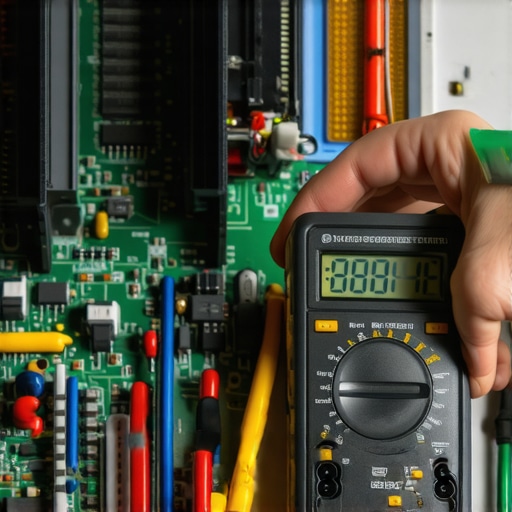
Stop the Decay Before the Sound Fades
We also need to talk about soft goods. Your headphones are not just electronics; they are mechanical devices with seals. When your ear pads flatten out or crack, the acoustic seal breaks, and you lose all your low-end energy, making the volume feel much lower than it actually is. I tell my readers to look for these 7 signs your headphone pads need replacing today to maintain that factory-fresh frequency response. On the speaker side, the crossover components inside your cabinets are slowly aging. According to technical documentation from manufacturers like JBL and Tannoy, the electrolytic capacitors used in older crossovers have a finite lifespan and can drift out of spec, causing the tweeter to lose its sparkle. Learning how to tell if your speaker capacitors are starting to leak can save your drivers from a catastrophic failure. Looking ahead, I predict we will see more ‘self-healing’ audio systems where internal AI-driven DSPs automatically recalibrate the output to compensate for aging components. But until that day comes, the best tool you have is your own ears and a bit of preventative care. This week, I want you to try one thing: pull your main speaker cables, check for any fraying or green oxidation, and re-terminate the ends. You might be shocked at the ‘free’ volume you gain just by refreshing the connection.
After years of tinkering, I realized that the loudest voice in the room is often the one with the best efficiency, not the most power. I spent a long time chasing high-wattage amplifiers only to find that my bookshelf speakers were simply hungry for a better signal, not more juice. This is where most people get stuck; they try to brute-force a volume problem that is actually a quality problem. For instance, I’ve seen many enthusiasts struggle with a left-right volume difference that they couldn’t explain. If you are hearing one side fading out, you should learn how to fix channel imbalance on a vintage stereo amplifier before assuming the component is dead. Often, a tiny bit of internal dust or a worn-out potentiometer is the only thing standing between you and a balanced soundstage. #IMAGE_PLACEHOLDER_E#
The Gear That Stays in My Go-Bag
If you want to move beyond guessing, you need a few core tools. I never start a repair without my trusty multimeter. Being able to check for continuity is a game-changer, especially when you know how to use a multimeter to find a short in your speaker wires. It turns a frustrating afternoon of ‘swapping and praying’ into a five-minute diagnostic win. I also swear by specialized contact cleaners; you have to be careful, though, and know how to clean gold-plated connectors without ruining the finish to avoid doing more harm than good. Lastly, my favorite way to find high-end replacements for cheap is knowing the trick to buying high-end audio at estate sales. You would be amazed at the pristine, high-sensitivity gear people leave behind just because a wire was loose.
Your Path to Soundstage Perfection
Your audio gear is an investment in your daily happiness, and keeping it at peak volume is about respect for the craft. Don’t let a little dust or a software glitch convince you to throw away a perfectly good system. With a bit of patience and the right diagnostic mindset, you can restore that room-filling roar and enjoy your music the way it was intended to be heard. Have you ever discovered a surprisingly simple fix that brought your dead speakers back to life? Let me know in the comments below.