
I was right in the middle of watching the lobby scene in The Matrix. The shotgun blasts were supposed to shake my floorboards, but instead, my living room went dead silent. Well, not completely silent, but that deep, bone-rattling rumble simply vanished. My wireless subwoofer had decided to take an unscheduled nap. Again. I sat there on the couch, staring at the blinking LED light on the back of the sub, feeling my blood pressure rise. It is the ultimate mood killer for any home theater enthusiast. If you are tired of your bass dropping out right when the action gets good, you are not alone. Today, we are going to dive into exactly why this keeps happening and how you can permanently lock in that connection so your movies sound exactly the way they were meant to.
The Night I Almost Threw My Soundbar Setup Out the Window
It is embarrassing to admit, but when I first set up my wireless surround system, I made a classic rookie mistake. I tucked my subwoofer directly behind a heavy metal filing cabinet, right next to my dual-band Wi-Fi router. I thought, “Hey, it’s wireless, it should work anywhere, right?” Wrong. My subwoofer spent the next three weeks cutting in and out like a cheap walkie-talkie. It turns out that wireless subwoofers operate on the highly congested 2.4GHz radio frequency. This is the exact same highway used by your home Wi-Fi, your microwave, baby monitors, and even your neighbor’s smart fridge. According to a Federal Communications Commission (FCC) report on household spectrum crowding, the 2.4GHz band is incredibly prone to severe localized interference. Once I realized my router was actively suffocating my sub’s signal, I started rearranging things. Moving a few devices completely transformed my listening experience. Physical placement is so critical that it even affects your overall acoustics; for instance, you might notice why your subwoofer sounds different depending on where you sit, which is why finding the sweet spot is doubly important.
Are wireless subwoofers actually worth the hassle?
You might be asking yourself if you should just throw in the towel and run a long, ugly RCA cable across your clean living room floor. I get the skepticism. When a wireless sub works, it is absolute magic. It keeps your space clutter-free and gives you the freedom to place the cabinet where it actually sounds best, rather than just where the wire reaches. But when it fails, it makes you want to pull your hair out. Have you ever been in the middle of a great album or an intense movie scene only to have your bass completely disappear on you? Let me know in the comments below, because I want to hear your horror stories. The good news is that you do not need to buy a brand-new system or compromise on your room’s aesthetic. Most wireless dropouts can be solved with a few simple adjustments to your home network, physical layout, or device settings.
Clear the Airwaves by Shifting Your Wi-Fi Channels
Think of your home’s wireless environment like a multi-lane highway. When your wireless router and your subwoofer are both trying to drive in the exact same lane on the 2.4GHz frequency, they are bound to crash into each other, resulting in those annoying audio dropouts. To fix this, you need to force your router to use a different lane. I remember a chaotic Sunday afternoon when my sub was cutting out every single time my roommate started streaming video. I logged into my router’s admin panel using my phone, went straight to the wireless settings, and switched the 2.4GHz channel from ‘Auto’ to channel 1, 6, or 11. These three channels are the only ones that do not overlap with each other. I chose channel 1, saved the settings, and rebooted the system. Instantly, the connection became rock-solid. If you are experiencing similar wireless instability with other audio devices, taking control of your local network congestion is almost always the silver bullet. This is very similar to the real reason your bluetooth headphones keep stuttering when you walk through a crowded office space; too many devices are simply fighting for the exact same airwaves.
Physical Separation is Your Best Friend
The physical layout of your room plays a massive role in how well your wireless subwoofer maintains its link to the soundbar or receiver. You want to avoid placing your wireless subwoofer directly next to your wireless router, smart home hubs, or even large metal objects that block radio waves. I once assisted a friend who complained that his subwoofer kept disconnecting. When I arrived, he had placed the subwoofer directly beneath his router table to hide the power cable. We moved the subwoofer just four feet away to the other side of the media console, and the signal dropouts vanished instantly. If you are struggling with speaker performance, physical placement is everything. Just like learning why your subwoofer sounds different depending on where you sit, finding the sweet spot for your subwoofer’s wireless receiver is a balance of acoustic quality and signal strength. Avoid tucking the cabinet deep inside heavy wooden cabinets or behind metal furniture. 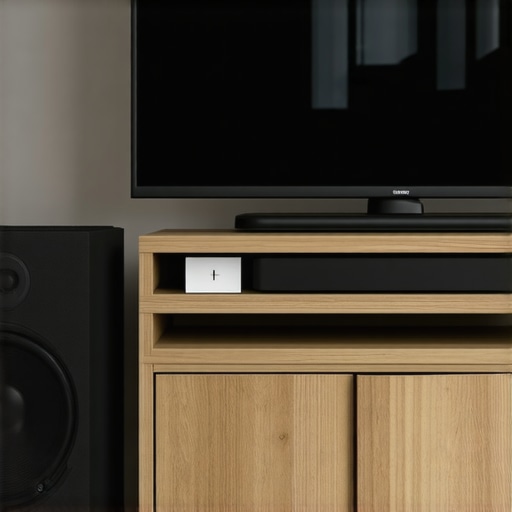
Keep Your Subwoofer Firmware Updated
Many modern soundbars and wireless subwoofer systems rely on software to manage their wireless pairing protocols. Manufacturers frequently release firmware updates that improve wireless stability and channel-hopping algorithms. Check your soundbar manufacturer’s companion app or website to see if an update is available. In some cases, you may need to load the update onto a USB drive and insert it into the back of the soundbar, while other smart systems can update over your home Wi-Fi network. Maintaining updated software ensures that your audio gear is utilizing the latest connection standards to keep the bass flowing without interruption. This type of routine maintenance is just as critical as knowing how to fix a speaker that is cutting in and out due to loose internal physical connections.
The Great Line of Sight Myth
Most people believe that if their wireless subwoofer has a direct, unobstructed line of sight to the soundbar, the connection should be flawless. This is one of the most common myths in home audio. In my experience, focusing solely on line of sight actually blinds you to how radio waves behave in a closed room. The signal from your transmitter doesn’t travel in a laser-straight line; it radiates outwards and bounces off your walls, ceiling, and floor. When these reflected signals bounce around, they can arrive at your subwoofer’s receiver at slightly different times, causing phase cancellation. This means your sub might drop its connection even if it is sitting just ten feet away with absolutely nothing in between. If you are struggling with poor performance, understanding this physical reality is far more useful than buying expensive signal boosters. It is similar to learning why your subwoofer sounds different depending on where you sit, as room boundaries shape both the sound waves and the radio frequencies in unexpected ways.
The Dreaded Auto-Sleep Loop Trap
Another massive headache is the ‘auto-sleep’ or power-saving loop. Many manufacturers program their wireless subwoofers to go into a standby mode when they don’t detect an active low-frequency signal for a few minutes. If you are watching a quiet, dialogue-heavy drama, your subwoofer assumes the movie is over and goes to sleep. Then, when a sudden explosion occurs, the sub has to scramble to wake up, leading to a noticeable delay or a complete failure to reconnect. This isn’t a wireless signal issue; it is a system logic issue. I always warn people to check if their subwoofer allows them to disable the automatic standby feature. Have you ever fallen into this trap? Let me know in the comments below, because waking up a sleepy sub in the middle of a film is incredibly frustrating. This software-driven behavior can be just as annoying as trying to figure out how to fix a speaker that is cutting in and out when the culprit is actually a power-saving setting rather than physical wiring.
Does Bluetooth audio transmission compromise your deep bass quality?
Advanced audio enthusiasts often ask if wireless transmission protocols degrade the actual sound quality of the low-end frequencies. The short answer is: not in the way you might think. While older Bluetooth codecs did compress audio heavily, modern proprietary 2.4GHz and 5.2GHz wireless links used by reputable audio brands transmit uncompressed, CD-quality audio with near-zero latency. According to an engineering study by the Audio Engineering Society (AES), human hearing is far less sensitive to phase anomalies and slight compression at extremely low frequencies (below 80Hz) than it is in the midrange. Therefore, the wireless link itself isn’t degrading your bass tone; rather, issues like poor cabinet isolation, cheap digital-to-analog converters inside the subwoofer, or power supply noise are the real culprits. If you want to elevate your system’s performance, investing in clean power is a much better path. In fact, why your active speakers need a dedicated power conditioner is a concept that applies directly to wireless subwoofers too, as dirty mains power can introduce electronic hums that ruin your low-end response long before the wireless signal ever drops. 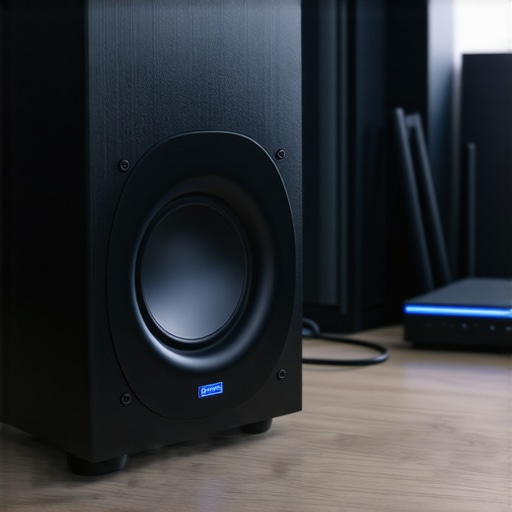
My Personal Toolkit for Locking in the Signal
When you are fighting persistent signal drops, guessing is a waste of time. I do not rely on trial and error anymore; instead, I use a dedicated tool to find the exact source of wireless congestion. My weapon of choice is a free mobile app called Wi-Fi Analyzer (or NetSpot if I am on my laptop). These tools actively scan the local airwaves and show you a visual graph of every network in your neighborhood. When I first ran a scan in my living room, I discovered my neighbor’s high-powered router was blasting on channel 6, which was the exact channel my subwoofer’s transmitter was trying to use. By visualising this congestion, I knew exactly which clean channel to switch my router to. If you are struggling with a flaky setup, downloading an analyzer app is the single best way to take control of your environment.
Another physical tool I swear by is a simple set of acoustic isolation pads. If your sub is resting directly on a resonant hardwood floor, the heavy physical vibrations can actually micro-rattle the internal wireless card and power connections over time. Placing high-density foam pads under the cabinet dampens these physical vibrations, protecting the internal electronics and tightening up your bass response. It is a concept similar to why your desktop speakers need isolation pads to stop desk vibration. By isolating the physical cabinet, you prevent mechanical fatigue on the delicate internal receiver circuitry.
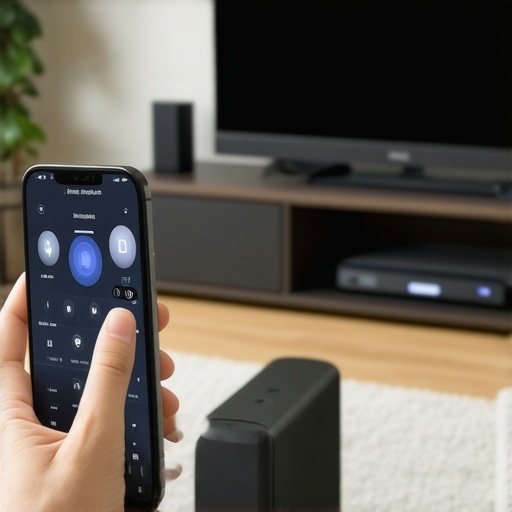
How do I maintain my wireless audio connection over time?
Maintaining a stable wireless connection is not a set-it-and-forget-it task. Every time you bring a new smart home device into your house, or your neighbors upgrade their home network, your local RF environment changes. To maintain your wireless subwoofer’s performance over the long haul, make it a habit to check your router’s channel distribution once a year or whenever you experience a sudden dropout. Additionally, keep the physical hardware clean. Dust buildup in the subwoofer’s rear port or ventilation areas can cause the internal wireless transmitter to run hot, leading to thermal throttling and signal instability. Think of it like maintaining any other delicate piece of electronics; just like learning how to fix a loose charging port on your favorite bluetooth speaker, keeping physical connection points clean and dust-free prevents hardware-level dropouts before they can start.
The Future of Wireless Audio Transmission
As our homes become increasingly packed with smart devices, the standard 2.4GHz band is quickly becoming unusable for high-fidelity audio. The future of wireless subwoofers lies in dynamic frequency-hopping technologies and the adoption of the newer Wi-Fi 6E and Wi-Fi 7 spectrums (specifically utilizing the ultra-wide 6GHz band). According to a technical whitepaper by The Wi-Fi Alliance, the 6GHz band offers massive, non-overlapping channels that are virtually immune to household appliance interference. In the next few years, I predict we will see premium audio brands completely phase out traditional 2.4GHz transmitters in favor of these wider, smarter, and self-healing wireless protocols, meaning dropouts will finally become a relic of the past.
Before you run out and buy a whole new soundbar system, I challenge you to try the advanced router channel tweak tonight. Go into your home router’s admin panel, manually assign your 2.4GHz network to channel 1, 6, or 11, and listen to the immediate difference in how stable your bass becomes.
When you are fighting persistent signal drops, guessing is a waste of time. I do not rely on trial and error anymore; instead, I use a dedicated tool to find the exact source of wireless congestion. My weapon of choice is a free mobile app called Wi-Fi Analyzer (or NetSpot if I am on my laptop). These tools actively scan the local airwaves and show you a visual graph of every network in your neighborhood. When I first ran a scan in my living room, I discovered my neighbor’s high-powered router was blasting on channel 6, which was the exact channel my subwoofer’s transmitter was trying to use. By visualising this congestion, I knew exactly which clean channel to switch my router to. If you are struggling with a flaky setup, downloading an analyzer app is the single best way to take control of your environment.
Another physical tool I swear by is a simple set of acoustic isolation pads. If your sub is resting directly on a resonant hardwood floor, the heavy physical vibrations can actually micro-rattle the internal wireless card and power connections over time. Placing high-density foam pads under the cabinet dampens these physical vibrations, protecting the internal electronics and tightening up your bass response. It is a concept similar to why your desktop speakers need isolation pads to stop desk vibration. By isolating the physical cabinet, you prevent mechanical fatigue on the delicate internal receiver circuitry.
The Hardest Lessons I Learned Fighting Home Theater Static
Over the years of setting up surround systems, I have run into almost every possible wireless audio issue. Here are three critical realizations that changed how I approach my home audio setup:
- The hidden cost of cheap power strip daisy-chaining: Plugging your heavy-duty subwoofer into a cheap, overloaded power strip shared with five other electronics creates massive electrical noise. In fact, why you should never use a power strip for your high-end amplifier or active subwoofer is one of the most important power safety rules to prevent signal dropouts and ground loops.
- Ground loops mimic wireless drops: Sometimes, that sudden cutout or low-end hum isn’t a wireless signal issue at all, but rather a power conflict. Learning how to avoid ground loops in your home studio setup can resolve those phantom audio drops that you might blame on your Wi-Fi.
- Physical placement changes the signal and the sound: You can’t just tuck a sub into a closet. Not only will the physical barrier degrade the radio signal, but you’ll run into acoustic issues. Understanding how to hide a subwoofer in plain sight without muffled bass is essential to keeping both the physical sound and the connection clear.
My Essential Toolkit for Perfect Signal Management
To keep my wireless subwoofer and home theater running flawlessly, I rely on a few specific tools and techniques that I recommend to everyone:
- Wi-Fi Analyzer Apps (NetSpot or Wi-Fi Analyzer): Essential for identifying crowded local channels in your living room.
- Physical Isolation Pads: High-density foam or rubber isolation pads decouple the heavy bass vibrations from your floorboards, which prevents internal hardware rattle. This works under a subwoofer just as effectively as it does when figuring out the simple way to stop your bookshelf speakers from sliding off the stand.
- A Dedicated Power Line or Conditioner: Keeps electrical interference from leaking into your wireless receiver boards.
Take Control of Your Airwaves Today
You don’t have to tolerate a home theater that cuts out during the best scenes of your favorite movies. By taking a few strategic steps—shifting your router’s channels, physically isolating the cabinet, and eliminating local RF blockages—you can enjoy seamless, bone-rattling bass whenever you want. Wireless technology is incredibly convenient, but it requires a tiny bit of upfront maintenance to perform at its peak. Go ahead and log into your router tonight, make those quick adjustments, and enjoy your movies the way they were meant to be experienced.
Have you ever struggled with a wireless subwoofer that kept dropping out during the most intense parts of a movie? Let me know in the comments below!