
Picture this. You are walking down the street, your favorite song is building up to that massive, satisfying drop, and suddenly—drop-out. The audio cuts, stutters like a scratched CD, and then rushes to catch up. It completely ruins the vibe. I used to think I bought a defective pair. In fact, I actually threw away a perfectly good $300 pair of wireless headphones because I assumed the internal antenna was fried. I even tried to fix a loose headphone jack on my backup wired set before realizing I just needed to understand how wireless signals actually behave in the real world. That was a costly mistake, and I don’t want you to make it.
The Invisible War for Your Airwaves
We are told that Bluetooth is a flawless, magical invisible wire. But the reality is much more chaotic. Your wireless headphones operate on the 2.4 GHz radio frequency band. Do you know what else lives there? Your home Wi-Fi, your microwave, baby monitors, and even your neighbor’s smart fridge. When you walk into a busy area, your headphones are fighting a desperate battle against dozens of other signals just to receive a handful of audio data packets. If those packets get delayed or lost, your music stutters. Today, we are going to look past the generic troubleshooting steps and pinpoint the exact reasons your audio is choking, so you can enjoy uninterrupted sound.
Are Bluetooth Headphones Just Inherently Flawed?
It is easy to get frustrated and assume that wireless audio simply isn’t worth the hassle. However, the technology itself is incredibly robust when configured correctly. According to research from the Bluetooth Special Interest Group (SIG), modern Bluetooth protocols use adaptive frequency hopping to automatically switch to cleaner channels billions of times per second. So if the tech is that smart, why are you still getting drop-outs? The issue usually isn’t the Bluetooth standard itself; it is how our modern devices, software settings, and physical environments interact with it. Sometimes, it is as simple as a low-power mode throttling your transmitter, or perhaps you are experiencing physical interference because of how you carry your phone. Have you ever experienced that annoying moment when simply putting your phone in your back pocket makes your music start cutting out entirely?
Take Control of Your Local Spectrum
To stop the constant stuttering, you have to treat your wireless signal like physical highway traffic. The first step I always take is isolating the device from local hardware congestion. When my desk setup suffered from endless audio drop-outs, I realized my transmitter sat directly next to my dual-band router. By moving my home router just four feet away and switching my primary streaming devices to the 5 GHz band, I freed up the entire 2.4 GHz spectrum for my headphones. If you use a computer, make sure your external USB 3.0 hard drives are shielded; unshielded USB 3.0 cables emit a surprising amount of noise right on the 2.4 GHz band, which acts like a jammer to your earbuds.
Clear the Bluetooth Cache on Your Source Device
Sometimes the issue is purely digital. Corrupted connection logs force your transmitter to constantly renegotiate keys, dropping audio packets in the process. On Android or specialized transmitters, go to your system apps, find Bluetooth, clear the cache, and restart. Once I did this on my old phone, which I used to use an old smartphone as a dedicated music streamer, the stuttering vanished instantly. The system was simply choked on years of old pairing data.
Override the Default Audio Codec
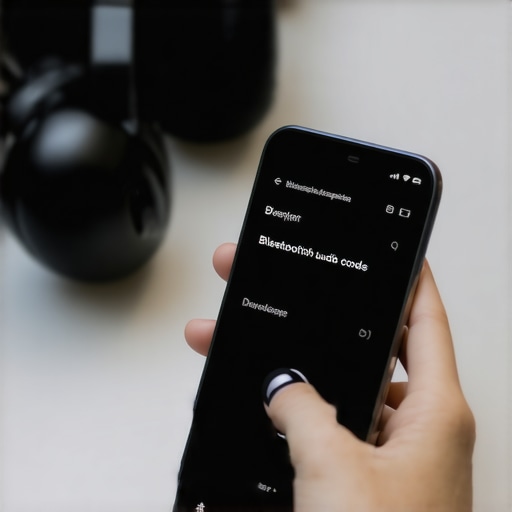
Your operating system often prioritizes high-resolution audio codecs like LDAC or aptX HD even when the connection quality is poor. Think of it like trying to stream a 4K video over a weak cellular signal; it is going to buffer. You need to force your device to use a more stable, lower-bitrate codec like SBC or standard AAC when you are on the move. You can access these settings in the Developer Options menu on Android, or via specialized transmitter apps on iOS and PC. This reduces the data load, giving your antenna breathing room to maintain a solid link.
Optimize the Physical Path of Your Signal
Human bodies are essentially walking bags of salt water, which is incredibly effective at absorbing 2.4 GHz radio waves. If you keep your phone in your back-left pocket and your headphone receiver is in the right earbud, your body blocks the direct line of sight. I tested this systematically while running. When I moved my phone to a right-side arm strap, the audio drop-outs stopped completely. If you are experiencing signal loss with other gear, such as when your get a better bluetooth signal in your older car, keeping your phone mounted high on the dashboard rather than buried in the center console makes a massive difference in signal stability.
While understanding physical signal blocks and frequency congestion is great, many audiophiles still fail to solve their drop-out issues because they fall for a massive marketing myth. Everyone says you need high-bandwidth gear to get great sound, but in my experience, chasing high bitrates in a wireless setup is actually what ruins your listening experience. We have been conditioned to believe that more data always equals better performance. In the real world of wireless audio, the exact opposite is true. If your transmitter is forced to pump a massive data stream through a crowded airwave environment, your connection will collapse.
Why Do Audiophile Codecs Constantly Stutter in Public?
Many advanced listeners buy high-end headphones specifically to use premium codecs like LDAC or aptX HD, expecting pristine high-resolution playback. However, according to technical testing by sound engineers, these codecs require up to 990 kbps of bandwidth, which is nearly three times what a standard SBC connection uses. When you are at home, this works fine. But the moment you step outside, that massive data stream becomes incredibly fragile. Your headphones must drop audio packets because they simply cannot maintain that throughput in a crowded space. The real-world solution is to manually downgrade your playback settings in your device options. It sounds counterintuitive, but a stable SBC or AAC stream will always sound infinitely better than a high-res LDAC stream that cuts out every ten seconds.
Beyond codec issues, there is another subtle, silent killer of wireless gear that people constantly overlook: charging habits. A major trap I see people fall into is using high-wattage fast chargers meant for laptops or modern smartphones to charge their delicate wireless earbud cases. This overpowers the internal circuitry over time. It can cause power regulation chips to degrade, which eventually leads to pairing dropouts and battery failure. If you are struggling with a dead case, you might need to learn why your wireless earbuds won’t charge in their case anymore before assuming the Bluetooth antenna itself is broken. Keep your charging currents low and your signal pipelines lean, and you will instantly notice a massive leap in both connection stability and gear longevity. Have you ever fallen into this trap? Let me know in the comments.
Now that we have busted the high-bandwidth codec myth and highlighted the dangers of high-wattage chargers, let us focus on what you can do right now to maintain peak connection health over the long haul. Keeping wireless gear running flawlessly is not just about avoiding bad habits; it is about active maintenance. For years, I struggled with sudden drops on my daily commute until I realized my hardware needed the same routine care as my wired vintage systems. Just like you would take steps to properly store your headphones to avoid hinge failure, you must actively care for the internal antennas and battery cells of your digital gear.
How do I maintain my wireless audio connection over time?
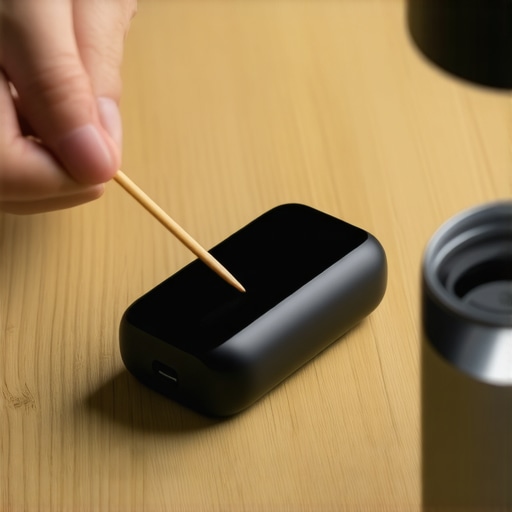
The secret lies in preserving the physical ports and cleaning up your local device environment weekly. Dust, lint, and pocket debris love to settle inside charging ports. When your connection to the charger is unstable, the battery controller gets confused, leading to uneven power distribution and eventual connection dropouts. I use a wooden toothpick and a quick blast of compressed air to clear out the USB-C port on my earbud cases once a month. If your physical port is already loose, learning how to fix a loose charging port on your favorite bluetooth speaker or headphone set will save you from buying an entirely new system. Additionally, to avoid physical wear and tear on your internal power supply, make sure you understand the dangers of leaving gear plugged in indefinitely. You should actively practice smart charging habits and understand why you should never charge your portable speaker overnight to keep the lithium-ion cells healthy and prevent premature transmitter degradation.
On the software side, I highly recommend using specialized Bluetooth analysis tools. I personally use Bluetooth Finder & Scanner (or the built-in developer tools on macOS) to monitor my RSSI (Received Signal Strength Indicator) values in real-time. If my RSSI value drops below -70 dBm while my phone is right next to me, I know there is an active local interference issue or a firmware bug. This data-driven approach is far superior to guessing why your audio is cutting out. In fact, according to the official Android Open Source Project (AOSP) Bluetooth developer documentation, keeping your paired device list under five active profiles significantly reduces the polling overhead of your phone’s internal antenna, directly preventing packet collisions.
Where is wireless audio heading next?
We are currently on the cusp of a major transition in how our personal devices communicate. The future of wireless audio belongs to LE Audio and the LC3 (Low Complexity Communication Codec) standard. This technology is set to replace classic Bluetooth entirely over the next few years. LC3 is designed specifically to deliver incredibly high sound quality at half the bitrate of traditional SBC. This means you will get pristine, uninterrupted audio without placing a massive data load on your headphones, effectively solving the signal drop-out issue in crowded public spaces once and for all. Until that hardware is standard in every phone and earbud, my challenge to you today is to open your device settings right now, clear out your old paired devices, and switch your codec to standard AAC or SBC for your next outdoor walk to feel the difference.
What Experts Won’t Tell You About Wireless Signal Integrity
After years of diagnosing personal audio issues and testing wireless hardware, I have realized that the industry thrives on selling us upgrades we do not need. The biggest lesson I learned about wireless connections is that hardware power is rarely the issue; it is almost always environment and configuration. For example, when my connection dropped constantly, I almost spent hundreds on a new pair of flagship cans. Instead, I discovered that simply cleaning up my active pairing logs made them perform like new. Additionally, many people misdiagnose physical issues; they assume an internal chip is fried when they actually need to learn how to fix a loose charging port on your favorite bluetooth speaker or headphone set to stabilize internal power delivery. Always look at signal congestion and battery health before blaming the Bluetooth protocol itself.
My Essential Toolkit for Wireless Audio Diagnostics
To keep your wireless gear operating at its peak, you do not need expensive diagnostic equipment. These are the tools I rely on to maintain perfect connection stability: First, a real-time signal strength meter like Bluetooth Finder & Scanner to identify local dead zones and physical interference. Second, a dedicated soft brush and wooden toothpicks to keep connection ports free of debris, which prevents power-delivery dropouts. Finally, I always keep a low-wattage charging block handy. Using a fast charger degrades the tiny battery cells in your earbuds, which eventually ruins their ability to hold a stable wireless link. If you have already damaged your gear with high-wattage charging, you might want to look at the reason your wireless earbuds won’t charge in their case anymore to see if your battery management system is simply locked up.
The Future of Your Listening Experience Is in Your Hands
You do not have to live with audio dropouts, and you certainly do not have to throw away a great pair of headphones just because the signal stutters during your commute. By taking control of your local spectrum, selecting the right codecs, and maintaining your hardware, you can enjoy a flawless wireless connection that rivals any wired setup. Wireless audio is meant to give you freedom, not frustration. Take five minutes today to clear your paired device list, check your active codecs, and reclaim your soundstage. Have you ever struggled with constant audio stuttering during your daily commute? Let me know in the comments below!