
I remember the exact moment I almost threw my phone out the window. I was cruising in my 2008 sedan, the windows were down, and just as the chorus of my favorite song hit—silence. Then a stutter. Then a digital screech that sounded like a robot having a bad day. It was infuriating. I’d spent money on those little plug-in adapters, yet I still dealt with more dropouts than a bad Wi-Fi connection in a basement. For the longest time, I assumed my car was just a relic, cursed to forever live in the age of scratched CDs and fuzzy FM radio. But here is the truth: your older car can handle high-quality audio; it just needs a little bit of help to overcome the physical and electrical barriers we often ignore. Today, we are going to fix that frustrating stutter once and for all.
Stop Blaming Your Old Dashboard for That Terrible Connection
It’s easy to think that older tech just can’t keep up, but usually, the problem isn’t the car’s age—it’s the environment we’ve created inside it. I learned this the hard way after wasting fifty bucks on a cheap FM transmitter that sounded like a swarm of bees. It turns out that Bluetooth signals can struggle even in the best conditions, and in an older car, you have more interference than you might realize. Think about it: you have a metal cage (your car), a dashboard filled with unshielded wires, and a cigarette lighter socket that might be older than your smartphone. Early on, I made the mistake of tucking my Bluetooth receiver deep under the dashboard to hide the wires. Bad move. I was essentially burying the signal. According to the Bluetooth Special Interest Group (SIG), Bluetooth operates on the 2.4 GHz ISM band, which is incredibly crowded and prone to interference from everything from your car’s alternator to your own smartphone’s Wi-Fi. By burying my receiver, I was forcing the signal to fight through layers of plastic and metal. Once you understand that electrical issues in older cars can actually cause fluctuations in your power supply, you start to realize why that signal keeps dropping out when you hit the gas or turn on the headlights.
Is My Old Car Just Too Ancient for Modern Bluetooth?
I get the skepticism. You’ve probably tried three different dongles and they all sounded like you were listening to music through a tin can. But the issue isn’t the Bluetooth protocol itself; it’s usually how the signal is being converted and where the bottlenecks are. For instance, if you haven’t taken the time to properly balance your car audio, you might be confusing poor signal quality with just a bad EQ setup. Have you ever noticed your music cutting out at the exact same spot on your commute? That’s likely external interference, not your car’s fault. We’re going to look at everything from placement to power filtering. If you’ve ever felt like your car’s audio system was fighting against you, you aren’t alone. Have you ever actually managed to get through a whole road trip without your Bluetooth acting up at least once?
Get That Receiver Out of the Dashboard Grave
To fix the stutter, you first need to treat your Bluetooth adapter like a tiny radio station. Think of the receiver as the antenna and your phone as the tower. If you bury that adapter deep inside your center console or behind the glove box to hide the clutter, you are surrounding it with metal—a literal Faraday cage. I spent a whole Saturday afternoon once trying to hide every single wire in my dash, thinking I was a genius. I even used the best way to label your messy home theater cables logic for my car’s interior. But by the time I was done, the Bluetooth receiver was so deep inside the metal framework of the car that my music skipped if I so much as moved my leg. I had to rip it all out and mount the receiver on the side of the console where it had a direct line of sight to my phone. The skipping stopped immediately because the signal did not have to punch through three inches of steel and plastic anymore. 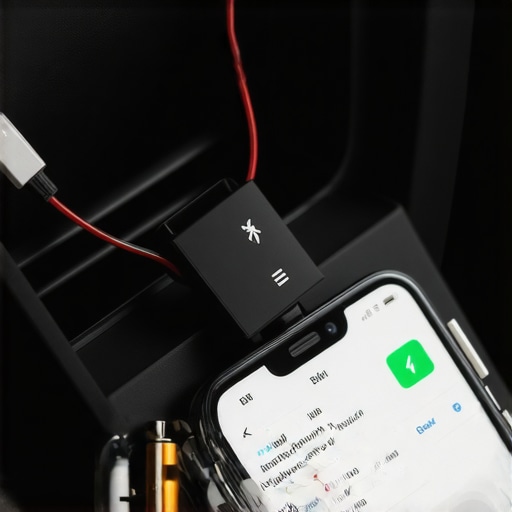
Filter Out the Electrical Noise From Your Alternator
If the music is not just skipping but also has a high-pitched whine that gets louder when you accelerate, you are dealing with dirty power. Your car’s alternator is a massive generator that creates a lot of electrical garbage. This often manifests as a ground loop. Just as you would learn how to find the source of a ground loop in home theater, you need to isolate the audio signal from the car’s power grid. A simple ground loop isolator is essentially a transformer that breaks the physical connection while letting the audio pass through. This is the same reason why your car speakers pop when you turn the engine on; that spike is unfiltered electricity hitting your speakers. Using a high-quality 12V USB adapter rather than a cheap gas station one can also help, as premium units have internal capacitors to smooth out those voltage spikes.
Kill the Background Tasks That Fight Your Signal
Sometimes the stutter is not hardware at all—it is your phone’s processor getting overwhelmed. If you have ever wondered why your Bluetooth audio lags while watching movies, it is usually because the buffer—the tiny bit of music your phone pre-loads—is being interrupted. In a car, your phone is constantly scanning for known Wi-Fi networks as you drive past houses and businesses. Every time it scans, it steals a tiny bit of processing power and bandwidth from the Bluetooth chip. Turn off your Wi-Fi when you are on the road. Also, check your phone’s developer settings to see which Codec you are using. While you might not need to understand the difference between cheap and expensive DACs for a standard morning commute, switching from a high-bitrate codec like LDAC to a more stable one like SBC can actually stop dropouts in high-interference areas. It is better to have a stable stream that actually plays than a high-definition one that cuts out every thirty seconds.
I’ve seen people spend hundreds of dollars on fancy gold-plated auxiliary cables and premium adapters thinking it would solve their interference issues once and for all. Here is the cold truth that manufacturers won’t tell you: in a car, the real difference between gold and silver plated connectors is practically zero for signal stability. You aren’t in a climate-controlled, sterile home theater; you are in a vibrating, electrically noisy metal box. Most of the ‘premium’ accessories people buy are just band-aids on a bigger problem. If you really want to stop the stutter, we have to look at the electrical foundation of your vehicle.
Gold-Plated Lies and the Marketing Trap
The biggest myth in car audio is that the cable or the adapter is the most important part of the chain. While a cheap gas station dongle is certainly bad, even the most expensive Bluetooth receiver will skip if the car’s ground is weak. I once helped a friend who had spent $200 on a ‘high-end’ car Bluetooth bridge, yet it still cut out every time he used his turn signals. We spent hours checking the software before realizing his grounding wire was loose. According to a technical paper by the Audio Engineering Society (AES), cable impedance and connector resistance matter far less than the common-mode rejection and shielding in high-vibration automotive environments. If your ground isn’t solid, that signal is going to drop, regardless of how much gold is on your plugs.
Why Your Battery is the Secret Audio Killer
The most common ‘oops’ factor I see with DIYers is the failure to realize how much power a modern smartphone and a Bluetooth receiver actually pull from an aging electrical system. If you have added a subwoofer and didn’t learn how to stop your car battery from draining with a high powered amp, your Bluetooth signal is the first thing that will suffer. When your amp hits a heavy bass note, it pulls a massive amount of current. This causes a momentary voltage dip. For your car’s engine, a drop from 14.4V to 11.5V isn’t a big deal, but for a sensitive Bluetooth chip, it’s a disaster. The chip might not shut off entirely, but its processing speed slows down, causing the buffer to empty and the music to stutter. This is also why your car speakers pop when you turn the engine on; that transient voltage spike is a signal that your electronics are being starved or shocked.
Can Your Old Alternator Actually Kill Your Bluetooth Signal?
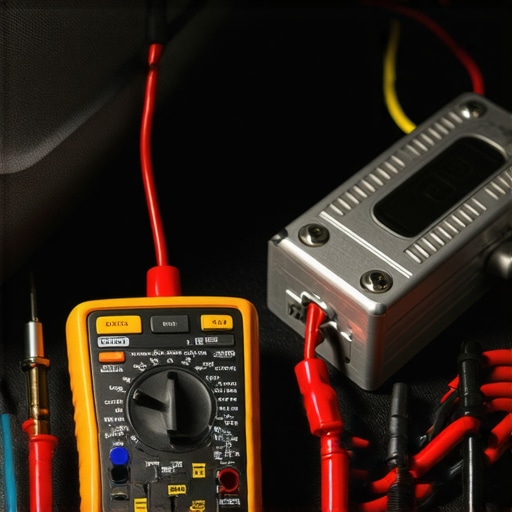
It absolutely can. The Society of Automotive Engineers (SAE) notes that as alternators age, their diodes can begin to fail, leaking ‘AC ripple’ into your DC system. This creates a rhythmic electrical hum that confuses digital receivers. If you notice your audio skipping more as your RPMs increase, your alternator is likely the culprit. You might also find that how to tell if your amp is running too hot becomes a relevant question because dirty power causes components to work harder and generate more heat. Another trap is the mistake of using home speakers in a car audio setup; home speakers usually have an 8-ohm impedance, whereas car systems are designed for 4-ohm. This mismatch puts additional strain on your head unit’s internal amplifier, creating even more electrical noise that can interfere with your Bluetooth receiver’s sensitive antenna. Have you ever fallen into this trap or spent money on a ‘high-end’ cable that did absolutely nothing? Let me know in the comments!
I’ve spent years tinkering with audio setups, and if there is one thing I have learned, it is that stability is earned, not bought. You can have the most expensive receiver on the market, but if you don’t take ten minutes every six months to maintain the physical connection points, you are going to get that dreaded digital screech. Maintenance isn’t just about wiping off dust; it is about ensuring that every millivolt of power reaches your Bluetooth adapter without fighting through a layer of oxidation or a loose crimp. If you have ever wondered why your car radio resets its clock every morning, you already know that electrical gremlins are real, and they love to eat your audio quality first.
Stop Buying New Adapters and Start Cleaning Your Ports
Before you toss another ‘faulty’ adapter into the trash, grab a can of electrical contact cleaner. In a car environment, your 12V socket is a magnet for dust, crumbs, and microscopic corrosion. This creates resistance. Resistance leads to heat, and heat leads to voltage drops. I make it a habit to spray a tiny bit of cleaner on a cotton swab and scrub the inside of my cigarette lighter socket and the USB ports on my head unit. It is the same logic as learning the best way to clean earwax out of mesh earbuds; if the physical path is blocked, the performance suffers. While you are at it, check the wires under your dash. If you’ve followed my advice on how to hide a car amp under the passenger seat safely, ensure the vibrations of the road haven’t loosened your ground screw. A loose ground is the number one cause of the ‘stutter’ because it causes the Bluetooth chip to reboot micro-seconds at a time.
Why a $15 Multimeter Saves Your Sound System
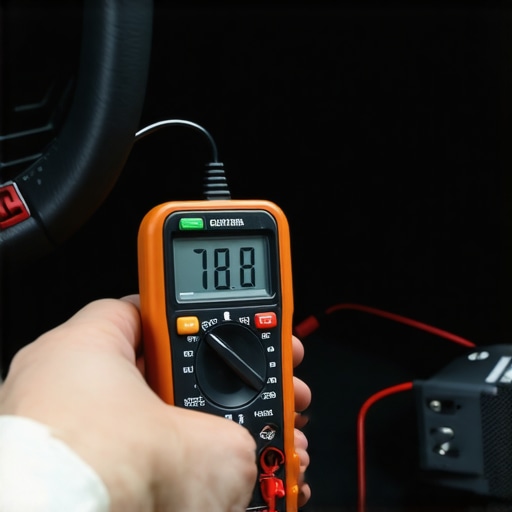
The most important tool in my glovebox isn’t a screwdriver—it’s a digital multimeter. To truly diagnose why your audio is skipping, you need to see what your car is doing in real-time. Start the engine and probe the 12V socket. You should see a steady 13.8V to 14.4V. If that number is jumping around like a heart monitor, your adapter is struggling to keep the Bluetooth signal locked. In the technical guide ‘Car Stereo Cookbook’ by Mark Rumreich, he explains that even a 0.5V fluctuation can introduce audible noise into the signal path. If you are running high-power gear, you might need to check if you used the best gauge wire for a 500-watt car subwoofer, because undersized wire will starve your entire electrical system, causing your Bluetooth to lag. I personally use the multimeter to check the resistance of my ground points; anything over 0.2 ohms means I need to sand down the paint and re-tighten the bolt.
How do I keep my car audio sounding crisp for years?
Long-term results come from heat management and vibration control. Cars are brutal on electronics because of the constant temperature swings. I’ve seen people complain about their Bluetooth range dropping over time, and it’s usually because the internal solder joints in their cheap adapters are cracking from the heat. Make sure your adapter isn’t baked by the sun on top of your dashboard. If you’ve got a rattling interior, use the stop your car trunk from rattling with this cheap foam trick to stabilize the panels around your speakers and head unit. Vibrations don’t just sound bad; they physically wear out your components. Periodically check how to tell if your amp’s capacitors are failing, especially if you live in a hot climate, as bulging caps are a surefire way to introduce massive interference into your Bluetooth stream.
The Future is High-Bandwidth Auracast
We are moving toward a world where Bluetooth isn’t just a point-to-point connection. With the rise of Bluetooth LE Audio and Auracast, your car will soon be able to broadcast audio to multiple pairs of headphones simultaneously without any lag. This will solve many of the interference issues we face today by using much more efficient codecs. But until your 2008 sedan is a vintage relic of the past, the best thing you can do is keep your connections clean and your voltage steady. Try this today: grab a multimeter and check your voltage at the battery and the 12V plug—if there’s more than a 0.5V difference, your wiring is the bottleneck, not your phone.
The Truth About Why My Dashboard Was Eating My Music
Over the years, I’ve realized that most “broken” car audio setups are just victims of neglect. I used to think I needed a new head unit every time a song skipped, but the reality was much simpler. First, distance is the enemy of stability. Even the best modern receivers struggle when buried behind layers of plastic. Second, I learned that my phone’s software was often the culprit. Just as we see why your Bluetooth audio lags while watching movies, background data syncing in your car can create that same micro-stutter. Lastly, never underestimate the power of a clean connection. It sounds trivial, but just as you would learn the best way to clean earwax out of mesh earbuds to restore volume, scrubbing the oxidation off your 12V socket can instantly stabilize your voltage and kill the stutter for good.
The Small Toolkit That Saved My Sanity
You do not need a degree in electrical engineering to fix this, but you do need three specific items. I always keep a digital multimeter handy to ensure my alternator is not fluctuating too wildly. I also swear by high-quality shielded USB cables; cheap unshielded ones act like antennas for engine noise and cause interference. Finally, keep a ground loop isolator in your glovebox. I have found that if you cannot find a perfect ground point, these little boxes are the only way to stop the whining noise. If you have gone as far as learning why your door speakers sound better after adding sound deadening, then you know that controlling the physical environment is half the battle. Don’t forget to periodically check how to tell if your amp’s capacitors are failing, because no amount of cleaning will fix a dying power supply.
Your Commute Deserves Better Than Digital Screeching
Driving should be your time to decompress, not a constant battle with your dashboard electronics. By moving your receiver to a better location, stabilizing your power, and keeping your physical ports clean, you can finally enjoy a seamless experience. You have put in the work to understand the electrical “why” behind the noise, and now you have the tools to silence it. Do not let a little Bluetooth stutter ruin your favorite album ever again. Have you ever found a specific “dead zone” on your daily drive where your music always seems to skip regardless of what device you use? Let me know in the comments below!