
I remember sitting in my old hatchback after spending a whole weekend on a DIY speaker upgrade. I had the windows up, the engine off, and a grin on my face. Then I hit play. Instead of the immersive, wrap-around sound I expected, it felt like the lead singer was shouting directly into my left ear while the drummer was hiding somewhere in the passenger-side glovebox. It was lopsided. It was frustrating. I’d spent hundreds of dollars and dozens of hours, only to realize that a car’s interior is basically an acoustic dumpster fire. If you’ve ever felt like your music is ‘clumping’ against the driver’s side door, you aren’t alone. Today, we are going to fix that lopsided mess and finally get the soundstage centered right on your nose.
The Symmetry Trap and Why Zero Isn’t the Hero
When I first started tweaking car stereos, I made the classic rookie mistake: I thought ‘Zero’ was the gold standard. I assumed that if the balance and fader were set right in the middle, the sound would be perfectly even. But here is the cold, hard truth: you are sitting way too close to the left speaker. In a home theater, you sit in the ‘sweet spot’ between the towers. In a car, you are shoved into a corner. Because of this proximity, the sound from the driver’s side reaches your ears slightly faster and much louder than the sound from the passenger side. This phenomenon, often referred to as the Haas Effect, is a psychological acoustic trick where your brain localizes sound based on whichever signal arrives first. According to research published by the Audio Engineering Society, even a few milliseconds of difference can completely collapse your stereo image. It’s the same reason why your car’s rear deck speakers are ruining the stereo image when they are too loud; they pull the focus away from where it should be. We need to artificially delay the near sounds or adjust the output so the music ‘meets’ you in the middle. Have you ever felt like you have to lean toward the center console just to hear your music properly? If so, your balance is definitely off.
Is High-End Hardware Actually Worth the Hassle?
A lot of folks worry that they need a thousand-dollar Digital Signal Processor (DSP) to get a decent center stage. While a DSP is great, you can do a lot with just the basic settings on a standard head unit. I once helped a neighbor who was convinced his speakers were blown because they sounded ‘thin.’ It turns out his balance was pushed 10 points to the right to compensate for a rattling door panel. Once we realized that door speakers sound better after adding sound deadening, we fixed the rattle and could finally focus on the electronic balance. You don’t always need new gear; sometimes you just need to stop the car from fighting your speakers. Even the best way to mount car tweeters won’t save you if the left-to-right volume ratio is making your ears work overtime. We’re going to walk through the ‘Ear-Calibration’ method to find your specific sweet spot without needing a degree in acoustic engineering.
Execute the Ear-Calibration Method Like a Pro
To fix a lopsided soundstage, you have to stop trusting your eyes and start trusting your ears. Forget the little graphic on your screen that shows a dot in the middle of the car; that dot represents a mathematical center that doesn’t account for the glass, plastic, and upholstery reflecting sound waves right back at you. We are going to use the ‘Phantom Center’ technique. This is the holy grail of car audio where the singer sounds like they are standing right on top of your dashboard, even though there isn’t a speaker there. Start by sitting in your normal driving position with the engine off. This is a silent environment task.
Dial in the Balance with Pink Noise
The best tool for this isn’t your favorite rock anthem; it is a track of ‘Pink Noise.’ Pink noise sounds like a constant, heavy hiss, similar to a waterfall. Unlike music, which jumps around in frequency and volume, pink noise is steady. Play the track and close your eyes. If the hiss feels like it is pulling toward your left shoulder, slowly adjust the balance toward the right. Your goal is to move that ‘hiss’ until it sounds like a tiny, focused ball of noise hovering right above the center of the dashboard. Before you get too deep into the settings, use the easy way to test if your speakers are out of phase, because if one speaker is pushing while the other is pulling, you will never find a center point no matter how much you tweak the balance.
Trick Your Brain Using Time Correction
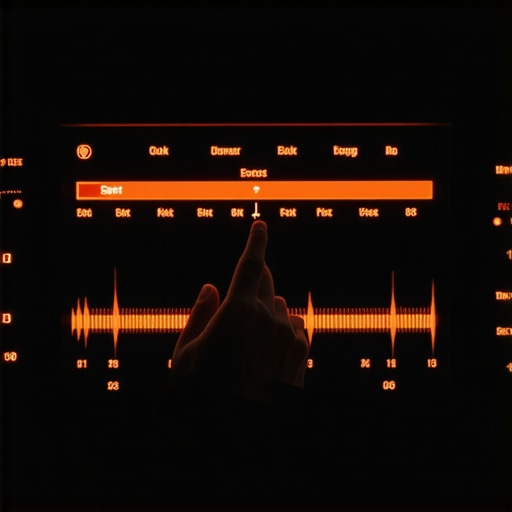
If your head unit allows for ‘Time Alignment’ or ‘Time Correction,’ you are in luck. This is the secret sauce. Imagine two sprinters: the left speaker is only 2 feet away, while the right speaker is 4 feet away. The left speaker is always going to win the race to your ears. By adding a few milliseconds of delay to the left speaker, you effectively make it ‘wait’ for the right speaker’s signal. I remember a particularly stubborn install in an old truck where I couldn’t get the vocals to sit still. No matter what I did, the singer moved every time they hit a high note. It wasn’t until I realized that the secret to getting crisp dialogue without a center channel often involves subtle timing tweaks to the tweeters specifically. Once I delayed the driver-side tweeter by just 1.2 milliseconds, the singer snapped into place like a puzzle piece.
Nudge the Fader to Fix Rear-Stage Bloat
Most people have their fader set to ‘0,’ which allows the rear speakers to pull the soundstage backward. You want the music in front of you, like a concert. Shift the fader toward the front until you can just barely tell the rear speakers are on. They should provide ‘fill,’ not ‘direction.’ While you are back there, ensure your bass isn’t fighting your mids. You might need to learn how to match your subwoofer phase with your main speakers to prevent the low-end from sounding like it’s coming from the trunk while the vocals are in the dash. I once spent four hours trying to wire two subwoofers to a single mono amp only to realize the timing was so far off that the bass was actually cancelling out my front woofers. Proper staging requires every speaker to work as a single, unified team.
While the ‘Ear-Calibration’ method is a game-changer, there is a much deeper level to this that most enthusiasts completely overlook. I have seen guys spend a fortune on high-res drivers only to have them sound like a muddy mess because they fell for the ‘More is Better’ myth. Everyone says you need more speakers to fill the space, but in my experience, adding more drivers actually makes the soundstage harder to control. Every time you add a speaker, you add another source of reflections and potential phase cancellation. Instead of a clear voice on the dash, you get a smeared wall of sound that feels like it’s coming from everywhere and nowhere at once. This is where the real nuance of the ‘Phantom Center’ comes into play.
Stop Chasing Speaker Quantity for a Better Stage
The most common mistake I see is the obsession with a physical center channel speaker. People think if they just stick a speaker in the middle of the dash, the staging issues will vanish. The cold hard truth? Unless you have a dedicated processor designed to handle a discrete center signal, adding a center speaker usually causes ‘comb filtering’—a nasty acoustic effect where frequencies cancel each other out. This is why the secret to getting crisp dialogue without a center channel is almost always about perfecting the interaction between your front two speakers. If those two are not perfectly aligned, a third speaker just adds noise to the fire. I once spent an entire Saturday helping a friend remove a factory center speaker because it was actually pulling the stage down into the vents rather than lifting it up.
Can You Hear the Millisecond Difference?
According to research by Dr. Floyd Toole, a pioneer in psychoacoustics, the human brain is far more sensitive to timing arrivals than it is to pure volume differences when localizing sound. This is known as the Precedence Effect. If the sound from your left tweeter arrives even 1.5 milliseconds before the right, your brain effectively ‘mutes’ the spatial information from the right side. This is why you must be extremely precise with your measurements. A common ‘oops’ factor is forgetting that your head isn’t just a point in space; it’s a physical barrier. If you don’t account for how your head blocks high-frequency sounds from the far speaker, you’ll never get it right. Always start by using the easy way to test if your speakers are out of phase before you even touch your time alignment settings. If they are out of phase, no amount of delay will fix the ‘hole’ in the middle of your music.

Don’t Let Your Subwoofer Drag the Singer Into the Trunk
Another nuance that separates the pros from the amateurs is ‘Bass Localisation.’ You might have a perfectly centered vocal, but if your sub is set too high or placed incorrectly, the bass will sound like it’s coming from the trunk while the singer is in the front. It’s a jarring, disconnected experience. This is often the mistake you’re making when positioning your subwoofer or setting your crossover too high. You want the sub to ‘disappear.’ To achieve this, you need to learn how to match your subwoofer phase with your main speakers so the transition is seamless. When the phase is right, the kick drum sounds like it is hitting you from the dashboard, not the backseat.
Why Your Tweeters Are More Fragile Than You Think
Finally, let’s talk about maintenance. In the quest for a better stage, I’ve seen people literally destroy their imaging by cleaning their gear incorrectly. Here is a massive warning: why you should never use compressed air to clean a silk dome tweeter is because the high-pressure blast can actually deform the delicate dome or shift the voice coil. A deformed tweeter will never produce the same off-axis response as its twin, effectively killing your ability to center the stage. Treat your high-end gear with respect, and it will reward you with that crystal-clear imaging you’ve been hunting for. Have you ever fallen into this trap of over-complicating your setup? Let me know in the comments. Let’s get that stage centered once and for all.
You can spend weeks perfecting your time alignment and pink noise levels, but if you don’t maintain the physical health of your system, that perfect phantom center will slowly drift into the weeds. I’ve seen enthusiasts blame their head units for a shifting soundstage when the real culprit was a literal layer of grime on their terminals. Audio isn’t just about the software settings; it is about the physical path the electricity takes to reach your drivers. If that path is compromised, your imaging is the first thing to suffer.
Your Gear Needs Regular Health Checks
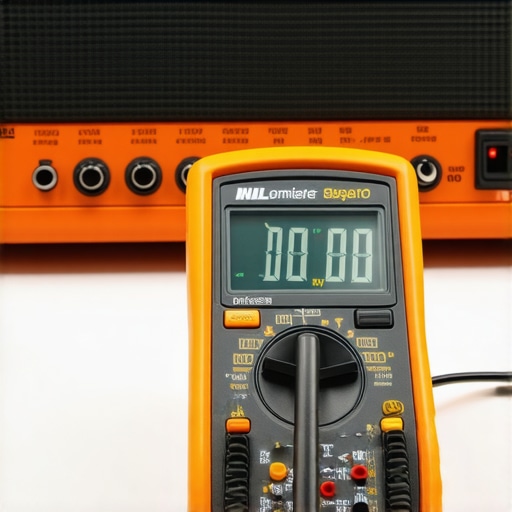
I always tell people that a $20 digital multimeter is the most important ‘upgrade’ they will ever buy. It’s not flashy, but it’s the only way to know if your wiring is actually doing its job. I’ve caught countless issues where a slightly frayed wire was causing just enough resistance to drop the output of one speaker by half a decibel—enough to ruin the center stage but not enough to trigger a fault light. You should regularly use a multimeter to find a short in your speaker wires or verify that your resistance is identical on both sides. While you’re at it, take a look at your terminals. I personally make it a habit every six months to clean gold-plated connectors without ruining the finish because oxidation is a silent killer of high-frequency clarity.
As noted in the Audio Engineering Society’s technical reports on contact resistance, even high-quality gold plating isn’t immune to microscopic dust buildup that can introduce non-linear distortion at the connector interface. This is especially true in the harsh environment of a vehicle or a dusty home theater rack. If you are running older gear, you need to be even more vigilant. I once spent an entire weekend trying to fix channel imbalance on a vintage stereo amplifier only to realize the internal capacitors were starting to bulge. Learning how to tell if your speaker capacitors are starting to leak can save you from a catastrophic failure that takes your tweeters down with it.
How do I keep my car audio performing like day one?
Maintenance in a car is a different beast because of the heat. If you’ve noticed your soundstage getting ‘mushy’ after an hour of driving, your amplifier might be struggling. It is vital to understand why your car amp is overheating during long summer drives, as heat-induced resistance changes the way the amp controls the speakers. Keep your cooling vents clear and check your ground connections at least once a year. A loose ground is often the reason for that annoying alternator whine that cuts right through your favorite tracks. Don’t wait for a pop or a puff of smoke to check your connections; a quick physical inspection every few months keeps the ‘magic’ alive.
The Next Era of Soundstage Control
Looking forward, the way we manage our audio stages is about to change drastically. We are moving away from manual ‘Ear-Calibration’ and toward AI-driven, real-time room correction. In the next few years, I expect to see headrests equipped with ultra-sensitive microphones that track your head position and adjust time alignment in milliseconds as you move. This ‘dynamic sweet spot’ will make current static settings look like ancient technology. However, even with all that tech, the basics of clean power and solid connections will never go out of style. I want you to go grab a multimeter today and check the resistance on your front speaker leads. If they aren’t matching within 0.2 ohms, you’ve just found your phantom center’s biggest enemy.
Lessons from a Decade of Chasing the Perfect Phantom Center
Looking back at my first dozen installs, the biggest lightbulb moment wasn’t about a specific brand of speaker; it was realizing that the car interior is an adversary you have to negotiate with. I used to spend hours swapping drivers, but the real magic happened when I stopped fighting the physics and started using the Ear-Calibration method I shared earlier. I learned that a slightly ‘incorrect’ setting on your head unit often creates the most ‘correct’ sound in your ears. Don’t be afraid to experiment with settings that look wrong on paper but feel right in the air. Also, remember that long tuning sessions can be taxing on your power; be mindful of why your car audio system drains the battery while the engine is off so you don’t end up stranded while chasing the perfect vocal. Finally, I’ve realized that the trick to making cheap bookshelf speakers sound expensive—or in this case, making factory car speakers sound like high-end monitors—is 90% placement and 10% equipment.
The Audio Survival Kit I Keep in My Glovebox
You don’t need a professional studio to get professional results. I always recommend keeping a few basics handy. First, a dedicated Pink Noise track is non-negotiable for finding your center. Second, a digital multimeter is your best friend for troubleshooting; it helps you how to fix a loose speaker terminal on your cabinet or car door before it ruins your staging. Third, I highly recommend reading ‘Sound Reproduction’ by Dr. Floyd Toole—it’s the bible of psychoacoustics and will explain exactly why your brain hears the way it does. Lastly, if you ever hear a sudden noise during startup, investigate why your car speakers pop when you turn the engine on to prevent damaging those sensitive tweeters you just spent hours aligning.
It’s Time to Hear Your Music the Way it Was Meant to Be
There is nothing quite like that first moment when you close your eyes and the singer is suddenly standing right on your dashboard. It changes the way you experience your daily commute. Achieving a perfect phantom center takes patience, but the payoff is a soundstage that feels boundless and alive. Don’t be intimidated by the technical jargon—trust your ears, take your time, and enjoy the process of perfecting your personal concert hall. Have you ever found a ‘sweet spot’ in your car that made you take the long way home just to keep listening? Let me know in the comments below!