
I remember sitting in my home office, wearing my favorite pair of noise-canceling cans, enjoying a crisp flac file of some jazz fusion. The doorbell rang—it was a Discord call from my brother. I clicked “Accept,” and my heart sank. My lush, expansive soundstage instantly collapsed into a hollow, robotic mess. I thought for sure I’d finally managed to tell if my headphones had a blown driver because the degradation was so sudden. I was so convinced my gear was failing that I almost boxed them up for a warranty claim right then and there.
The Bandwidth Bottleneck That Ruins Your Experience
We’ve all been there. You invest in premium gear, but as soon as you join a meeting or launch a gaming lobby, everything sounds like it’s coming through a telephone wire from the 1920s. It’s not just you, and your headphones aren’t actually broken. This happens because Bluetooth has to make a hard choice: it can either give you high-quality music or it can let you talk, but it rarely does both well at the same time. This is exactly why your bluetooth earbuds sound like garbage on zoom calls. Today, I am going to show you how to navigate these technical limitations so you don’t have to suffer through that underwater-sounding audio ever again.
Does Bluetooth Simply Lack the Power for Modern Needs?
You might be skeptical. After all, we live in an era of 5G and lightning-fast Wi-Fi. Why can’t a simple pair of headphones handle a voice call without falling apart? The truth is that Bluetooth is a narrow pipe. According to data from the Bluetooth Special Interest Group (SIG), the standard Hands-Free Profile (HFP) often limits audio to a mono 8kHz or 16kHz sampling rate to ensure your voice reaches the other end without lagging. It’s a trade-off designed for car headsets in 2004, not for the high-fidelity expectations of today. I made the classic mistake early on of thinking why my expensive headphones sounded thin was a hardware defect, when in reality, it was just the software switching gears. Have you ever had your audio quality dive off a cliff the second you unmuted your mic? It is incredibly frustrating, isn’t it? Let’s look at what is happening under the hood when your PC or phone makes this switch.
To fix this, you first need to stop Windows or macOS from treating your headphones like a generic 1990s telephone headset. On a PC, you will see two playback devices in your sound settings: “Stereo” and “Hands-Free AG Audio.” The trick is to disable the Hands-Free version entirely in your Sound Control Panel. I have found that the 5-minute fix for crackling bluetooth signals on your laptop often begins by simply unchecking “Handsfree Telephony” in the device services tab. By forcing the system to only recognize the A2DP Stereo profile, you prevent the bandwidth from being split between two low-quality streams.
Force Your Computer to Prioritize High Fidelity
Disable the Hands-Free Telephony Service
When the Hands-Free profile activates, it drops your bitrate significantly to accommodate the microphone data. Think of it like a two-lane bridge where one lane is suddenly closed for construction; everything slows down. If you are on a smartphone, you might notice why your headphone volume is limited on your smartphone during these transitions, as the internal digital signal processor struggles to maintain consistency with a lower-quality signal. Disabling the headset service on your PC ensures that your lane for music stays wide open.
The External Mic Workaround That Saves Your Ears
Split Your Input and Output Sources
The most effective way to maintain high-quality audio while talking is to use a separate microphone. I learned this lesson the hard way during a high-stakes client presentation last year. I was using my favorite wireless cans, and the moment I unmuted to speak, the client’s voice turned into a pixelated, robotic mess. I couldn’t understand a word they were saying. I frantically reached for a cheap USB desktop mic I had in my drawer, changed my input setting in Zoom to that mic, and kept my headphones for output. Instantly, the audio snapped back into high-fidelity stereo. By using a different device for your voice, your headphones never have to switch into that dreaded communication mode.
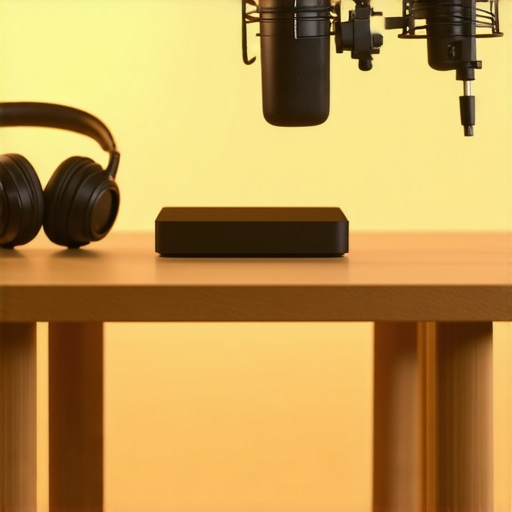
This setup works because it keeps the Bluetooth connection in a one-way street mode, allowing the full bandwidth to be used for your output audio. Even the 50 amp that drives high impedance cans without a struggle can’t fix a software-level bitrate drop, but separating your hardware can. If you’re on the go, a small clip-on mic or even the built-in microphone on your laptop is often a better choice than the one built into your Bluetooth earbuds.
Return to Wired Audio for Uncompromised Quality
If you absolutely cannot stand any drop in quality and the software fixes aren’t cutting it, the only 100% reliable method is to go back to the wire. Bluetooth, for all its convenience, is still a compromised medium compared to a direct copper connection. When you plug in, you bypass the Hands-Free profile entirely and get the raw, uncompressed signal your hardware was meant to deliver. Just make sure you know why your headphone cable is always tangled and how to fix it so you aren’t spending ten minutes de-knotting your setup before every meeting. Sometimes the simplest tech is the most robust. Furthermore, if you’ve ever wondered why your headphones sound slightly different in each ear during a call, a wired connection can help you determine if it’s a wireless interference issue or an actual hardware driver problem.
Let’s dig deeper into why we often throw money at the wrong problems when our audio fails. I’ve seen countless enthusiasts convinced that a more expensive cable or a shinier connector will solve the bandwidth issues I discussed earlier. This is one of the most persistent myths in the audio world. Most people believe that adding gold-plated hardware acts as a magic bullet for signal quality, but the reality is far more pragmatic. I have spent years testing these components, and I can tell you that why gold plated connectors arent always better usually comes down to the fact that gold is about preventing long-term corrosion, not about increasing the data rate of a Bluetooth stream. If your codec is already crushed into a low-bitrate profile, the truth about gold plated audio connectors for home stereos is that they won’t bring back the lost frequencies.
Stop Buying Gold-Plated Hardware for Better Signal
Instead of hunting for exotic materials, you should be looking at the digital handshake between your devices. A common trap is the assumption that any dedicated audio device is an automatic upgrade. For example, many people rush out to buy a budget soundbar to fix their audio woes, only to realize that why your tv speakers sound better than your cheap soundbar 2 is often due to the larger acoustic chambers found in modern TVs compared to tiny, plastic soundbar enclosures. This is exactly why soundbars struggle with music compared to stereo sets; they are built for convenience, not for the expansive soundstage we crave. I made this mistake early in my journey, and it’s a frustrating way to spend a few hundred dollars for a downgrade.
Why Does My High-End DAC Make a Clicking Noise?
As you move into more sophisticated setups to bypass standard Bluetooth limitations, you’ll likely encounter the mystery of the clicking DAC. This is an advanced nuance that often terrifies new audiophiles. If you’ve wondered why your digital to analog converter is making a clicking sound when you switch from a YouTube video to a high-res FLAC file, rest easy. This is usually the sound of a mechanical relay within the unit switching between different sampling rate clocks to ensure the most accurate conversion possible. According to research from the Audio Engineering Society (AES) on clock jitter and synchronization, this physical switch is a hallmark of high-fidelity hardware designed to eliminate the digital distortion that lesser chips just ignore. It is a sign of quality, not a defect.
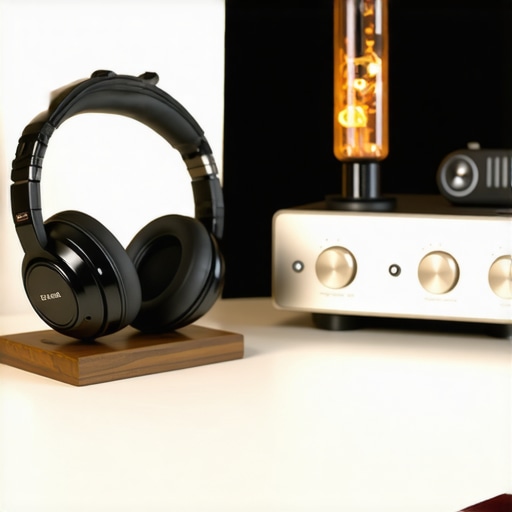
Understanding these hidden nuances is what separates a frustrated consumer from an expert listener. Whether you are battling Bluetooth bandwidth or puzzling over a clicking converter, the solution is almost always found in the software and system architecture rather than the price tag of your cables. Have you ever fallen into this trap? Let me know in the comments.
I’ve realized over the years that buying the gear is only half the battle. If you don’t take care of the physical components, all that software troubleshooting won’t matter. For instance, I recently pulled out a pair of high-end IEMs I hadn’t used in months, and they sounded dull. It wasn’t a driver issue; it was just buildup. Taking the time to learn the best way to clean your ear tips for better noise isolation is a game changer for long-term clarity. Similarly, your over-ear gear suffers from your own skin chemistry. I used to ignore it until my flagship pair started flaking on my ears, leading me to research why your headphone pads are peeling and how to replace them. It’s a cheap fix that makes a thousand-dollar set of cans feel brand new. For those of you spinning vinyl to avoid digital compression altogether, don’t overlook the basics of your signal chain. A hum in your speakers isn’t always a bad cable; often, it’s a simple grounding issue. Learning how to properly ground your turntable to stop that buzzing noise is the first thing I teach anyone getting into analog audio. It’s these small, physical maintenance steps that preserve the black background of your audio, allowing the music to actually breathe.
How can I keep my vintage gear alive for another decade?
Maintenance isn’t just for portables. If you’re like me and hunt for deals on older receivers, you’ll eventually run into the dreaded scratchy volume knob. This is caused by dust and oxidation on the internal potentiometer. Instead of tossing a classic unit, I always use a specialized contact cleaner; it’s the easy way to fix a scratchy volume slider on your radio or vintage amp without a full teardown. While you’re at it, peek at the back of your speakers. If you see a dull, greenish tint on the wires, you need to learn how to clean green oxidization off your copper speaker terminals. Copper is a fantastic conductor, but copper oxide is a terrible one, and it will slowly eat away at your high-frequency detail. 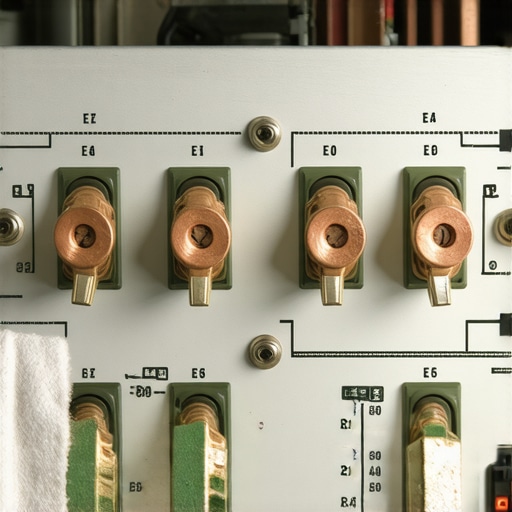
The Low-Tech Battery Trick for Perfect Phase
One tool I swear by isn’t a digital app, but a simple 9V battery. When I’m wiring up a multi-speaker setup and forget which wire is positive, I use it to pop the driver. It’s how to use a 9v battery to check your speaker polarity safely so your speakers work in harmony rather than cancelling each other out. This matters because, as noted in Dr. Sean Olive’s research at Harman International regarding the relationship between frequency response and listener preference, a flat, consistent response is the most significant predictor of high-fidelity sound. Out-of-phase speakers destroy that response instantly. Looking ahead, I suspect we are on the verge of a wireless revolution that finally solves the bandwidth problem I mentioned earlier. Technologies like Bluetooth LE Audio and Auracast are designed to handle high-bitrate audio and voice simultaneously without the massive quality drop-off. We might finally see the end of the Hands-Free Profile bottleneck within the next few years. Until then, don’t just settle for good enough sound. Go into your Windows sound settings right now and disable that Hands-Free service—you’ll thank me the second your music starts playing again.
The Hardest Lesson I Learned About Chasing High-Fidelity Sound
One thing I’ve learned after years of tinkering is that your gear is only as good as the weakest link in your signal chain. Most of the time, that link isn’t a bad wire—it’s a software setting you didn’t know existed. I spent hundreds on new cables before realizing is gold plated hardware really worth the extra cash is a question with a “no” for almost every digital setup. My second lightbulb moment was realizing that physical comfort dictates how much I enjoy the music. If your ears hurt, the flac file doesn’t matter. This is why your headphones feel tight and the safe way to stretch them without snapping the headband.
Finally, don’t ignore the signs of age. If you hear static when you touch your gear, it’s not a ghost; it’s physics. I’ve saved dozens of vintage amps by learning how to fix the crackling noise when you turn your amp volume with simple maintenance rather than buying a replacement.
My Go-To Toolbox for Keeping Everything Sounding Sharp
To keep my system in peak condition, I always keep three things on my desk. First, a can of electronic contact cleaner is essential for keeping those analog paths clear of oxidation. Second, a dedicated desktop microphone is my secret weapon; it’s the only way to ensure why your bluetooth earbuds sound like garbage on zoom calls stays a problem of the past. Third, I highly recommend keeping a cheap 9V battery handy for checking polarity whenever you’re moving speakers around. These tools, combined with resources like the Audio Engineering Society technical library, provide more value than any luxury cable ever could.
The Future of Your Listening Experience Starts Today
Audio is a journey, not a destination. You’ve now got the technical edge to bypass the bottlenecks that frustrate 99% of listeners. Whether you’re fixing a software glitch or cleaning up a thrift-store find, remember that high-fidelity is about the effort you put into the details. Your favorite albums deserve the best possible signal, and now you know how to provide it. Don’t let your bluetooth earbuds settle for low-quality mono ever again.
Have you ever had your audio quality suddenly drop the moment you joined a call? Let me know in the comments below.