
Last summer, I had the grill going, the drinks were cold, and the vibe was perfect—until I realized my single portable speaker was being drowned out by the sound of burgers sizzling and people laughing. I grabbed my old JBL from the garage and my neighbor’s newer Sony, thinking I’d just ‘pair’ them both to my phone and be the hero of the afternoon. It was a disaster. One speaker would play, then the other would cut in with a two-second delay, creating a chaotic echo that made everyone feel like they were standing in a haunted house rather than a backyard BBQ. I ended up looking like I’d never seen a piece of technology in my life. It was a classic amateur move, and honestly, I should have known better than to expect two different brands to just ‘shake hands’ and play nice. Today, I’m going to show you exactly how to avoid that embarrassment so you can fill your space with sound without spending a fortune on a brand-new ecosystem. We’re going to bridge that gap between brands and finally kill that annoying echo for good. Have you ever tried to daisy-chain speakers only to have them sound like a cluttered mess?
Stop Fighting with Your Hardware and Start the Music
I made the mistake early on of thinking that Bluetooth was a ‘one size fits all’ protocol. It isn’t. In fact, for a long time, the hardware itself was the bottleneck. According to the Bluetooth Special Interest Group (SIG), older Bluetooth versions weren’t even designed to handle multi-stream audio to independent devices simultaneously, which is why we’ve all been struggling with sync issues for a decade. When you try to push audio to two different chips, the processing time varies, and that’s where the ‘echo’ comes from. If you’ve noticed annoying audio lag in other areas of your life, you know exactly how much it ruins the experience. The good news is that we now have software workarounds and third-party apps that act as a ‘brain’ to keep everything in step. You don’t need to be a sound engineer to get this right, but you do need to stop trying to force the default settings on your phone to do something they weren’t built for.
Is this actually going to sound good or just loud?
I know what you’re thinking: ‘If I use two different speakers, won’t one sound way better than the other?’ It’s a valid fear. If you pair a high-end audiophile unit with a cheap tailgating box, you might notice one sounds a bit thin. This is common; in fact, many people wonder why their portable speaker sounds thin when they take it outdoors. But the goal of a party isn’t critical listening—it’s coverage. By following a few specific steps to sync the signals, you can place them in different corners of the yard to create a ‘wall of sound’ that masks the individual weaknesses of each unit. We are going to look at apps like AmpMe and Airfoil, and even some hidden ‘Dual Audio’ features on newer smartphones that can stop your portable bluetooth speaker from distorting while trying to keep up with a louder companion. It’s all about managing the signal before it ever hits the air.
Tap into the Secret Dual Audio Feature on Your Phone
If you have a Samsung Galaxy (S8 or newer) or a modern iPhone, you might already have the solution in your pocket. Samsung’s ‘Dual Audio’ feature is a game-changer because it handles the processing at the system level, rather than leaving it to the speakers. I remember trying to set this up at a lake house with a mix of brands. I spent twenty minutes frustrated until I realized the setting was buried in the ‘Advanced’ Bluetooth menu. Once toggled, I could send the same stream to two different devices at once. For iPhone users, it’s called ‘Audio Sharing,’ though it’s traditionally restricted to AirPods and Beats. However, for those using varied hardware, we have to look elsewhere. Using this built-in hardware trick is the easiest way to stop your portable bluetooth speaker from distorting by trying to overcompensate for a lack of volume on its own.
Download the Apps That Bridge the Brand Divide
When the hardware doesn’t play nice, software has to step in. Apps like AmpMe or SoundSeeder act as a master conductor. They sync the music by measuring the latency between your devices. I once attempted to host a garage party where the speakers were just slightly out of phase, creating a weird ‘comb filtering’ effect that made the vocals sound like they were underwater. It was embarrassing until I fired up a sync app. These apps work by creating a ‘room’ that other devices join. You can even find 3 budget upgrades that make cheap speakers sound expensive simply by using these apps to adjust the EQ for each individual speaker. This ensures that the smaller speaker handles the mids while the larger one focuses on the bass, preventing that muddy sound.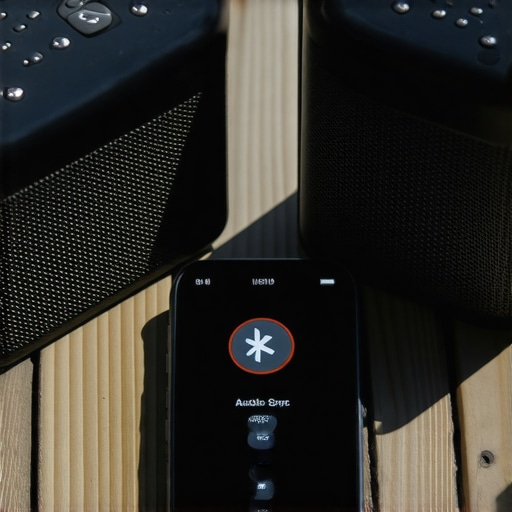
Use an Old Phone to Control the Chaos
If your current phone is struggling to maintain two connections, it’s time to delegate. I’ve found that learning how to use an old smartphone as a high-res music streamer is a brilliant hack for parties. By wiping an old phone and using it specifically for audio, you free up the processor and RAM to handle the heavy lifting of multi-speaker synchronization without getting interrupted by text notifications or calls. During that same backyard BBQ I mentioned earlier, I used an old Pixel 3 as the dedicated ‘DJ Hub’ and it held the connection much better than my primary phone ever could. This dedicated setup also makes it easier to manage the physical placement so you can stop your portable speaker from vibrating off the shelf when the bass starts to kick in.
How to Stop the Echo Once and For All
The biggest enemy is latency. If one speaker is six inches further away than the other, or if one has a slower Bluetooth chip, you get that ‘stutter.’ This is effectively the same problem people face when looking for the fix for annoying audio lag on your gaming headset. The trick is to manually adjust the ‘offset’ if your app allows it. Start by playing a track with a heavy, rhythmic beat. Stand in the center of the room and listen for the ‘ghost’ note. If you hear a double tap on the snare drum, you need to delay the faster speaker by about 20-50 milliseconds. It sounds technical, but once you hear it click into place, the soundstage instantly expands. This is especially vital because why your portable speaker sounds thin when you take it outdoors often comes down to losing that constructive interference when speakers are out of sync.
Stop Throwing Money at Expensive Copper Cables
I’ve seen it a thousand times at garage sales and high-end boutiques: people spending 20% of their total budget on thick, braided cables with fancy terminators. Let’s get one thing straight—unless you are running wire through a literal electrical storm, why expensive speaker cables are mostly a marketing trick is a pill most audiophiles hate to swallow. In my experience, a standard 14-gauge oxygen-free copper wire performs identically to the ‘platinum-level’ stuff. Even the Audio Engineering Society (AES) has hosted numerous double-blind tests where experts couldn’t distinguish between high-end cables and a literal coat hanger over short distances. The same logic applies to your connectors; people often ask is gold plated hardware really worth the extra cash, and the answer is usually no. Unless you live in a high-humidity coastal area where corrosion is a daily battle, the truth about gold plated audio connectors for home stereos is that they offer almost zero performance gain for the average listener. 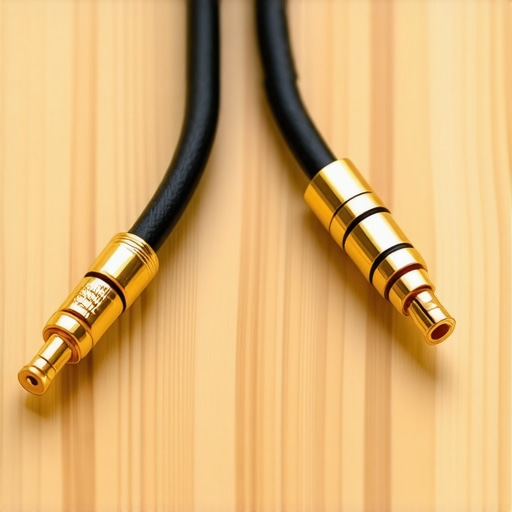
The Vintage Gear Trap That Drains Your Wallet
I love the aesthetic of a glowing 1970s Marantz as much as the next guy, but beginners often fall into the ‘vintage is always better’ trap. They see a wood-grain receiver at a flea market and think they’ve struck gold. What they don’t see are the dried-out electrolytic capacitors and the scratchy potentiometers that are about to fail. The hidden costs of buying a vintage receiver on the internet often include a $200 repair bill just to get the channels balanced. If you aren’t prepared to use the easy way to fix a scratchy volume slider on your radio or open the chassis yourself, you might be better off with a modern Class-D amp. Furthermore, don’t assume that adding a soundbar is an automatic upgrade. Surprisingly, there are many cases why your tv speakers sound better than your cheap soundbar, especially if the soundbar lacks dedicated tweeters or uses a plastic enclosure that rattles at high volumes.
Why Does My High-End Setup Still Sound Muddy in This Room?
The biggest mistake people make is blaming their hardware when the culprit is actually their room’s physics. You can spend ten thousand dollars on speakers, but if you place them directly against a wall, you’ll wonder why your studio monitors sound boxy. This happens because of ‘boundary gain,’ where the bass frequencies reflect off the wall and cancel out the clarity of the mids. This is why the simple rug trick that instantly improves your room acoustics is more effective than any software EQ. By simply breaking up hard reflections, you allow the speakers to perform as they were designed in the lab. If you’re still getting a weird hum, check your setup proximity; why your phono preamp needs to be far away from the power amp usually comes down to electromagnetic interference that no amount of ‘premium’ shielding can fully block. Have you ever fallen into the trap of buying ‘premium’ accessories only to be disappointed by the result? Let me know in the comments.I have learned the hard way that a ‘buy and forget’ mentality is the quickest path to a silent speaker system. My workbench always has a can of DeoxIT D5 contact cleaner sitting front and center. If you have ever dealt with a volume knob that crackles like a campfire every time you touch it, you know how frustrating it can be. Learning the easy way to fix a scratchy volume slider on your radio has saved me hundreds of dollars in professional repair fees over the years. I also keep a basic multimeter handy at all times. It is the only reliable way to know how to tell if your headphones have a blown driver or if you simply have a broken connection in the cable. Real maintenance is about catching the small failures before they turn into expensive smoke.
Keep Your Investment Singing for the Next Decade
Physical wear and tear is not just internal; it is often sitting right against your skin. I make it a habit to check my IEMs once a week because earwax buildup is the silent killer of frequency response. I have found that the best way to clean your ear tips for better noise isolation is a quick soak in warm, soapy water followed by a thorough drying. For my over-ear headphones, I keep a close eye on the padding. Understanding why your headphone pads are peeling and how to replace them is vital because flattened or cracked pads actually move the driver closer to your ear canal, which fundamentally ruins the manufacturer’s original tuning. If your headphones feel ‘off,’ it is likely the pads, not the hardware. 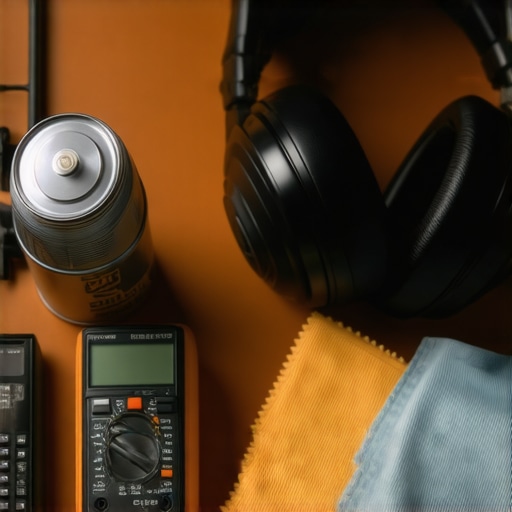
Protect Your Digital Heart from Firmware Failures
In the modern era, audio is just as much about software as it is about copper and magnets. I check my soundbar’s manufacturer support page at least once a quarter because why your soundbar needs a firmware update to fix audio drops is often a known software bug that was patched months ago. According to Dr. Sean Olive, a leading Fellow at Harman International, the consistency of the listener experience is heavily dependent on how the Digital Signal Processing (DSP) interacts with the room’s unique signature. If you are not updating your gear, you are missing out on the latest acoustic research being pushed to your device. This is also why why your smart speaker is actually listening to your room acoustics; it is trying to compensate for your furniture in real-time.
What Happens When Everything Becomes Wireless?
I predict that within the next five years, the ‘dumb’ passive speaker will become a niche relic of the past for everyone except the most hardcore enthusiasts. We are moving toward a world where the room itself is the processor, and every speaker will have built-in microphones for constant self-calibration. If your current setup feels like it is falling behind this curve, don’t panic and buy a whole new system. You can always find 3 budget upgrades that make cheap speakers sound expensive to bridge the gap while you wait for the next generation of tech to stabilize. Your first step today should be simple: grab a microfiber cloth and a can of compressed air, clean out the dust from your amplifier’s vents, and ensure it is not getting restricted airflow. A cool amp is a happy amp, and a happy amp lasts for twenty years instead of two.
The Hard-Earned Lessons from My Audio Graveyard
Over the years, I have realized that the most expensive system is often the one that isn’t maintained. Before you go out and buy a brand-new set of speakers because your current ones sound ‘off,’ take five minutes to troubleshoot the basics. I learned the best way to test speakers at a garage sale without an amp using a simple 9V battery trick to check for coil life, and it has saved me from buying dozens of duds. Furthermore, don’t let a small mechanical issue convince you to scrap a great unit; knowing how to repair a loose speaker terminal in under five minutes can bring a dead cabinet back to life instantly. Finally, always remember that phase is everything. If your speakers are wired incorrectly, they will cancel each other out, leaving you with no bass. I always teach my friends how to use a 9v battery to check your speaker polarity so the drivers move in unison rather than fighting for air.
The Toolkit Every Audio Tinkerer Needs
I never start a setup project without my ‘survival kit’ for sound. This includes a high-quality multimeter, a can of electronic contact cleaner, and a dedicated frequency generator app. If you are dealing with an older receiver and hear static, you need how to fix the crackling noise when you turn your amp volume tutorials to guide your cleaning process. For the vinyl enthusiasts, I cannot stress enough the importance of a clean needle; using the best way to clean a turntable stylus without breaking it will preserve both your hardware and your precious record collection. I also suggest downloading ‘Spectroid’ for Android or ‘Octave’ for iOS to see exactly which frequencies are bouncing awkwardly off your walls.
Turn the Volume Up and Start Listening
At the end of the day, your home audio deals and the collection of gear you have assembled are meant for one thing: joy. Don’t let the pursuit of ‘perfect’ acoustics stop you from actually pressing play. You now have the knowledge to bridge the gap between brands, eliminate that annoying echo, and maintain your gear for the long haul. Whether you are figuring out how to get theater quality sound out of a small living room or just trying to get a pair of mismatched Bluetooth speakers to cooperate, the goal is always the same—immersion. Take what you have, tweak it until it sings, and enjoy the music. Have you ever spent more time troubleshooting your speakers than actually listening to them? Let me know your biggest audio frustration in the comments below!