
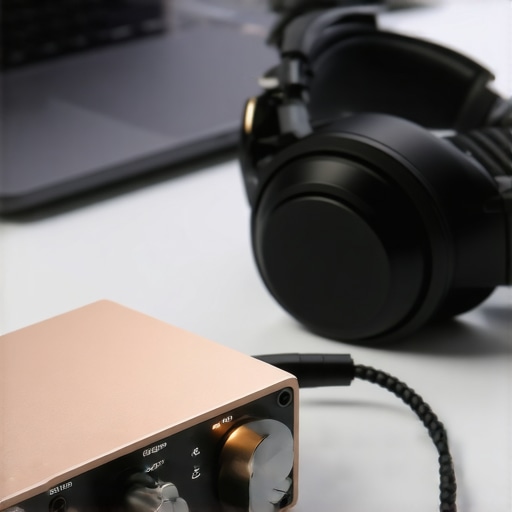
I remember sitting at my desk late one Tuesday night, staring at a pair of expensive open-back headphones I’d just unboxed. I was excited. I plugged them straight into the front-panel jack of my PC, hit play on my favorite track, and… it sounded like I was listening through a wet blanket. The bass was flabby, the highs were shrill, and there was this faint, annoying hiss every time I moved my mouse. I felt cheated. I thought I’d bought a lemon. It took me months of frustration to realize that the problem wasn’t my headphones; it was the “brain” of my computer’s audio system. If you’ve ever felt like your gear isn’t living up to the price tag, you’re likely dealing with the exact same bottleneck I was. [IMAGE_PLACEHOLDER]
Your Motherboard is Killing Your Music
Most people don’t realize that the inside of a desktop computer is a nightmare for clean audio. You have a power supply, a massive GPU, and a CPU all screaming electrical noise at each other. When your audio signal is processed by the cheap, built-in chip on your motherboard, it picks up all that “trash” along the way. This is why your laptop speakers are making a strange clicking sound or why your high-end cans feel so lifeless. I made the classic rookie mistake of thinking more volume meant better quality. I’d crank it up until the distortion was unbearable, not realizing that I was just amplifying a dirty signal.
A DAC (Digital-to-Analog Converter) acts as an external brain. It takes the digital 1s and 0s from your USB port and translates them into an electrical signal far away from the noisy neighborhood of your motherboard. According to the experts at SoundGuys, the signal-to-noise ratio on internal sound cards often pales in comparison to even a budget external DAC, which can drastically reduce the “floor” of hiss you hear during quiet passages of music. By moving the conversion process outside the box, you’re finally letting your speakers or headphones do their actual job.
Wait, Is an External DAC Actually Worth the Money?
I get it. You’ve already spent money on speakers or headphones, and now some guy on the internet is telling you to buy a little metal box to sit on your desk. You might be wondering if this is just “audiophile snake oil.” I used to think the same thing until I did an A/B test. The difference isn’t just “louder”—it’s about clarity and separation. If you find that your bookshelf speakers need more power than you think to sound full, or if your expensive headphones sound thin when plugged into basic devices, a DAC is the missing bridge. It provides a clean, robust signal that gives your amplifier (whether built-in or external) something worth working with.
Have you ever noticed a weird buzzing or flat sound when you’re trying to enjoy a high-res playlist? It’s a common frustration, but it’s also one of the easiest “pro-level” fixes you can make to your setup. Today, I’m going to walk you through exactly how to pick the right one and hook it up so you never have to settle for “okay” sound again. We’re going to stop the interference and start hearing the music the way it was recorded.
Stop Using the Wrong Connection for Your DAC
Most beginners just grab the first USB cable they find and plug it into the front port of their PC. That is a mistake. Front-panel ports are usually connected to the motherboard via unshielded internal wires that run right past your buzzing power supply. If you want the cleanest signal, plug your DAC directly into the back of the motherboard or use an optical (Toslink) cable if your PC supports it. Optical is great because it uses light instead of electricity, meaning there is zero chance for an electrical ground loop to hum through your speakers. If you are moving up to pro-level gear, you should also look into the real performance benefit of using balanced xlr cables, which can cancel out noise over much longer distances than standard RCA plugs.
Make Windows Stop Messing with Your Bitstream
You’ve got the hardware, but your operating system is likely still sabotaging you. By default, Windows resamples all audio to a standard rate, which often adds digital artifacts. You need to go into your sound settings and ensure your DAC is set to its highest supported bit depth, usually 24-bit or 32-bit. Even more importantly, look for Exclusive Mode in apps like Tidal or Qobuz. This allows the app to take full control of the DAC, bypassing the Windows mixer entirely. I’ve seen people complain that their high-end dac sounds exactly like their laptops headphone jack, and 90% of the time, it’s because they haven’t enabled these exclusive settings. Without this, you’re just paying for fancy hardware that is being throttled by mediocre software.
The Hidden Danger of USB Power
I learned this the hard way during my first month with a dedicated setup. I had my DAC plugged into a cheap, non-powered USB hub that was also holding my keyboard and a desk fan. Every time I adjusted my keyboard lighting, I could hear a distinct click-click-click in my headphones. The DAC wasn’t getting clean power; it was fighting for scraps alongside my peripherals. If your DAC doesn’t have its own wall plug, try to give it its own dedicated USB port on the back of your computer. If you’re on a budget and need to power hard-to-drive gear, you might pair your DAC with the 50 amp that drives high impedance cans without a struggle to ensure you have enough juice for the peaks in your music.
Turn Your Mobile Device Into a High-Res Source
You don’t always need a high-end PC to get great sound. One of my favorite hacks is using old tech that’s lying around. I realized that a smartphone with a clean OS and a good music app actually makes a better transport than a noisy desktop. You can easily learn how to use an old phone as a dedicated high-res music player by connecting it via a USB-OTG cable to your DAC. This keeps the signal path extremely short and removes the mechanical fan noise of a computer from your listening environment. Once you have the signal clean, you can focus on the physical side of things, like how to properly break in new headphones without using white noise to make sure the drivers are moving as intended.
Now, let’s talk about the biggest lie in the audio world: the idea that the gear matters more than the space it sits in. You can buy a ten-thousand-dollar pair of speakers, but if you put them in a glass-walled box, they will sound like garbage. Most people overlook the physical interaction between sound waves and their furniture. For instance, I’ve noticed that many beginners struggle with muddy mid-range simply because they leave their gear on a flat surface. You’ll find that your bookshelf speakers sound better when you move them off the desk and onto decoupled stands. This eliminates the ‘desk bounce’ effect where sound reflects off your workstation and arrives at your ears slightly out of phase with the direct sound. This simple shift in physics can provide more clarity than a $500 cable upgrade ever could. 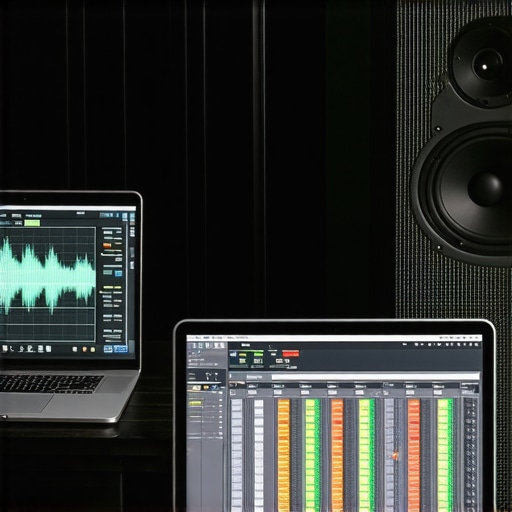
Your Room is the Most Important Component You Own
It’s a hard pill to swallow, but your walls are essentially part of your speaker system. If you’re working with a cramped space, you’ve probably realized how difficult it is to get a centered image. Learning how to get better stereo separation in a very narrow room is often more effective than upgrading your DAC for the third time. This is also a common ‘oops’ factor for home theater enthusiasts; your soundbar sounds tiny in a vaulted ceiling room because those devices rely on bouncing sound off the ceiling to create height effects. When that ceiling is 20 feet high, the effect is lost, and you’re left with thin, distant audio. We often blame the hardware when we should be blaming the environment. Have you ever fallen into this trap? Let me know in the comments.
The High-Resolution Myth That Might Be Hurting Your Ears
Here is a contrarian take: stop chasing 192kHz files. Everyone says higher sample rates equal better sound, but in my experience, it often leads to a phenomenon called ultrasonic intermodulation distortion. According to research published by the Audio Engineering Society (AES), frequencies above 20kHz—which humans cannot hear—can actually interact with your amplifier and tweeters to create audible noise in the lower spectrum. This is exactly why your speakers sound harsh when you play high-res files. Unless you have a playback chain specifically designed to handle those massive ultrasonic loads, you’re often better off sticking to CD-quality 44.1kHz audio, which perfectly captures everything the human ear can perceive based on the Nyquist-Shannon sampling theorem. Pushing your gear past its limits for the sake of a bigger number on your screen is a classic audiophile mistake.
Does Your Amp Have Enough Muscle for the Loudest Moments?
Another common mistake is looking only at the ‘Watts’ listed on the box. Most people think if an amp says 100W, it’s plenty. But speakers aren’t a constant load; their impedance swings wildly during a song. If your amp doesn’t have the current to keep up with a sudden bass drop, the sound will compress and lose its life. It’s vital to understand how to tell if your amplifier has enough headroom for your speakers. Without that extra breathing room, the peaks of your music get shaved off, leaving you with a flat, lifeless performance. Don’t be fooled by peak power numbers; look for the RMS and the power supply weight. Heavy iron usually means better current delivery. High-quality audio isn’t just about the quiet parts; it’s about how the system handles the chaos of a full orchestral crescendo without breaking a sweat.
Even the most expensive DAC or amplifier will eventually sound like a piece of junk if you let the physical hardware degrade. I’ve seen people drop three grand on a system only to let the connections rot. Once a month, I take a can of Caig DeoxIT D5—a specialized contact cleaner recommended in almost every high-end technical manual from companies like Caig Laboratories—and I treat every single RCA and XLR plug. If you don’t, you’re dealing with micro-corrosion that adds resistance and noise. You need to know how to clean green oxidization off your copper speaker terminals before it eats into the wire. This isn’t just about aesthetics; it’s about maintaining the conductivity that you paid for. 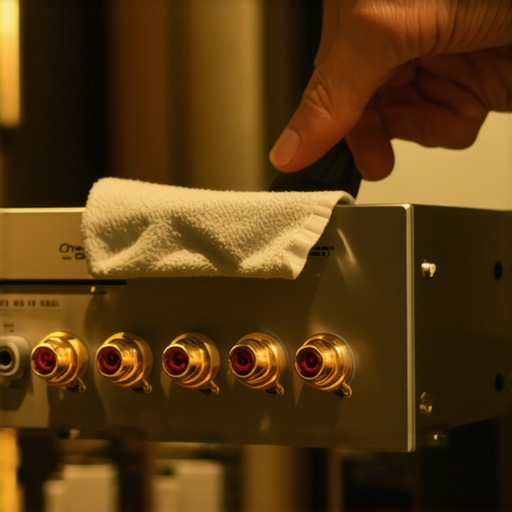
How do I maintain my audio gear over time?
Maintenance isn’t just about cleaning; it’s about prevention. For my headphones, I’ve learned that skin oils are the enemy. I’ve seen $500 ear pads turn into a flaky mess because someone didn’t wipe them down after a sweaty listening session. Understanding why your headphone pads are flaking and how to prevent it can save you a fortune in replacement parts. I also keep a small bottle of dry PTFE lubricant in my drawer. A tiny drop on the hinges will teach you how to stop your high-end headphones from creaking when you move, which is essential for maintaining that premium feel. If you ignore the mechanical side of your gear, the luxury experience disappears long before the electronics fail.
Glue Is Often Better Than a New Driver
When a speaker starts to buzz, most people assume it’s blown and throw it away. I’ve rescued dozens of vintage and modern speakers just by being brave with a bottle of flexible adhesive. If you catch a tear early, you can learn how to fix a small rip in a speaker surround with glue without changing the mass of the cone or ruining the frequency response. It’s a five-minute fix that can prevent a total driver failure. I also suggest using the “finger-tap test” on your speaker grilles; if they rattle, you don’t need new speakers, you just need the easiest way to fix a rattling speaker grill for good to bring back that tight, punchy sound you remember.
The Future of Keeping Gear Alive
Looking ahead, I predict we are moving toward a more modular era of audio. As right-to-repair laws gain traction, I expect brands to stop selling sealed units and start offering user-replaceable DAC boards and amp modules. We’re already seeing this with brands like Schiit and Hifiman. This means your “long-term results” won’t depend on buying a new box every five years, but on swapping a single internal card. To get ahead of this curve, start practicing your basic maintenance now. **My advanced tip for you today:** go grab a dedicated 9V battery and learn how to use a 9V battery to check your speaker polarity. Ensuring your speakers are moving in the same direction is the single fastest way to fix a ‘thin’ sounding system without spending a dime on new gear.** Try it tonight and see if your bass suddenly snaps back into focus.
The Hardest Lessons I Learned While Chasing Sonic Perfection
After years of swapping cables and testing different DACs, I’ve realized that the most expensive upgrade isn’t always the best one. I used to think that a higher price tag guaranteed a better experience, but audio is all about synergy. If your components don’t ‘talk’ to each other well, you’re just wasting money. For instance, I spent weeks troubleshooting a lack of low-end only to find that even the surface you choose matters; I finally understood why your portable speaker has no bass when you place it on glass. It wasn’t the driver; it was the physics of the desk. #IMAGE_PLACEHOLDER_E# Another lesson? Trust your ears over a graph. If a ‘perfect’ system sounds sterile to you, it’s not perfect. Don’t be afraid to add a bit of warmth or adjust your EQ to suit your personal taste.
My Personal Kit for Solving Audio Gremlins
You don’t need a degree in electrical engineering to maintain a high-end system, but you do need a few specific tools. I never go into a setup without a digital multimeter and a fresh can of contact cleaner. These allow me to diagnose connection issues in seconds. If I’m dealing with localized hardware issues, I’ve found that knowing how to fix a buzzing sound in your portable speaker at high volumes is a lifesaver—often it’s just a loose internal screw or a piece of debris vibrating against the casing. I also highly recommend the Master Handbook of Acoustics by F. Alton Everest; it’s the ‘bible’ for anyone trying to understand how sound actually behaves in a room. Between a good book and a few basic tools, you can solve 90% of the problems that frustrate other audiophiles.
Your Music Deserves to Be Heard This Way
Audio is more than just a hobby; it’s a way to connect more deeply with the art you love. When you take the time to clean your contacts, position your speakers correctly, and bypass the noisy processing of your motherboard, you aren’t just ‘fixing gear’—you’re clearing the path for the artist’s intent. Whether you are currently trying to figure out why your headphones feel tight and the safe way to stretch them or you’re meticulously planning a balanced XLR signal chain, remember to stop and actually listen once in a while. The best audio gear is the kind that eventually disappears, leaving nothing but you and the performance. Go ahead, plug it in, hit play, and finally hear what you’ve been missing.