
I’ll never forget the sinking feeling in my chest the day I ‘upgraded’ my desk setup. I had just dropped a significant chunk of my savings on a DAC that promised ‘unrivaled transparency’ and ‘velvety blacks.’ I plugged it into my laptop, fired up my favorite album, and… it sounded identical to the $1.50 chip inside my motherboard. I sat there in my quiet office, staring at the glowing LEDs, feeling like a complete chump. If you’ve ever felt that same ‘is that it?’ sensation, you’re not alone, and you’re probably not crazy. In this guide, we’re going to strip away the marketing fluff and figure out why your expensive gear is acting like a paperweight.
The Moment I Realized I’d Wasted Five Hundred Dollars
[image_placeholder] The truth is, we’ve been told that a DAC is the heart of high-fidelity audio. While it’s important, it’s only one link in a very long chain. When I first started, I made the classic rookie mistake of thinking a better converter would magically fix why your expensive headphones sound thin on a basic smartphone or laptop. I was looking for a silver bullet, but I forgot about the gunpowder. The reality is that modern technology has gotten surprisingly good at the basics. According to research from Audio Science Review, many modern laptop motherboards—especially on high-end machines—now implement audio shielding and decent capacitors that push distortion levels well below the threshold of human hearing. This means that in a blind test, that ‘premium’ sound you’re paying for might be physically impossible for your ears to detect unless everything else in your system is perfectly aligned. Have you ever plugged in a new piece of gear only to realize it didn’t change a single thing?
Is High-End Gear Just a Fancy Placebo?
It’s easy to get cynical and think the whole industry is a scam, but that’s not quite right either. The problem usually isn’t the DAC; it’s the bottleneck elsewhere. Early on, I was trying to drive massive, power-hungry planar headphones directly from a tiny portable DAC without considering the actual power requirements. I should have been looking for the 50 amp that drives high impedance cans without a struggle instead of chasing higher bitrates. I spent weeks switching cables back and forth, convinced I was missing something. I even considered buying silver-plated wires before I realized my Windows audio settings were capped at CD quality, effectively neutering my new toy.
Why Your Laptop Audio Isn’t as Terrible as the Forums Say
Before we blame the hardware, we have to look at the ‘Why.’ Most of the time, the reason you can’t tell a difference is that your laptop is already doing a ‘good enough’ job for the files you’re playing. If you are listening to compressed streams, the DAC has nothing new to reveal. It’s like putting a 4K monitor on a VCR; you’re just seeing the blur more clearly. I also spent way too long ignoring the real performance benefit of using balanced XLR cables, thinking any old wire would do. The synergy of the system matters more than any single component. We’re going to dive into the settings and hardware mismatches that keep your music sounding flat.
Stop Windows From Mangling Your High-Res Audio
One of the most common reasons a high-end DAC sounds exactly like a cheap one is that Windows—by default—re-samples everything you hear. It forces every audio stream through its internal mixer, which often degrades the quality before it even reaches your hardware. You need to enable Exclusive Mode in your player software like Tidal or Foobar2000. This allows the application to bypass the Windows kernel and talk directly to your DAC. I remember the first time I flipped this switch; it wasn’t a night-and-day hallucination change, but the micro-details in the cymbals suddenly had room to breathe.
Why You Need to Match Your Amp to Your Actual Volume Needs
Most people buy an amplifier based on the biggest number on the box, but that’s a trap. You need to understand the difference between peak and rms power explained simply to know how much clean energy you actually have. If your amp is constantly struggling to provide the current your speakers demand, it will compress the sound, making it feel flat and lifeless. This is also the real reason your amp is getting hot to the touch—it’s working in its distortion range just to keep up. Learning how to tell if your amplifier has enough headroom for your speakers is the difference between a system that sounds loud and one that sounds effortless.
Small Physical Fixes for Big Sound Gains
Before you buy a new cable, look at your environment. I once spent an entire Saturday afternoon troubleshooting a pair of floor-standers that sounded hollow. I was convinced my new amp was a lemon until I tried a quick diagnostic: how to use a 9v battery to check your speaker polarity. 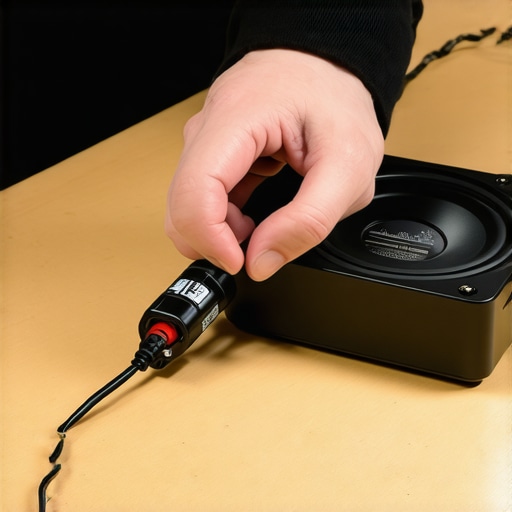 One of the internal wires had been swapped during a previous repair, causing the speakers to fight each other and cancel out the bass. The moment I flipped it back, the impact returned. For desktop users, why your bookshelf speakers sound better when you move them off the desk is usually due to the hard surface of your desk reflecting sound waves directly into your ears, creating a muddy mess. Even something as simple as your eyewear can ruin the experience; why your headphones sound thin when you wear glasses is because the gap created by the frames lets all your low-end frequencies leak out before they reach your eardrum. It’s these tiny physical bottlenecks, not the price of your DAC, that usually dictate the final result.I used to believe that more gold meant better sound. I spent a small fortune on cables because the box promised ‘superior conductivity.’ But here is the contrarian truth: gold is actually a worse conductor than copper or silver. Its only real advantage is that it doesn’t oxidize. If you aren’t living in a swamp or a coastal town with salt air, is gold-plated hardware really worth the extra cash? Probably not. In my experience, why gold-plated connectors aren’t always better comes down to the fact that people use them to mask poor soldering or low-quality wire underneath. I’ve seen two-hundred-dollar cables fail because why cheap speaker wire causes signal loss over 50 feet applies to the gauge of the internal copper, not the finish on the tips.
Why Does High-End Gear Often Sound Worse on Your Favorite Tracks?
This is the ultimate ‘oops’ factor for new audiophiles. You buy a clinical, high-resolution system and suddenly your favorite 90s rock albums sound like garbage. You might think you have a hardware issue, or wonder how to spot a blown tweeter before it ruins your crossover, but the reality is more frustrating. High-end gear is honest—brutally so. Dr. Floyd Toole’s research in his book Sound Reproduction explains that most listeners actually prefer a slight ‘coloration’ in their sound. When you play a compressed file or a poorly mastered record through a ‘perfect’ system, why your speakers sound harsh when you play high-res files is usually because you are hearing the limitations of the recording for the first time.  Another nuance is the obsession with wattage. Most people think they need a massive amp to get loud, but why your bookshelf speakers need more power than you think is actually about ‘headroom.’ If your amp is underpowered, it clips and generates heat, which is the real reason your amp is getting hot to the touch. I also see people making the advanced mistake of crowding their components. For example, why your phono preamp needs to be far away from the power amp is a lesson in electromagnetic physics; if you stack them, you’re just inviting a 60Hz hum into your life. If you’ve got old gear that feels ‘tired,’ look for the trick to making vintage speakers sound modern again before you replace the whole stack. Have you ever fallen into the trap of buying more power when you actually just needed a cleaner signal path? Let me know in the comments.I’ve seen $2,000 headphones ruined by something as simple as sweat and neglect. It’s heartbreaking to see someone invest in a dream setup only to have it fall apart because they didn’t know why your headphone pads are flaking and how to prevent it. High-end leather or protein leather needs moisture balance, or it becomes brittle and cracks. The same logic applies to speakers; if you’ve rescued a pair from an attic, you might need to know the trick to removing dog hair from speaker grilles safely or even how to restore a sun-faded speaker grille to look new again. These aren’t just cosmetic fixes; they prevent micro-debris from entering the voice coil and causing permanent damage.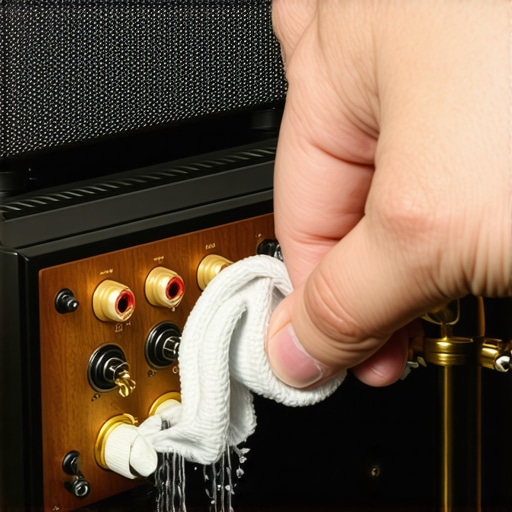
How do I maintain my audio system over time?
Consistency is the secret sauce to a long-lasting setup. Every six months, I do a thorough cable audit. I specifically check for how to clean green oxidization off your copper speaker terminals because even a microscopic layer of corrosion can add resistance and smear your imaging. If you’re using vintage equipment, you need to be aware of mechanical fatigue. For example, knowing how to revive a vintage turntable with a slipping belt can save you from a massive repair bill when the motor starts to groan. I personally swear by DeoxIT D5 for cleaning every potentiometer and switch. According to the technical documentation from CAIG Laboratories, untreated metal-to-metal contacts develop ‘fretting corrosion’ over time, which is usually the source of that annoying static you hear when turning a volume knob.
Stop Ignoring the Small Rattles and Creaks
If you’re using headphones daily, they can lose their clamping force, which ruins the acoustic seal and destroys your bass response. I’ve had to learn why your headphones feel tight and the safe way to stretch them versus how to stop your high-end headphones from creaking when you move using a tiny drop of dry-film lubricant. It’s these small, proactive steps that keep a $500 investment from feeling like a piece of junk in three years. Looking ahead, the trend is shifting toward ‘smart’ maintenance. We’re already seeing amplifiers with built-in diagnostic chips that can alert you to impedance spikes before they become terminal. I suspect we’ll eventually have apps that track the wear hours on your speaker crossovers, much like a modern car tracks oil life. But for now, the best tool you have is your own ears. Learn the easiest way to fix a rattling speaker grill for good before the vibration shakes a solder joint loose. My challenge to you this weekend: pull out your speakers, check the terminals for green gunk, and give them a quick clean. You’ll be surprised at the free clarity you find.
Lessons Learned From Chasing a Sound That Doesn’t Exist
After a decade in this hobby, I’ve realized that the most expensive upgrade is often the one you didn’t need. My biggest regret wasn’t a specific purchase, but rather ignoring the physical space around me. I spent months swapping DACs when I really should have focused on how to find the sweet spot for your speakers in a rectangular room. It’s a bitter pill to swallow, but a $100 pair of speakers in a well-treated room will almost always outperform a $2,000 pair sitting in a corner with bad reflections.
I also learned that maintenance is a form of free performance. Instead of buying new cables, I started looking for how to clean green oxidization off your copper speaker terminals and realized that my ‘muddy’ sound was just high resistance from years of neglect. Lastly, never underestimate the power of small tweaks; something as simple as the reason your speaker stands need to be filled with sand can tighten up your bass more than a new amplifier ever could.
The Handful of Tools I Trust With My Ears
If you want to stop guessing and start knowing, you need a reliable toolkit. I don’t go anywhere without a digital SPL meter app to check levels and ensure I’m not listening at ear-damaging volumes. For hardware issues, I keep a bottle of DeoxIT nearby—it’s the gold standard for how to stop your high-end headphones from creaking when you move. I also frequently revisit 3 budget upgrades that make cheap speakers sound expensive when I feel the itch to spend money unnecessarily. These resources keep me grounded in reality rather than marketing hype.
#IMAGE_PLACEHOLDER_E#
Put the Meter Away and Just Press Play
At the end of the day, your system exists to serve the music, not the other way around. Whether you are figuring out how to get clear movie dialogue without a dedicated center speaker for a movie marathon or critical listening with open-back headphones, don’t let the pursuit of technical perfection steal the joy of the performance. High-quality amplifiers, headphones, and speakers are amazing tools, but they are just the bridge to the artist’s intent. If you can tap your foot and lose track of time, your system is already perfect.
What’s the one piece of audio gear you bought that actually lived up to the hype—or the one that left you feeling like a chump? Let me know in the comments below!