
I remember sitting in my favorite armchair last autumn, finally ready to lose myself in a high-resolution master of Miles Davis’s Kind of Blue. Just as the trumpet soared, my primary phone shrieked a low-battery warning and then cut the music to notify me about a work email I didn’t want to read. It was a total buzzkill. My modern, ‘do-everything’ device was actually doing everything poorly when it came to my dedicated listening time. That was the moment I dug through my ‘electronics graveyard’ drawer and pulled out an old LG phone I hadn’t touched in three years. I realized I was sitting on a goldmine of audio potential that most people just throw away. Today, I’m going to show you how to stop treating your old tech like trash and start using it as a dedicated, distraction-free music hub that rivals gear costing hundreds of dollars.
Stop Letting That Old Flagship Gather Dust
It’s a crying shame that we let perfectly good hardware rot in a drawer. Most of those older flagship phones—especially the ones from the era when the 3.5mm jack was still king—have internal components that are surprisingly capable. I’ll admit, I made the expensive mistake of dropping $500 on a dedicated digital audio player (DAP) a few years back, only to find out that my old phone, when configured correctly, sounded nearly identical. You see, why your expensive headphones sound thin on a basic smartphone usually comes down to the software and the battery-saving throttles, not just the hardware itself. By stripping away the bloatware and dedicated it to one task, you give that processor the breathing room it needs to handle high-bitrate files without a hiccup. If you are worried about the physical connection, learning how to connect a modern phone to an old amp without a jack is a good start, but using an old phone with a built-in jack is even better.
Does an old phone really hold a candle to a pro player?
You might be skeptical. You’re probably thinking, ‘It’s just a phone, how can it be audiophile grade?’ The truth is in the DAC (Digital-to-Analog Converter). Certain older models, like the LG V-series, featured ESS Sabre Quad DACs that are legendary in the community. Even without those specific chips, the sheer computing power of an old Snapdragon processor exceeds many entry-level DAPs. According to the Global E-waste Monitor, the world produces over 50 million metric tons of e-waste annually; repurposing your phone isn’t just a win for your ears, it’s a win for the planet. Have you ever found an old device in a drawer and wondered if it was still good for anything? We are going to wipe the slate clean, bypass the Android audio limitations, and turn that slab of glass into a high-fidelity beast. I’ve even seen people use these to breathe life into their home systems, essentially figuring out the trick to making vintage speakers sound modern again by using the phone as a high-end streamer.
Give Your Hardware Room to Breathe
To turn a cluttered old phone into a sleek music machine, you first have to clear out the digital noise. Think of your phone’s operating system like a busy restaurant kitchen; if everyone is shouting orders for emails, social media notifications, and location tracking, the chef—in this case, your audio processor—can’t focus on the main course. I remember trying to set up my old Galaxy S8 as a streamer and getting frustrated when the music would stutter every time a ‘low storage’ notification popped up. It was a mess. I eventually performed a full factory reset, skipped the Google account sign-in entirely, and disabled every single pre-installed app I could find. The difference was night and day. The interface became fluid, and more importantly, the background processes stopped stealing resources from the audio buffer.
Nuke the Bloatware Without Mercy
Once you have a clean slate, keep it that way. Don’t install anything that isn’t related to your music. This isn’t just about speed; it’s about electrical noise. Every time your Wi-Fi chip pings a server or your processor ramps up to sync a calendar, it creates tiny amounts of interference. By keeping the device in airplane mode and only turning on Wi-Fi when you specifically need to sync your library, you’re creating a much ‘quieter’ environment for the internal DAC. If you find the physical port feels a bit loose or inconsistent after years of use, you should learn how to clean dust out of your headphone jack without damaging pins before you assume the hardware is failing. 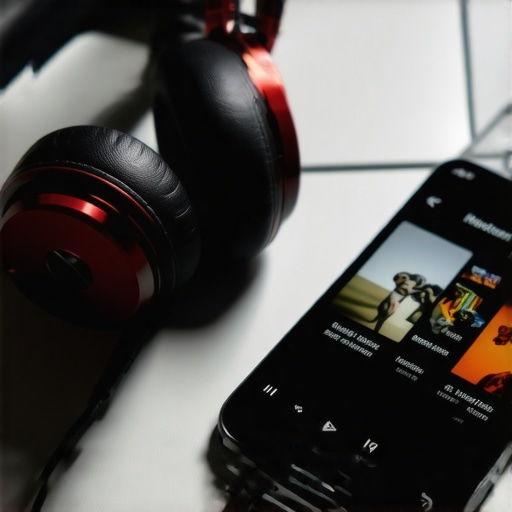
Take Control of Your Output Path
The biggest hurdle you’ll face isn’t actually hardware; it’s the Android operating system itself. By default, Android resamples all audio to 48kHz, which can degrade the quality of high-resolution files. To bypass this, you need a specialized app like USB Audio Player PRO or Hiby Music. These apps use their own custom drivers to talk directly to the hardware, ensuring that your 24-bit/192kHz FLAC files stay bit-perfect all the way to your ears. This is often why your headphone volume is limited on your smartphone when using standard apps—the system software is playing it safe and throttling the output.
Ditch the Wireless Convenience
While it’s tempting to just pair your ‘new’ player to some Bluetooth buds, you’re throwing away all that hard work if you do. Bluetooth is a compressed signal by nature. If you’ve ever wondered why your bluetooth headphones stutter when your phone is in your pocket, you already know how fragile that connection is. To get the best out of this setup, use the wired jack. If your old phone has a weak internal amp and you’re using hungry audiophile gear, you can pair it with the $50 amp that drives high-impedance cans without a struggle. This creates a ‘stack’ that rivals professional setups. I once spent an entire Saturday afternoon comparing my refurbished ‘phone-DAP’ stack against a flagship Sony player, and while the Sony looked prettier, the sound coming from my repurposed ‘trash’ was indistinguishable.Once you have your old phone acting as a clean source, don’t waste that signal by plugging it into a system built on marketing lies. One of the most common myths I see in the audiophile community is the obsession with ‘raw wattage.’ People assume that a 200W amplifier is inherently superior to a 50W one. But in reality, it’s about how cleanly that power is delivered. If you are shopping for gear and seeing ‘1000 Watts’ on a budget soundbar, you’re looking at marketing fiction. Most people get caught in the trap of buying for volume rather than fidelity. The reality is that the difference between peak and RMS power explained simply reveals the true strength of your system. If you push a cheap amp to its ‘peak,’ you’re just introducing clipping and harmonic distortion. In fact, understanding the real reason your amp is getting hot to the touch can save you from a permanent hardware failure during a long listening session. According to research from the Audio Engineering Society (AES), the human ear requires a ten-fold increase in power to perceive a doubling of volume, which means those extra watts on the sticker are often useless if the signal-to-noise ratio is poor. 
How much headroom does your system actually need?
This is where the hidden nuance lies. You don’t necessarily need a monster amp to play music at moderate levels, but you do need enough ‘headroom’ to handle the dynamic peaks of a recording without the amp gasping for air. I’ve seen enthusiasts buy expensive floorstanding speakers and then wonder why they sound flat or lifeless. It’s often because they didn’t how to tell if your amplifier has enough headroom for your speakers. A common ‘oops’ factor is assuming that ‘Gold Plated’ everything will fix a lack of current or poor room acoustics. While gold prevents corrosion over decades, the question of is gold-plated hardware really worth the extra cash usually ends with a resounding ‘no’ for most home setups. You’re much better off spending that money on acoustic panels or rug placement to how to fix the annoying echo in your minimalist home theater.
Don’t Ignore the Physical Connection
Another mistake advanced users make is neglecting the cables themselves once the gear is in place. You don’t need $500 silver cables, but you do need to ensure your connections aren’t degrading the signal. If you’ve lived in a humid climate, you might notice your sound getting ‘fuzzy’ over time; this is often due to how to clean green oxidization off your copper speaker terminals. By maintaining the physical path from your repurposed phone-DAP to your speakers, you ensure that the high-bitrate audio you worked so hard to preserve actually reaches your ears. Have you ever fallen into the trap of buying gear based on a ‘Peak Power’ sticker only to be disappointed? Let me know in the comments.Once you’ve successfully resurrected that old phone, the challenge shifts from setup to longevity. I’ve seen too many people do the hard work of configuration only to have the battery puff up like a marshmallow six months later because they left it plugged into a cheap wall charger 24/7. When a device is permanently docked, heat is the absolute enemy of your audio quality and your safety. According to data from Battery University, keeping a lithium-ion battery at a constant 100% charge while exposed to the heat of a running processor is the fastest way to degrade its chemical stability. I personally use a smart plug with a timer or a charging-limiter app to keep the battery hovering between 50% and 80%. This is much like understanding the truth about using a fast charger for your portable speaker; convenience often comes at the cost of your hardware’s lifespan.
Keep Your Battery from Swelling into a Spicy Pillow
Physical maintenance is the other half of the battle. If your dedicated music hub is going to sit on a shelf for years, dust and debris become silent killers. I keep a dedicated kit of interdental brushes and 99% isopropyl alcohol nearby for periodic cleanings. If you find the connection getting flaky or the cable won’t click into place, you might need to know how to fix a loose usb charging port on a bluetooth speaker or smartphone, which usually just involves removing compacted lint with a non-conductive toothpick. And don’t forget the external components of your setup; nothing ruins the high-fidelity vibe like a dusty, neglected environment. I’ve found that the trick to removing dog hair from speaker grilles safely is a simple lint roller used with a very light touch, keeping your repurposed gear looking as professional as it sounds. 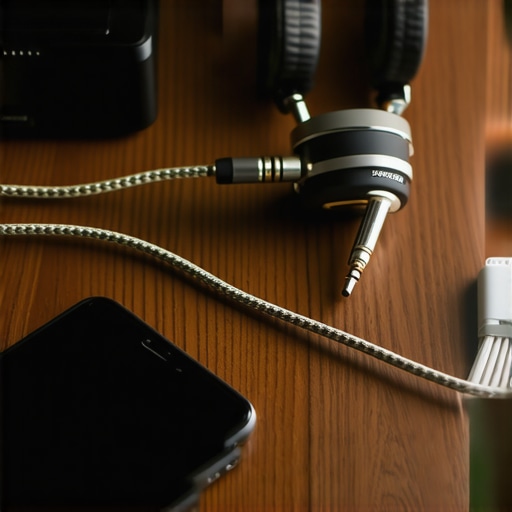
Don’t Let Dust Kill Your Physical Connections
Beyond the hardware, your software environment needs to remain ‘frozen’ in its optimized state. Once you find a stable version of a player like USB Audio Player PRO, disable the Google Play Store’s auto-update feature. I learned this the hard way when a sudden update introduced a bug that broke my bit-perfect output right before a weekend listening session. If you’re using this dedicated phone with high-end over-ear cans, remember that the environment affects the wearer too. Understanding why your headphone pads are flaking and how to prevent it will save you from having black pleather flakes all over your neck after a long session.
How can I keep this gear running for the long haul?
Maintenance isn’t just about the device; it’s about the room. While the phone handles the digital-to-analog conversion, the physical space dictates the final sound. Take the time to learn how to find the sweet spot for your speakers in a rectangular room. No amount of high-bitrate processing can overcome a standing wave that cancels out your bass. I predict that in the next few years, we will see a surge in mobile apps specifically designed for AI-driven room correction, turning these old phones into active acoustic calibrators that rival expensive calibrated microphones. My best advice? Go grab that old device from your ‘electronics graveyard’ today and just perform the factory reset. That’s the hardest step, and your ears will thank you by the weekend.
Hard Truths About My Journey Into Dedicated Mobile Audio
After a year of using a repurposed smartphone as my main listening rig, I’ve realized that the greatest improvement wasn’t actually the audio quality itself—though that was massive—it was the psychological shift. By removing the SIM card and all social media, I stopped ‘consuming content’ and started actually listening to music again. One thing that surprised me was how sensitive I became to the physical environment; I eventually found that I needed to learn how to get better stereo separation in a very narrow room just to do justice to the clarity of my new player. I also learned that you shouldn’t panic if you think your hardware is failing right away. If you ever notice that why your headphones sound slightly different in each ear, it is often just a slightly dirty jack or a software balance setting that got nudged during the initial setup. Patience is your best friend when dealing with older electronics. #IMAGE_PLACEHOLDER_E#
The Essential Toolkit for Your New Audio Hub
To make this setup feel like a premium piece of gear rather than a science project, I recommend a few specific tools. First, invest in a high-end microSD card; speed matters when you are indexing a 500GB library of FLAC files. Second, if you are using this as a desktop station, you can dramatically improve your experience by learning how to build your own speaker stands for under twenty dollars to get your monitors at ear level while you navigate your library. Lastly, choose your headphones wisely. If you decide to go with a high-fidelity open design, just be aware of why your open-back headphones leak sound more than you think before you take your new ‘DAP’ into a crowded library or coffee shop.
Turn That Dusty Screen Into a Music Gateway
Your old phone isn’t a piece of junk; it’s a dormant orchestra waiting for a conductor. By stripping away the notifications and the constant noise of the modern digital world, you aren’t just recycling hardware—you’re reclaiming your focus. This simple weekend project can save you hundreds of dollars and provide a more stable, customizable experience than many entry-level professional players. Go ahead, dig through that drawer, wipe the screen, and let the music take center stage again. Have you ever tried to use an old device for a dedicated task like this, or does the ‘e-waste’ drawer just keep growing? Let me know your experience in the comments below!