
I remember the first time I set up my “perfect” home office. I had my favorite wireless headphones on, a killer playlist going, and the coffee was fresh. I stepped out to grab a refill, kicked the door shut behind me, and—snap, crackle, pop—the music died. It felt like I’d just walked into a lead-lined bunker. I actually thought my new headphones had blown a driver or that the battery had spontaneously quit. But no, it was just the door. It’s one of those modern annoyances that makes you want to throw your gear out the window, but once you understand the “why” behind it, the fix is much simpler than you’d think. Today, I am going to help you reclaim your wireless freedom and explain why that physical barrier is such a bully to your audio.
Your Walls are Quietly Assassinating Your Audio Signal
It’s incredibly frustrating when you’re mid-podcast and a simple piece of wood or drywall turns your premium gear into a paperweight. Most of us assume that if we can hear a person shouting through a door, a high-tech radio signal should have no problem passing through. Unfortunately, Bluetooth doesn’t work that way. When I first started tinkering with home audio, I made a classic mistake: I assumed more power equaled more range. I spent a whole weekend trying to add an external antenna to a Bluetooth receiver in my garage, thinking I could just brute-force the signal through the drywall. Spoiler alert: it didn’t work. The real culprit is the physics of the 2.4 GHz frequency. This is the same frequency used by everything from your Wi-Fi router to that old microwave in the kitchen. In fact, if you’ve ever noticed your Bluetooth headphones stuttering near a microwave, you’ve seen this interference in the wild. According to the National Institute of Standards and Technology (NIST), common building materials can attenuate signal strength by as much as 10 to 20 decibels, which is a massive drop in the world of low-power radio.
Is the Range on the Box Just a Marketing Lie?
You see “30 feet” or “100 feet” on the box and you believe it. I did too. My biggest mistake early on was taking those numbers as gospel without considering the obstacles in my own home. Those tests are usually done in open fields with zero interference. Closing a door is essentially adding a massive physical “mute” button to the airwaves. Have you ever felt like your house was specifically designed to kill your wireless signal? Let me know in the comments if you have a specific room that acts like a black hole for your music. Before you give up and go back to a wired desktop setup or start troubleshooting lag issues, let’s dive into the actual science of what’s happening when that latch clicks into place.
Clear the Path Between Your Gear and Your Ears
The first step to fixing a signal that dies at your doorway is realizing that Bluetooth is a high-frequency, low-power ghost. It hates obstacles. If your transmitter is buried behind a monitor or tucked inside a desk drawer, you are already handicapping it. I once spent three hours thinking my laptop’s Bluetooth card was fried because I’d tucked it into a sleek metal cable management tray under my desk. It looked Pinterest-perfect, but that metal tray acted like a shield. The moment I moved the laptop just a few inches into the open, the stuttering stopped. This is exactly why your bluetooth speaker sounds muffled when placed against a wall; the sound waves and the radio waves are both being squeezed and bounced in ways they weren’t designed for. To get the best results, elevate your source. Radio waves generally travel better when they can ‘rain down’ on a receiver rather than fighting through the legs of chairs and heavy sofas.
Metal and Mirrors Act Like Signal Shields
You might not realize it, but that decorative mirror on the back of your door is basically a signal-killing wall of silver. Mirrors are backed with thin layers of metal, and metal is the ultimate nemesis of 2.4 GHz frequencies. If your signal has to pass through a door and then hit a mirror, it’s game over. It’s similar to how the hidden reason your wireless headphones lag during gaming often comes down to the environment they are in, rather than just the software. If you can’t move the furniture, try to orient your body. Your own water-filled body is an excellent absorber of radio waves. Sometimes simply turning your chair so your headphones face the door can bridge that 10-decibel gap.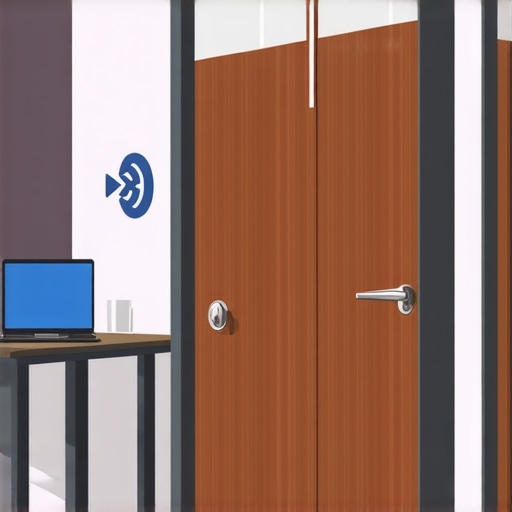
Force Your Hardware to Play Fair
If physical movement doesn’t work, it is time to look at how your devices are talking to each other. Most people don’t realize that their headphones might be trying to use a high-bitrate codec like LDAC or aptX HD, which requires a massive amount of data. When you close a door, the bandwidth drops. If the device keeps trying to push high-quality audio through a tiny ‘pipe,’ you get stutters. Switching your phone or laptop settings to ‘Prioritize Connection’ over ‘Audio Quality’ can often stop the cutting out entirely. This is a common fix when you are trying to how to fix the audio delay on your soundbar or other wireless hubs. You are essentially telling the gear to relax and use a simpler, more robust language that can survive the trip through the drywall.
Better Ear Tips Can Mask Physical Interference
It sounds crazy, but sometimes the ‘signal loss’ we feel is actually just poor isolation. If your connection is borderline, any slight drop in volume makes the audio feel like it’s disappearing. I discovered that the reason your wireless earbuds sound different after changing the tips is largely due to the seal. A better physical seal in your ear canal can make a slightly weakened signal still sound punchy and full. If you’re using cheap silicone tips, the audio might feel thin the moment you step behind a barrier. Upgrading to memory foam can help maintain that perceived ‘fullness’ even when the signal strength dips.
When to Give Up and Plug In
There is a point where physics simply wins. If you live in an old house with plaster-and-lath walls (which often contain a metal mesh), no amount of repositioning will help. In those cases, the best move is to stop relying on the internal Bluetooth chip of your device. This is where you might consider how to use a dac to improve your desktop computers audio by connecting a dedicated Bluetooth transmitter with a high-gain antenna via the USB port. These external units can blast through barriers that a tiny internal smartphone chip simply can’t touch. It’s about using the right tool for the job rather than getting mad at a piece of wood for being solid.
Let’s dig deeper into a common industry myth: the idea that more expensive gear automatically equals a more stable connection. In reality, I’ve found that my high-end audiophile cans are often the first to stutter compared to budget models. This happens because premium gear prioritizes data density—using codecs like LDAC or aptX HD—which makes the connection incredibly fragile. While you are busy learning how to properly break in new headphones without using white noise, your hardware is struggling to maintain a massive data stream through a solid oak door. It’s a classic trade-off; the more detail you demand, the more stable the ‘air bridge’ needs to be. I once spoke with an RF engineer who explained the concept of the ‘Fresnel Zone’—an elliptical area around the direct line-of-sight path. If your door frame or a heavy piece of furniture encroaches on this zone, even if you think you have a clear path, the signal reflects and cancels itself out. This is a level of nuance that most marketing materials skip entirely.
Will a Massive Antenna Actually Save Your Signal?
Probably not in the way you think. A common ‘trap’ I see enthusiasts fall into is buying a high-gain antenna for their receiver while still using a standard smartphone as the source. Bluetooth is a two-way conversation. It’s like trying to hear a person whispering from a mile away just because you have a giant ear trumpet; if the source isn’t shouting louder, the receiver cannot ‘grab’ more signal out of thin air. According to research published in the IEEE 802.15.1 standards documentation, Bluetooth is specifically optimized for ‘Personal Area Networks’ within a 10-meter bubble. When you force it to go further, you often increase the ‘noise floor’ alongside the signal. This is similar to why your noise-canceling headphones struggle with high-pitched voices; the technology is tuned for specific environments, and pushing it outside those bounds creates digital artifacts and timing errors.
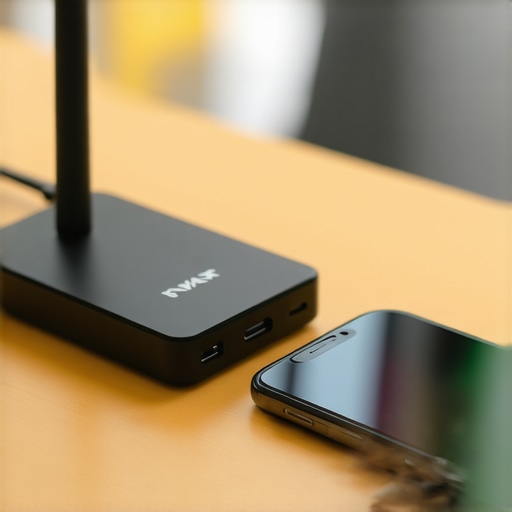
Before you spend a fortune on range extenders, try an analytical approach. You can actually learn how to use your phone to measure your rooms frequency response to identify physical dead zones where radio reflections are at their worst. Often, moving your transmitter just six inches away from a metal-studded wall is more effective than any hardware upgrade. Just as you’d research the secret to choosing the right ohm rating for your amp to avoid frying your speakers, you need to respect the limitations of your wireless environment. Have you ever fallen into this trap of buying more gear to fix a physics problem? Let me know in the comments.
Moving beyond the physics of the Fresnel Zone, I’ve found that the long-term health of your setup is often a matter of routine maintenance rather than just buying better gear. I’ve seen people replace high-end headphones just because a tiny bit of pocket lint or oxidation got into the charging port or the transmitter’s antenna socket, causing a weak connection. I use a specific brand of electrical contact cleaner, DeoxIT D5, to ensure my transmitters stay in top shape. It sounds obsessive, but knowing how to fix a scratchy volume dial with electrical contact cleaner is a skill that translates perfectly to keeping your wireless hubs running smoothly.
Stop Blaming the Hardware and Start Cleaning Your Contacts
If you’re running a dedicated setup, like how to set up a 2.1 system for the ultimate gaming audio, you need to think about the ‘invisible’ maintenance. This isn’t just about dust; it’s about firmware. Companies like Sony and Sennheiser frequently push ‘connection stability’ patches that specifically address how the device handles packet loss when a barrier—like that pesky door—intervenes. I make it a habit to check for updates once a month. It’s the easiest way to ensure your hardware is using the most efficient error-correction algorithms available. 
How do I keep my wireless gear sounding fresh for years?
Maintenance isn’t just about the internals. If you have a portable unit, avoiding the mistake that kills your portable speaker battery life is half the battle. For home setups, I personally use a simple ‘signal mapping’ technique. Every six months, I check the heat sinks on my external transmitters to ensure they aren’t choked with dust. Overheating is a silent killer of radio performance, causing the internal chips to throttle their power output. However, remember that while you want to keep things clean, you must be careful; you should never use compressed air to clean a silk dome tweeter or other sensitive components.
Why the New Auracast Standard Will Save Your Audio
Looking toward the future, the ‘closed door’ problem is finally being addressed at the silicon level. The Bluetooth Special Interest Group (SIG) recently detailed the LE Audio standard in their technical specifications, which utilizes the LC3 codec to provide higher quality at lower bitrates. According to the Bluetooth SIG, this transition allows for much better resilience against interference because the data packets are leaner and can be re-sent more efficiently. This means soon, our heavy oak doors won’t be the ‘signal killers’ they are today. We are moving toward a world where your audio won’t just ‘survive’ a barrier; it will intelligently navigate around it using Auracast broadcast technology. If you are struggling right now, don’t just live with a bad signal. My challenge to you is this: tonight, move your Bluetooth transmitter at least 12 inches away from any metal surface or large monitor and download a signal-metering app like LightBlue. If your RSSI value is lower than -90 dBm, you’ve found your culprit. Fix the placement before you fix the budget.
What I Learned After Failing to Brute-Force Physics
The hardest lesson I’ve learned in a decade of tinkering is that you can’t outspend the laws of nature. I used to think buying the most expensive receiver would solve my range issues, but I was wrong. Often, it’s the premium gear that is the most temperamental because it’s trying to push so much data. I’ve realized that a simple shift in placement is worth more than a expensive range extender that just adds noise. Also, never underestimate the impact of your own body; you are essentially a walking bag of water that absorbs 2.4 GHz signals like a sponge. Sometimes, why your bluetooth speaker sounds muffled when placed against a wall is the same reason your signal drops—it is all about the bounce and absorption.
#IMAGE_PLACEHOLDER_E#
A Blueprint for Your Wireless Hub
When my setup feels sluggish, I don’t reach for my wallet; I reach for my toolkit. First, I use signal-metering apps like LightBlue to find the ‘quiet spots’ in my room. If the hardware is physically dirty, I’ve found that knowing how to fix a scratchy volume dial with electrical contact cleaner is a game-changer for maintaining a clean signal path at the source. I also recommend experimenting with ear tips; it sounds small, but the reason your wireless earbuds sound different after changing the tips is often due to the seal, which helps you perceive a stronger signal even when the radio waves are struggling. Finally, keep an eye on the Bluetooth Special Interest Group for news on LE Audio—it is the technical foundation that will eventually make these doorway drops a thing of the past.
Take Back Control of Your Soundstage
Wireless audio is a dance between convenience and constraint. While a closed door might feel like the enemy today, understanding the science behind it puts the power back in your hands. Don’t be afraid to rearrange your furniture or move your transmitter—often the best home audio deals are the ones where you don’t have to buy anything at all, just optimize what you have. Your setup is a living thing, and with a little bit of physics-based troubleshooting, you can keep the music playing no matter which room you are in. Have you ever found a weird dead zone in your house that makes your headphones cut out? Let me know in the comments below.